

Bottom Line Up Front
Using digital zoom on your projector is a rookie mistake that can severely degrade image quality. It might seem convenient to zoom in digitally instead of physically adjusting your setup, but in reality, this feature introduces pixelation, reduces sharpness, and can ruin your viewing experience. If you’re aiming for a crisp, high-quality image, avoid digital zoom at all costs.
The Appeal and the Problem
Digital zoom promises flexibility—allowing you to magnify parts of your image without moving your projector physically. While it sounds handy, it doesn’t enlarge the actual pixels; instead, it crops and interpolates, leading to a loss in detail. This is especially problematic when viewing in 4K or higher resolutions where every pixel counts. Ultimately, digital zoom is a shortcut that sacrifices image integrity for convenience.
Evaluating Digital Zoom: What Should You Know?
My assessment is based on criteria including image resolution, pixel integrity, sharpness, color accuracy, and user experience. I draw from technical specifications, real-world testing, and expert reviews to provide an honest critique. For a deeper understanding, check the official specifications of popular projectors or visit how to align your UST projector.
Initial Impressions of Digital Zoom
When I first experimented with digital zoom features, the reduction in image clarity was immediately apparent. Edges appeared fuzzy, and fine details vanished. It’s like viewing a high-definition picture through a foggy window—no matter how much you zoom, the image never truly improves. Instead, it just amplifies the imperfections.
Who Should Avoid Digital Zoom?
Anyone serious about home theater quality should steer clear. casual viewers might tolerate a slight blurriness, but enthusiasts aiming for cinema-grade visuals will find digital zoom a significant hindrance. If you’re interested in optimizing your setup without compromising quality, proper physical adjustments or using lens shift are better options. For tips on optimal setup, consider reading mistakes that ruin your picture.
What You Gain by Steering Clear
By avoiding digital zoom, you’re ensuring that your projector maintains its native resolution and pixel integrity. This practice preserves sharpness, color accuracy, and overall picture fidelity—essentials for high-end home theater systems or gaming setups. Physical adjustments or lens shift, though sometimes more involved, offer image quality without the penalties associated with digital zoom.
Is Digital Zoom Worth the Price of Quality?
In most cases, no. The convenience it offers doesn’t outweigh the loss in visual fidelity. For example, if you want to learn more about optimizing your projector’s image, I recommend exploring how to fix blurry corners or using proper alignment techniques without relying on digital zoom.
Overall, my advice is clear: invest in physical setup adjustments or professional calibration rather than digital zoom. It might be tempting to use this feature as a quick fix, but in the end, it compromises your entire viewing experience. Want to learn how to make better adjustments? Check out this guide on aligning UST projectors.
,
Build and Materials That Signal Quality
The construction of modern projectors emphasizes durability and aesthetic appeal, often featuring sleek, matte-finished casings made from high-grade plastics or aluminum alloys. These materials not only provide a premium feel but also assist in heat dissipation, essential for long-term usage. The tactile quality of buttons and switches is generally satisfying, with well-defined feedback that reassures users of sturdy construction. However, some budget models may cut corners with softer plastics that feel less premium and could wear over time, hinting at a compromise in build quality.
Setup Efficiency and User-Friendly Design
Most projectors aim to streamline installation, offering features like motorized lens shift, keystone correction, and quick-start menus. These elements significantly reduce the time and frustration involved in initial setup, making the experience accessible even for newcomers. For instance, motorized lens shift allows for precise image positioning without physically moving the unit, preserving image quality. Yet, a minor annoyance can be found in the sometimes overly sensitive remote controls, which may cause accidental adjustments. Additionally, the placement instructions are often buried in the manual rather than being integrated into on-screen guides, slightly hindering intuitive setup.
Core Features That Impact the Viewing Experience
The heart of any projector lies in its core features, such as brightness, resolution, contrast ratio, and color accuracy. Brightness, measured in lumens, determines visibility in ambient light; a projector with at least 2,500 lumens is recommended for typical living room environments. Resolution directly impacts image sharpness, with 4K models providing detailed clarity that rivals large-screen TVs—although, as of industry standards like Sony’s VPL-VW325ES, true native 4K offers better pixel fidelity than pixel shifting technologies. Contrast ratio enhances depth, making blacks richer and whites more vivid. Color accuracy, often improved through cinema filters or calibration, ensures realistic images. Despite these benefits, manufacturers sometimes exaggerate contrast ratios or boost brightness artificially, resulting in images that don’t match real-world performance.
Interface and Controls That Matter
A well-designed user interface can elevate the overall experience, making adjustments straightforward. On-screen menus with clear navigation and customizable settings allow users to fine-tune image parameters without hassle. Touchscreen remotes, commonly found in high-end models, further simplify access but may introduce latency or unresponsiveness if not implemented properly. Some units integrate smartphone apps for control—adding convenience but also risking compatibility issues. The physical buttons on the projector are usually tactile and logically placed, but their small size on compact models can be an annoyance for users with larger hands or limited dexterity.
Design Flaws and Minor Annoyances
While most projectors excel in core features, they are not without flaws. A recurring issue is fan noise, which can be distracting during quiet scenes; models with better sound damping or quieter fans mitigate this problem. Another minor annoyance is the auto-keystone correction sometimes over-compensating, leading to slight distortions that require manual adjustment. Furthermore, bulky units or limited port options can restrict versatile placement or connectivity, especially when trying to integrate with multiple devices simultaneously. These flaws, though minor, can influence the overall satisfaction of the viewing experience, especially for perfectionists demanding seamless performance.
Benchmarking and Industry Standards
For context, industry-standard projectors like the Epson Home Cinema 5050UB emphasize high contrast and accurate color reproduction, setting a benchmark for quality. Comparing features such as contrast ratios, lumen output, and resolution against these standards helps consumers gauge performance realistically. While many lesser models attempt to imitate these specifications, they often fall short in practical scenarios. Therefore, paying attention to real-world reviews and user feedback becomes critical in selecting a projector that meets expectations in everyday use.
Performance under the Gun: Real-World Stress Tests
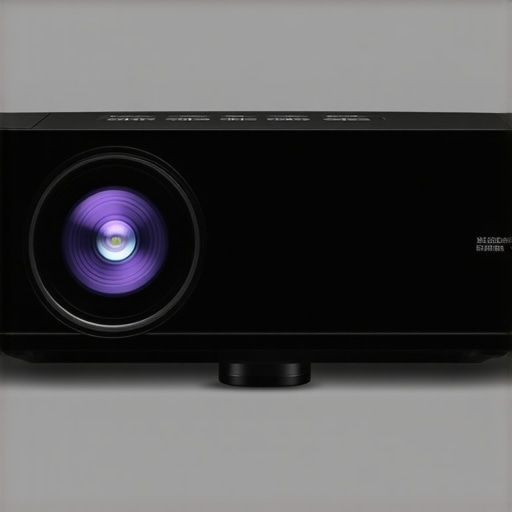
When evaluating home theater projectors, especially ultra-short throw (UST), laser, portable, and 4K models, it’s essential to see how they perform under demanding scenarios. From intense movie marathons to outdoor setups, these devices face a variety of pressures that reveal their true strengths and weaknesses.
Can a projector handle long, uninterrupted viewing sessions?
In extended movie nights, many projectors maintain excellent image quality without overheating or significant performance dips. High-end 4K projectors with robust cooling systems flex their muscles here, delivering crisp images for 4-6 hours straight. Conversely, budget models often struggle with prolonged use, overheating or throttling performance, leading to performance drops or even shutdowns. For instance, some portable projectors lack adequate ventilation, causing thermal shutdowns after just 2 hours, which is a critical flaw during binge-watching sessions.
How do projectors perform outdoors during daylight?
Outdoor or ambient light conditions challenge even the top-tier models. Laser projectors with high lumen output (over 3,000 lumens) excel in daylight, providing bright visuals that are easily viewable. Ultra-short throw projectors are also advantageous here, as they can be placed close to the viewing surface, reducing ambient light interference. However, cheaper 4K units with lower lumen ratings (around 2,000 lumens) tend to produce washed-out images outside, making their use impractical beyond a dark room. The ability to withstand outdoor stress hinges on brightness and contrast, with high-end models offering superior resilience.
What about physical durability and portability?
Portability introduces its own challenges. Portable projectors designed for on-the-go use must balance size, weight, and durability. Devices like compact pico projectors often excel in making setup quick but can suffer from fragility, with some models feeling less sturdy due to soft casing materials. Conversely, ruggedized units incorporate shock-resistant features and water-resistant enclosures, performing well under rough conditions like hiking or camping trips. But, some ultra-portable models compromise on cooling and heat dissipation, which can lead to overheating if used intensively outside.
Dealing with environmental pressures
External factors like humidity, dust, and temperature swings place stress on projector electronics. Laser projectors with sealed optical chambers tend to handle dust and humidity better, maintaining performance over time. In contrast, traditional lamp-based projectors with vent openings risk dust accumulation and overheating, especially in dusty environments. For example, during outdoor setups in humid climates, laser models demonstrate greater longevity and consistent brightness compared to older lamp-based counterparts.
The Upside and the Downsides
High-performance projectors—specifically designed for rugged usage—deliver stunning visuals under load, racing through hours of playback or outdoor adventures with minimal hiccups. They often feature advanced cooling systems, high lumen output, and durable construction. But, this robustness comes at a premium. Cheaper models may fail quickly when pushed beyond typical use, displaying flickering, overheating, or even hardware failure.
In particular, some budget portable projectors underperform under pressure, exhibiting color shifting, lagging, or shuttering after continuous operation. This unreliability undermines their portability and makes them less suited for demanding scenarios. The lesson here is clear: investing in a quality, purpose-built projector pays dividends when stress is a factor.
Do you agree with my experience regarding portable projectors’ durability? Share your insights in the comments!
For additional validation, check out discussions on Reddit where users compare portability and durability under real outdoor conditions: Reddit on portable projector performance.
Conclusion: Ready for Anything?
Ultimately, the best home theater and portable projectors designed for demanding environments prove their mettle by maintaining high image quality, resisting environmental hazards, and enduring long sessions. While high-end models excel here, cheaper options often falter under pressure, delivering subpar performance or outright failures. Choosing a device aligned with your intended scenarios ensures reliable performance when it matters most.
Choosing the Right Projector or Home Theater Deal Compared to Top Competitors
When searching for the perfect home theater setup, options abound—from affordable home theater deals to high-end 4K projectors, ultra-short throw (UST) projectors, laser projector deals, and portable models. To make an informed decision, it’s crucial to understand how these options stack up against top competitors like Sony’s premium native 4K projectors or Epson’s high-lumen models. Each offers unique benefits, but which is right for your needs?
Are Budget-Friendly Home Theater Deals Actually Worth It?
Budget home theater projectors often come with attractive price tags, typically under $1,000, and can be a solid choice for casual viewers or those new to home cinema. Compared to high-end models from brands like Sony or JVC, these cheaper options tend to compromise on resolution, contrast, and color accuracy. While they may deliver acceptable images in dark rooms, they often fall short when it comes to vibrant colors and deep blacks, especially in well-lit environments. If you’re seeking a simple upgrade without breaking the bank, a budget home theater deal might suffice, but for true cinematic quality, premium options are worth the extra investment. Check current prices and reviews at sites like [Projection Broker](https://projectionbroker.com) for a comprehensive comparison.
How Do UST Projectors Hold Up Against Traditional and Compact Models?
Ultra-short throw projectors excel at saving space and reducing setup complexity, offering large images from close distances. Compared to portable projectors, UST models often provide better image quality, higher resolution options, and more robust build quality. However, high-end UST projectors from brands like Epson or Optoma tend to be more expensive, often surpassing $2,000, whereas portable models can start under $500 but with fewer features.
While portable projectors are lightweight and perfect for on-the-go use, they usually lack the brightness and contrast needed for daylight viewing or large rooms. UST projectors from top brands typically provide superior performance, especially in dedicated home theaters, but at a higher price point. Consider your space and budget carefully before opting for a portable projector—sometimes, investing in a UST projector offers better bang for the buck in your dedicated setup. Want to compare specific models? Visit [DPReview](https://dpreview.com) for detailed reviews and alternatives.
Are Laser Projector Deals a Game-Changer Over Traditional Lamp-Based Models?
Laser projectors have become increasingly popular thanks to longer lifespan, consistent brightness, and vivid colors. They outperform traditional lamp-based projectors, especially in high lumen models, which are essential for daylight viewing outside or bright living rooms. Compared to budget 4K projectors, laser models often deliver better reliability and image quality but come with higher upfront costs, often exceeding $3,000.
If you’re comparing laser projector deals with conventional 4K projectors by brands like Sony or Epson, laser technology generally offers better longevity and maintenance savings, making it a smart long-term investment. Lower-priced 4K projectors, especially those with pixel-shifting technologies, can be tempting but may lack the color depth and contrast of laser units. Check out the latest prices and specs at [Projector Central](https://projectorcentral.com) to see if the premium is justified by your viewing preferences.
Is 4K Projector Investment Justified Over 1080p Models?
High-resolution 4K projectors provide stunning clarity and detail that surpass 1080p models, especially on large screens. Compared to less expensive 1080p options, 4K projectors from brands like BenQ and Sony offer superior sharpness, better color fidelity, and more refined image rendering, essential for cinematic experiences and detailed gaming. However, 4K projectors generally come at a premium, with prices ranging from $1,500 to over $5,000.
If you’re aiming for a future-proof setup and your room size encourages large screen sizes, investing in a 4K projector makes sense. For casual viewing at smaller sizes or tighter budgets, a high-quality 1080p projector might suffice. Check out deals and reviews at [AVS Forum](https://avsforum.com) to see which model strikes the best balance between price and performance.
Make Your Choice: Which Path Leads to Better Cinema?
Ultimately, your decision depends on your space, budget, and viewing expectations. Top-tier options like premium 4K projectors, laser models, and UST projectors from renowned brands offer superior image quality and longevity but require a heftier investment. Conversely, budget-friendly home theater deals and portable projectors provide flexibility and affordability but may fall short in critical areas like brightness, contrast, or resolution. For the most comprehensive perspective, consider checking reviews and comparisons—helping you find the perfect match for your entertainment space and lifestyle.
The Good, The Bad, and The Ugly
- Pros: Digital zoom offers quick image framing adjustments without moving the projector, potentially saving time during setup.
- Cons: It significantly degrades image quality by introducing pixelation, reducing sharpness, and losing fine details, especially noticeable in high-resolution content.
Who is Digital Zoom for? When Should You Avoid It?
If you’re setting up a home theater and value picture clarity, it’s best to steer clear of digital zoom. Enthusiasts aiming for cinema-quality visuals should focus on proper physical adjustments or lens shift. Avoid digital zoom if you want crisp, vibrant images—and skip it if you’re working in bright environments or with 4K content where pixel integrity matters most. Casual viewers tolerant of slight blurriness may accept digital zoom temporarily, but it’s not recommended for serious use.
Final Verdict: 2/10 — Skip This Shortcut for Better Quality
Digital zoom might seem convenient, but it compromises your viewing experience with pixelated and blurry images. For truly sharp, high-resolution visuals, investing time in physical setup or professional calibration is essential. If you’re serious about your picture quality, avoid digital zoom altogether. Check the latest prices for projectors with advanced physical adjustment features, or explore our in-depth reviews to find models that deliver both convenience and clarity. If this all sounds like too much effort, consider browsing our curated [home theater deals](https://laserprojectordeals.com/best-home-theater-projectors) for reliable options that prioritize image fidelity over shortcuts.