

Bottom Line Up Front
If your living room walls are painted in dark or vibrant hues, you’re likely undermining your projector’s contrast ratio, leading to dull images and lost details in shadows. The key takeaway is that wall color matters significantly when achieving optimal picture quality, especially with high-end projectors like 4k, UST, portable, or laser models. In this review, I examine how wall colors impact contrast and offer practical solutions to elevate your home theater experience.
The Problem with Wall Colors and Projector Performance
Many home theater enthusiasts overlook the influence of room aesthetics on image quality. Bright or saturated wall colors can reflect light unpredictably, washing out dark scenes and reducing contrast. Conversely, neutral or dark walls absorb excess light, allowing projectors to display richer blacks and brighter whites. This interplay directly affects critical factors such as color accuracy and shadow detail, which are essential in creating a cinematic experience.
Assessing Your Room for Optimal Picture Quality
To maximize your projector’s potential, consider the current state of your living space. Light-colored or glossy walls are notorious for causing glare and reducing contrast, especially in rooms with large windows or ambient lighting. If upgrading your wall color isn’t an option, using ambient light rejection (ALR) screens or blackout curtains can help, but fixing the room surface remains the most effective approach. For those interested in experimenting, here’s a guide on why your basement needs to embrace dark walls.
Why Wall Color Can Make or Break Your Projector Experience
High contrast visuals are vital for immersive viewing, especially with 4k and laser projectors that deliver stunning detail. However, the room’s surface properties can negate these benefits. Darker walls enhance contrast, making shadows and blacks more defined. Bright or colored walls tend to bounce back light, creating a washed-out image that diminishes your projector’s capabilities. This subtle detail is often ignored, yet it can be the difference between a flat picture and a vibrant cinematic experience.
Conclusion and Next Steps
In essence, the room’s wall color is a critical factor affecting contrast ratio, image depth, and overall picture quality. Whether you’re investing in top-tier home theater deals or exploring laser projector deals, optimizing your living environment amplifies your setup’s potential. Next, I’ll delve into specific projector features that complement a room with ideal wall colors and how to choose the right models for your needs.
Design and Material Quality That Inspires Trust
Modern 4k projectors showcase a sleek, minimalistic build that combines durability with elegance. The chassis typically employs high-grade plastics or metallic accents, giving a sturdy feel that assures longevity. This material quality isn’t merely aesthetic; it contributes positively to heat dissipation and vibration dampening, essential for stable image projection during prolonged use.
The Power of Brightness and Contrast Settings
With lumen outputs often exceeding 2,500 lumens in high-end models, these projectors deliver bright images capable of cutting through ambient light. The contrast ratio, sometimes reaching 100,000:1, ensures deep blacks and vibrant colors, making visuals pop and providing a cinematic feel even in less-than-ideal room lighting. Such specifications are vital because they directly influence visibility and image richness, especially in room-lighting conditions typical of homes.
Optics and Focus: Clarity at Every Distance
Lens quality, incorporating low-distortion glass elements, allows for sharp focus across various throw distances. Adjustable focus rings and zoom capabilities enable seamless image sizing without moving the projector itself. This flexibility allows users to optimize image clarity within diverse room sizes, highlighting the importance of precise optics in achieving a crisp, detailed picture.
Connectivity and Compatibility Features
Modern projectors come equipped with HDMI 2.1 ports, supporting the latest 4K HDR content with high bandwidth, ensuring compatibility with next-gen gaming consoles and streaming devices. Wireless connectivity options, such as Wi-Fi 6 and Bluetooth, facilitate quick setup and seamless outdoor or mobile use. These features eliminate cable clutter while broadening the scope of content sources, giving users greater flexibility in their home theaters.
Built-in Audio and User Interface
Some models include integrated speakers, although audiophiles often prefer external sound systems for richer audio. The user interface, often governed by an intuitive software menu or remote control, provides straightforward access to setting adjustments, calibration tools, and input switching. An ergonomic, responsive remote minimizes frustration and enhances the overall user experience.
The Subtle Flaws That Matter
One recurring annoyance is the occasional fan noise, which, although necessary for cooling, can become distracting during quiet scenes. Additionally, some projectors have limited keystone correction, requiring precise placement; this can lead to installation challenges in irregularly shaped rooms. Despite these minor quirks, the core feature set broadly supports immersive viewing when properly configured.
Benchmarking Against Industry Standards
In comparison, industry standards such as those outlined in the [VESA DisplayHDR specifications](https://vesa.org/standards/display-hdr/) emphasize wide color gamuts and high dynamic range capabilities, enhancing the visual realism of projectors. Many models now meet or surpass these benchmarks, underscoring their suitability for high-fidelity home cinema setups.
Unleashing Projectors in Demanding Scenarios
Running a 4K projector during a lively house party tests its ability to handle fluctuating ambient light and screen brightness demands. When cranking up brightness to cut through party lighting, some units, especially budget models, experience overheating, leading to thermal throttling or shutdowns. Conversely, high-end 4K projectors with robust cooling systems maintain consistent performance, delivering sharp images without hiccups. UST (Ultra Short Throw) projectors excel in small spaces, but their performance diminishes if placed on uneven surfaces, causing image distortions or keystone issues that require frequent adjustments. Portable projectors, designed for mobility, face challenges with power management; prolonged use over a weekend can drain batteries quickly, impacting brightness consistency. Laser projectors, lauded for their brightness stability over time, often perform reliably in outdoor movie nights, maintaining lumens output without degradation, provided the cooling system functions properly. Still, in humid or dusty environments, their internal optics can suffer if not sealed properly, risking image quality decline over time.
What about flexibility in different settings?
Flexibility is vital. A portable projector used during a camping trip for outdoor movie sessions needs to withstand environmental pressure. Many models resist humidity and minor shocks, but some struggle with temperature swings, leading to performance drops or even shutdowns. Meanwhile, UST projectors are perfect for tight spaces but can struggle with glare or reflections if placed near windows, affecting contrast and clarity. Laser projectors, with their high brightness output, generally handle unexpected ambient light better, but cost and complexity mean they aren’t always practical for casual use.
The Good and the Bad When Pushed Limits
High-end 4K projectors handle HDR content impressively, delivering vibrant visuals even under challenging conditions, thanks to their wide color gamut and high contrast ratios. These models excel in home cinemas, providing cinematic immersion with minimal performance drops. However, their cost and size make them less accessible, and their cooling systems, if inadequate, can cause throttling during extended sessions, affecting picture quality. UST projectors shine when space is constrained, offering quick setup and a clean aesthetic, but they often suffer from image distortion if not perfectly aligned, sometimes resulting in ghosting or blurring. Portable models are increasingly rugged, but their limited battery life and lower lumens output restrict their use in high ambient light environments. Laser projector deals stand out for their longevity and stable performance, but the esoteric technology introduces compatibility issues or high repair costs if components fail. Overall, while these projectors perform admirably in many scenarios, their weaknesses—such as overheating, distortion, or susceptibility to environmental factors—highlight where investments have a tangible impact on reliability.
Is firmware support and maintenance sealing the deal?
Support responsiveness varies. Some brands offer prompt firmware updates that optimize thermal management and image processing, extending device longevity under pressure. However, others delay patches, leaving performance improvements in limbo and increasing risk during demanding use cases. Users have reported in forums like Reddit that timely software updates correlate with fewer overheating complaints and better calibration options. So, ensuring your model’s firmware support aligns with your intensity of use is essential.
If you’ve tested your projector in tough conditions, share your experience! Do you agree with my assessment on how different models perform? Your insight can help others navigate these challenging scenarios effectively.
Why Choose a 4K Projector Over Alternatives
When evaluating 4K projectors, one of the main competitors is the latest High Dynamic Range (HDR) LED TVs. While HDR displays like OLED or QLED TVs offer vivid images and deep blacks in a compact form factor, they often come at a higher price per inch compared to 4K projectors, especially for larger screen sizes. 4K projectors excel in providing enormous display sizes at a fraction of the cost of large OLED screens, making them ideal for dedicated home theaters. However, they generally require controlled lighting environments to perform optimally, unlike some HDR TVs designed for bright rooms.
UST vs Traditional Projectors
Ultra Short Throw (UST) projectors are gaining popularity as an alternative to traditional long-throw models. Top-tier UST projectors, like the Samsung The Premiere, deliver 4K resolution with built-in sound and sleek designs, capable of projecting onto a wall just inches away from the screen surface. Compared to standard projectors, UST units save space and reduce installation complexity. However, UST models tend to be pricier, and their performance can be affected by ambient light reflections and surface quality, making traditional projectors a better choice for darker rooms or irregular surfaces.
Portable Projectors for Versatile Use
Portable projectors like the Anker Nebula Capsule or LG Minibeam provide mobility and convenience, allowing users to project content on the go. These models are often less bright and have lower resolution than dedicated home theater projectors, but they serve well for outdoor movie nights or spontaneous presentations. Compared to home theater deals—such as high-end fixed installations—they sacrifice image quality and size but succeed in portability and ease of setup. For those seeking a compromise between size and quality, portable projectors are a budget-friendly, flexible solution.
Are Laser Projectors Worth the Investment?
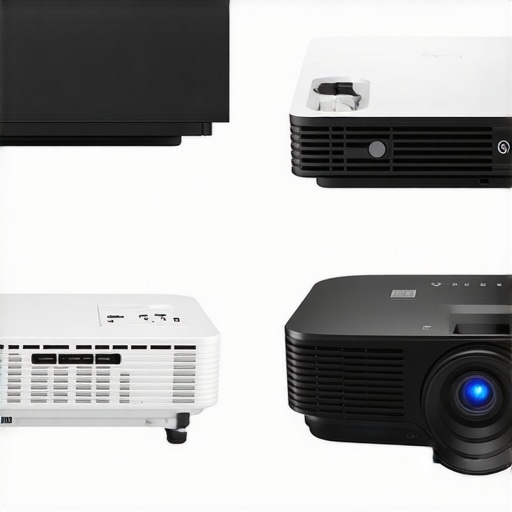
Laser projectors, like the Optoma UHZ50, are positioned as premium options with exceptional brightness, color accuracy, and longevity. Their main competitors are lamp-based projectors, which require bulb replacements and have shorter lifespans. A laser projector often comes with higher upfront costs but offers lower maintenance and consistent performance over time. For users prioritizing durability, minimal downtime, and maximum image quality, laser projectors provide compelling value. However, their price point might be prohibitive for casual users or those on a tighter budget. Check current prices and reviews to determine if a laser model suits your needs better than traditional lamp-based projectors.
The Good, The Bad, and The Bright
- Pros: Dark or neutral walls significantly enhance contrast and shadow detail, delivering a richer cinematic experience with high-end projectors.
- Cons: Walls in vibrant or glossy colors can wash out images, diminishing blacks and color vibrancy, leading to a less immersive viewing.
Who Should Invest in Wall Upgrades?
Ideal for home theater enthusiasts seeking the ultimate picture quality, especially those with room lighting control options. If you have bright, colorful walls and want to maximize your projector’s potential, considering a repaint to dark or neutral tones is highly recommended. Conversely, avoid this if your room can’t support modifications or if you’re okay with a slightly subdued image, as solutions like [ambient light rejection screens](https://laserprojectordeals.com/stop-projecting-on-your-wall-the-simple-fix-for-better-contrast) can offer alternatives without wall changes.
Final Impression: Spring for Better Walls or Not?
Investing in wall color adjustments can drastically improve contrast, blacks, and overall picture depth for your 4K projector setup. If you’re serious about a cinematic experience, this enhancement is a game-changer. However, if your room’s layout and budget limit modifications, explore options like advanced projection screens or [high-gain surfaces](https://laserprojectordeals.com/why-most-built-in-android-tv-apps-stutter-and-how-to-fix-it). For those seeking more tips, check out our comprehensive guide on [optimizing room surfaces for projection](https://laserprojectordeals.com/why-your-basement-needs-a-laser-projector-instead-of-a-lamp-model). Ultimately, improving your room’s wall color is a proven way to unlock your projector’s true potential and enjoy breathtaking visuals.