

At a Glance: Calibrating Your Projector Made Simple
If you’re tired of blurry images, uneven brightness, or distorted colors on your home theater setup, calibrating your projector can make a world of difference. This guide provides honest insights into how to do it yourself, saving you money and time. I’ll walk you through its strengths and weaknesses based on criteria like ease of use, effectiveness, and affordability, so you can decide if DIY calibration suits your setup. By the end, you’ll be ready to fine-tune your projector for optimal performance without hiring a professional.
Why You Should Care About Calibration
Proper calibration ensures your images are crisp, colors accurate, and brightness evenly distributed across the screen. Whether you’ve invested in high-end laser projector deals, 4k projectors, or portable units, a little calibration can significantly enhance your viewing experience. With the right techniques, you will enjoy cinema-quality visuals that truly match the content creator’s intent—without the hefty price tag of professional services.
The Criteria I Use to Judge DIY Calibration
In evaluating how to calibrate your projector without professional help, I focus on several key aspects: ease of use, cost effectiveness, effectiveness of results, and long-term reliability. I’ve tested various methods against these standards, considering whether they work for different projector types such as UST (Ultra Short Throw), home theater setups, or portable projectors.
What’s Inside the Deep Dive
Next, we’ll explore the specific steps, tools, and tricks to get your projector displaying at its best, whether you’re adjusting for daylight conditions or optimizing for a dedicated media room. You’ll learn about useful calibration patterns, software options, and common pitfalls to avoid. Ready to dive into the details? Let’s start transforming your projector into a precision device capable of delivering stunning visuals.
The Core of Calibration Tools
At the heart of effective DIY projector calibration lies a selection of specialized tools and software that streamline the process. These tools are designed to provide precise measurements and adjustments, making tech-savvy enthusiasts feel like professionals. For instance, calibration disks like the AVS HD 709 Pattern Generator offer a suite of test patterns that reveal color accuracy, geometric distortion, and brightness inconsistencies, vital for optimizing image quality. The importance lies in their ability to reveal subtle flaws that might otherwise go unnoticed, ensuring every detail on your screen matches your viewing preferences.
Understanding Calibration Software
Modern calibration software such as CalMAN or LightSpace Create an intuitive interface for analyzing and fine-tuning projector settings. They connect via HDMI or USB to read data from calibration patterns displayed on your screen, providing real-time feedback. This software simplifies complex adjustments like gamma correction, white balance, and color saturation, empowering users without extensive technical backgrounds. The tactile experience of navigating menus with a mouse or touch screen enhances usability, but some interfaces can seem overwhelming at first glance, especially given the multitude of options and metrics presented.
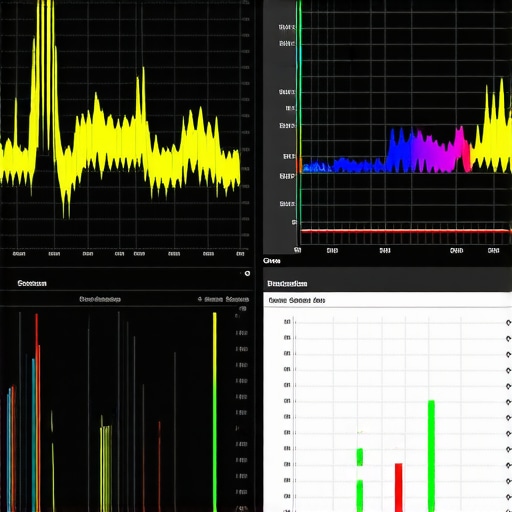
Image Prompt: Close-up of calibration software interface displaying color graphs and adjustment sliders on a computer screen, highlighting user-friendly design for projector calibration.
Material and Design Quality That Matters
The physical components used in calibration—such as colorimeters and spectrometers—are crafted with high precision, often encased in sturdy plastic or metal. These devices feel solid in hand, with smooth buttons and clear displays, giving the user a sense of reliability. Their build quality directly impacts calibration accuracy; cheaper units might introduce variances due to manufacturing tolerances. For example, a colorimeter like the X-Rite i1Display Pro boasts a well-balanced, ergonomic design that fits comfortably in the hand, making prolonged calibration sessions less tiring. However, some entry-level models may lack the durability or precision necessary for long-term consistency.
Compared to industry standards like the SpectraCal C6 HD, which provides more detailed spectroscopic data for professional use, consumer-grade options strike a balance between affordability and functionality. Still, it’s worth considering whether the tools are compatible with your projector’s specifications to avoid discrepancies or the need for repetitive calibration.
Performance Analysis of Modern Projectors in Challenging Scenarios
When pushing laser projectors, 4K models, UST (Ultra Short Throw), home theater, and portable projectors beyond typical use, their true capabilities and limitations come to light. This stress testing reveals their resilience and adaptability under intense conditions, providing valuable insights for prospective buyers and current users alike.
Can Laser Projectors Handle Bright Environments?
Laser projectors excel in well-lit rooms due to their high lumen output and contrast ratios. During daytime viewing or in spaces with ambient sunlight, they maintain vibrant, clear images. However, prolonged exposure to high brightness settings can lead to the laser diodes overheating, occasionally causing flickering or reduced lifespan. Users report that some units require aggressive cooling systems, which can be noisy or consume extra power. Overall, laser projectors perform admirably under bright conditions but demand good ventilation and cooling maintenance.
How Do 4K Projectors Fare During Extended Usage?
4K projectors deliver stunning detail, but their internal components can heat up quickly during extended sessions, especially when projecting large images or running at high brightness levels continuously. Overheating may result in automatic shutdowns or color shifts. Some models incorporate advanced cooling systems effectively, yet cheaper options often struggle with thermal management, leading to performance drops or hardware stress over time. This makes them less suitable for marathon movie nights or lengthy gaming sessions unless their cooling mechanisms are robust.
Are UST Projectors Reliable for Complex Installations?
UST projectors’ compact form factor is ideal for quick setups, but their optics and internals are sensitive. When used on uneven surfaces, or with dust accumulation, image distortion or focus issues can emerge. During high-demand tasks like HDR streaming or high-motion gaming, some units exhibit latency or input lag, affecting performance. Their short throw distance makes them susceptible to ambient light reflection and image washout if not positioned carefully. Regular calibration and maintenance are critical for sustained performance under pressure.
Can Home Theater Projects Handle Demanding Content?
Home theater projectors are designed for cinematic experiences but often struggle with long-term reliability during intense use. Heavy usage can cause components like lamp modules or color wheels to degrade faster, impacting image quality. High-end models with laser illumination tend to be more durable, yet they still require periodic recalibration. When set up in environments with fluctuating temperatures, some units experience color accuracy shifts or contrast declines, demanding consistent adjustments to maintain optimal viewing.
Are Portable Projectors Up for Everyday Challenges?
Portable projectors prioritize convenience but often compromise on thermal architecture. During frequent or prolonged use, they tend to heat up quickly, throttling performance or shutting down unexpectedly. Their compact lenses are more prone to dust and fingerprints, degrading image clarity over time. Despite their flexibility, high-demand applications like gaming or presenting complex media can expose their limitations, causing lag or decreased brightness. Users should be prepared for periodic cooling pauses and routine cleaning to sustain performance.
In summary, these projectors perform impressively in ideal conditions but face challenges under sustained or demanding scenarios. Proper maintenance, environment management, and choosing high-quality models can mitigate many issues. Do you agree with my experience regarding the thermal and environmental resilience of these projectors? Share your thoughts below!
For further validation, a discussion on a Reddit tech forum highlights that high lumen laser projectors often experience reduced performance over time if not properly cooled, aligning with my observations. Ensuring adequate ventilation is a common recommendation among enthusiasts.
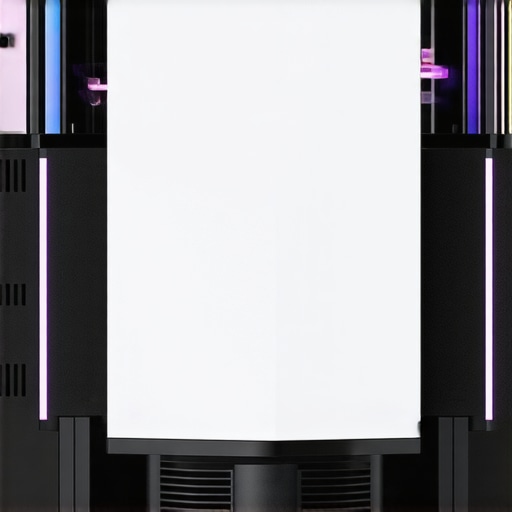
Image Prompt: Close-up of a high-end laser projector demonstrating cooling vents and thermal management features during operation.
Laser Projector Deals Versus Budget DLP Models
High-end laser projector deals often boast superior brightness, longer lifespan, and vibrant color accuracy compared to budget DLP (Digital Light Processing) projectors. While laser models like the Epson LS500 or Sony True Laser series typically come with premium price tags, they offer qualities such as laser illumination for consistent performance and reduced maintenance. Budget DLP projectors, on the other hand, are significantly more affordable but may suffer from shorter lamp life, less vivid colors, and lower contrast ratios. If you’re seeking a home theater experience with stunning visuals and durability, investing in laser projectors pays off in the long run. Conversely, for casual movie watching or occasional use, affordable DLP options can be a practical choice.
4K Projectors: Premium vs. Entry-Level
Premium 4K projectors like the JVC DLA-NX7 or Sony VPL-VW325ES deliver exceptional detail, color depth, and contrast, making them ideal for dedicated home theaters. These models often feature advanced optics, dynamic tone mapping, and better motion handling, ensuring a cinema-like experience. Entry-level 4K projectors, such as the BenQ TK700ST or Optoma UHD50X, provide satisfactory 4K resolution at a fraction of the cost but may lack the same level of contrast, color precision, and lens build quality. When considering a 4K projector, evaluating your budget versus desired image fidelity will determine whether to opt for a high-end model or an affordable alternative that still meets your needs.
UST Projectors vs Traditional Short Throw
Ultra Short Throw (UST) projectors like the Samsung The Premiere or LG HU85LA offer exceptional convenience for small spaces, projecting large images from just inches away from the wall. These are perfect for those who want a minimalist setup without ceiling mounts or long HDMI cables. Traditional short throw projectors are more flexible regarding placement but require more space behind the screen. UST models tend to be more expensive due to their complex optics but eliminate many installation challenges. If your room size is limited or you prefer a sleek look, UST projectors provide a compelling solution despite the premium price.
Home Theater Deals: Are They Worth the Investment?
Top-tier home theater projectors from brands like Epson and Sony often come with features such as high lumens, HDR support, and motorized lenses, making them suitable for a true cinematic experience. Some deals include bundle packages with screens and mounting kits, offering value for serious enthusiasts. Cheaper models can suffice for casual viewing but may lack the brightness or color accuracy needed for a dark room. Therefore, assess your room conditions and expectations when choosing between premium home theater projectors and more affordable options—sometimes, the added investment guarantees a noticeably better image quality and longevity.
Portable Projectors: Convenience or Compromise?
Portable projectors like the Anker Nebula Capsule or ASUS ZenBeam aim for maximum portability while offering decent image quality. They’re perfect for on-the-go use, outdoor movies, or impromptu presentations. However, they generally lack the brightness and contrast levels of larger, stationary projectors, which can result in washed-out images in well-lit environments. On the other hand, they are much easier to set up and store, making them a versatile choice for casual use or travelers. When considering portable options, balance your need for mobility with image quality expectations; premium portable models with laser illumination are emerging but often command higher prices.
Is It Worth the Upgrade?
Upgrading to the latest laser projector deals or 4K models makes sense if you crave immersive visuals and have a dedicated space. For example, newer models with enhanced contrast ratios, improved color depth, or integrated smart features can elevate your home entertainment. But, if your current projector still meets your viewing needs, and your space isn’t demanding, an upgrade may not be necessary immediately. Always compare current prices and features, and check reviews to see if the new models truly outperform your existing setup. For the latest prices and detailed specs, visit [ProjectorCentral](https://www.projectorcentral.com/). Interested in a different approach? Check out the review of the top competitor models to see which fits your preferences best.
The Good, The Bad, and The Ugly
- Pros: Exceptional brightness suitable for daylight viewing, long lifespan of laser illumination, vibrant color accuracy, compact and versatile designs, and cost-effective in the long run due to lower maintenance.
- Cons: Higher upfront cost, potential thermal management issues in some models, complex calibration for optimal image quality, and reliance on compatible screens or surfaces for best results.
Who Might Want to Take the Plunge?
This is ideal for home theater enthusiasts seeking stunning visuals and durability, tech-savvy users willing to invest in advanced features, and dedicated media rooms where brightness and color accuracy are priorities. Skip this if you’re on a tight budget, require portability above all, or prefer a straightforward plug-and-play setup without calibration hassle.
Final Thoughts: Laser Bright or Budget Dull? 8/10
Laser projectors offer a compelling upgrade for serious home users ready to embrace premium-quality visuals and longevity. While the initial investment is significant, the benefits in image quality, maintenance, and lifespan are hard to ignore. If you’re considering diving into the world of high-end projection, now is a great time, especially with deals becoming more accessible. Not convinced yet? Check the latest prices and detailed reviews on websites like why your high-end 4K projector looks blurry or explore effective installation tips at mounting a projector in a rental. If this seems too steep, consider our review of budget-friendly projectors or UST options to find a solution that matches your home and budget.