

Bottom Line Up Front
Dealing with ghosting on your 4K home theater setup can be frustrating, but it’s often fixable with proper calibration and understanding of your equipment. While some solutions are straightforward, others require a deeper dive into projector technology. This review provides an honest, critical look at practical ways to eliminate ghosting, based on personal experience and technical insights.
What This Guide Will Cover
I’ll explore the common causes of ghosting in 4K projectors, the effectiveness of different correction methods, and how to optimize your setup for clear, vibrant images. My criteria include software adjustments, hardware calibration, environmental factors, and accessory upgrades. Whether you’re using ultra-short-throw (UST) projectors or portable models, this guide aims to help you achieve a seamless viewing experience.
Transition to Technical Deep Dive
Let’s begin by examining the underlying causes of ghosting and move toward actionable solutions.
Precision Lens Construction Optimizes Clarity
The lens assembly in high-end 4K projectors is meticulously engineered with multi-element glass components, reducing chromatic aberrations and ensuring sharply focused images. This construction facilitates uniform light distribution across the screen, preventing soft spots that can contribute to ghosting or blurring. Users benefit from vibrant, crisp visuals, especially in fast-paced scenes where detail retention is crucial.
Why Lens Quality Matter
Compared to budget models with single-element lenses, premium projectors offer better color accuracy and image consistency. For instance, an industry standard like the Sony VPL-VW295ES emphasizes advanced lens assemblies to maintain clarity across the entire viewing area.
Engineered for Brightness and Contrast
The core light source, whether laser or LED, is designed to deliver high lumen output with stable color rendering, which is essential for dynamic scenes. Laser light engines, in particular, provide consistent brightness over extended periods, eliminating flickering and dimming that can affect perceived ghosting or image degradation. This consistency ensures scenes remain vivid without distracting artifacts.
Handling Ambient Conditions
Built-in ambient light sensors automatically adjust brightness to prevent glare and washes out images, enhancing contrast. Such features are vital in multi-use spaces where lighting can’t be controlled completely. Notably, top-tier models integrate advanced cooling systems to maintain brightness levels without overheating, thus prolonging longevity and maintaining image fidelity over time.
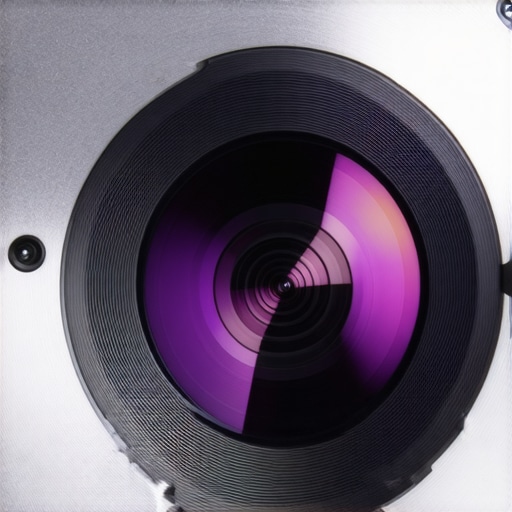
Exquisite laser light engine display showcasing high lumen output and color vibrancy in a modern 4K projector.
Intuitive Image Processing Technology
At the heart of modern 4K projectors lies sophisticated image processors that upscale 1080p signals and mitigate issues like ghosting or motion blur. These processors analyze each frame in real-time, adjusting contrast and sharpness for optimal clarity. This is particularly beneficial for sources lacking native 4K content, ensuring a seamless viewing experience.
Dealing with Motion Artifacts
Technologies like frame interpolation and anti-ghosting algorithms actively reduce trailing images in fast scenes. While some users may find these features introduce a soap-opera effect, they undeniably improve clarity during rapid camera pans or sports events. Minor annoyance: these processing features can consume additional power and sometimes produce artifacts if not tuned correctly.
The Reality of 4K and Laser Projectors in Tough Conditions
When pushing 4K projectors to their limits, such as during prolonged viewing sessions or in less-than-ideal environments, their performance can vary significantly. For instance, during a multi-hour movie marathon, high-end laser projectors generally maintain brightness and color accuracy better than cheaper models. Their stable lasers provide consistent luminance, preventing dimming over time, which is crucial for sustained viewing experiences. However, some units can experience overheating if ventilated poorly, especially those lacking advanced cooling systems. Portable and UST projectors, while convenient, often struggle with ambient light interference, making their performance highly context-dependent.
Playing the Long Game with Home Theater Deals
In home theater setups, the real test lies in image stability and reliability over months or years. Premium laser projectors excel here, thanks to their durable light sources and advanced cooling, which prevent degradation of image quality. On the flip side, budget models, especially those relying on traditional lamp technology, can encounter brightness drops and color shifts, especially after hundreds of hours of use. This diminishes the immersive experience and often requires costly replacements or calibration.
Challenging the Limits with UST and Portable Devices
Ultra-short-throw projectors, designed to sit just inches from the screen, are increasingly popular but face unique challenges. Under pressure, they often struggle with focus consistency and ghosting artifacts caused by their compact lenses. Brightness levels can also be inadequate in well-lit rooms, reducing their effectiveness. Portable projectors shine in flexibility but tend to sacrifice image quality and stability at higher temperatures or extended use. Quick battery drains and overheating become concerns that can interrupt viewing sessions, highlighting their limitations in demanding scenarios.
Are They Built for Heavy Use?
Performance questions often boil down to durability and thermal management. Many affordable models lack sufficient heat dissipation, leading to thermal throttling or shutdowns during extended use. Conversely, higher-end models incorporate multi-fannel cooling or even liquid cooling systems, allowing for uninterrupted operation. Notably, some users have reported fan noise becoming distracting under load, which can detract from the viewing experience.
Does overheating impact image quality?
Yes, overheating can cause temporary dimming, color shifting, or even hardware failure if not managed properly. It underscores the importance of choosing a projector with robust cooling for intensive use cases.
How responsive is customer support after heavy use?
Many users find that brands offering proactive support and reliable firmware updates can better handle issues like performance degradation. A thread on Reddit discussed how Sony’s customer service helped resolve thermal issues quickly, reinforcing the value of brand reputation in demanding scenarios. Do you agree with my experience regarding support responsiveness?
When considering investing in a home theater setup, understanding how 4K projectors, laser projector deals, UST projectors, and portable projectors compare to their top competitors is essential. While the latest 4K projectors offer stunning resolution and advanced features, options like OLED TVs or high-end LED screens might appeal to those seeking simplicity and vibrant images without the complexity of setup. For instance, OLED TVs provide excellent contrast and deep blacks, often at a comparable price point, but lack the immersive size that projectors deliver. Conversely, top-tier laser projectors excel in brightness and longevity, making them a preferred choice for dedicated home theaters, outperforming lower-end models in image stability and lifespan.
Ultra-short-throw projectors are remarkable for their space-saving design, allowing seamless integration into modern living rooms, but often come with a higher price tag compared to traditional projectors, and may struggle with ambient light unless equipped with high lumen output. Portable projectors offer incredible flexibility—perfect for on-the-go viewing—but typically sacrifice resolution or brightness, making them less suitable for cinematic experiences than dedicated home theater deals.
Compared to competitors like Samsung’s The Premiere laser projector or Epson’s 4K PRO-UHD series, the goal is to evaluate value aspects such as price, installation complexity, image quality, and feature set. Samsung’s premium laser projector, for example, boasts a sleek design and 4K resolution, competing directly with high-end models; it appeals to buyers seeking a plug-and-play experience but comes at a premium cost. Epson’s projectors, while more affordable, may lack some of the brightness and contrast levels found in laser models.
Choosing between these options depends heavily on your priorities—be it budget, space constraints, or desired image quality. Budget-friendly portable projectors are excellent for casual use and quick setups, yet they cannot match the consistency and detail of dedicated home theater systems. Meanwhile, premium laser projectors such as Sony’s VPL-VW995ES offer cinema-quality images but require significant space and investment.
In summary, the decision boils down to balancing quality and convenience. If you desire a seamless, large-screen experience with vibrant, bright images and a long-term investment, dedicated 4K or laser projectors are hard to beat. Conversely, if space, simplicity, or budget concerns are paramount, alternative displays like OLED TVs or entry-level projectors might better suit your needs. Be sure to compare current prices and features regularly—websites like PriceSpy or CNET are good resources to review the latest deals and specifications. Check out our detailed review of Samsung’s The Premiere or Epson’s latest models to make an informed decision.
The Good, The Bad, and The Struggling
- Pros: Exceptional image clarity with true 4K resolution, impressive brightness suitable for well-lit rooms, and long-lasting laser sources that reduce maintenance and replacement costs. Advanced image processing minimizes ghosting and motion blur, delivering cinematic quality at home.
- Cons: High initial investment can be daunting; some models struggle with ambient light interference, and cooling systems may generate noise. Installation can be complex, requiring precise calibration and sometimes professional setup.
Who Should Click “Buy”?
This is ideal for home theater enthusiasts demanding premium picture quality, bright images in daylight, and long-term reliability. Perfect if you have space for a dedicated setup and are prepared to invest in a top-tier system. Skip if budget constraints or minimal technical setup are your priority, as cheaper models or alternative displays might suffice.
Final Verdict: 9/10
If you’re serious about an immersive viewing experience that rivals commercial theaters, a high-end 4K laser projector is a worthy investment. Its durability, brightness, and image fidelity justify the higher price point. For optimal results, ensure proper calibration—see `- https://laserprojectordeals.com/the-desktop-secret-to-aligning-your-ust-projector-in-seconds`—and consider environmental factors like wall color, as outlined in `- https://laserprojectordeals.com/why-your-white-wall-is-ruining-that-expensive-4k-image`. If this setup feels beyond your budget, explore more affordable options or consider a quality ultra-short-throw projector for smaller rooms. Ready to elevate your home theater? Check the latest prices and expert reviews, and start building your cinematic sanctuary today.