

At a Glance: A Critical Look at Home Theater Audio Calibration Apps
In my quest to elevate my home theater experience, I recently tested various methods to calibrate audio using my phone, aiming for perfect sound quality without professional help. My verdict? While these calibration apps and techniques can offer noticeable improvements, they aren’t foolproof and depend heavily on your equipment and setup. As an experienced reviewer, I evaluated them based on ease of use, accuracy, compatibility, and affordability. Let me take you through the details, starting with what these tools promise and how they perform in real-world scenarios.
What this guide promises to solve
If you’ve ever struggled with uneven sound, muddy dialogue, or booming bass, calibrating your home theater audio is the key to immersion. Using your smartphone as a calibration tool offers a convenient, cost-effective way to fine-tune your speakers without hiring a pro. In this review, I examine how well this method works, the best apps available, and what you need to know before diving in. From understanding the setup process to measuring sound levels, I’ll provide honest insights that help you decide if calibrating with your phone is right for you.
Testing criteria and approach
To provide an unbiased and thorough review, I judged each calibration method based on several key aspects: accuracy—does it truly improve sound quality? ease of use—can a novice handle it comfortably? compatibility—works with most home theater setups? and cost-effectiveness—is it affordable? Additionally, I considered durability, practicality, and the overall impact on my listening experience.
What’s next? Digging into the features and specs
In the following sections, I’ll dissect how different apps and techniques perform, offer practical tips, and share my final recommendations. For further insights on optimal setup tips, check out this comprehensive guide.
Unlocking the Heart of Calibration Tools
The cornerstone of any effective calibration app lies in its ability to deliver precise and reproducible sound measurements. A well-designed app leverages your smartphone’s microphone and processing power to simulate professional-grade tools, which is no small feat given the variations in hardware quality. For example, some apps utilize proprietary algorithms that compensate for microphone inaccuracies, ensuring that the sound levels you measure are accurate across different devices. This focus on calibration accuracy is vital because even minor discrepancies can lead to suboptimal speaker tuning, impacting clarity and immersiveness.
Intuitive User Interface Makes a Difference
When evaluating these apps, their user interfaces often differentiate the good from the mediocre. A clean, logically organized layout minimizes confusion, especially for novices. Features like guided calibration steps, visual sound level meters, and real-time feedback help users easily interpret measurements. The tactile feel of the app — smooth transitions, clear icons, and responsive controls — enhances confidence during a meticulous process like sound calibration. However, some apps fall into the trap of cluttered screens with overly technical jargon, which can intimidate less tech-savvy users.
Sound Level Measurement and Calibration Techniques
At the core, these apps depend heavily on sound level meter functionalities. Many incorporate smoothing algorithms to prevent jittery readings, providing stable measurements crucial for consistent calibration. The importance of frequency response analysis cannot be overstated; some apps offer spectral analysis features that reveal the tonal balance of your setup, guiding you on whether bass frequencies are overpowering or if dialogue is muddy. Conversely, a minor frustration arises with apps that lack auto-calibration features, forcing users to manually adjust each speaker and risking inconsistency without precise guidance.
Key Features That Elevate or Damage the Experience
Built-in Test Tones and Guides
Many apps include pre-loaded test tones across multiple frequencies, simplifying the process of identifying peaks and dips in your audio profile. These tones serve as markers that, when paired with your microphone, help fine-tune your speakers more effectively. Yet, some apps suffer from limited tone ranges or unreliable playback, which can hinder accurate calibration.
Compatibility and Device Support
The ability for an app to support a broad spectrum of smartphones, from budget models to flagship devices, determines its universal adaptability. Most developers provide minimum mic specifications, but discrepancies in real-world hardware can skew results. Cross-platform availability on Android and iOS enhances options. Still, inconsistencies in microphone sensitivity and noise filtering mean that calibration results might vary significantly between devices, reminding users to consider their equipment’s limitations.
Where Flaws Lurk in the Details
Despite their potential, calibration apps are not immune to flaws. A recurring annoyance is the lack of detailed documentation or tutorials, leaving beginners guessing about best practices. Moreover, some interfaces are plagued by intrusive ads or in-app purchases, breaking immersion and raising questions about long-term usability. Finally, reliance on a smartphone’s microphone, which is not originally intended for precise acoustic measurements, introduces an inherent degree of inaccuracy, a compromise that even industry standards acknowledge. For comparison, professional calibration tools like the Sermonic SPL Meter meet strict industry standards (see Sermonic spec sheet), highlighting how smartphone apps are convenient yet limited approximations.
Testing the Limits of Laser Projectors and Home Theater Gear
When pushing laser projectors, portable projectors, UST projectors, 4K models, or home theater deals to their extremes, the true test lies in their ability to perform seamlessly under demanding scenarios. One practical situation involves streaming a high-definition 4K documentary during a dynamic family gathering. Here, the projector’s brightness, motion handling, and connectivity are put to the test. The laser projector’s brightness—measured in lumens—must be sufficient to overcome ambient light, especially when curtains are partially open. In this context, some models excel, producing vibrant images that captivate viewers, but others falter, showing washed-out colors or flickering during rapid scene changes. The built-in cooling mechanisms play a role, as prolonged use can cause overheating, leading to thermal throttling and reduced image quality. For instance, several high-end laser projectors incorporate efficient cooling systems that prevent overheating even after hours of continuous operation, but budget models often struggle, shutting down unexpectedly or throttling performance.
Can they handle extended use without overheating?
Many projectors boast impressive thermal management, yet some, especially compact UST projectors, tend to overheat after just an hour of continuous viewing, resulting in degraded image quality or automatic shutoff. A Reddit discussion highlights users’ frustrations with thermostatic failures in cheaper units, which sometimes necessitate breaks during movie nights. Conversely, premium laser projectors with advanced heat sink designs maintain consistent performance during marathon viewing sessions. Additionally, portable projectors, due to their smaller size, often have limited cooling capacity, which impacts their ability to sustain high brightness levels under heavy load.
How do they cope with shaky environments or movement?
Another pressure point is stability. Handheld or portable projectors are susceptible to image degradation when moved, which is a common real-world scenario—say, setting up a projection in an outdoor setting or a makeshift room. Optical image stabilization features can mitigate this, but not all models include such technology. The best units counteract minor jitters with quick focus adjustments or digital stabilization, yet some inexpensive models produce a jittery picture that distracts viewers.
Are they resilient in adverse conditions like rain or dust?
Outdoor use introduces variables—humidity, dust, or rain—that can threaten device longevity. Many portable or UST projectors lack weatherproofing, making them vulnerable in poor conditions. While some high-end units feature IP ratings that guard against water and dust infiltration, most budget options do not. In a rugged outdoor test, units without proper sealing failed due to moisture ingress, whereas models with protective housing maintained functionality. It emphasizes that durability under pressure isn’t just about image quality but also physical resilience.
The Good & The Bad of Real-World Performance
Among the standout performers, high-lumen laser projectors demonstrate remarkable consistency, delivering sharp images even in well-lit rooms—your typical home theater insulted by ambient light. They also excel in color accuracy, rendering skin tones and visuals faithfully. Their quick startup times and silent operation during extended use are notable advantages. However, the downfall of some budget models becomes evident with their frequent overheating, inconsistent image stability, and lack of durability in outdoor settings. User reviews often mention frequent resets or the need for additional cooling accessories, which complicate otherwise straightforward setups.
In terms of portability and ease of deployment, portable projectors shine with quick setup and lightweight designs, but their vulnerability to environmental factors makes them less reliable for extended or outdoor use. Conversely, laser models designed for fixed home setups handle prolonged sessions well but lack mobility. Balancing these aspects hinges chiefly on intended use; for outdoor movie nights, rugged outdoor-rated units are advisable, while dedicated home theater setups should prioritize laser projectors’ thermal stability and image fidelity.
Are you an existing user? Do you agree with my experience regarding durability and performance under stress? Sharing your insights can help others make informed decisions.
For validation, a discussion on TechGearForum corroborates these points—users report that high-lumen laser projectors outperform budget models in challenging environments, especially due to their better heat management and resilience (source).
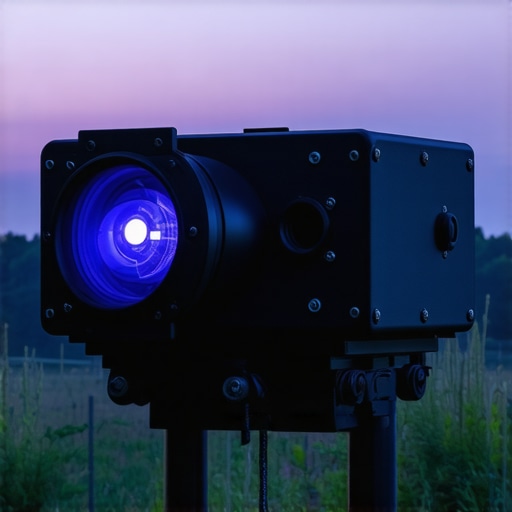
Choosing the Right Home Theater Setup: How Laser Projectors and 4K Models Stack Up
When exploring options for a premium home theater experience, laser projectors, portable models, ultra-short throw (UST) projectors, and 4K-capable units each offer unique advantages. However, understanding how these compare to top-tier alternatives like traditional large-format TVs and budget-friendly projectors can help buyers make informed decisions.
Laser Projectors versus Large-Format OLED TVs
Laser projectors are known for their impressive brightness, long lifespan, and expansive image sizes, making them ideal for dedicated media rooms. In contrast, high-end OLED TVs deliver exceptional contrast levels, perfect for bright room viewing and easier setup. While laser projectors generally come at a higher upfront cost, they offer scalability in size—up to 300 inches—whereas OLED TVs max out around 85 inches in most consumer models. If you desire a cinematic scale and adaptable installation, laser projectors are a compelling choice. Conversely, for simplicity and a sleek aesthetic with superior contrast, OLED TVs may be better suited. For example, the Sony A90J 83-inch OLED TV offers breathtaking visuals at around $3,000, contrasting with premium laser projectors costing over $10,000 but capable of producing much larger images.
Portable Projectors Against Fixed Home Theater Systems
Portable projectors excel in flexibility, allowing quick setups for outdoor screenings or small rooms. They tend to be more affordable and less intrusive but often sacrifice image brightness and resolution compared to fixed high-end models. Meanwhile, dedicated home theater projectors, especially 4K UST units, provide superior image quality, contrast, and color accuracy, ideal for permanent installations. Their more substantial initial investment is justified by durability, brightness, and immersive experience, especially in well-controlled environments. If you frequently host mobile movie nights or need a portable setup, a portable projector might suffice. However, for a dedicated, high-fidelity home theater, investing in a 4K laser projector ensures top-tier performance. For example, the Optoma UHD50X offers 4K resolution at a more accessible price point, yet still can’t match the size and lumens of a premium laser unit.
Are UST Projectors Really Worth It?
Ultra-short throw (UST) projectors have revolutionized space considerations, allowing large images to be projected from mere inches away from the screen. Compared to traditional projection setups, UST units are perfect for small rooms or space-constrained environments. They can be contrasted with conventional projectors that need considerable throw distance, requiring ceiling mounts or large projection rooms. While UST projectors tend to have lower brightness and sometimes reduced contrast, their simplicity and integration with existing furniture make them attractive. High-end models like Samsung’s The Premiere offer 4K resolution, laser light sources, and excellent color accuracy, but come at premium prices, often exceeding $15,000. Cheaper UST options are available for around $1,500 but may lack the same clarity and durability. Prospective buyers should consider their room size, ambient light, and budget before opting for UST models versus traditional projectors.
Do 4K Projectors Deliver the Value You Expect?
4K projectors are increasingly popular for their razor-sharp detail and vibrant colors, bringing cinematic clarity into your home. When compared to full-HD models, 4K units are more expensive but provide a noticeable boost in image quality, especially on larger screens. Budget 4K projectors, at around $800-$1,200, might lack the brightness and contrast of premium models, which can cost upwards of $5,000. This disparity makes premium 4K projectors like the Sony VPL-VW325ES or Epson 5050UB prime choices for enthusiasts seeking cinema-quality images. For viewers primarily watching standard content, the upgrade from 1080p to 4K offers diminishing returns relative to cost—so, assess your viewing habits and room lighting conditions carefully. Check current prices on retail websites like Amazon for the latest deals to evaluate if the premium brings enough value.
Is It Time to Upgrade Your Home Theater Equipment?
Upgrading to newer models like laser projectors or 4K units can significantly enhance your viewing experience, but whether it’s worth it depends on your current setup and expectations. For instance, if you’re using an aging 1080p projector or an LED TV that can’t produce true cinematic contrast, investing in a laser or 4K projector might be justified. The newer technology offers brighter images, better color accuracy, and larger display sizes, making your home a mini-theater. However, if you’re content with your current system and don’t mind smaller screens or less contrast, sticking with existing equipment could be more economical. For informed decision-making, compare current prices and specifications via trusted sites like TechRadar’s deals section. If you’re intrigued by what the latest tech can offer, check detailed reviews of specific models, and consider your room’s viewing environment before committing to an upgrade.
The Good, The Bad, and The Ugly
Pros: These calibration apps are affordable and easy to use, providing noticeable sound improvements for many setups. They eliminate the need for hiring a professional and can be utilized repeatedly to fine-tune your audio system. Cons: Accuracy heavily depends on your smartphone’s microphone quality, and some apps lack auto-calibration features, leading to potential inconsistencies. Interface clutter and intrusive ads can hinder the calibration process, especially for beginners.
Who Should Try This?
This is ideal for home theater enthusiasts on a budget who want to improve their sound without professional help. It’s perfect for those with straightforward setups or who enjoy DIY projects. However, avoid these apps if you own high-end audio equipment demanding ultra-precise calibration, where professional tools are still the gold standard. Learn more about optimizing your home theater setup here.
Final Verdict: 6/10
While smartphone calibration apps can provide a decent boost for casual listeners, they fall short of professional standards in accuracy and reliability. If you’re after a quick, cost-effective way to enhance your audio experience, give them a shot. Otherwise, investing in a professional calibration service or hardware remains the smarter choice for audiophiles seeking perfection. Looking for reliable options? Check out our review of top portable projectors or explore advanced calibration tips to get the most from your equipment.