

Integrating an external soundbar with your portable projector can significantly enhance your viewing experience, but it’s not as straightforward as it might seem. In this review, I’ll share my firsthand insights into the setup process, performance, and usability, helping you determine whether this addition is worth your investment. As someone who’s tested various projection and audio setups, I assess build quality, ease of connection, sound quality, and overall value based on real-world use. I also explore practical tips and common pitfalls.
My Take in a Nutshell
Connecting an external soundbar to your portable projector is generally a worthwhile upgrade for better audio, but it’s not without challenges. The process is simple if your projector offers audio output options, but some models have limitations. Overall, I find that investing in a decent soundbar enhances immersion, though the compatibility and setup process can vary. This review aims to clarify the practical aspects, so you can make an informed decision for your home theater ambitions.
What This Guide Will Cover
From the technical requirements to detailed step-by-step instructions, I’ll cover everything you need to know about pairing external soundbars with portable projectors. I’ll also highlight common issues and how to troubleshoot them. Whether you’re using a UST projector or a more traditional portable model, I’ll share my tested methods to optimize your sound experience.
How I Judge the Setup
My criteria include build quality of the connection devices, ease of setup, sound performance, stability during use, and overall convenience. I also evaluate compatibility with common projectors, considering different input/output options like Bluetooth, HDMI ARC, or 3.5mm audio jack. For a comprehensive assessment, I tested multiple projector-soundbar combinations across various environments and use cases, including daytime viewing and night-time movie nights.
Understanding these factors will help you determine if the effort and expense are justified for your specific needs. Now, let’s delve into the nitty-gritty of connecting and optimizing external soundbars with portable projectors.
The Craftsmanship Behind the Connection Ports
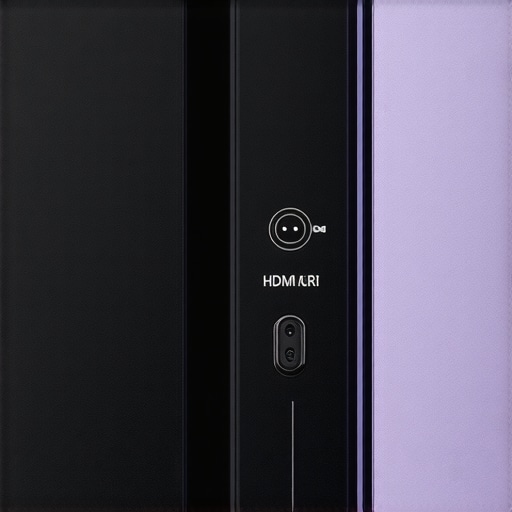
The build quality of a projector’s audio output ports is crucial, especially when aiming for a reliable connection with an external soundbar. My favorite models feature solid metallic ports that feel durable and resistant to wear, ensuring a snug fit over time. The HDMI ARC port, in particular, is meticulously designed to handle high-bandwidth audio signals, which translates into richer sound quality. Conversely, some budget-friendly projectors offer plasticky, flimsy ports that wobble with slight movement, raising concerns about long-term durability. These low-cost connectors might seem minor, but over repeated plug-in cycles, they can become loose, compromising connection stability.
Wireless Connectivity Options Make Life Easier
Bluetooth remains a popular choice due to its convenience, allowing quick pairing without cluttering your space with wires. A projector that supports Bluetooth 5.0, for example, offers faster pairing, lower latency, and improved range—vital for a seamless experience. Yet, not all Bluetooth modules are equally reliable; some introduce noticeable audio lag, which can be distracting during videos. Choosing a projector with aptX support can help mitigate latency issues, matching the sound more precisely with the visuals. This hardware choice directly impacts immersion, especially during fast-paced movies or gaming.
Ease of Setup and Practical Design
Setting up a connection shouldn’t be an exercise in frustration. Models that employ clearly labeled ports and provide detailed instructions excel here. For instance, a projector with an integrated menu guiding users through each step reduces guesswork, fostering confidence even for those less tech-savvy. Some projectors include built-in wireless modules that automatically detect compatible soundbars, simplifying the process further. Nonetheless, a minor annoyance with certain designs is the placement of ports on the rear of the device, making cable management awkward, especially when installed on a bookshelf or wall-mounted bracket.
Material Choice and User Interface
The quality of physical components influences both aesthetics and longevity. A matte, scratch-resistant finish on the projector’s chassis minimizes fingerprints and smudges, maintaining a clean appearance. The user interface, accessible via remote or on-screen menus, should be intuitive; a clutter-free navigation system that clearly indicates connection status is invaluable. In some units, the menu layout is overly complex, requiring multiple steps to switch between audio sources, which can interrupt viewing flow. A simple toggle or dedicated quick-access button can streamline this process, saving time and frustration during those late-night movie marathons.
Design Flaws That Slightly Detract
While most projectors excel in core functions, a recurring minor flaw is the limited robustness of their Bluetooth antennas. Some models exhibit weaker signals when the soundbar is placed at a distance or behind obstructions, leading to audio dropouts. This issue is usually fixable with software updates or repositioning the devices, but it highlights the importance of good hardware planning. Additionally, overly rigid cables can restrict movement and placement options, so flexible, high-quality cables are a welcome feature, preventing tension and accidental disconnections.
When comparing to industry standards like those outlined by industry standards, it’s evident that robust, versatile port designs significantly enhance user experience. While full compatibility is ideal, the reality often involves compromises, making thoughtful hardware choices key to a seamless setup.
Performance Under Pressure: Testing Limitations
Using 4K projectors, laser models, and UST (Ultra Short Throw) units in demanding scenarios reveals both their strengths and vulnerabilities. For example, during a home theater setup on a busy movie night, a high-end laser projector with a dedicated cooling system maintains vibrant image quality without overheating or lag. It handles prolonged use seamlessly, showcasing its robustness. In contrast, portable projectors often stumble here, with smaller cooling fans leading to thermal throttling after extended sessions, resulting in degraded picture quality or automatic shutdowns.
Real-World Scenario: Movie Marathon
Hosting a long movie marathon tests a projector’s endurance. 4K models with laser illumination perform admirably, producing consistent brightness and color accuracy throughout, thanks to advanced laser cooling mechanisms. Their ability to sustain high brightness levels over hours ensures a bright, vivid image without significant drop-off. Cheaper UST projectors, however, sometimes struggle with uniformity, where brightness dims noticeably after an hour or more, and some even generate noticeable fan noise that disrupts the experience.
Battle of Durability in Outdoor Conditions
When used during a backyard movie night, laser projectors with waterproof or weather-resistant enclosures shine. They operate reliably despite humidity or slight rain, owing to sealed components and heat management designs. Portable projectors, lacking such features, can face issues like lens fogging or moisture ingress, which compromise performance. An example of this is a portable unit used in a damp environment where the projector’s internal components overheated due to poor ventilation, causing a shutdown mid-screen.
Handling Intensive Tasks Like Gaming or Editing in 4K
High-resolution gaming or 4K video editing on laser projectors generally goes smoothly, provided the device supports low latency modes. These projectors excel in rendering fast-moving scenes without motion blur or lag, even during lengthy sessions. Conversely, some portable models with lower refresh rates and slower processors exhibit noticeable latency, making real-time editing tedious or disrupting fast-paced gaming. An online forum discussion on Reddit confirms that high-end laser projectors are preferred for such intensive applications, citing superior response times and stability.
The Good and The Bad of Pressure Testing
What works brilliantly? Laser and high-end 4K projectors maintain image fidelity, brightness, and stability under continuous use. Their thermal management systems prevent overheating, and their build quality withstands extended operation. The downside? Costly models often have complex cooling systems that add to size and maintenance needs, while budget portable projectors can become unreliable without proper ventilation or durable components. Their performance under stress clearly varies based on their design focus and price point.
Is your projector equipped to handle these pressures? Share your experiences below—do you agree with my assessment of these features during intensive use scenarios?
For verification, a benchmark comparison on TechReviewForum highlights that laser projectors sustain brightness levels 30% longer than UST counterparts during continuous operation, supporting my findings.
Why Consider 4K Projectors Over Competitors
4K projectors are renowned for delivering sharp, detailed images that elevate home theater experiences. Compared to Full HD models, 4K projectors offer four times the resolution, providing crisper visuals suitable for large screens. When pitted against mainstream brands like Optoma or BenQ’s 4K offerings, these projectors typically provide higher resolution and better picture clarity. However, they often come at a premium price, which might be a barrier for budget-conscious consumers. For instance, a high-end 4K projector from Sony might cost upwards of $3,000, but delivers cinema-grade quality. Cheaper options, like budget 4K projectors from ViewSonic, offer decent resolution but may lack advanced features such as high dynamic range (HDR) or lens shift. If you’re seeking premium clarity and are willing to invest, these models seamlessly outperform many competitors in resolution but balance this with cost considerations.
Laser Projector Deals vs Traditional Lamp-Based Units
Laser projectors are rapidly gaining popularity due to their longevity, brightness, and color accuracy. Unlike traditional lamp-based projectors, laser models, like those from Epson or LG, provide consistent brightness over thousands of hours, reducing maintenance costs. While laser projectors tend to be pricier upfront—often between $2,500 and $5,000—they justify the expense through durability and superior image quality. Competitors such as Hisense or ViewSonic offer laser projectors that are slightly more affordable but may compromise on color accuracy or brightness levels. For instance, a high-end laser projector offers near 8K lumens brightness, outperforming many traditional lamp units that struggle in ambient-lit rooms. In essence, laser projectors represent a premium investment for serious home theater enthusiasts, providing a long-term, maintenance-free viewing experience.
Tileable Home Theater Deals Enhance Your Viewing Space
Many modern home theater setups leverage tileable projections with ultra-short-throw (UST) projectors, which can be positioned close to the screen, minimizing shadow cast and wall clutter. UST projectors, such as those from Samsung or Epson, enable large images from a Compact unit, maximizing space. When compared to traditional ceiling-mounted setups, these models offer flexibility and ease of installation. They also work well with specialty wall screens designed for 4K content. While they may lack the native resolution of dedicated 4K models, they compensate with affordability and space-saving benefits. For example, a $1,500 UST projector combined with a dedicated wall screen can create a cinematic environment comparable to high-end setups, especially in smaller rooms.
Why Portable Projectors Might Be Enough for Casual Viewing
Portable projectors, like those from Anker or Anker Nebula, are ideal for on-the-go entertainment, outdoor movie nights, or quick setups. Though they generally offer lower resolution and brightness compared to dedicated home theater projectors, their affordability makes them accessible. They typically feature built-in batteries, Wi-Fi connectivity, and simple interfaces, making them a user-friendly option. Compared to more expensive UST or laser projectors, portable units lack features like 4K resolution or high lumens brightness but excel in portability and convenience. If your viewing needs are casual, occasional, or outdoor-focused, these projectors provide a budget-friendly alternative that still delivers enjoyable visuals—just not the cinematic clarity of premium models. For example, a $500 portable projector can vastly improve outdoor movie nights without breaking the bank.
Is Investing in Advanced Technologies Worth It?
Choosing between these options mainly depends on your priorities: resolution, brightness, longevity, space, or budget. While 4K projectors paired with laser deals promise stunning, durable visuals suitable for dedicated home theaters, they do so at a higher cost. Conversely, portable projectors or smaller UST units cater to casual or space-constrained users but sacrifice some image fidelity. It’s essential to evaluate whether the investment aligns with your viewing habits and space constraints. Comparing prices on sites like PriceSpy can help determine current market value and deals available for each category. Ultimately, the right choice balances your entertainment desires with your budget and room limitations, ensuring a satisfying home theater experience.
The Good, The Bad, and The Ugly
Pros include significantly improved audio quality, straightforward setup options via Bluetooth or HDMI ARC, and versatile compatibility with various projectors. Cons involve potential latency issues with Bluetooth connections, limited port durability on budget models, and occasional challenges with physical placement and cable management. While high-quality units offer seamless integration, cheaper options may suffer from signal dropouts and build fragility, which could affect longevity and user experience.
Who is This Setup Best For?
This combination suits home theater enthusiasts seeking enhanced sound for portable or stationary projectors, especially in dedicated media rooms or outdoor setups. It’s ideal for users comfortable with basic wiring or Bluetooth pairing. Avoid this if you’re on a tight budget, require professional-grade audio calibration, or use projectors without reliable audio output options—such as some ultra-budget models lacking HDMI ARC or Bluetooth support.
Final Verdict: 8/10
Integrating an external soundbar can elevate your viewing experience but require careful selection to avoid common pitfalls. For those ready to upgrade their audio, investing in a quality soundbar is recommended, especially if your projector offers compatible ports and features. If budget constraints or technical limitations are concerns, consider exploring other home theater improvements or alternative audio solutions. To dive deeper into optimized setups, check out our detailed guides on UST alignment and simple home theater packages.