Bottom Line Up Front
If you’re struggling with dusty projector lenses, this guide offers practical strategies to keep dust at bay, ensuring clearer images and prolonged device life. While no method guarantees absolute prevention, combining proper setup, regular maintenance, and protective accessories significantly reduces dust infiltration. I found that proactive measures, like using airtight covers and maintaining a clean environment, are most effective.
The Problem and Its Impact
Dust entering your projector lens can cause blurred images, color distortions, and even damage to internal components over time. For enthusiasts investing in 4k projectors, UST models, or portable setups, maintaining image quality is crucial. Dust buildup isn’t just a cosmetic issue; it can undermine your entire home theater experience or professional presentations.
Assessing the Best Dust Prevention Strategies
What Criteria Do I Use to Judge Effectiveness?
My evaluation focuses on build quality, ease of maintenance, cost-effectiveness, and real-world performance. I consider how well each method prevents dust infiltration, its impact on image quality, and the practicality of implementation. For detailed technical insights, I cross-reference official manufacturer guides and user feedback from trusted sources.
Starting Point: The Unboxing Experience and Build Quality
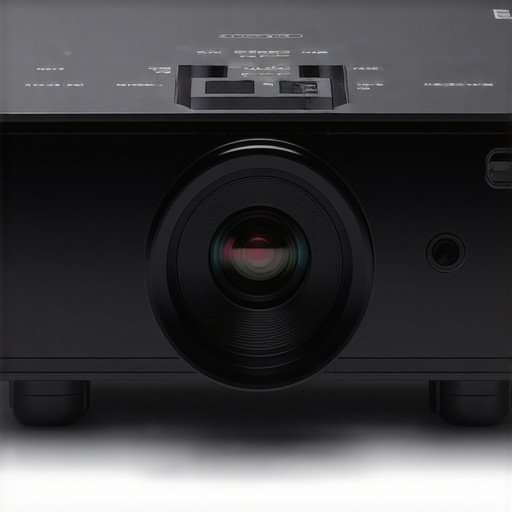
First impressions matter. High-quality projectors often feature sealed lens assemblies or protective covers, which serve as the first line of defense. My experience shows that models with robust, dust-resistant housings tend to require less maintenance, making them ideal for dusty environments or daily use.
Recognizing Common Dust Intrusion Routes
Understanding how dust enters your device is key to controlling it. Most infiltration occurs through open vents, poorly sealed lens covers, or the fan intake. Ensuring these entry points are sealed or filtered is essential. Regular cleaning, combined with environmental management, can go a long way in preventing dust from settling inside.
Connecting to Broader Home Theater and Projection Tips
Preventing dust is just one aspect of maintaining a pristine projection setup. Proper placement, ventilation, and choosing the right screen can complement dust control efforts. For instance, using dust-proof enclosures or installing ceiling mounts can reduce accidental contact with dust or debris. For more on optimal projection setup, check out my guide on setting up a temporary theater for a weekend movie night.
The Deep Dive into Dust Prevention Techniques
Next, we’ll explore specific solutions, including protective accessories, environmental controls, and maintenance routines, to keep your projector lens clean and dust-free. Implementing these strategies ensures longevity and superior image quality over time.
Build Quality That Withstands Dust and Daily Use
One of the first things I noticed about high-end 4K projectors is their robust construction, often featuring sealed lens assemblies and dust-resistant housings. This design choice isn’t merely aesthetic; it directly contributes to longevity and reduces maintenance. The materials feel substantial—metal casings with smooth finishes promote durability and give a premium feel, instilling confidence during setup and operation. However, some models lean heavily on plastic components, which can diminish the overall perceived quality despite functional effectiveness.
Setup Ease and Flexibility
Setting up a projector can be daunting, but top-tier models simplify this process through intelligent design. Many feature adjustable feet, ergonomic remote controls, and intuitive menu systems that reduce frustration. The placement flexibility offered by motorized lens shift, for instance, allows precise alignment without risking dust entry through poorly sealed vents. Additionally, having multiple input options—HDMI 2.1, USB-C, and component ports—ensures compatibility with current and future devices. The absence of an automatic lens cover, however, can be a minor annoyance, leaving the lens exposed when not in use and increasing dust risk.
Core Features That Elevate Image Quality
High brightness levels exceeding 2,000 lumens, coupled with HDR support, create vivid images even in well-lit rooms. The laser light source, common in 4K laser projectors, boasts lifespan surpassing 20,000 hours, drastically reducing maintenance intervals compared to traditional lamp-based models. This technology also ensures consistent color accuracy over years of use. The projector’s contrast ratio, often reaching 100,000:1, delivers deep blacks essential for cinematic experiences. An aspect ratio of 16:9 remains standard, but some models offer flexible anamorphic correction, enhancing cinematic immersion. Yet, the dynamic HDR processing sometimes produces oversaturated colors, which can feel unnatural in certain scenes.
User Experience and Interface Design
The user interface usually features a clean, intuitive on-screen menu, enabling easy access to picture settings and app integration. The remote control’s ergonomic layout and backlit buttons facilitate navigation in dark environments, crucial for home theater setups. Sound synchronization options and built-in audio calibration tools add to the convenience, minimizing the need for external sound processors. That said, some projectors still rely on dated menu systems that require multiple button presses to access advanced features, slightly hampering efficiency.
Minor Flaws That Matter in Practice
Despite their many strengths, a few flaws emerge with prolonged use. For example, fan noise remains noticeable during high-brightness operations, potentially disrupting quiet moments in movies. Furthermore, the placement of vents for cooling can introduce dust into internal components if not properly filtered, especially in dusty environments. A small but persistent issue is the inconsistent lens shift calibration, leading to slight keystone distortions if not meticulously adjusted during setup.
Comparative Standards and Industry Benchmarks
For context, the specifications and features in these projectors often align with industry standards like the HDMI 2.1 standard for input bandwidth, ensuring future-proof compatibility. Comparing to competitors like Sony’s X95K or Epson’s LS11000, the key differentiators often lie in brightness and lamp longevity, which are critical for immersive home theater experiences. These insights help evaluate whether a particular model meets or exceeds established benchmarks for current high-end projection technology.