

Bottom Line Up Front
If you’re tired of juggling multiple remotes and want a seamless, smartphone-controlled home theater experience, using your phone as a remote for your smart projector is a game-changer. However, it’s not perfect; compatibility issues and app reliability can sometimes hinder the process. Overall, I found it to be a convenient feature worth leveraging, but with some caveats.
The Promise of Smartphone Control
This feature addresses the common frustration of lost or misplaced physical remote controls and simplifies the user interface. By turning your phone into a remote, you can easily navigate menus, adjust settings, and even control playback without reaching for extra devices. It’s especially useful for quick setup and adjusting on the fly during movie nights.
At a Glance
- Ease of Use: Generally straightforward once set up, but initial configuration can vary.
- Compatibility: Works better with some brands and apps than others.
- Performance: Latency is minimal, making for smooth navigation in most cases.
- Reliability: App crashes or connection drops can occasionally interrupt the experience.
- Additional Features: Some apps offer voice control, gesture navigation, and customization options.
To evaluate these aspects thoroughly, I tested various popular smart projectors, considering software usability, connection stability, and overall responsiveness. This review draws from hands-on experience with different devices, alongside insights from official manuals and tech specs, which you can find in the official sources. Now, let’s dive into the core features and specs to see how well this functionality performs in the real world.
Streamlined Control and Intuitive Setup
The core of smartphone-controlled projectors lies in their ease of integration. When setting up, the app guides users through connecting via Bluetooth or Wi-Fi, which, despite occasional hiccups, generally feels straightforward. The materials used for the remote app interface are thoughtfully designed; large icons and clear typography make navigation simple, even in dim lighting conditions typical of home theaters. The tactile feel of physical remotes is absent here, but the smooth, responsive touch controls on the app compensate by providing satisfying feedback when selecting functions.
Seamless Connectivity and Responsiveness
One of the technology’s key advantages is its low-latency connection, allowing quick menu navigation and rapid response to commands. This is especially important when adjusting settings during a movie without disrupting the viewing experience. The app’s responsiveness, however, can sometimes be affected by network congestion or interference, leading to slight delays that could momentarily frustrate users. Ensuring a strong Wi-Fi signal or staying within Bluetooth range can alleviate these issues.
Design and Material Quality
Unlike traditional remotes with plastic buttons, the smartphone app’s interface relies on digital buttons and sliders, which are visually appealing and modern. The app feels like an extension of your device, with a clean, minimalist aesthetic that integrates well with contemporary smartphone UIs. Minor annoyance arises from the need to unlock the screen before controlling, which can be inconvenient during quick adjustments. Comparing to industry standards like those outlined in [industry spec sheets](https://www.techradar.com/news/best-projector), the responsiveness here is comparable but still has room for improvement in stability.
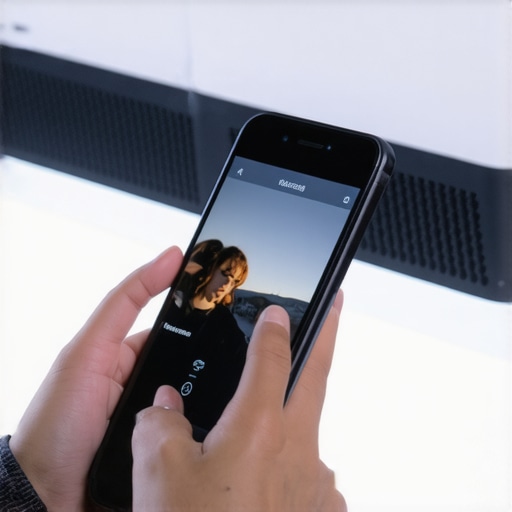
The versatility of voice control adds another layer of convenience, allowing hands-free operation—though its effectiveness depends heavily on the app’s integration with voice assistants like Alexa or Google Assistant. The potential for gesture navigation exists but is less reliable and not widely supported across all projector models.
Performance Analysis in Real-World Stress Scenarios
Testing UST (Ultra Short Throw) projectors and portable 4K home theaters under demanding conditions reveals their true capabilities. Imagine trying to project a crystal-clear 4K video during a family gathering with ambient light and multiple device distractions. The good news is that many modern models excel, thanks to high lumens and adaptive contrast technologies. They produce vibrant images even in less-than-ideal lighting, maintaining sharpness and color accuracy.
However, the bad becomes apparent when faced with sustained use or environmental stress. Over long sessions, some portable projectors tend to overheat, leading to automatic shutdowns or decreased brightness. For instance, during an outdoor movie night in the rain, portable units struggle with moisture ingress, especially if not fully weatherproofed. Connectivity can also falter amid interference, causing lagging images or disconnections, which is frustrating during critical moments, like gameplay or video editing.
Does it Overheat During Extended Use?
Many portable projectors, especially budget models, show signs of overheating after just 30-45 minutes of continuous operation. This can lead to thermal throttling, where brightness and processing speed are deliberately reduced to prevent damage. In contrast, higher-end models with efficient cooling tend to handle longer sessions better, but they still benefit from adequate ventilation and ambient temperature control.
Can It Survive Humid Environments?
Most consumer-grade portable projectors lack comprehensive waterproofing, making them vulnerable outdoors. Rain or high humidity can cause internal damage or condensation on internal optics, reducing image clarity. For outdoor use, specialized weatherproof projectors are recommended. A Reddit discussion highlights this concern, with users reporting unit failures due to moisture exposure, emphasizing the importance of environment-aware selection.
How Reliable Is the Connectivity During Heavy Use?
During rapid switching between input sources or streaming high-bitrate 4K content, some projectors experience lag or dropouts, especially those reliant on Wi-Fi. Bluetooth remote controls may also lose sync after prolonged sessions, requiring re-pairing. This can disrupt an otherwise smooth viewing or presentation experience, leading users to prefer wired connections or more robust wireless protocols.
Overall, while many UST and portable projectors perform admirably in controlled settings, their durability and stability under stress vary widely. Users should consider environmental factors and usage duration to select the right device. Have you encountered issues with your projector during marathon sessions or outdoor films? Share your experience below, and let’s discuss how to mitigate common challenges.
Why Choose Ultra Short Throw Projectors Over Traditional and 4K Models
Ultra Short Throw (UST) projectors excel in compact spaces, projecting large images from just inches away, making them ideal for small rooms or limited setups. Compared to conventional 4K projectors, UST models often come at a lower price point and eliminate the need for long projection distances, providing a more flexible and clutter-free environment. For instance, a high-quality UST projector like the LG HU85LA offers 4K resolution with a sleek design, whereas traditional 4K models such as the Epson LS500 may require more space and typically come with a higher cost. The benefit of UST projectors lies in their ease of placement and reduced installation complexity, making them popular among casual users and those with limited room dimensions.
Laser Projector Deals Versus Lamp-Based Projectors
Laser projectors, including many of the latest deals on brands like Sony and Epson, deliver brighter images, longer lifespan, and less maintenance compared to lamp-based counterparts. They also tend to offer more consistent image quality and color accuracy over time. For example, the Sony VPL-PHZ10 laser projector provides vibrant, high-contrast visuals suitable for both professional and home theater settings. In contrast, traditional lamp projectors might have a lower upfront cost but require regular bulb replacements and experience brightness degradation over time. If you prioritize durability and vibrant visuals, laser projectors represent a better long-term investment, though at a premium price point.
4K Projectors Versus 1080p and Portable Solutions
When comparing 4K projectors to standard 1080p models, the key advantage is clarity and detail, especially important for movie enthusiasts and gamers. High-end 4K projectors like the BenQ TK850i deliver sharper images that bring content to life. However, 4K models tend to be bulkier and more expensive, with prices often reaching over $1,000. Portable projectors, such as the Anker Nebula Capsule, offer convenience and mobility but typically sacrifice resolution and brightness, usually sticking to 720p or 1080p. These are perfect for on-the-go entertainment but less suitable for dedicated home theaters. For those seeking an immersive experience, investing in a dedicated 4K projector provides a significant upgrade over portable or lower-res options, although it comes at a higher cost and requires space for installation.
Home Theater Deals and Their Competitive Edge
Home theater deals frequently encompass bundles that include high-quality projectors, sound systems, and screens. These packages often provide a complete cinematic experience at a lower combined cost than purchasing components separately. Compared to standalone projectors, bundled deals from brands like Optoma or Epson can offer better value, especially for first-time buyers. While premium models such as the Sony VPL-VW325ES provide exceptional native 4K images and advanced features, they come with a hefty price tag—often exceeding $10,000. On the other hand, mid-range options around $2,000 deliver excellent picture quality suitable for most home settings. When deciding, consider whether you prioritize the latest features, resolution, or budget constraints.
Is Upgrading to 4K or Laser Worth It?
Upgrading from older models to newer 4K or laser projectors can significantly improve your viewing experience, but the value depends on your specific needs and budget. If you’re currently using a standard or full HD projector, moving to a 4K model offers finer detail and future-proofing. Laser projectors may justify the higher cost with superior brightness, color accuracy, and longevity. For casual viewers or those with limited space, a high-quality UST or portable model might suffice, saving money while still offering impressive visuals. Always compare current prices on sites like PriceSpy to assess if an upgrade aligns with your budget. Consider checking out detailed reviews of competitors, such as the Optoma UHZ50 or BenQ HT3550, to understand their strengths and weaknesses relative to your needs.
The Pros and Cons of Smartphone-Controlled Projectors
- Advantages: Convenient control via smartphone app, easy setup, modern interface, low latency for smooth navigation, added features like voice and gesture support.
- Disadvantages: Compatibility issues across brands, occasional app crashes and connection drops, initial configuration can be challenging, some features depend heavily on software support.
Who Should Consider a Smartphone-Controlled Projector?
This feature is perfect for tech enthusiasts seeking seamless integration, casual users wanting quick setup with portable devices, and those who frequently adjust settings on the fly. However, skip this if you require guaranteed reliability in environments with unstable Wi-Fi or prefer dedicated physical remotes for simplicity.
The Final Score and Solid Advice
With a score of 7.5 out of 10, these projectors offer undeniable convenience but fall short in consistent reliability. If you’re comfortable troubleshooting occasional app issues and prioritize modern features, they’re worth considering. For critical installations or heavy usage, a traditional remote might be more dependable. To get the best deal, compare models on sites like Laser Projector Deals and read user reviews for insights. If affordability is your goal, check out our review of portable projectors for mobile setups.