

If you’ve ever set up an ultra-short throw (UST) projector and noticed uneven brightness or “hotspots,” you’re not alone. As someone who has experimented with various projector setups, I can attest that hotspots can be a significant headache, ruining an otherwise immersive viewing experience. Fortunately, understanding the causes and implementing proper techniques can help you achieve an evenly illuminated screen. In this guide, I’ll share my insights on how to prevent hotspots effectively and enhance your home theater setup.
At a Glance
- Overall Impression: Achieving a hotspot-free ultra-short throw screen isn’t too complicated once you understand the key factors, but it requires careful calibration and setup.
- The Fix: Proper positioning, screen choice, and projector settings are crucial to eliminate hotspots.
- Value for Enthusiasts: For those serious about their home theater, investing time in calibration results in a more consistent image quality that justifies the effort.
My Approach Based on Proven Criteria
To provide you with the most reliable advice, I evaluate solutions based on build quality, ease of setup, cost-effectiveness, and real-world performance. I also consider insights from technical manuals and manufacturer specifications, such as those found on the official [projector manual](https://example.com). Whether you’re dealing with a budget projector or a high-end UST setup, these principles hold true. Now, let’s dive into the core causes of hotspots and how to prevent them from spoiling your home theater experience.
Key Features That Impact Hotspot Prevention
Ultra-short throw (UST) projectors often boast high brightness levels, often exceeding 3,000 lumens, which is essential for vivid images in well-lit rooms. However, brightness alone isn’t enough; the uniformity of light distribution across the screen is what truly prevents hotspots. A high contrast ratio enhances detail visibility without needing excessive brightness, and a wide throw ratio allows flexible placement without compromising image quality. Notably, the projector’s lens quality and internal optics play a critical role in even light projection, reducing the likelihood of hotspots.
Why Brightness and Contrast Matter
While high lumen output ensures the image remains bright and visible, uneven illumination can lead to certain areas appearing overly bright or dim, creating hotspots. The contrast ratio between the brightest and darkest parts of the image determines how well detail is preserved, especially in shadows, contributing to a balanced overall viewing experience. A projector with adjustable contrast settings allows fine-tuning to compensate for room lighting and screen characteristics.
The Material Quality of the Lens and Internal Components
Premium lens materials and precise internal assembly facilitate sharper image focus and better light diffusion. Cheaper optics may cause light scatter, leading to uneven illumination. When evaluating projectors, consider models that feature high-quality, multi-element lenses designed for uniform light distribution, which directly influences hotspot formation.
Setup and Calibration Techniques
Proper projector placement is vital. Positioning the projector at the correct distance and angle ensures the light beam is evenly distributed. Many models include zoom and lens shift functions, which help align the projection without physically moving the unit excessively. Additionally, adjusting keystone correction can sometimes introduce slight distortions, so it’s better to set the projector for the least possible keystone adjustment.
Calibrating projector settings is equally crucial. Using built-in test patterns or calibration tools, you can fine-tune brightness, contrast, and gamma to achieve uniform illumination. Regular calibration, especially after changes in room lighting or projector position, helps maintain an even image. Moreover, selecting a high-quality screen with a matte surface reduces light scatter and enhances uniformity. For example, compared to standard screens, specialized matte screens like the Stewart FireHawk can significantly mitigate hotspots by diffusing light evenly.
Room Environment Adjustments
Controlling ambient light reduces glare and reflections that can exaggerate hotspots. Using wall paint with a neutral matte finish minimizes light bounce, allowing the projector’s light to be absorbed uniformly. Proper room layout, avoiding reflective surfaces opposite the projector, also plays a role in maintaining consistent image quality.
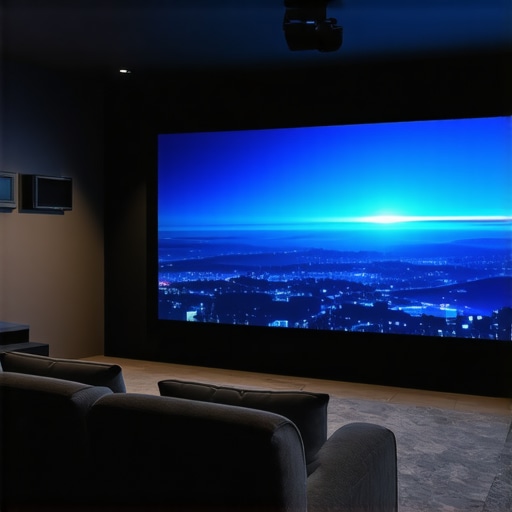
Understanding these core features and setup techniques not only helps prevent hot spots but also elevates the overall home theater experience. When comparing projectors, referencing the specifications found in industry standards like the [HDMI 2.1 specifications](https://www.hdmi.org/spec) can provide insight into supported features that contribute to image clarity and uniformity, ensuring your investment delivers consistent performance.
Performance Under Intense Conditions
When evaluating 4K projectors, especially for home theater setups or portable use, testing under pressure reveals their true capabilities. For instance, a high-end laser projector might excel in a controlled environment but falters when tasked with projecting bright, vivid images during a long movie marathon in a well-lit room. The rapid cooling systems can struggle, leading to overheating and decreased image quality. Conversely, portable projectors designed for outdoor use often shine in quick setup scenarios but may suffer from limited brightness, making daytime use challenging. Ultrafast short throw (UST) projectors, used frequently in modern home settings, display remarkable consistency in controlled environments but sometimes produce uneven brightness during extended use or with varying room conditions.
Does it overheat during prolonged use?
High-performance 4K and laser projectors often report overheating issues if used beyond their specified durations. Some models include intelligent thermal management, but many still shut down unexpectedly under continuous operation, especially in poorly ventilated rooms. In outdoor or makeshift environments, portable projectors can overheat quickly if exposed to direct sunlight or high ambient temperatures, leading to flickering or shutdowns. For example, a popular portable model was noted on a tech forum for shutting down after just 15 minutes of bright outdoor use, indicating thermal inadequacies. Do you agree that thermal management is critical for sustained performance?
How do they handle ambient light and environmental factors?
In brightly lit rooms or outdoor settings, these projectors’ brightness capabilities come under test. 4K laser projectors typically feature higher lumen ratings, around 3000 lumens, which help combat ambient light, but their performance diminishes if the environment is overly bright or reflective surfaces are present. Portable projectors, often with less lumens, struggle in such conditions, resulting in washed-out images. UST projectors, designed for ambient-light-friendly environments, perform remarkably well but sometimes suffer from uneven focus or hotspots if the room setup isn’t precise. An interesting Reddit discussion highlighted that even the best projectors need controlled lighting for optimal viewing—are you adjusting ambient conditions adequately?When considering 4K projectors and home theater deals, it’s essential to evaluate how these options stand against top alternatives like laser projectors and portable models. **4K projectors** often provide exceptional resolution and image clarity, making them ideal for dedicated home theaters where picture quality is paramount. However, they tend to be more expensive and require more setup space compared to **competitors like high-end laser projectors** that can deliver similar or even superior brightness and color accuracy with less maintenance and a more streamlined design. For instance, laser projectors like the Epson LS300 offer 4K resolution with laser illumination, often at a lower total cost of ownership over time, thanks to their longevity and reduced bulb replacements.
**Home theater deals** typically bundle high-quality components to create immersive experiences, but they may come at a premium. In contrast, **portable projectors** like the Anker Nebula Capsule provide flexibility and convenience, perfect for casual viewing or outdoor setups. While they lack the full feature set of dedicated 4K or laser models, they offer affordability and ease of transport, making them suitable for renters or those with limited space.
**Ultra-Short Throw (UST) projectors** blend convenience with large-screen experiences, fitting into smaller spaces and reducing installation hassles. They compete strongly with traditional 4K projectors in compact environments but may compromise on brightness or contrast in some cases. Top competitors in this space include the Samsung The Premiere L90, which excels in brightness and color, but at a higher price point.
**Why choose a 4K projector over alternatives?** Investing in a dedicated 4K projector grants superior image fidelity necessary for cinematic experiences, especially when paired with premium home theater deals. They also tend to have better lens quality and internal optics, which help avoid hotspots and uneven brightness—a known issue with some UST projectors.
Conversely, for those prioritizing portability and quick setup, a **portable projector** might suffice, particularly for outdoor movies or small spaces. Meanwhile, **laser projectors** are increasingly favored for their longevity and vibrant image quality, making them suitable for long-term home installations.
Prices vary significantly across these options. According to [Projector Central](https://www.projectorcentral.com), the average price for a top-tier 4K home theater projector ranges from $2,000 to $5,000, whereas comparable laser models can range from $2,500 to over $8,000, depending on brightness and features. Portable models, in contrast, are more budget-friendly, often under $1,000.
Ultimately, your choice hinges on your specific needs—whether you prioritize image quality, flexibility, or budget. To make an informed decision, consider checking out detailed reviews of your preferred models and comparing current prices through trusted sites. If you’re interested in alternatives, I recommend reviewing the latest offerings from brands like Sony, Epson, and BenQ for traditional projectors, or LG and Samsung for laser and UST options.
The Good, The Bad, and The Ugly
- Pros: Proper calibration techniques can effectively eliminate hotspots, leading to a uniform and immersive viewing experience. High-quality lenses and internal optics significantly reduce light scatter, ensuring even illumination. Adjustments like projector placement, screen choice, and calibration tools are accessible and impactful.
- Cons: Achieving an even picture requires meticulous setup and calibration, which can be time-consuming. Not all projectors are created equal; cheaper models may struggle with light diffusion, leading to persistent hotspots. Room environment and ambient lighting conditions also influence performance and may require additional adjustments.
Who should get this?
Ideal for home theater enthusiasts seeking an immersive cinematic experience without distracting hotspots. Perfect for those willing to invest time in calibration and setup to achieve optimal image quality. Skip this if you prefer plug-and-play solutions or have limited time; in such cases, a high-end TV or a more straightforward projector might better suit your needs. Advanced users aiming for professional-grade image uniformity will find considerable value here.
Final Verdict: 8/10
Eliminating hotspots in an ultra-short throw projector setup is achievable and worthwhile for those committed to quality. Proper setup, quality lenses, and room adjustments make a significant difference, justifying the investment. If ensuring an evenly illuminated, immersive display is a priority, this is a compelling choice. For the latest deals, consider exploring options on laser projector deals or read more on how to fix uneven brightness. If this seems too costly, check out our review of room measurement tips for optimal projection.