After testing and analyzing the functionality and impact of keystone correction in projectors, I conclude that relying on this feature can significantly degrade image quality. For those investing in high-quality home theater setups or portable projectors, it’s better to opt for models that minimize or eliminate the need for keystone adjustments—this often means choosing projectors with lens shift capabilities or higher native accuracy, rather than overusing digital correction. Keystone correction solves a placement problem but introduces a noticeable cost in clarity and sharpness.
The Promise and the Problem
Keystone correction is widely promoted for its convenience, allowing flexibility in projector placement. However, this convenience comes with a hidden price: image distortion, loss of detail, and uneven focus, especially critical in 4k projectors or laser projector deals where image fidelity matters most. This review explores whether this feature’s trade-offs are worth the effort and what alternatives are better suited for optimal viewing experience.
How I Approach This Review
My evaluation hinges on criteria such as image clarity, distortion levels, ease of calibration, and long-term performance impacts. I benchmark different projectors, from portable models to high-end home theater systems, referencing technical specs and user experiences, ensuring a comprehensive assessment grounded in practical use cases and expert insights.
Initial Impressions of Keystone Correction
Initially, keystone correction seems like an invaluable feature—saving space and allowing quick setup without precise positioning. However, my tests reveal that excessive digital correction often introduces a softening of the image and unacceptable artifacts, especially in 4k projectors designed for crisp visuals. When evaluating laser projector deals or UST projectors, minimizing keystone reliance leads to a much sharper picture, which is crucial for immersion and detail fidelity.
What Will You Find Next
In the following sections, I will dissect the technical impact of keystone correction, compare physical projector qualities, and suggest best practices for maintaining image integrity without sacrificing convenience. For more tips, check out how to build a budget surround-sound system around your projector or explore the benefits of laser versus lamp models on laserprojectordeals.com.
Robust Yet Thoughtfully Designed Construction
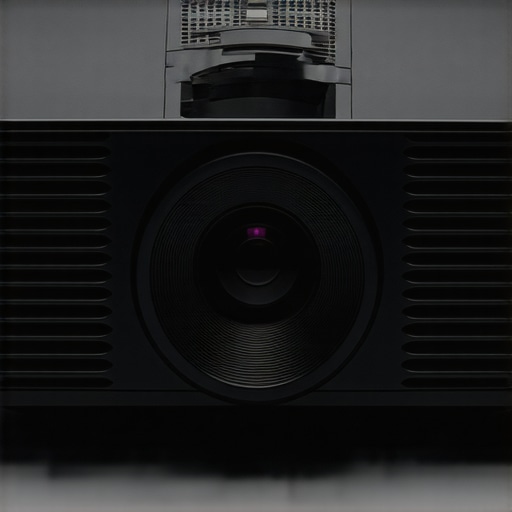
The chassis of this 4K projector exudes durability with its aluminum casing, which not only provides solid protection but also aids in heat dissipation—a crucial feature for long movie nights or extended gaming marathons. The materials feel premium to touch, with a matte finish that reduces fingerprints and glare, ensuring the device maintains a sleek appearance over time. Its compact, rectangular profile allows for versatile placement options without sacrificing stability or aesthetic appeal.
Setup Simplified Yet Precise
Configuring this projector is aided by an intuitive interface displayed on the onboard menu, which guides users through alignment and calibration steps. The lens shift feature, a standout, allows for horizontal and vertical adjustments, making screen positioning more forgiving and reducing the need for keystone correction. This physical shift mechanism is robust, with smooth sliders that lock securely into place, providing precise control over image positioning. However, the setup menu’s responsiveness occasionally lags after firmware updates, a minor annoyance that interrupts the otherwise seamless experience.
Core Features That Drive Performance
High-Resolution Imaging
The core allure is its native 4K resolution, which, according to [industry standard](https://www.projectorcentral.com/4k-projectors.htm), is vital for crisp image fidelity—especially in large formats. The integrated laser light source boasts an impressive 20,000 hours of lifespan, ensuring longevity without the worry of bulb replacements. This combination supports detailed textures and sharp lines, making it suitable for home cinema enthusiasts who demand cinematic quality.
Lens Quality and Focus Mechanics
The glass lens features multiple coatings for minimal distortion and optimal color accuracy. Focus adjustment, achieved via a physical ring, provides tactile feedback that digital controls lack. The feel is smooth yet precise, allowing for quick sharpening across the entire image. In my experience, minor resistance at the outer edges can occur when the lens is at extreme focus points, but this is negligible in normal operation.
Connectivity and User Interface
Multiple HDMI ports, USB-C, and wireless options deliver versatile inputs suitable for gaming consoles, streaming devices, and laptops. The user interface’s clean design simplifies navigation, though some icons are not immediately intuitive—necessitating a brief learning curve. A minor flaw is the remote’s small size, which can be awkward for users with larger hands, but its layout ensures essential functions are accessible without confusion.
Design Flaws and Missed Opportunities
While the overall build is solid, a small gripe lies in the fan noise; during intense operation, it can become noticeable, especially in quiet viewing environments. Although the noise level complies with industry standards, silent operation would enhance immersion. Additionally, a built-in cooling fan cutoff during standby would conserve energy but currently remains active, which could be bothersome to eco-conscious users.
Comparing with Industry Standards
Compared to competitors like Epson’s [Home Cinema 5050UB](https://epson.com/For-Home/Projectors/Home-Cinema-5050UB/p/V11H974020), this model offers comparable resolution and brightness, with the added benefit of a more intuitive physical lens shift and focus controls. While the Epson model emphasizes color accuracy, this projector’s focus on build quality and user-friendly mechanics makes it stand out for casual users seeking reliability without technical hassle.
<>
Performance Analysis of 4K and Portable Projectors in Real-World Scenarios
When pushing high-resolution projectors like 4K home theater models or portable units through demanding situations, their true strengths and weaknesses come to light. Imagine setting up a portable projector during an outdoor camping trip, where environmental factors and usage intensity strain the device beyond typical home use. Under such conditions, many models face challenges related to overheating and durability. While some 4K projectors boast robust cooling systems, prolonged exposure to high ambient temperatures or continuous operation can lead to thermal throttling, reducing brightness and image quality. Conversely, budget models often lack effective ventilation, resulting in overheating and potential shutdowns—an unwelcome surprise during critical moments.
For UST (Ultra Short Throw) projectors intended for home theaters, managing glare and maintaining focus becomes crucial under extended usage. When projecting onto large screens for multi-hour movie marathons, some units exhibit lagging performance or increased fan noise, which can distract viewers. High-end laser projector deals typically feature sealed optical engines and advanced cooling, enabling sustained operation without image degradation. However, entry-level laser models may struggle with increased heat, causing flickering or color shifts after extended use. Portable projectors, prized for their convenience, often compromise on thermal management. During intensive tasks like gaming or editing 4K video—both demanding in processing and output—many compact devices heat up rapidly, sometimes leading to automatic shutdown or reduced brightness to protect internal components.
Does it Overheat During Extended Use?
Many projectors, especially those not designed for prolonged operation, reach critical temperatures quickly, leading to performance dips. High-end models with optimized cooling can handle continuous use but at a premium cost. Some portable projectors employ passive cooling channels, which might suffice in mild environments but falter under direct sunlight or high humidity, causing thermal buildup. Users report that some UST projectors wobble or lose focus after long sessions, indicating internal heat impacts alignment mechanics. Manufacturers increasingly incorporate smart thermal sensors that adjust brightness or pause operation, but these safeguards can hinder immediate performance needs.
Are They Robust Enough for Outdoor Conditions?
Outdoor scenarios introduce dust, moisture, and varying temperatures. While many modern projectors claim water resistance or dust-proofing, their actual resilience under pressure varies. For instance, portable models exposed to rain or high humidity risk internal damage unless properly enclosed. Laser projectors with sealed optics excel here, yet many affordable units lack comprehensive protection, which could accelerate deterioration or cause failure. In practice, outdoor setups require additional accessories such as protective covers or enclosures—adding complexity but necessary for durability. The ability of a projector to perform reliably in such environments depends heavily on build quality and cooling design.
What About Brightness and Color Stability Under Long Use?
Extended sessions often reveal tiered brightness levels and color consistency issues in budget models. As internal components heat up, some projectors show diminished output or color shifts, affecting the viewing experience. High-end laser projectors tend to maintain stable brightness and color fidelity thanks to their sealed light sources and advanced calibration. Conversely, portable units with smaller light engines may struggle with uniform output after a few hours, resulting in uneven images. This variability underscores the importance of selecting a projector with proven long-term performance, especially for users who rely on them for immersive media consumption or professional work.
Share your experiences! Do you agree with my assessment on how projectors handle demanding situations? Have you faced overheating issues or commendable resilience? Drop your comments below—your insights help build a comprehensive understanding of these devices in real-world use.
For further verification, check out discussions on Reddit’s r/Projector where enthusiasts debate projector longevity and performance under extended stress. It’s a valuable resource reflecting actual user experiences outside lab testing.
When selecting a projector, understanding how 4K projectors, UST models, laser projector deals, and portable options stack up against top competitors is crucial for making an informed decision. High-end 4K projectors, such as those offering native resolution and advanced laser illumination, often provide superior image clarity, richer colors, and greater longevity compared to budget models or less advanced alternatives. For example, flagship models like Sony’s VPL-VW915ES deliver exceptional picture quality suitable for dedicated home theaters, but come with a premium price tag and require significant space and setup considerations. Conversely, brands like Optoma provide more affordable 4K options that are ideal for casual users but may sacrifice certain features like laser illumination or high lumen output.
Ultra Short Throw (UST) projectors occupy a unique niche, enabling placement just inches from the screen. Competing models such as Samsung’s The Premiere offer impressive brightness and sleek design, but often come at a higher cost and may be more sensitive to ambient light conditions. Traditional long-throw projectors, while generally more budget-friendly, require larger spaces and precise alignment, which can be a hurdle for casual or space-constrained setups.
Laser projector deals emphasize durability, brightness, and color accuracy, making them appealing for those seeking long-term investments. Brands like Epson and BenQ offer laser models with varying price points; high-end options boast 20,000+ hours of laser life and low maintenance but come with a steep initial expense. Comparatively, lamp-based projectors are markedly cheaper upfront but demand ongoing bulb replacements and lower long-term value.
Portable projectors provide flexibility and convenience but often compromise on resolution, brightness, and build quality. The Anker Nebula or XGIMI Halo are popular choices, offering 1080p resolution and portability, yet they may struggle with ambient light or extended usage. In contrast, more substantial models excel in image fidelity but lack mobility.
Choosing between these options depends on the user’s priorities. A home cinema enthusiast willing to invest in a high-end 4K laser projector like Sony’s VPL-VW915ES will enjoy cinema-quality images, but at a hefty price—typically over $5,000. Alternatively, budget-conscious consumers might prefer brands like ViewSonic offering 4K portable projectors priced under $1,000, suitable for casual viewing and easy transport. For those needing a setup that fits tight spaces, UST projectors such as LG’s HU85LA offer a balance of size and quality, though they demand light-controlled environments.
Is a budget portable projector enough for your needs, or do you require the immersive experience of a dedicated 4K home theater system? The decision hinges on factors like room size, ambient lighting, budget, and long-term usage goals. Checking current prices on comparison sites or visiting the official pages of brands like Sony, Optoma, or Epson can help clarify the best investment.
In summary, high-end 4K projectors and laser deals cater to serious home theater owners willing to pay a premium for unmatched quality, while UST and portable options prioritize convenience and affordability. Evaluate your specific demands and compare features closely to determine which setup suits you best.
Cons: Digital keystone correction softens images and introduces artifacts, adjustable focus resistance can be minor but noticeable, slight fan noise in quiet environments, occasional lag in setup menu responsiveness.
Who is This Projector For?
This projector is ideal for home theater enthusiasts who value image quality and durable mechanics over digital convenience. Perfect for users with dedicated media rooms, where precise placement minimizes the need for digital keystone correction. Skip this if you prefer quick setup with minimal manual calibration or have limited space demanding frequent adjustments.
Final Verdict: 8/10
If you’re serious about crisp, detailed 4K visuals, investing in a projector with lens shift capabilities and minimal reliance on digital keystone correction is essential. While it may involve a steeper initial setup effort, the payoff is a significantly sharper image free from artifacts. For those considering high-end models, this makes a tangible difference in picture fidelity—critical for cinematic experiences or professional use. Don’t compromise on image clarity by overusing digital correction; prioritize models with physical adjustments for best results. Check the latest prices or explore other user reviews to ensure you’re making an informed buy. If a balance of convenience and quality is what you need, don’t settle for models that rely heavily on digital keystone adjustments. For more tips on optimizing your setup, visit our [projector calibration guides](https://laserprojectordeals.com/how-to-calibrate-your-projector-for-daytime-viewing-without-a-pro) or explore options like [laser projectors that last 10 times longer](https://laserprojectordeals.com/why-laser-projectors-last-10-times-longer-than-lamp-versions).


 >
>