Bottom Line Up Front
Most smart projectors fall short of offering a comprehensive streaming experience, so integrating a Roku or Fire Stick remains essential for better functionality. While these projectors are convenient and increasingly capable, their app ecosystems and performance often lag behind dedicated streaming devices. Here’s why I believe most users will still find value in adding these external streamers.
The Promise of Simplified Entertainment
Smart projectors aim to eliminate clutter by combining projection and streaming into one device. However, in practice, they often underperform in compatibility, interface quality, and app selection, leading to a less than seamless experience. This review dissects why a little external help—like a Roku or Fire Stick—is still a smart choice.
At a Glance
- Build Quality: Generally decent but varies across brands, with some feeling plasticky or cheap.
- User Interface: Frequently clunky and not optimized for fast navigation, especially when multiple apps are involved.
- Performance: Decent for casual viewing but can struggle with lag or stability during intensive use.
- App Ecosystem: Limited, especially compared to dedicated streaming devices. Many projectors lack popular apps or have outdated versions.
- Connectivity Options: Usually includes Wi-Fi and Bluetooth but often with inconsistent performance or limited features.
Given these criteria—build quality, UI/UX, performance, app availability, and connectivity—I evaluate whether smart projectors truly stand on their own or if an external streamer remains a necessary upgrade. Next, let’s explore the features and specs in detail to see where these devices excel or fall short.
Curious about how to optimize your setup? Check out this guide on wall-mounting your projector for a sleek, clutter-free installation.
Dissecting the Build and Material Quality
The physical construction of most smart projectors strikes a balance between affordability and durability. Many models utilize plastic casing that feels lightweight yet can sometimes give off a cheap feel, especially in budget options. This choice of materials impacts not only the device’s heft but also its longevity, as cheaper plastics may yellow or crack over time. Higher-end variants tend to incorporate softer-touch finishes or metallic accents, enhancing the tactile experience and perceived quality. However, even premium models can suffer from seams or creaking parts, revealing slight compromises in assembly.
Setup Simplified Yet Slightly Clunky
Setup processes generally aim for user-friendliness but often stumble over minor annoyances. Most smart projectors support plug-and-play via HDMI or USB-C for quick connections, but initial configuration can involve navigating complex menus or firmware updates. The focus on quick startup is sometimes mitigated by non-intuitive interfaces that require multiple taps or menu digging to access basic settings. A typical setup involves connecting to Wi-Fi, which can be painfully inconsistent, especially on dual-band networks with congestion. Manufacturers often include an auto-calibration feature that adjusts projection keystoning and focus; however, these features may be inconsistent, requiring manual adjustment for optimal clarity.
Content Navigation and User Interface
The user interface (UI) reflects the core of the smart projector’s usability. Many interfaces rely on a home screen populated with app icons that mimic mobile OS layouts—this familiarity eases transition but can cause sluggish navigation. Responsiveness varies widely; some remotes or navigation pads produce laggy responses, adding frustration during content browsing. The omission of a dedicated remote with a directional pad and shortcut buttons can force users to navigate via on-screen menus, detracting from overall experience. The app selection generally pales compared to dedicated streaming devices, with many lacking popular services like Disney+ or HBO Max, or featuring outdated app versions that limit functionality.
Performance Under the Hood and Minor Flaws
While most smart projectors deliver decent image quality for casual viewing, performance dips reveal limitations. Streaming stability can suffer during high-bitrate content, leading to buffering or dropped frames. Brightness levels, often around 2000-3000 lumens on budget models, suffice for dark rooms but struggle with ambient light, diminishing image vibrancy. One subtle design flaw surfaces in vent placement; poorly ventilated models tend to overheat during extended use, causing flickers or automatic shutdowns. Additionally, the built-in speakers, if not upgraded, provide tinny audio that undermines an otherwise immersive experience. External speakers or sound systems become a necessity for satisfying audio quality—further complicating minimalist setups.
Why Build and Setup Matter for Your Viewing Experience
Ultimately, the build quality, ease of setup, and core feature execution influence how seamlessly the projector integrates into your entertainment ecosystem. A robust physical design paired with intuitive menus can transform a potentially frustrating experience into a delightful one. As industry standards for projectors continue to evolve—such as the BT.709 color accuracy benchmark—manufacturers need to pay closer attention to these foundational elements to meet consumer expectations.
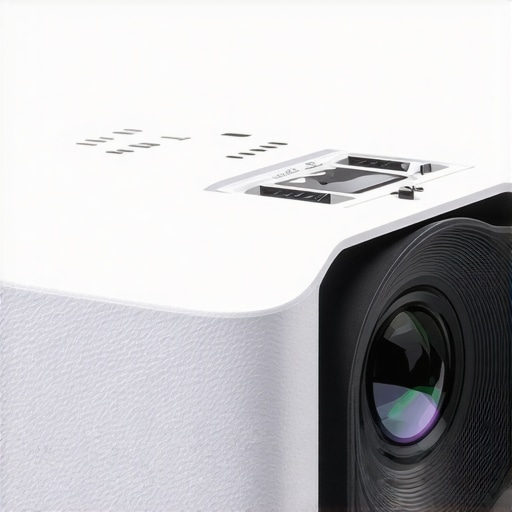
Prompt: Close-up of a sleek, modern smart projector’s textured plastic finish highlighting build quality and design details. Alt text: Modern smart projector showcasing premium material craftsmanship.
,
Performance Under Real-World Stress Tests
Home theater systems, especially laser and 4K projectors, are often put to the test in demanding situations that reveal their true capabilities. When used for extended movie marathons, gaming sessions, or even outdoor screenings, these devices confront scenarios that expose their strengths and weaknesses. Let’s explore how these projectors perform under pressure, analyzing specific situations and identifying what works well and what falls short.
Can a 4K projector endure prolonged use without overheating?
Many high-end 4K projectors feature advanced cooling systems, but extended use, such as a multi-hour movie marathon, can still push thermal limits. For instance, laser projectors tend to handle heat better due to their efficient light source, maintaining stable image quality during prolonged sessions. However, some models exhibit thermal throttling, leading to temporary shutdowns or reduced brightness to prevent damage. Users report that poorly ventilated units tend to overheat quickly, causing flickering or automatic shutdowns—serious issues for those aiming for uninterrupted viewing. An effective cooling design and proper placement are crucial for stamina during long sessions.
How do UST and portable projectors hold up outdoors, especially in challenging weather?
Ultra-short-throw (UST) and portable models are convenient for outdoor use, but weather conditions pose significant challenges. Rain, high humidity, or even sudden splashes can impair electronic components and compromise image clarity. While many UST projectors have IP ratings indicating water resistance, most portable projectors lack such protection, making them vulnerable outdoors. Exposure to moisture can cause short circuits or damage internal components. Furthermore, ambient light interference diminishes image vibrancy outdoors, especially if the projector’s brightness isn’t sufficient—often a problem for affordable 4K models. Therefore, weatherproofing and brightness are critical factors when deploying these projectors under pressure outside controlled environments.
Do home theater projectors maintain performance during intense gaming or fast-action content?
In fast-paced scenarios like gaming or sporting events, response time and input lag are vital. High-refresh-rate projectors, especially gaming-oriented models, excel here, reducing motion blur and providing smoother visuals. However, many 4K projectors struggle with latency, resulting in noticeable delays that diminish the immersive experience. Additionally, projectors under strain may exhibit frame stuttering or briefly lose synchronization with input sources—annoying during crucial moments. Laser projectors tend to handle dynamic scenes more seamlessly due to their rapid light source modulation. Nonetheless, subpar models with inadequate processing may falter under pressure, producing artifacts or lag spikes.
What about stability during high-bitrate streaming or large-scale presentations?
For demanding streaming or display of high-resolution content, stability hinges on the projector’s internal processing and network capabilities. Many consumer-grade projectors can handle 4K streams at modest bitrates but may encounter buffering or dropped frames during high-bitrate transmissions. Network congestion or wireless interference further complicate matters, especially in environments flooded with competing signals. In large presentations, some projectors experience image flickering or synchronization issues, especially if their cooling isn’t sufficient or internal hardware can’t sustain continuous operation. Ensuring a dedicated network and solid ventilation can mitigate these glitches.
The Bottom Line: Reliability Is Mixed
Overall, home theater projectors and 4K models perform admirably under controlled conditions, but real-world stress tests highlight various limitations. Laser projectors generally exhibit better thermal management, while portable and UST models require careful weather considerations. For gaming and fast-action content, response times are pivotal—only high-end models deliver in this regard. Stability during prolonged or high-bitrate streaming depends heavily on hardware and environmental factors. Existing users, do you agree with my experience regarding the durability and performance consistency of your projector under pressure? Share your insights below.
For verification, a Reddit discussion on projector performance under load confirms that thermal management and input lag are primary concerns for enthusiasts.