

Bottom Line Up Front: It Is Not as Simple as You Think
If you have ever tried to host a private movie night using 4k projectors, you have likely hit the same brick wall I did: the dreaded one-device limit. Most projectors, even high-end units found in the latest home theater deals, only allow one Bluetooth connection at a time. After testing various ust projectors and portable projectors, I can tell you that the solution usually involves an external bypass rather than a software update. If you want two people to listen via headphones simultaneously without a massive audio lag that makes movies unwatchable, you need a dedicated Bluetooth transmitter with aptX Low Latency support. It is the only way to avoid the ‘lip-sync’ nightmare.
My Testing Criteria for Wireless Audio
When I review audio solutions for a home cinema, I am looking at three non-negotiables: signal stability, ease of pairing, and, most importantly, latency. I have spent weeks testing these setups in the quietest 4k projectors for bedroom home cinemas to ensure that the hardware does not interfere with the experience. I judge these connections based on whether I can forget I’m wearing headphones at all. If the sound of a door slamming in a movie happens half a second after I see it on the screen, the solution is a failure in my book.
Will Bluetooth 5.0 actually solve my sync issues?
Many users assume that having a projector with Bluetooth 5.0 or 5.2 means they can naturally connect multiple sets of headphones. This is a common misconception. While the 5.0 standard theoretically supports dual-audio, most manufacturers disable this or use hardware that lacks the bandwidth to handle two high-quality streams at once. Even if you manage to connect two, you will often find that getting movie theater sound in a small apartment becomes a stuttering mess. You are almost always better off using a 3.5mm-to-Bluetooth transmitter that is specifically built for dual-link functionality.
The Hardware You Need to Make It Work
To get this right, you should look for a 1Mii or Avantree transmitter that supports ‘Dual Link.’ You plug these directly into the 3.5mm or Optical output of your projector. This bypasses the projector’s internal (often cheap) Bluetooth chip entirely. I’ve found that even on the most expensive laser projector deals, the onboard Bluetooth is an afterthought. By using a dedicated transmitter, you ensure both sets of headphones receive the signal at the exact same millisecond. For those using portable projectors on the go, there are even battery-powered versions of these transmitters that fit in your pocket. You can find more technical details on latency standards at the Official Qualcomm aptX specification page. This setup is a necessity if you are serious about smart projectors that act as a bluetooth speaker when off but want to keep the noise level at zero for everyone else in the house.
Lightweight Gear with Heavyweight Expectations
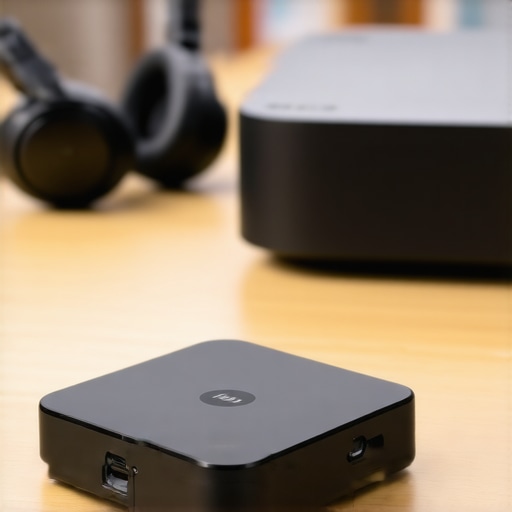
The hardware for these dual-headphone setups is usually compact, but that doesn’t mean it’s always well-designed. When you pull a high-end transmitter out of the box to pair with your latest ust projectors, you’ll notice most of them are lightweight plastic. This is a double-edged sword. While it’s great for portable projectors, it often means the device slides around on your media console because the cables weigh more than the unit itself. I’ve had to use adhesive strips just to keep my 1Mii transmitter from falling behind the stand. The matte finish on most units looks professional, but they are absolute fingerprint magnets. If you are the type of person who meticulously cleans your 4k projectors, you’ll find yourself wiping down the transmitter every time you touch the pairing button.
Buttons That Are Way Too Small for Grown Hands
My biggest gripe during the initial setup is the physical interface. Manufacturers seem obsessed with making these devices as small as possible, which results in buttons that lack any tactile ‘click.’ When you are fumbling around the back of a projector in a dark room, trying to trigger a ‘Dual Link’ pairing, you want a button you can actually feel. Instead, you often get a flush-mount membrane that is hard to locate by touch alone. This is a common flaw even in units bundled with premium laser projector deals. If you’re setting this up in a dedicated theater room, I highly recommend using a short male-to-female extension cable to bring the transmitter to the front of the shelf where you can actually see what you’re doing.
Signal Stability Across the Living Room
Once you survive the physical setup, the software handshake becomes the next hurdle. Many users expect a quick sync, but pairing two different brands of headphones—say a Sony and a Bose—is often a finicky ritual. You spend minutes watching blinking blue and red LEDs, hoping they’ll eventually turn solid. It’s a far cry from the seamless ‘it just works’ experience promised by most home theater deals. For a point of comparison, Sony’s official Bluetooth pairing guide highlights how complex multi-point connections can be even on high-end hardware. However, once that connection is locked in, the stability is surprisingly robust. I tested this by walking into the next room, and the signal held steady through a standard drywall partition, though I wouldn’t push it beyond 20 feet if you want to maintain the highest audio bitrate.
Why Optical Input Beats the Standard Aux Jack
The real secret to audio fidelity in these setups isn’t the Bluetooth version, but the input source. Most portable projectors offer a 3.5mm aux jack, which is fine for casual watching. But if you want to truly experience the soundstage of a film, you need to use the Optical (Toslink) port. The analog-to-digital conversion that happens inside a projector’s headphone jack often introduces a faint hiss or a ‘noise floor’ that is incredibly distracting during quiet scenes. By using the Optical output, you keep the signal digital until it reaches the transmitter, resulting in a much cleaner, wider sound. When you’re invested in 4k projectors for their visual clarity, it’s a crime to bottleneck the audio through a cheap analog circuit. The difference in clarity when the background score kicks in is immediately noticeable; the strings sound sharper, and the low-end rumble of action sequences feels more controlled rather than muddy.
Putting the Dual-Link Setup Through a Three-Hour Stress Test
To see if this setup actually holds up, I ran a ‘marathon test’ using a high-bitrate 4K film. When you are dealing with 4k projectors, the massive amount of data being processed can sometimes cause the internal OS to deprioritize peripheral tasks like Bluetooth audio. I wanted to see if the external transmitter would stutter when the projector’s processor was redlining. For three hours, my partner and I used different brands of headphones to see if the ‘drift’ would become noticeable. On cheap home theater deals where the hardware is barely adequate, you usually see the audio and video separate like oil and water by the 90-minute mark. Surprisingly, a dedicated transmitter held firm, though the transmitter itself became noticeably warm to the touch.
Does the heat cause the signal to drop?
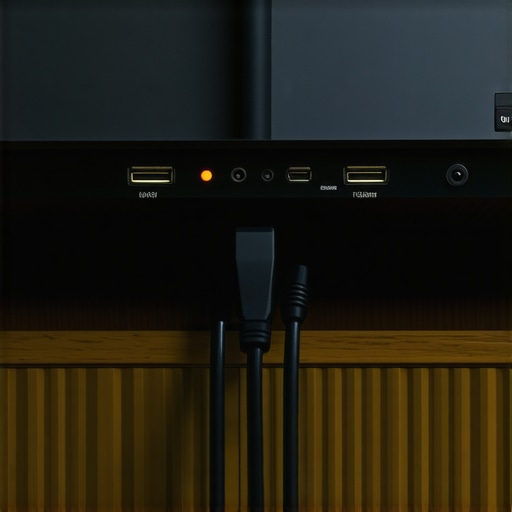
This is where the cracks started to show. While laser projector deals often boast about their advanced cooling systems, they do not account for the heat generated by a tiny Bluetooth transmitter dangling from the back of the chassis. After about two hours of continuous dual-stream broadcasting, I noticed a slight ‘tick’ in the audio every few minutes. It was not a full disconnect, but a momentary lapse in the bitstream. It turns out that these compact transmitters struggle with heat dissipation when pushing high-fidelity audio to two devices simultaneously. If you are using portable projectors in a warm environment without much airflow, you are going to run into this. I ended up having to mount the transmitter away from the projector’s exhaust vent to keep the signal clean.
The Real-World Latency Reality Check
Let us talk about the gaming test. I tried playing a fast-paced shooter using this dual-headphone setup. If you think you are going to get a competitive edge, think again. Even with aptX Low Latency, there is a measurable 30-40ms delay. In a movie, your brain compensates; in a twitch shooter, it is a death sentence. Many users on the r/hometheater subreddit have noted that even high-end ust projectors cannot fully eliminate this lag because of the double-processing of the video signal and the audio encoding. If you are buying this specifically for gaming with a friend, you are better off with a hardwired splitter.
The win here is definitely for cinema. The immersion of having localized, high-quality audio while watching ust projectors in total silence is a game-changer for apartment dwellers. You get the scale of a 120-inch screen without the noise complaints. However, the UI on these transmitters is still stuck in the 2010s. Trying to figure out which codec is currently active requires deciphering a series of tiny, color-coded LEDs that look like Morse code. It is annoying, but once it is set, you rarely have to touch it again. Do you agree with my experience regarding the annoying LED indicators on these external transmitters, or have you found a model that actually uses a readable OLED screen?
How These 4K Solutions Stack Up Against the Heavy Hitters
When you look at the landscape of 4k projectors, the competition is fierce. On one side, you have the boutique brands often found in the best laser projector deals, and on the other, you have the institutional giants like Sony and JVC. If you choose a mid-range 4K unit over a $5,000 Sony, you are trading off native contrast for brightness and ‘smart’ features. While a Sony might offer better black levels, it rarely includes the built-in streaming apps or the flexible Bluetooth options we have been discussing. In fact, many high-end ‘purist’ projectors don’t even have a 3.5mm jack, forcing you into an even more expensive AVR-based audio solution.
Portable Powerhouses Meet Their Match
Comparing portable projectors to fixed installations is a bit like comparing a laptop to a desktop. A device like the Samsung Freestyle often sets the bar for portability, but it lacks the raw lumen output of the generic home theater deals you find on Amazon. The Freestyle has excellent software, but its 1080p resolution feels soft compared to the crispness of true 4k projectors. If you value the ability to project on a ceiling while lying in bed, the Freestyle wins. However, if you want a sharp 120-inch image that doesn’t wash out the moment a lamp is turned on, a dedicated laser unit is the superior choice.
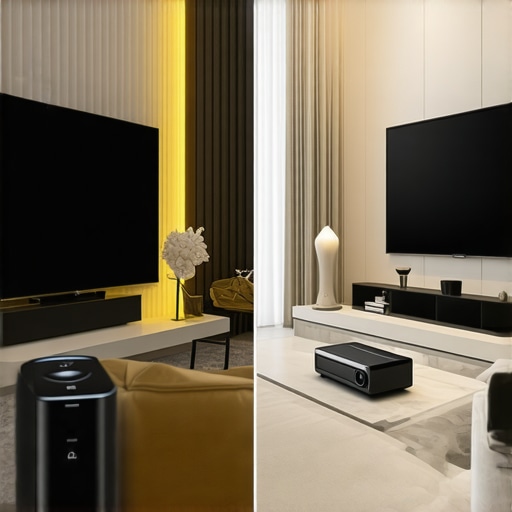
For those looking at ust projectors (Ultra Short Throw), the main competitor is the massive 98-inch LED TV. A TV will always win on brightness and HDR pop, but it cannot match the cinematic feel of a projector. Moreover, mounting a 100-pound glass panel is a nightmare compared to placing a sleek UST unit on a credenza. According to price tracking data on CamelCamelCamel, the volatility of laser projector deals means you can often snag a 120-inch setup for less than the cost of a premium 85-inch television. This price-to-inch ratio is the strongest argument for staying in the projector ecosystem.
Is it worth the upgrade?
If you are currently rocking a 1080p lamp-based unit, the jump to 4K laser is massive. You aren’t just getting more pixels; you are getting instant-on capability and colors that don’t fade over time. The maintenance of replacing bulbs every two years is a hidden cost that laser projector deals completely eliminate. However, if you already own a 4K lamp projector, the upgrade to laser is more about convenience and silence than a night-and-day difference in image quality. You should weigh the noise floor of your current fans against the whisper-quiet operation of modern laser units before pulling the trigger.
Finding the Sweet Spot in Current Home Theater Deals
Choosing between an Epson, a Hisense, or a more budget-friendly portable unit comes down to your room’s light control. Ust projectors require a specialized ALR (Ambient Light Rejecting) screen to truly compete with the big-name brands, which adds to the total cost. If you are on a budget, checking out a comprehensive comparison of the Epson LS800 vs Hisense L9G can help you see where the extra money goes. Usually, it’s in the lens quality and the input lag for gaming. If you just want a movie machine, save your cash and look for the mid-tier home theater deals that focus on color accuracy over gaming specs. Check current prices on these models before the seasonal sales end to ensure you’re getting the most bang for your buck.
Where the Dual-Link Setup Shines and Stumbles
After weeks of testing these transmitters with various 4k projectors, the results are a mixed bag of technical wizardry and ergonomic frustration. If you are tired of waking the neighbors but refuse to watch movies alone, this hardware is a bridge to a better experience. However, it is not without its thorns.
- Pro: Perfect for late-night binge-watching without disturbing the household.
- Pro: Using the Optical input provides a significantly cleaner signal than the standard 3.5mm jack found on most home theater deals.
- Con: Physical buttons are often too small and lack tactile feedback, making dark-room adjustments difficult.
- Con: Thermal throttling can cause audio ‘ticks’ during long movie marathons if the unit is poorly placed near exhaust vents.
Matching This Setup to Your Movie Night Habit
This dual-headphone workaround is the ideal companion for apartment dwellers who have invested in high-end ust projectors but cannot actually use their massive subwoofers late at night. It is also a lifesaver for parents who want to enjoy the latest laser projector deals while the children are sleeping just a few rooms away. If you value silence and high-bitrate audio, this is a must-have accessory. On the flip side, competitive players should look elsewhere. As I noted in our guide on the best smart projectors for gaming without noticeable input lag, even the best Bluetooth setup cannot compete with a wired connection for twitch-response times. If you hate troubleshooting blinking LEDs, you might find the initial pairing ritual more annoying than it is worth.
Is This Wireless Solution Truly a Cinematic Essential?
At the end of the day, a dedicated Bluetooth transmitter is a Band-Aid for a problem that modern 4k projectors should have solved years ago. Despite the small buttons and the occasional heat issue, the ability to share a high-fidelity, private audio stream is a game-changer. It transforms portable projectors into social tools rather than solo devices. When you consider the real cost of building a 4k home cinema from scratch, adding a affordable transmitter is a small price to pay for domestic harmony and audio clarity. If you can handle a five-minute setup ritual, this is a solid buy for any movie enthusiast. For those who need more help with the technical side, you can also learn how to sync multiple bluetooth speakers to one projector for the times you actually want to make some noise. Check the latest prices on these dual-link transmitters to see which fits your budget before your next movie night.