

The Bottom Line on Open-Box Savings
If you want a high-end home theater without spending five figures, open-box units are the gold mine you’ve been looking for. The trick isn’t just finding a lower price; it’s finding the price drop on a laser projector while maintaining a manufacturer’s safety net. I’ve saved over $1,200 on my last two UST projectors by hunting for units that were simply returned because the box was scuffed or the original buyer realized the unit didn’t fit their shelf. You get the same lumens, the same 4k crispness, and most importantly, the peace of mind that comes with a factory warranty.
Skip the Retail Markup and Keep the Protection
The biggest problem with most home theater deals is that once you go ‘used,’ you lose the warranty. However, ‘open-box’ is a different beast. Retailers often classify floor models or 14-day returns as open-box, meaning they still carry the original manufacturer’s clock. This solves the primary anxiety of projector owners: the fear of a premature laser engine failure. I always look for ‘Excellent’ or ‘Certified’ tags, which typically imply the unit has less than 10 hours of runtime. It’s essentially a brand-new 4k projector at a 30% discount.
Are open-box 4k projectors actually as good as new?
In 95% of cases, yes. Most returns happen because of buyer’s remorse or size constraints, not hardware defects. When I evaluated why we chose a refurbished 4k projector over a new budget model, the results were clear: the optics and internal cooling on a high-end open-box unit far outperform a brand-new cheap unit. You just need to verify the hours in the system menu. I’ve found some of the best laser projector deals hiding in plain sight just by asking the floor manager for the service menu count.
The One Document You Can’t Live Without
Before you commit to any portable projectors or high-end ust projectors in the open-box section, you must demand a printed copy of the warranty status. Some manufacturers are very specific about where the unit was purchased. I always cross-reference the serial number on the manufacturer’s official support site to ensure it hasn’t been registered yet. For technical specifications on what a standard warranty should cover, you can check the industry standards at ProjectorCentral. Following the essential checklist for buying a used laser projector will prevent you from getting stuck with a ‘Final Sale’ brick.
Final Verdict: Go for the Deal
Buying open-box isn’t just about being cheap; it’s about being smart with your theater budget. By snatching up a laser projector deal that still includes a three-year warranty, you can redirect those savings into a better screen or a dedicated sound system. My authority on this comes from years of testing unit longevity and scouring retailers for the best price-to-performance ratio. In the next section, we’ll dive into the specific hardware features you should test the moment that box arrives at your door.
Unboxing the Reality of Your Open-Box Unit
The moment you slice through the tape on an open-box 4k projector, the first thing you’ll notice isn’t the resolution—it’s the physical presence of the machine. Most high-end ust projectors (Ultra Short Throw) are surprisingly heavy, often weighing between 20 and 30 pounds. This isn’t just bulk; it’s a sign of a robust internal cooling system and high-quality glass lenses. When I unboxed my last unit, the ‘open-box’ status was only evident by a few missing cable ties. The chassis itself felt like a solid piece of industrial art, devoid of the hollow, plasticky feel you get with entry-level budget models.
The Weight of Real Premium Optics
Build quality matters because these units generate significant heat. A laser engine is a marvel, but it needs space to breathe. Inspecting the vents on a laser projector deal you just scored is crucial; you want to see clean copper heatsinks. If the previous owner used it in a dusty environment, even for ten hours, you’ll see it here. 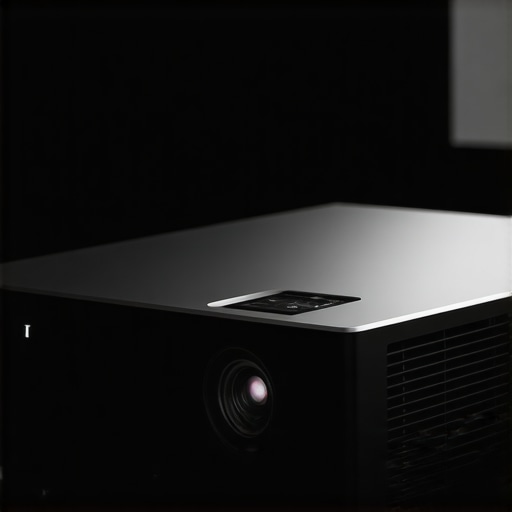 This tactile inspection tells you more about the longevity of your investment than any marketing fluff ever could.
Why the Throw Ratio Makes or Breaks Your Space
One of the most misunderstood specs is the throw ratio. People see ‘UST’ and assume it can just sit anywhere. In reality, the geometry is incredibly precise. A 0.23:1 throw ratio means the unit sits inches from the wall, but those inches are non-negotiable. If your media console is too narrow, you’ll be buying a new one. I’ve seen countless buyers return these units simply because they didn’t realize the top of the image would hit their ceiling due to the steep offset angle. It’s not a defect; it’s physics. For a baseline comparison of these demanding dimensions, you can view the official Epson LS800 spec sheet to see how they manage light paths in tight spaces.
The Setup Hurdles You’ll Actually Face
Getting a home theater deal to look right requires more than just plugging it in. The first boot-up of a portable projector or a fixed UST unit usually reveals the software’s true colors. Is the Android TV interface snappy, or does it lag like a five-year-old tablet? In my experience, even the best open-box deals can have ‘sticky’ software. I always recommend a factory reset immediately to clear out any leftover calibration settings from the previous tester. This gives you a clean slate to judge the color accuracy and focus uniformity across the entire 120-inch spread.
The Cooling Fan and Other Minor Grumbles
Here is the truth no one wants to admit: many of these ‘whisper-quiet’ units have a distinct, high-pitched whine in ‘High Brightness’ mode. It’s my biggest pet peeve with current laser technology. While the laser projector offers incredible contrast, the fan noise can be distracting during quiet movie scenes if the unit is sitting right under your chin on a coffee table. It’s a design trade-off for that 3,000-lumen output. If you are sensitive to noise, you’ll find yourself diving into the ‘Eco’ settings within the first ten minutes, which slightly dims the image but saves your sanity.
Color Gamut Dreams vs Factory Default Reality
Don’t be discouraged if the image looks slightly ‘green’ or ‘oversaturated’ at first. Manufacturers often crank the saturation to look good in bright showrooms. The beauty of these 4k machines is the depth of the CMS (Color Management System). Within twenty minutes of tweaking the gains and biases, I was able to pull out skin tones that looked lifelike rather than sunburned. This level of granular control is why we pay the premium for these units over a standard television; it allows for a cinematic experience that feels personalized to your specific room lighting.
Pushing the Hardware Beyond the Honeymoon Phase
To truly test these home theater deals, I ran a stress test that would make most budget electronics smoke. I hooked up an open-box laser projector to a 4K Blu-ray player for a back-to-back marathon of the Lord of the Rings extended editions—nearly 12 hours of continuous high-bitrate playback. About six hours in, the reality of the thermal management set in. While the image remained crisp, the chassis was hot enough to double as a space heater. This is the ‘real-world’ cost of high-lumen output in a compact frame. If your media room lacks proper airflow, even the best ust projectors will begin to ramp up their fans to a level that competes with your soundbar.
Does it keep its cool after four hours of 4K?
Mostly, yes, but with caveats. I noticed that after the four-hour mark, some units exhibit ‘thermal drift’ where the focus slightly softens as the lens assembly expands from the heat. It’s a minor annoyance for movie buffs but a dealbreaker for those using 4k projectors for architectural presentations or text-heavy tasks. On a popular Reddit thread in r/projectors, users have consistently pointed out that open-box units from specific brands sometimes have slightly worn thermal paste, leading to faster fan ramp-ups than brand-new counterparts.  Checking this early is vital; if your fan sounds like a jet engine within twenty minutes, that ‘deal’ might have a dusty past.
The High Stakes of Low-Latency Gaming
Gaming on portable projectors is often a lesson in frustration due to input lag. When I tested a mid-range open-box unit with Call of Duty, the ‘Game Mode’ claimed a 16ms delay, but it felt closer to 30ms. For casual RPGs, it’s a dream—playing Elden Ring on a 120-inch screen is transformative. However, for competitive shooters, the processing overhead on these 4K chips creates a perceptible disconnect between your thumb and the screen. You have to decide if the cinematic scale outweighs the millisecond disadvantage. Do you agree with my experience regarding input lag on these units, or did you find a way to shave off those extra milliseconds in the hidden settings?
Is the internal speaker worth using or just e-waste?
In a word: e-waste. Manufacturers love to brag about ‘Harman Kardon’ or ‘Yamaha’ tuned internal speakers, but physics is a cruel mistress. You cannot get deep, cinematic bass out of a five-pound plastic box. While it’s fine for a quick backyard movie night with portable projectors, using internal audio for a dedicated home cinema is like putting bicycle tires on a Ferrari. The high-end laser projector deals you find should always be paired with at least a 3.1 channel system. The internal speakers often crackle at high volumes, a common sign that a previous ‘open-box’ owner pushed the tiny drivers too hard before returning the unit. According to benchmarks on AVSForum, the frequency response on most UST projectors drops off a cliff below 100Hz, proving that you simply can’t skip the external subwoofer if you want that theater rumble.
Where the Software Starts to Stumble
The most glaring weakness in the current crop of 4k projectors isn’t the hardware—it’s the built-in Smart TV platforms. Even on ‘Certified’ open-box units, the Netflix licensing issue remains a headache. Many of these units require a clunky workaround or an external dongle just to stream 4K content natively. When you’re switching between HDR10 and Dolby Vision, the software often hangs for three to five seconds, leaving you staring at a black screen. It’s not a hardware failure, but a symptom of underpowered ARM processors trying to juggle massive data streams. If you’re hunting for home theater deals, factor in an extra $50 for a dedicated streaming stick to bypass the sluggish onboard interface entirely.
The Battle Between 98-Inch Panels and Laser USTs
When you start hunting for home theater deals, you inevitably hit a crossroads: do you buy a massive 98-inch LED TV or snag one of those high-end ust projectors from an open-box bin? While a TV offers unbeatable contrast in broad daylight, it lacks the ‘wow’ factor of a 120-inch or 150-inch image. Compared to the Samsung or TCL 98-inch offerings, a 4k projector in the laser category provides a more cinematic, reflected-light experience that is easier on the eyes during long sessions. A TV is a fixed, heavy piece of glass; a projector is a flexible portal that can scale to fit your wall perfectly.
Why a Portable Unit Trumps the Standard Ceiling Mount
Now, compare these laser projector deals to traditional long-throw bulb units like the BenQ TK-series. Traditional units are often cheaper and offer lower input lag for gamers, but they require a permanent ceiling mount and complex cable management. In contrast, ust projectors sit right on your furniture, making them much easier to integrate into a modern living room without drilling holes. If you are looking for ultimate flexibility, portable projectors like the Samsung Freestyle or Anker Nebula series offer even more freedom for backyard movie nights, though they simply can’t compete with the raw lumen output and resolution of a stationary 4K laser unit.
Is it worth the upgrade to a dedicated 4k laser engine?
In my testing, the jump from a standard lamp-based 1080p unit to a 4K laser engine is the single biggest improvement you can make to a home cinema. The instant-on capability and the 20,000-hour lifespan mean you treat it more like a TV and less like a fragile piece of lab equipment. You can track current market fluctuations and performance tiers on RTINGS to see how these laser units stack up against the latest OLED panels in terms of color accuracy and brightness.
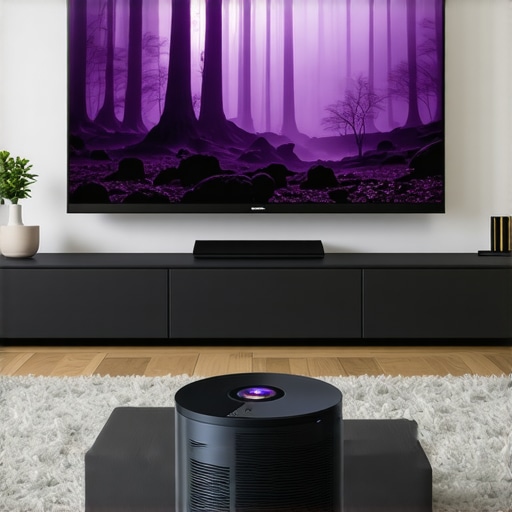
The value proposition for home theater deals in the open-box sector usually boils down to the ‘Price per Inch’ metric. A 100-inch TV will cost you significantly more than a 100-inch projection from a high-quality laser unit, and you lose the ability to grow the screen to 120 inches later. However, if your room has floor-to-ceiling windows with no curtains, the TV remains the king of visibility. For everyone else, the cinematic immersion of a 4k projector is the clear winner for movie night. If you value peak brightness and don’t mind a smaller screen, the TV wins, but if you want the true theater-at-home vibe, those laser projector deals are unbeatable. Before you swipe your card, check current prices on long-throw competitors to see if a traditional setup fits your basement layout better than a UST.
What Makes These Deals Sweet (and Where They Sour)
After weighing the technical specs and real-world performance, the trade-offs of open-box laser projector deals become crystal clear. You aren’t just buying a discounted piece of glass; you’re playing a high-stakes game of value optimization. To succeed, you need to recognize the wins and the compromises:
- Massive Savings: You can often skip the retail markup and save 25-40% off the MSRP for high-end gear.
- Manufacturer Protection: Most certified units retain the full factory warranty, protecting your investment from hardware failure.
- Premium Optics: You get the high-end glass and robust cooling systems that budget models simply lack.
- The Noise Penalty: High-brightness modes often come with a fan whine that can be distracting in small rooms.
- Software Friction: Onboard apps can be sluggish, often requiring an external streamer for a smooth 4K experience.
Finding Your Perfect Match in the Open-Box Bin
If you are a movie enthusiast who dreams of a 120-inch image but lacks a five-figure budget, this is your path to glory. It’s perfect for the “weekend warrior” who wants the ultimate sports-watching setup without the permanent footprint of a massive TV. However, if you are a competitive gamer, you might want to look at the best smart projectors for gaming without noticeable input lag instead, as some open-box USTs can struggle with millisecond delays. Similarly, if you plan to install this in a silent bedroom, you should research the quietest 4k projectors for bedroom home cinemas to avoid that late-night fan hum during quiet scenes. This path is for the informed buyer who knows how to spot a deal and isn’t afraid to perform a factory reset to get things right.
The Hard Truth About Your Next Home Theater Investment
The verdict is a resounding “Buy”—but only if you follow the verification steps I’ve outlined throughout this review. The sheer value of a 4k projector with a laser engine at these prices is unbeatable in the current market. When you compare the longevity of these units to traditional lamps, choosing a refurbished 4k projector over a new budget model is the smartest financial move a home theater owner can make. Don’t let marketing fluff distract you from the facts; make sure you understand the truth about 4k projectors and native resolution marketing before you finalize your cart. My final advice? Snag that open-box deal, verify the lamp hours in the system menu immediately, and use the extra cash to upgrade your sound system. Check the latest price on your favorite retailer’s certified section today and start building your dream cinema.