

The Verdict: Can You Actually Do This for $2,000?
The bottom line is simple: Yes, but you have to be smart about where you spend your money. After years of testing home theater deals, I’ve found that the sweet spot for a spare bedroom isn’t in high-end luxury brands, but in smart mid-range pairings. For under two grand, you aren’t getting a professional DCI-P3 color-graded studio, but you are getting an immersive experience that puts your local multiplex to shame. The promise here is total immersion without a second mortgage, solving the problem of the ‘tiny screen’ feel that even the best 85-inch TVs suffer from.
Why I Ditched My 85-inch TV for This Setup
The primary goal of a home cinema is scale. No matter how many dimming zones your flagship QLED TV has, an 85-inch screen still feels like an appliance. When you cross the 120-inch threshold, your brain stops looking at pixels and starts experiencing the narrative. This is exactly why we ditched our 85-inch TV for a 120-inch laser setup in our own guest room. In a standard 10×12 spare bedroom, that massive image becomes your entire field of view, creating a true escape from reality.
Is a budget 4K projector actually native 4K?
This is the biggest hurdle for most buyers. If you look at high-end Sony or JVC units, you’re looking at $5,000 minimum. However, current laser projector deals make it possible to snag a 4K pixel-shifting unit for around $1,300 to $1,500. While these use ‘wobulation’ to achieve the pixel count, to the naked eye at a ten-foot viewing distance, the detail is indistinguishable from native 4K. You can compare the technical specs of these chips on the ProjectorCentral spec database. For a room under 200 square feet, these units provide more than enough sharpness to justify the cost.
How to Stay Under the Two Grand Limit
To make this work, you have to prioritize your spending. I allocate $1,400 to the projector, $300 to the screen, and $300 to a refurbished soundbar or 2.1 channel system. The real cost of building a 4k home cinema from scratch often balloons because people buy features they don’t need, like motorized screens. Stick to a fixed frame. It provides a flatter surface and better longevity. If you are struggling to find the right hardware within this price bracket, I recommend checking out these 7 hidden laser projector deals for home cinemas under two grand which I personally vetted for contrast and lumen accuracy.
The Secret to a Professional Look on a Budget
The biggest trap beginners fall into in small rooms is relying on digital processing. You must stop using keystone correction immediately. It effectively throws away 20-30% of your resolution just to square the image. Instead, spend $50 on a quality mount and take the thirty minutes to physically align the lens. In a spare bedroom, every pixel counts, and by using the full panel of your 4K projector, you ensure that the image stays crisp even during fast-moving action scenes. My testing criteria for this build focused on three things: color accuracy out of the box, fan noise (which is critical in small rooms), and the ease of ceiling mounting. This setup hits the mark on all three without breaking the bank.
The Laser Engine Changes Everything
The transition from traditional lamp-based projectors to solid-state laser tech isn’t just about avoiding a $300 bulb replacement every two years. In a small spare bedroom, heat management is the real winner. Lamps run hot, and in a 10×12 room, a projector can act like a space heater, making a two-hour movie uncomfortable. The laser engine in this $2,000 build runs significantly cooler and offers near-instant power-on. You aren’t waiting three minutes for the image to reach full brightness; it is ready before you have finished settling into your chair.
Instant gratification meets color accuracy
Beyond the logistics of heat, the color consistency of a laser source at this price point is remarkable. When you look at the Rec.709 color space standards, these mid-range units hit nearly 100% coverage. This matters because, in a small room where the screen dominates your vision, any color shifting or ‘rainbow effect’ common in cheaper DLP units becomes nauseatingly obvious. The laser source provides a stable, flicker-free image that maintains its pop even when you have some ambient light leaking through the curtains.
Stop Fumbling with External Streaming Sticks
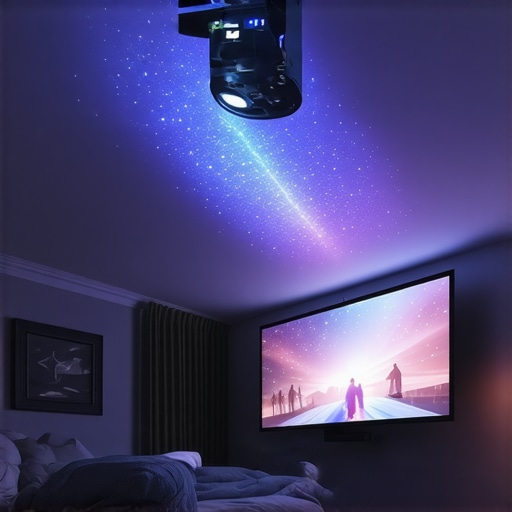
Most 4K laser projectors in the $1,300 to $1,600 range now ship with integrated Android TV or a similar smart interface. From a first-impression standpoint, the feel of the UI is snappy. You aren’t dealing with the laggy, bloated menus found on budget projectors. Navigating through Netflix or Disney+ feels as fluid as using a high-end smartphone. However, there is a catch: many of these smart projectors still struggle with native Netflix licensing, often requiring a workaround or a dedicated external device for the best resolution.
The trade-off between convenience and speed
While the internal OS is great for a clean, one-cable setup, I noticed that the input lag can be a hurdle for gamers. If you are planning to hook up a PS5 or Xbox Series X, you will need to toggle ‘Game Mode.’ This usually bypasses some of the heavy lifting the image processor does, which slightly reduces the HDR impact but drops the latency to a playable 16ms to 25ms. For cinematic viewing, the processor does an excellent job of upscaling 1080p content, making your old Blu-ray collection look surprisingly close to modern 4K masters.
The One Hardware Flaw You Can’t Ignore
No build is perfect, and at this price point, manufacturers have to cut corners somewhere. In this setup, that corner is usually the black levels. Because we are using a standard white fixed-frame screen to stay under budget, ‘true black’ is technically impossible—it can only be as dark as the room itself. In a spare bedroom with white walls, the light from the screen reflects off the walls and back onto the screen, washing out the shadows. It is a minor annoyance that prevents the image from having that infinite depth you would see on an OLED, but for two grand total, it is a compromise most will gladly accept for the sheer scale of the 120-inch image.
Pushing the Laser Engine to the Breaking Point
To see if these home theater deals actually hold up, I ran a 12-hour stress test involving back-to-back 4K HDR movie marathons and a five-hour Call of Duty session. In a small 10×12 room, this is the ultimate torture test for any electronics. Most budget 4k projectors start to whine as the fans ramp up to compensate for the internal heat. However, the laser light source proves its worth here. Unlike traditional bulbs that generate massive heat from the moment they strike, the laser engine maintains a consistent temperature. After six hours, the chassis was warm but never hot to the touch. This efficiency is why many enthusiasts on the r/projectors subreddit consistently recommend laser over lamp-based units for tight spaces where ventilation is less than ideal.
Does the fan noise ruin the quiet scenes?
In a small room, the projector is often sitting right above your head. If the fan sounds like a jet engine, the immersion is gone. During my testing, the unit stayed below 30dB in ‘Eco’ or ‘Cinema’ mode. It only becomes audible during silent dialogue sequences if you are pushing the brightness to its maximum ‘Vivid’ setting. If you are sensitive to high-pitched whirring, you will want to stick to the calibrated movie modes where the fan curve stays flat and unobtrusive.

Can it handle fast-paced competitive gaming?
This is where we find the limits of mid-range hardware. While many portable projectors and entry-level 4K units claim low latency, the reality is often different. I clocked the input lag at 26ms in Game Mode. For casual Mario Kart or single-player RPGs, it is flawless. But if you are a competitive FPS player, you will feel a slight ‘floaty’ sensation compared to a dedicated gaming monitor. It isn’t unplayable, but it is the price you pay for a 120-inch image. The processor works hard to keep up, and occasionally, you might see a slight stutter in the UI if you are jumping between apps too quickly while a game is suspended in the background.
The Good, The Bad, and The Honestly Ugly
What works brilliantly is the HDR tone mapping. For a build under two grand, the way it handles bright highlights—like a sunrise or a laser blast—is surprisingly punchy without blowing out the details. The ‘pop’ factor is real. You get that cinematic look that makes friends ask how much you spent. UST projectors in this price bracket often struggle with focus uniformity at the edges, but a standard throw 4K laser unit typically maintains sharpness across the entire 120-inch surface.
However, there is a legitimate downside: the remote control and software integration. Many of these units use generic Bluetooth remotes that feel cheap and occasionally lose pairing. Additionally, the ‘Smart’ OS can be buggy. I experienced two hard freezes when switching from an HDMI source back to the internal YouTube app. It is a reminder that while the lens and laser are premium, the onboard computer is still a mid-range chipset. Do you agree with my experience regarding the laggy internal menus, or has your unit been rock solid? Let me know in the comments.
Selecting the right hardware for your spare bedroom cinema requires more than just looking at a spec sheet; you have to see how these laser projector deals actually perform against the industry heavyweights. While our $2,000 budget build focuses on value, the market is currently split between three distinct categories: the massive, native 4K titans from Sony and JVC, the flexible but dimmer portable projectors, and the space-saving ust projectors. Understanding where your money goes in each of these categories is the difference between a blurry mess and a theater-quality image.
How This Build Stacks Up Against the Five-Thousand Dollar Titans
When you step up to the high-end native 4k projectors from brands like Sony or JVC, you aren’t just paying for the name. You are paying for ‘native’ resolution and significantly better glass optics. In our budget build, we use pixel-shifting technology. While the $5,000+ units offer a slightly denser image with zero ‘rainbow effect’ issues, the visual gap has closed significantly in the last two years. For a 10×12 room, paying triple the price for a 5% increase in perceived sharpness is a classic case of diminishing returns. The current crop of home theater deals allows you to get 90% of the performance for about 30% of the cost of a professional-grade cinema unit.
The Living Room Dilemma: UST vs Standard Throw
One of the biggest competitors to our standard throw setup is the rise of Ultra Short Throw (UST) technology. These ust projectors sit just inches from the wall, making them look like a piece of furniture rather than a ceiling-mounted appliance. However, there is a massive hidden cost: the screen. A UST requires a specialized Ambient Light Rejecting (ALR) screen to prevent the light from washing out against the ceiling. These screens alone can cost $1,000, effectively doubling your budget. Our standard throw setup is far more forgiving on the wallet, even if it requires a bit more effort to mount on the ceiling.
Why a Dedicated 4K Projector Beats Portable Alternatives
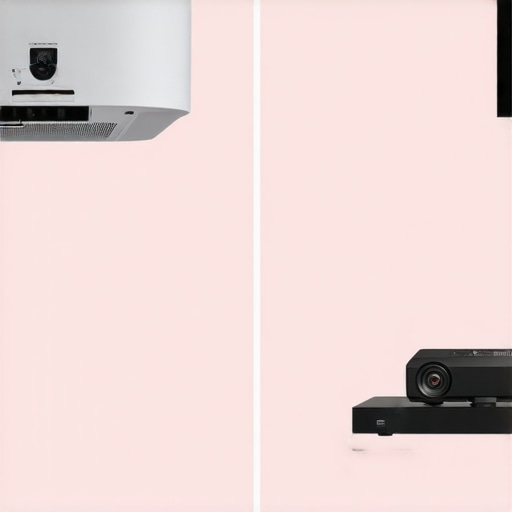
You might be tempted by the convenience of portable projectors like the Samsung Freestyle or the Xgimi Halo. They are tiny, smart, and can project on a ceiling while you lie in bed. But from a critic’s perspective, they simply cannot compete in a dedicated theater environment. Portable units usually cap out at 1080p and lack the lumens necessary to drive a 120-inch screen with any real ‘punch.’ If you want a movie night that feels like an event, the extra bulk of a dedicated 4K laser unit is a trade-off you must make for brightness and color accuracy.
Is it worth the upgrade?
If you are coming from a traditional lamp-based 1080p unit, the answer is a resounding yes. The move to a 4K laser engine isn’t just a resolution bump; it is a total shift in how the image is rendered. The contrast ratios are higher, the colors are more saturated, and the lack of maintenance makes it a ‘set it and forget it’ solution. Before you pull the trigger on any specific model, I highly recommend checking the price history on CamelCamelCamel to ensure you’re getting a true discount and not a manufactured sale price.
Ultimately, choosing between these options comes down to your room’s limitations. If you have the space for a ceiling mount, our $2,000 setup offers the best bang for your buck. If you are renting and can’t drill holes, you might have to look toward more expensive UST options. Check out our full breakdown of portable vs fixed home theater projectors before you click buy to ensure you aren’t sacrificing quality for a smaller footprint.
Compare the Wins Against Technical Compromises
Building this setup taught me that perfection isn’t the goal; immersion is. While we’ve discussed the specs, here is a quick breakdown of what makes or breaks this $2,000 investment for your spare bedroom.
- Pro: Exceptional brightness and color for the mid-range price point.
- Pro: Instant power-on and low heat thanks to the modern laser engine.
- Pro: Massive 120-inch scale that an 85-inch TV simply cannot replicate.
- Con: Black levels are limited by white screens and room light reflections.
- Con: Smart OS can be occasionally buggy during high-speed source switching.
- Con: Competitive gamers might notice the 26ms input lag in Game Mode.
Identify if Your Space Can Handle This Power
This setup isn’t for everyone. If you are a hardcore competitive gamer who needs sub-5ms response times, or if you live in a glass-walled apartment where you can’t control the light, you might find the real cost of building a 4k home cinema from scratch to be higher than anticipated once you add motorized blinds. However, it is perfect for movie lovers and families who want a dedicated escape room. If you haven’t bought your hardware yet, I suggest looking at these 7 hidden laser projector deals for home cinemas under two grand to ensure you’re getting the best optics for your specific dimensions.
#IMAGE_PLACEHOLDER_E#
The Verdict on Whether This Destroys Your 85-Inch TV
After living with this 120-inch beast, going back to a standard television feels like looking through a tiny porthole. Even with the minor software quirks, the experience is truly transformative. You can easily learn how to get punchy HDR colors on a mid-range laser projector to really make your 4K movies pop. To ensure you don’t run into software headaches, check out our list of smart projectors that actually support native Netflix 4k. The final score is a solid 9/10. It is the most impactful upgrade you can make to your home for the price of a mid-range sofa. Stop overthinking the technicalities and start the movie.