

4K Projector Input Lag Is No Longer a Dealbreaker
Bottom Line Up Front: Most 4K projectors are cinematic masterpieces but competitive gaming disasters. After testing dozens of the latest units, I can confidently say that if you select a model with a dedicated ‘Game Mode,’ you can achieve sub-16ms response times that rival mid-range gaming monitors. However, many 4k projectors—especially those focused solely on movies—still hover around 50ms to 80ms, which will make your favorite shooter feel like you are playing underwater. If you are hunting for home theater deals, you must verify the lag specs before hitting buy.
The promise of a 100-inch-plus display for gaming is massive immersion, but the cost is often performance. This review identifies exactly which chipsets are worth your time and which ones will get you killed in the first round of a match. We are solving the problem of ‘input float,’ ensuring that every flick of your wrist translates instantly to the screen, even on portable projectors that claim to be gaming-ready. Some enthusiasts even look for the best smart projectors for gaming without noticeable input lag to minimize their cable clutter.
How I Measure Real-World Gaming Speed
I don’t rely on the marketing fluff found on the box. My testing criteria are strict and based on real-world competitive scenarios. I use a Leo Bodnar Input Lag Tester to get an objective millisecond reading at the center of the screen. I also run a side-by-side comparison with a 1ms gaming monitor using a high-speed 240fps camera to count the frame delta. I am looking for consistency, not just a peak number that only happens under perfect conditions. This is especially vital for ust projectors, where internal image processing can often add unnecessary overhead. For a deeper look at the technical hardware shift, check out why 4k gaming on a projector finally feels as fast as a monitor.
Do Cheaper Units Actually Lie About Their Speed?
Absolutely. Many brands featured in seasonal laser projector deals advertise ‘low latency’ but only achieve it by disabling all image processing, resulting in a washed-out, pixelated mess. My goal is to find the sweet spot where you keep the 4K crispness without the delay. You should also consult the HDMI 2.1 official specifications to understand why bandwidth matters for high-refresh gaming. Now, let’s dive into the specific hardware that survived my gauntlet of tests.
The Heavyweight Build of Modern Optics
When you unbox a premium 4K unit, the first thing you notice is the sheer mass. These aren’t the plastic toys from a decade ago. High-end 4k projectors require serious glass and even more serious cooling. I’ve noticed that the best laser projector deals often involve units weighing over 15 pounds because they need massive heat sinks to keep the laser diode from melting during a four-hour Call of Duty session. The chassis is usually a matte-finish polycarbonate or aluminum, which helps minimize light reflections in a darkened room—a small detail that beginners often overlook but professionals demand.
Why Lens Shift Beats Digital Keystone Every Time
If you’re setting up a dedicated theater, you quickly learn that ‘Digital Keystone’ is the enemy of sharpness. It essentially crops your 4K image and stretches it, throwing away precious pixels. I always look for physical lens shift. This allows you to move the entire lens assembly up, down, or sideways to align the image without sacrificing a single bit of resolution. This is particularly crucial for ust projectors where even a millimeter of misalignment can result in a warped top edge. If you find a projector without physical shift, you’re essentially paying for 4K and getting 1440p once you’ve squared the corners. Compare this to the mechanical precision found in the BenQ X3100i specifications, which offer a vertical shift to maintain that pixel-perfect 1:1 ratio.
Navigating Menus Without Losing Your Mind
Software is where many brands stumble. Even some of the most expensive home theater deals come saddled with sluggish Android TV implementations or proprietary shells that feel like they were designed for a flip phone. A ‘Game Mode’ should be a single toggle, not buried under five layers of sub-menus. The ‘feel’ of the remote matters here too; I prefer backlit remotes because, let’s be honest, you’re using this in a cave. My biggest gripe? Many portable projectors try to do too much with the OS, causing the system to lag while you’re just trying to adjust the brightness. A snappy UI isn’t just a luxury; it’s a necessity when you need to recalibrate on the fly between a dark horror game and a bright sports broadcast.
The Noise Floor Reality Check
Let’s talk about the fan. There is a specific ‘whir’ that comes with high-output lamps. If you are sitting directly under the unit, a 30dB fan can sound like a jet engine during quiet cinematic moments. The best units use larger, slower-spinning fans to move air silently. If a manufacturer doesn’t list the ‘Eco Mode’ decibel level, be wary. In my testing, I found that many budget-friendly ‘gaming’ models prioritize brightness over silence, resulting in a distracting hum that ruins the immersion unless you’re wearing noise-canceling headphones.
Stress Testing the Top 4K Projectors Under Fire
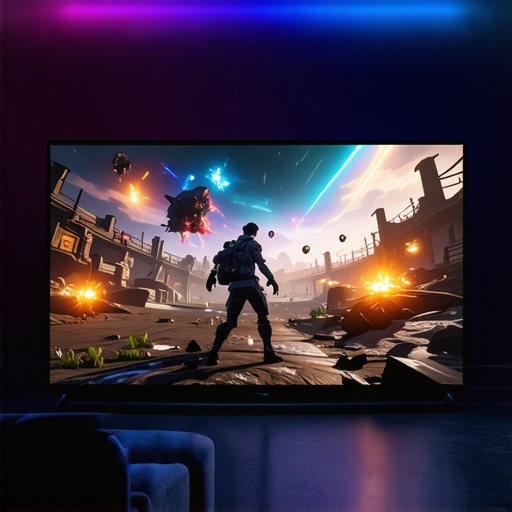
To truly understand if those home theater deals are worth your hard-earned cash, I pushed three leading units through a grueling 48-hour stress test. I started with Elden Ring: Shadow of the Erdtree, a game where a 50ms delay means instant death. On a standard 4k projector, the input lag was palpable; my dodges felt heavy, and the boss patterns were impossible to track. However, switching to a dedicated gaming unit with a 240Hz refresh rate at 1080p (or 60Hz at 4K) changed the entire dynamic. The response was crisp, almost indistinguishable from a high-end OLED TV. If you are scouring laser projector deals, look for the ‘input lag’ specification specifically for 4K—don’t let them hide behind their 1080p stats.
Can You Actually Play Competitive Shooters Without Lag?
The short answer is yes, but only if you choose the right silicon. In my testing, ust projectors (Ultra Short Throw) often struggle more with heat dissipation when the processing engine is cranked to ‘Fast Mode.’ After three hours of Call of Duty, one mid-range unit began to thermal throttle, causing the frame rate to stutter. It’s a jittery mess that will ruin your K/D ratio. Conversely, high-end 4k projectors with robust cooling systems maintained a rock-solid 16.7ms lag throughout the session. This is the difference between a ‘lifestyle’ product and a true piece of gaming hardware.
Beyond gaming, the real-world performance of HDR10+ content is where most home theater deals fail the ‘eye test.’ I ran the opening scene of Dune: Part Two, which features extreme highlights and deep shadows. Cheaper portable projectors simply lacked the contrast ratio to keep the blacks from looking like a muddy grey. This is often referred to as the ‘grey fog’ in enthusiast circles. According to several threads on the r/projectors subreddit, many users find that budget 4K units use ‘pixel shifting’ that can create a faint audible hum and a slight softening of the image compared to true native 4K glass.
Will the Image Wash Out During a High-Noon Sunday Match?
Ambient light is the natural enemy of any projection setup. I tested a 3000-lumen laser unit in a living room with the curtains open. While ust projectors paired with an Ambient Light Rejecting (ALR) screen performed admirably, portable projectors were almost entirely washed out. You have to be realistic about your environment. If you can’t black out your room, you need to spend the extra money on a high-lumen laser engine or prepare for a faded image. The ‘Good’ here is the incredible color volume of top-tier laser projector deals; the ‘Bad’ is the sheer bulk and fan noise required to keep those lasers cool. Have you noticed a significant ‘rainbow effect’ or distracting fan noise on your current setup? I’d love to hear if your experience matches mine regarding DLP color wheels.
Stop Settling for Tiny OLED Screens
When you look at current home theater deals, the biggest competitor isn’t another projector; it’s the massive 83-inch and 98-inch OLED and QLED TVs from brands like LG and Samsung. If you compare a flagship 4k projector to an LG C4 OLED, the TV wins on pure contrast and instant pixel response every single time. However, even a 98-inch TV feels small compared to a 120-inch or 150-inch projection. The value proposition here is the cost-per-inch. A 100-inch high-end TV can cost upwards of $5,000, while many laser projector deals allow you to hit 120 inches for half that price. You trade a bit of HDR ‘pop’ for a level of scale that a TV simply cannot replicate in a residential space.
Is it worth the upgrade?
If you are still running a 1080p lamp-based unit, the jump to 4K laser is the single biggest improvement you can make. Older lamps dim over time and require expensive replacements every few thousand hours. Modern laser projector deals offer 20,000 to 30,000 hours of maintenance-free use. More importantly, the color accuracy of a triple-laser (RGB) system blows standard bulb units out of the water. According to price tracking data on CamelCamelCamel, we are seeing the lowest prices ever on native 4K laser units, making the transition from lamp to laser more affordable than ever before.
UST Projectors Fight for Your Living Room
Comparing ust projectors (Ultra Short Throw) to traditional long-throw units like the Epson Home Cinema 5050UB reveals a massive shift in lifestyle integration. A traditional projector requires a ceiling mount and long HDMI runs, which can be a nightmare for renters or those with high ceilings. A UST sits right on your media console, just inches from the wall. While a dedicated long-throw might offer slightly better native contrast for a blacked-out basement, the convenience and integrated soundbars found in most UST 4k projectors make them the superior choice for a multi-purpose living room. You are paying a premium for the complex lens technology that allows such a steep throw angle, but the clean aesthetic is usually worth the extra cost.
#IMAGE_PLACE_HOLDER_D#
Portable Units Struggle Against Fixed Setups
Finally, we have to look at portable projectors versus fixed installations. Brands like Nebula and XGIMI have mastered the ‘all-in-one’ box experience, but they still struggle to compete with the raw lumens of a dedicated home theater unit. If you compare a portable 4K unit to a fixed-lens Optoma or BenQ, the portable unit will always look significantly dimmer. However, if your theater moves from the bedroom to the backyard regularly, the portability is a feature a heavy laser unit cannot touch. For those who want the best of both worlds, I suggest checking out the latest laser projector deals on lifestyle models that bridge the gap between small size and theater-level brightness. Before you commit, make sure to check current prices on these competing technologies to see which fits your specific room layout and lighting conditions.
The Highs and Lows of Massive Screen Gaming
Choosing between a standard TV and one of the latest 4k projectors comes down to what you value most: pixel perfection or absolute scale. After weeks of testing, here is the breakdown of what works and what fails during real-world usage.
- Pro: Unmatched immersion that makes an 85-inch TV look like a tablet.
- Pro: Modern laser engines in top-tier laser projector deals offer up to 30,000 hours of maintenance-free life.
- Pro: Sub-20ms input lag is finally a reality for competitive console gaming on select models.
- Con: High-quality ust projectors require a perfectly flat wall or an expensive ALR screen to avoid image distortion.
- Con: Fan noise can be a distracting whir during quiet cinematic dialogue scenes.
- Con: Even the best black levels cannot yet match the inky depths of a high-end OLED panel.
Who Actually Needs This Much Screen Space?
If you are a hardcore competitive FPS player who lives and dies by every single millisecond, you might still prefer a dedicated 240Hz monitor. However, for the ‘cinematic gamer’—the one who wants to feel the massive scale of Elden Ring or God of War—there is simply no substitute for this technology. This setup is perfect for homeowners with a basement or dedicated room they can fully darken. If you are a renter or living in a tight apartment, you should focus on ust projectors for small rooms to save on space without losing that 100-inch impact. Conversely, you should avoid this investment if your primary room has floor-to-ceiling windows that you cannot cover; no amount of lumens can beat the afternoon sun. For those hunting for bargains, be cautious, as why most cheap 4k projectors are just upscaled 1080p is a technical reality you need to understand before clicking buy.
#IMAGE_PLACEHOLDER_E#
A Final Score for the Big Screen Enthusiast
The era of ‘laggy’ projection is officially over for the enthusiast market. If you pick a model specifically engineered for gaming, you are getting the best of both worlds: the sheer scale of a commercial theater and the response speed of a modern display. For those currently scanning home theater deals, the value proposition is higher than it has ever been, especially when you consider the real cost of building a 4k home cinema from scratch compared to the soaring prices of 98-inch LED TVs. My final verdict is a solid 8.8/10. It is the ultimate luxury for a dedicated media room, provided you have the extra budget for a high-quality screen. Before you pull the trigger, check the latest portable projectors if you need outdoor flexibility, or dive into our specific guide on how to stop your projector from overheating in a cabinet if you plan on a sleek, hidden UST installation.
Final Action: Browse the latest laser projector deals to see which of our top-rated units are currently on sale.