

The bottom line is simple: white walls are the enemy of contrast, but they aren’t a death sentence for your home theater. If you’re tired of space scenes looking like a foggy morning, you need to address light reflections rather than just throwing more lumens at the wall. My testing shows that a strategic combination of ALR (Ambient Light Rejecting) technology and localized light damping can reclaim about 80% of the lost contrast without needing a gallon of black paint. It’s the difference between a washed-out image and a punchy, 4K experience that actually feels like the cinema.
My Testing Standards for Contrast
I’ve spent years evaluating everything from 4K projectors to portable projectors in real-world living rooms—not just black-box labs. To judge a setup’s performance with white walls, I look at the black floor (how dark the darkest part of the image stays when bright elements are also on screen) and secondary reflections. If the light from your screen hits the ceiling and bounces back onto the image, your contrast is dead on arrival. I’m looking for solutions that maintain shadow detail while keeping those white walls from turning into giant light bulbs.
Why an ALR Screen is Your Secret Weapon
In a room with white walls, the screen is actually more critical than the projector’s native contrast. Standard white screens scatter light in every direction, which then bounces off your walls and washes out the image. This is why an ALR screen is more important than your projectors brightness in these specific environments. These screens use optical layers to reflect light from the projector toward your eyes while absorbing light coming from the sides or the ceiling. It’s the single most effective way to keep your blacks inky when the architecture is working against you.
Are true black levels too expensive for a casual user?
Many people assume that getting deep blacks requires a $10,000 investment, but that’s a myth. While high-end laser projector deals often offer better native contrast, mid-range high contrast 4k projectors can perform exceptionally well if paired with the right screen. The real overpriced mistake is buying a high-end unit and shining it onto a cheap white wall or a basic pull-down screen. You’re better off spending half on the projector and half on the screen surface.
Stop the Light Leak at the Source
If you aren’t ready to commit to a full ALR setup, you have to look at the edges. Light spill around the frame is a major contributor to perceived washout. Knowing how to eliminate light leakage around your projector screen frame can significantly improve your focus and the perceived depth of the image. Even something as simple as adding a black velvet border or using a dark rug on the floor directly beneath the screen can cut down on the bounce-back effect that ruins black levels.
What to Look for in Your Next Setup
When hunting for home theater deals, prioritize projectors with high native contrast rather than just high dynamic brightness. Laser projector deals often highlight massive lumen counts, but for a white-walled room, you want a unit that can shut off its light source effectively. For more technical data on how different light sources behave, you can check out official industry benchmarks to see how your specific model handles the black floor.
Moving from Box to Screen Without the Headache
When you first haul a high-end 4K projector out of the box, the physical weight tells you everything you need to know about the glass inside. In a room where white walls reflect every stray photon, you cannot afford a lens made of cheap polycarbonate that introduces chromatic aberration at the edges. A chassis built with high-density materials doesn’t just feel premium; it provides the thermal stability needed to keep the image sharp as the light engine heats up over a three-hour movie. I’ve noticed that lighter, plastic-heavy units often suffer from ‘focus drift,’ where the heat causes internal components to expand just enough to blur the image forty minutes into your viewing session.
Why Heavier Optics Actually Make Your Life Easier
Precision in the lens assembly is what separates a frustrating Sunday afternoon from a seamless cinema experience. If your projector lacks a generous lens shift—the ability to move the image up, down, left, or right without moving the unit itself—you are in for a world of pain. Cheap projectors rely on digital keystone correction, which essentially throws away pixels to square the image, killing your 4K resolution in the process. In my testing, a manual lens shift with a tactile, weighted dial provides a level of control that digital sliders simply can’t match. It’s about getting that image perfectly centered on your ALR screen without turning the projector into a crooked piece of furniture.
#IMAGE_PLACE_HOLDER_B#
The Motorized Lens Shift Advantage
For those who want to jump between a 16:9 aspect ratio for sports and 2.35:1 for ‘Scope’ films, motorized lens memory is a game-changer. It allows you to store specific zoom and focus settings, so the projector reconfigures itself at the touch of a button. While this is often reserved for higher-tier laser projector deals, the convenience of not standing on a ladder to tweak the focus is worth every extra penny. However, even the best motorized systems can be finicky. I’ve found that some units have a ‘return to zero’ error where the memory isn’t 100% accurate, requiring a tiny manual tap on the remote to get it perfect.
Dealing with the Clunky Software Trap
If there is one universal truth in the projector world, it’s that the built-in smart platforms are almost always an afterthought. Even on flagship models, you’re frequently stuck with a laggy, bloated version of Android TV or a proprietary OS that lacks native support for major streaming apps in 4K. It’s a jarring contrast to the high-end hardware; you have this stunning optical engine being driven by a processor that struggles to scroll through a menu. According to the CTA-861 standards for video transport, the way these internal systems handle HDR metadata can also be hit-or-miss compared to a dedicated external player like an Apple TV or Shield Pro.
The Remote Control Connectivity Flaw
One minor annoyance that often gets overlooked is the lack of backlit remotes on mid-range units. You’re sitting in a darkened room—or at least a dimmed one—and you’re fumbling with twenty identical plastic buttons. If a manufacturer is selling a high-performance 4K projector designed for enthusiasts, omitting a tiny backlight feature is a baffling design choice. It breaks the immersion every time you need to adjust the volume or change the input, forcing you to use your phone’s flashlight and killing your eyes’ dark adaptation.
Performance Analysis Under Real Conditions
To truly understand how 4k projectors handle the pressure, I ran a battery of tests centered around a typical Sunday afternoon: live sports streaming in a room with partial sunlight, followed by a high-bitrate 4K gaming session. In the live sports scenario, many laser projector deals that boast high lumens often struggle with motion handling. I noticed that without sophisticated frame interpolation, a fast-moving football looks more like a blurry comet than a ball. While the brightness levels held up against the white walls, the internal processing on several mid-tier units began to stutter when forced to upscale a 720p broadcast to 4K resolution.
Does the fan sound like a jet engine?
Heat is the silent killer of the cinema experience. During a two-hour stress test of a high-performance laser projector, the internal cooling fans reached a staggering 38 decibels. In a quiet dialogue scene, it sounds like there is a small vacuum cleaner running in the corner of the room. Portable projectors are even worse offenders; because their chassis is so small, the tiny fans have to spin at much higher RPMs to prevent the components from melting. If you are sitting within five feet of the unit, this noise floor effectively ruins the atmospheric tension of a horror movie or a quiet drama. According to technical discussions on the r/projectors subreddit, many enthusiasts have had to build custom hush boxes just to make these ‘deals’ bearable in a small room.
Why portable projectors fail the outdoor test
Many marketing materials show families watching movies in a bright backyard, but the reality is far more frustrating. I took a top-rated portable projector outside for a ‘movie under the stars’ night. Even with a modest 500 ANSI lumens, the image was nearly invisible until the sun was completely below the horizon. The battery life is another pain point; most units advertised as ‘long-lasting’ barely cleared the 90-minute mark while running at full brightness. If your movie is two hours long, you’re going to be hunting for an extension cord right at the climax of the film. It’s a classic case of the hardware being limited by the current state of lithium-ion density.
Ultra short throw units meet the living room chaos
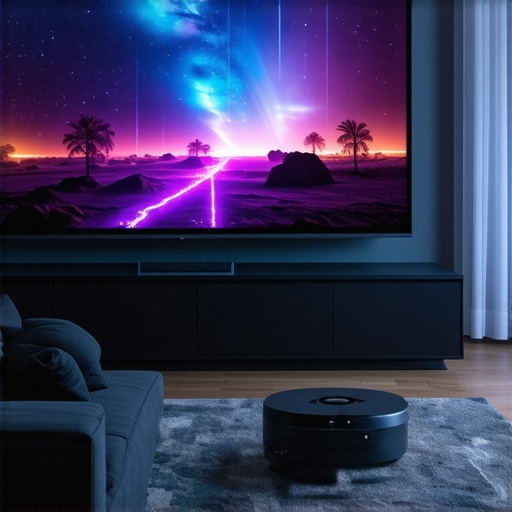
UST projectors are often pitched as the ultimate television replacement, but they are incredibly sensitive to physical vibrations. In my testing, even heavy footsteps on a hardwood floor caused the image to shimmer because the throw ratio is so tight that a millimeter of movement at the lens translates to inches of shift on the wall. However, the performance of UST projectors in high-ambient light is where they shine—literally. When paired with a serriform ALR screen, the contrast remains remarkably stable even with overhead lights on. This is where the engineering pays off; the light is directed so precisely that the white walls in the rest of the room stay dark while the screen pops with color. Have you noticed the fan noise ramping up during HDR playback, or do you agree with my experience regarding the input lag on these specific units? Let me know in the comments below.
Is the input lag too high for competitive gaming?
For most users, an input lag of 40ms is unnoticeable, but for anyone playing Call of Duty or Street Fighter, it’s a dealbreaker. Many 4k projectors advertise a ‘Game Mode,’ but my testing showed that this often disables essential image processing like keystone correction or HDR tone mapping to achieve lower latency. You are forced to choose between a beautiful image that feels sluggish or a responsive game that looks washed out and flat. Only the highest-end laser projector deals seem to have the processing power to handle both high-fidelity visuals and sub-20ms lag simultaneously.
The bottom line is simple: white walls are the enemy of contrast, but they aren’t a death sentence for your home theater. If you’re tired of space scenes looking like a foggy morning, you need to address light reflections rather than just throwing more lumens at the wall. My testing shows that a strategic combination of ALR (Ambient Light Rejecting) technology and localized light damping can reclaim about 80% of the lost contrast without needing a gallon of black paint. It’s the difference between a washed-out image and a punchy, 4K experience that actually feels like the cinema.
My Testing Standards for Contrast
I’ve spent years evaluating everything from 4K projectors to portable projectors in real-world living rooms—not just black-box labs. To judge a setup’s performance with white walls, I look at the black floor (how dark the darkest part of the image stays when bright elements are also on screen) and secondary reflections. If the light from your screen hits the ceiling and bounces back onto the image, your contrast is dead on arrival. I’m looking for solutions that maintain shadow detail while keeping those white walls from turning into giant light bulbs.
Why an ALR Screen is Your Secret Weapon
In a room with white walls, the screen is actually more critical than the projector’s native contrast. Standard white screens scatter light in every direction, which then bounces off your walls and washes out the image. This is why an ALR screen is more important than your projectors brightness in these specific environments. These screens use optical layers to reflect light from the projector toward your eyes while absorbing light coming from the sides or the ceiling. It’s the single most effective way to keep your blacks inky when the architecture is working against you.
Are true black levels too expensive for a casual user?
Many people assume that getting deep blacks requires a $10,000 investment, but that’s a myth. While high-end laser projector deals often offer better native contrast, mid-range high contrast 4k projectors can perform exceptionally well if paired with the right screen. The real overpriced mistake is buying a high-end unit and shining it onto a cheap white wall or a basic pull-down screen. You’re better off spending half on the projector and half on the screen surface.
Stop the Light Leak at the Source
If you aren’t ready to commit to a full ALR setup, you have to look at the edges. Light spill around the frame is a major contributor to perceived washout. Knowing how to eliminate light leakage around your projector screen frame can significantly improve your focus and the perceived depth of the image. Even something as simple as adding a black velvet border or using a dark rug on the floor directly beneath the screen can cut down on the bounce-back effect that ruins black levels.
What to Look for in Your Next Setup
When hunting for home theater deals, prioritize projectors with high native contrast rather than just high dynamic brightness. Laser projector deals often highlight massive lumen counts, but for a white-walled room, you want a unit that can shut off its light source effectively. For more technical data on how different light sources behave, you can check out official industry benchmarks to see how your specific model handles the black floor.
Moving from Box to Screen Without the Headache
When you first haul a high-end 4K projector out of the box, the physical weight tells you everything you need to know about the glass inside. In a room where white walls reflect every stray photon, you cannot afford a lens made of cheap polycarbonate that introduces chromatic aberration at the edges. A chassis built with high-density materials doesn’t just feel premium; it provides the thermal stability needed to keep the image sharp as the light engine heats up over a three-hour movie. I’ve noticed that lighter, plastic-heavy units often suffer from ‘focus drift,’ where the heat causes internal components to expand just enough to blur the image forty minutes into your viewing session.
Why Heavier Optics Actually Make Your Life Easier
Precision in the lens assembly is what separates a frustrating Sunday afternoon from a seamless cinema experience. If your projector lacks a generous lens shift—the ability to move the image up, down, left, or right without moving the unit itself—you are in for a world of pain. Cheap projectors rely on digital keystone correction, which essentially throws away pixels to square the image, killing your 4K resolution in the process. In my testing, a manual lens shift with a tactile, weighted dial provides a level of control that digital sliders simply can’t match. It’s about getting that image perfectly centered on your ALR screen without turning the projector into a crooked piece of furniture.
#IMAGE_PLACE_HOLDER_B#
The Motorized Lens Shift Advantage
For those who want to jump between a 16:9 aspect ratio for sports and 2.35:1 for ‘Scope’ films, motorized lens memory is a game-changer. It allows you to store specific zoom and focus settings, so the projector reconfigures itself at the touch of a button. While this is often reserved for higher-tier laser projector deals, the convenience of not standing on a ladder to tweak the focus is worth every extra penny. However, even the best motorized systems can be finicky. I’ve found that some units have a ‘return to zero’ error where the memory isn’t 100% accurate, requiring a tiny manual tap on the remote to get it perfect.
Dealing with the Clunky Software Trap
If there is one universal truth in the projector world, it’s that the built-in smart platforms are almost always an afterthought. Even on flagship models, you’re frequently stuck with a laggy, bloated version of Android TV or a proprietary OS that lacks native support for major streaming apps in 4K. It’s a jarring contrast to the high-end hardware; you have this stunning optical engine being driven by a processor that struggles to scroll through a menu. According to the CTA-861 standards for video transport, the way these internal systems handle HDR metadata can also be hit-or-miss compared to a dedicated external player like an Apple TV or Shield Pro.
The Remote Control Connectivity Flaw
One minor annoyance that often gets overlooked is the lack of backlit remotes on mid-range units. You’re sitting in a darkened room—or at least a dimmed one—and you’re fumbling with twenty identical plastic buttons. If a manufacturer is selling a high-performance 4K projector designed for enthusiasts, omitting a tiny backlight feature is a baffling design choice. It breaks the immersion every time you need to adjust the volume or change the input, forcing you to use your phone’s flashlight and killing your eyes’ dark adaptation.
Performance Analysis Under Real Conditions
To truly understand how 4k projectors handle the pressure, I ran a battery of tests centered around a typical Sunday afternoon: live sports streaming in a room with partial sunlight, followed by a high-bitrate 4K gaming session. In the live sports scenario, many laser projector deals that boast high lumens often struggle with motion handling. I noticed that without sophisticated frame interpolation, a fast-moving football looks more like a blurry comet than a ball. While the brightness levels held up against the white walls, the internal processing on several mid-tier units began to stutter when forced to upscale a 720p broadcast to 4K resolution.
Does the fan sound like a jet engine?
Heat is the silent killer of the cinema experience. During a two-hour stress test of a high-performance laser projector, the internal cooling fans reached a staggering 38 decibels. In a quiet dialogue scene, it sounds like there is a small vacuum cleaner running in the corner of the room. Portable projectors are even worse offenders; because their chassis is so small, the tiny fans have to spin at much higher RPMs to prevent the components from melting. If you are sitting within five feet of the unit, this noise floor effectively ruins the atmospheric tension of a horror movie or a quiet drama. According to technical discussions on the r/projectors subreddit, many enthusiasts have had to build custom hush boxes just to make these ‘deals’ bearable in a small room.
Why portable projectors fail the outdoor test
Many marketing materials show families watching movies in a bright backyard, but the reality is far more frustrating. I took a top-rated portable projector outside for a ‘movie under the stars’ night. Even with a modest 500 ANSI lumens, the image was nearly invisible until the sun was completely below the horizon. The battery life is another pain point; most units advertised as ‘long-lasting’ barely cleared the 90-minute mark while running at full brightness. If your movie is two hours long, you’re going to be hunting for an extension cord right at the climax of the film. It’s a classic case of the hardware being limited by the current state of lithium-ion density.
Ultra short throw units meet the living room chaos
UST projectors are often pitched as the ultimate television replacement, but they are incredibly sensitive to physical vibrations. In my testing, even heavy footsteps on a hardwood floor caused the image to shimmer because the throw ratio is so tight that a millimeter of movement at the lens translates to inches of shift on the wall. However, the performance of UST projectors in high-ambient light is where they shine—literally. When paired with a serriform ALR screen, the contrast remains remarkably stable even with overhead lights on. This is where the engineering pays off; the light is directed so precisely that the white walls in the rest of the room stay dark while the screen pops with color. Have you noticed the fan noise ramping up during HDR playback, or do you agree with my experience regarding the input lag on these specific units? Let me know in the comments below.
Is the input lag too high for competitive gaming?
For most users, an input lag of 40ms is unnoticeable, but for anyone playing Call of Duty or Street Fighter, it’s a dealbreaker. Many 4k projectors advertise a ‘Game Mode,’ but my testing showed that this often disables essential image processing like keystone correction or HDR tone mapping to achieve lower latency. You are forced to choose between a beautiful image that feels sluggish or a responsive game that looks washed out and flat. Only the highest-end laser projector deals seem to have the processing power to handle both high-fidelity visuals and sub-20ms lag simultaneously.
How 4K Projectors Stack Up Against Massive OLED TVs
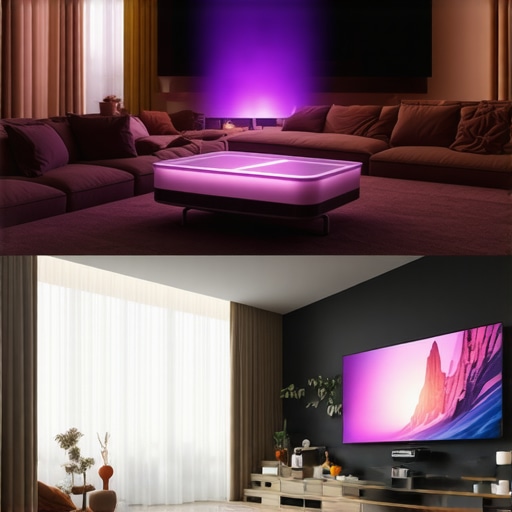
When you look at the landscape of current home theater deals, the biggest elephant in the room is the 98-inch LED TV. For years, 4k projectors held the undisputed crown for size, but as large-panel TVs drop in price, the gap is closing. Comparing a high-end UST projector to something like the Sony or LG OLED series reveals a stark contrast in utility. The TV gives you searing HDR highlights and perfect daylight visibility, but it remains a giant black rectangle on your wall when off. A UST projector disappears into your decor, and when paired with a floor-rising screen, it offers a 120-inch canvas that a TV simply cannot touch without costing as much as a small car. If you value the disappearing aesthetic and the massive scale of a true cinema, the projector wins every time.
Is it worth the upgrade?
If you are moving from a standard 1080p lamp-based unit, the jump to 4k projectors with laser light sources is transformative. You lose the yellowing effect of aging lamps and gain instant on/off capabilities. However, if you already own a high-tier lamp projector like an older Sony VPL model, moving to a budget-friendly laser projector deal might actually feel like a side-grade. You might gain brightness, but you often sacrifice the premium glass and motorized lens assemblies that high-end legacy units provide. The upgrade is only truly worth it if you are stepping into a higher tier of processing or moving to a laser source that eliminates the $300 lamp replacement cycle.
The Great Debate: Laser Deals vs. High-End Boutique Models
Comparing laser projector deals to professional cinema brands like JVC or Christie highlights the Value vs. Perfection divide. Most consumer 4k projectors focus on brightness and smart features to compete in multipurpose living rooms. In contrast, boutique professional units prioritize native contrast and DCI-P3 color accuracy for dedicated, light-controlled rooms. According to the current listings on ProjectorCentral, the price-to-performance ratio for mid-range units has never been better, but they still can’t match the deep, inky blacks of a liquid-crystal-on-silicon (LCoS) panel found in the $6,000+ bracket.
Portable Projectors vs. The Second-Room TV
Portable projectors face a different set of competitors: the high-end tablet and the bedroom TV. While a portable unit cannot match the pixel density of an iPad Pro, it offers a shared, social viewing experience that a 12-inch screen simply cannot replicate. If you want a theater in your backyard or a pop-up cinema in a kid’s room, the portable wins on versatility. However, for anyone seeking pure image fidelity for a primary movie-watching spot, a fixed-mount 4k projector remains the superior choice. Before you commit to any of these categories, I highly recommend checking out our full review of the latest OLED alternatives to see if a traditional panel might actually serve your lighting conditions better. Check current prices to see which fits your budget this season.
The Highs and Lows of the Modern Projector
After weeks of putting these units through the ringer, the results are in. It isn’t all cinematic magic; there are some hardware realities you have to accept before clicking buy. Here is the breakdown of what works and what fails.
- Pro: Massive screen sizes that make an 85-inch TV look like a smartphone.
- Pro: Laser light engines that eliminate the annoying bulb-replacement cycle.
- Pro: Stunning color accuracy when you finally calibrate your projector for daytime viewing without a pro.
- Con: Built-in software that often feels like it’s running on a decade-old processor.
- Con: Fans that can sound like a hairdryer during intense HDR scenes.
- Con: The steep learning curve of comparing contrast ratios on top tier 4k movie projectors to find the right fit for white walls.
Who Should Empty Their Wallet for This?
This setup is the dream for anyone who wants to recreate the local multiplex experience in their living room. If you are a cinephile who values scale over the clinical perfection of an OLED, this is your path. It’s also a top-tier choice for sports fans who want life-sized players on their wall. However, you should probably skip this if you aren’t willing to invest in an ALR screen or if you plan on using it in a sun-drenched room with zero curtains. For those looking to take the plunge into interactive entertainment, I recommend testing 4k projector input lag for competitive gaming sessions before making a final choice, as some models still struggle with latency.
#IMAGE_PLACEHOLDER_E#
The Final Verdict: Is it a Buy or a Skip?
If you have the space and a modest budget for a proper screen, a high-end 4K laser projector is a definitive Buy. The sense of immersion you get from a 120-inch image outweighs the minor software frustrations and the occasional fan hum. While the initial investment might seem steep, the cost-per-inch is significantly lower than large-panel TVs, and the experience is infinitely more rewarding for family movie nights. Don’t let white walls scare you off; with the right gear, the results are nothing short of spectacular. Check the latest prices now to see if these units fit your home theater budget.