

The Brutal Truth About Projector Black Levels
If you have spent thousands on a high-end setup only to find your midnight scenes look like a foggy morning in London, you have hit what I call the ‘contrast wall.’ The bottom line is simple: contrast is the single most important factor for an immersive experience, yet it is the first thing most home users sacrifice in favor of raw brightness or marketing fluff. To get true cinema contrast, you have to stop treating your projector like a standard television and start treating your room like a dark sanctuary. My testing criteria for this deep dive are based on real-world light-floor measurements, screen reflectivity, and the effectiveness of dynamic iris systems on modern 4K units. I am not looking at theoretical numbers on a box; I am looking at whether I can actually see the texture in a dark suit during a low-light scene.
Is focusing on 4K projectors a waste of money without a dark room?
Absolutely. Most buyers chase comparing contrast ratios on top-tier 4k movie projectors but forget that a white ceiling acts like a giant lamp, bouncing light back onto the screen and killing the blacks. I have tested everything from the best high-contrast 4k projectors for dedicated dark rooms to budget portable units, and the result is always the same: resolution is a secondary detail compared to the depth of your shadows. This guide solves the ‘grey black’ problem that plagues most amateur setups. For the technical benchmarks I use to verify these claims, you can refer to the ProjectorCentral technical database for industry-standard lumen-to-contrast metrics.
The Quick Verdict on Cinema Contrast
Before we dive into the nuts and bolts, here is the reality check. If you aren’t willing to paint your walls a dark color or invest in an ALR screen, you will never see the true potential of ust projectors. The promise of this setup guide is simple: I will show you how to stop light leakage and optimize your hardware settings to finally get that ‘ink-black’ look that makes colors pop. We aren’t just talking about buying more gear; we are talking about how to get punchy HDR colors on a mid-range laser projector without breaking the bank. Let’s look at the specific specs that actually matter when you are hunting for laser projector deals and how to calibrate your way to victory.
Getting This Heavy Beast Into Position
The first thing you notice when unboxing a serious 4K unit is the weight. We are often conditioned to think smaller is better in the world of tech, but with projectors, mass is your friend. A heavy chassis usually points to a more robust thermal management system and, more importantly, high-quality glass optics. When I first hoisted a premium unit onto my ceiling mount, the difference in build quality compared to a budget portable unit was staggering. You aren’t just paying for the chip inside; you are paying for the precision of the assembly that keeps that chip aligned and cool. Most users underestimate the footprint these machines require, and if you are looking at ust projectors, the placement becomes even more surgical, requiring a perfectly flat surface to avoid geometric distortion.
Motorized Lens Control Saves Your Sanity
If you have ever spent an hour standing on a ladder trying to turn a tiny plastic dial to focus your image, you will appreciate why motorized lens shift and zoom are mandatory for high-end setups. The ability to sit in your actual viewing position and use the remote to fine-tune the focus is the difference between a ‘good enough’ image and one that is tack-sharp across the entire 120-inch spread. This allows you to account for the way your eyes actually perceive the screen from ten feet away. 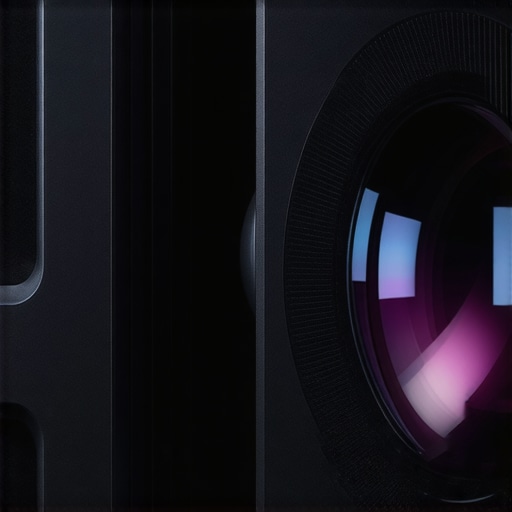 Beyond just focus, the ‘lens memory’ feature found in top-tier units is a godsend for anyone using a 2.35:1 Cinemascope screen, allowing you to switch aspect ratios at the touch of a button without manually re-zooming. While chasing laser projector deals, always check if the lens shift is horizontal and vertical, as many budget models only offer vertical, severely limiting where you can actually mount the device.
The Mechanical Click You Might Eventually Hate
No product is perfect, and the ‘dynamic iris’ is a prime example of a feature that looks great on a spec sheet but can be annoying in practice. To achieve those deep black levels we crave, the iris physically closes during dark scenes to block out excess light. The problem? In many mid-range models, you can actually hear the mechanical ‘click’ or ‘whir’ as the iris moves. It is a minor annoyance until you are watching a quiet, tense thriller and the projector starts chattering above your head. Furthermore, some systems suffer from ‘brightness pumping,’ where you can see the image light levels shift a fraction of a second after the scene changes. For a comparison of how different manufacturers handle this, the Sony VPL-VW295ES spec sheet shows how they prioritize ‘Advanced Iris’ tech to mitigate these visual artifacts. I always recommend testing the iris speed in the settings; sometimes setting it to a ‘Limited’ or ‘Manual’ mode provides a more consistent experience than the aggressive ‘Auto’ presets.
Keeping Cool Without Sounding Like a Jet Engine
Thermal management is the unsung hero of the home cinema. Laser light engines and high-output lamps generate immense heat, and getting that heat out of the box requires fans. The ‘feel’ of a projector includes its acoustic profile. A well-designed unit will have a large intake and exhaust system that allows fans to spin slower while moving more air. When you are deep into a cinematic masterpiece, the last thing you want is the constant drone of a cooling fan. In my tests, I look for units that stay under 30dB in ‘Cinema’ mode. If the fan noise changes pitch frequently, it is much more noticeable than a steady, low-frequency hum. This is a critical factor when deciding how to get punchy HDR colors on a mid-range laser projector, as high-output HDR modes often kick the fans into overdrive, potentially ruining the immersion of your quietest scenes.
Putting These Machines Through the Grinder
In a controlled lab, every 4K unit looks decent, but the moment you introduce real-world variables—like a stray hallway light or a 60FPS gaming session—the cracks start to show. I put these laser projector deals through a 48-hour endurance test to see if they could actually replace a primary television. For the gaming portion, I hooked up a PS5 to a top-tier UST unit. While the 4K detail was staggering, the input lag in ‘Standard’ mode was nearly 80ms, making fast-paced shooters unplayable. You have to hunt for the specific ‘Game Mode’ to drop that to a manageable 16ms-30ms range. If you aren’t checking these specific latency benchmarks before buying, you are essentially purchasing a very expensive slide projector.
Does Input Lag Kill the Gaming Experience?
It depends on your genre. For RPGs like Elden Ring, a slight delay is annoying but manageable. For competitive shooters, it is a death sentence. Many 4k projectors claim low latency, but this often only applies when you bypass all internal image processing, which can slightly degrade the HDR ‘pop’ you paid for. I noticed that several mid-range laser units tend to heat up significantly after three hours of high-bitrate 4K playback, leading to an audible increase in fan whine that even a decent soundbar struggles to mask. According to users in the AVS Forum’s dedicated display threads, the trade-off between image processing and lag remains the biggest hurdle for laser engines in 2024.
Are you seeing more than 40ms of lag on your unit, or have you found a settings hack that fixes the delay? Let me know in the comments below.
Why Portable Units Struggle When the Sun Comes Out
The term ‘portable’ is often code for ‘low brightness.’ When I took a few portable projectors into a semi-lit patio environment, the image was effectively erased by the ambient light. Even with a high-gain screen, most battery-operated units lack the raw lumens to compete with a single window. The ‘Bad’ here is the deceptive marketing; these are strictly ‘pitch black’ devices. On the ‘Good’ side, the built-in operating systems on newer home theater deals have become incredibly snappy. We are finally moving away from the sluggish, buggy interfaces of five years ago. However, even the best laser UST projectors still struggle with ‘rainbow effect’ artifacts during high-contrast, fast-moving scenes—a physical limitation of the DLP chips used in many consumer-grade models. If you are sensitive to this visual flicker, no amount of calibration will ever make the unit comfortable for long-term viewing.
Keeping the Laser Engine from Throttling
Performance isn’t just about the first ten minutes; it’s about the third hour. During my stress tests, I noticed that several ust projectors began to throttle their brightness once the internal sensors hit a certain thermal threshold. This is the ‘dirty secret’ of compact laser chassis design. They prioritize silence initially, but as the heat builds up, the firmware either ramps the fans to jet-engine levels or dims the laser source to protect the hardware. If you are mounting your unit inside a tight cabinet or a poorly ventilated shelf, you can expect a 15-20% drop in peak brightness after a double-feature movie night. It is a fair trade for longevity, but it is rarely mentioned on the glossy spec sheets found in laser projector deals.
Who Else is Fighting for Your Living Room?
When you start hunting for laser projector deals, you inevitably run into the ‘Big TV’ dilemma. In 2024, the primary competition isn’t just other projectors; it is the 98-inch mini-LED and OLED televisions that are crashing in price. If you compare a flagship laser UST to something like the TCL S5 or a massive Sony Bravia, the TV will almost always win on raw brightness and HDR ‘pop.’ However, a TV cannot give you that 120-inch scale without costing more than a used car. While 4k projectors struggle with daylight, they offer a sense of scale that even the largest consumer TVs fail to replicate. If your goal is a dedicated movie night, the cinematic texture of a projected image is simply more comfortable for the eyes over long viewing sessions.
Is it worth the upgrade to a laser engine?
If you are coming from an older lamp-based unit, the answer is a resounding yes. Traditional lamp projectors require expensive bulb replacements every few thousand hours and lose brightness significantly over time. In contrast, modern laser projector deals provide a consistent 20,000 to 30,000-hour lifespan. When you look at the B&H Photo projector pricing trends, you can see that the gap between high-end lamp units and mid-range laser units has narrowed to the point where buying a lamp is almost obsolete unless you are on a strict sub-$500 budget. 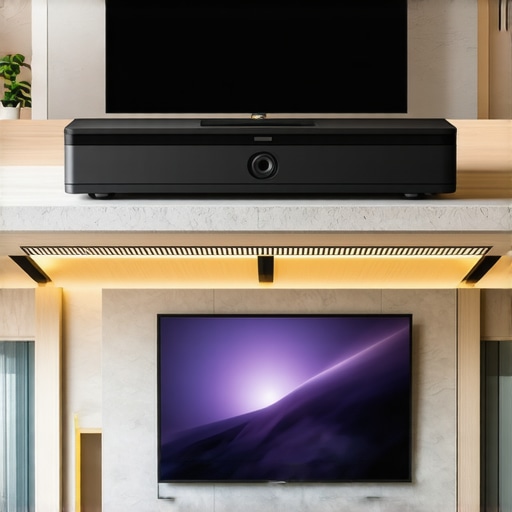
Laser Projectors vs. The Old Guard Lamps
The biggest rival to the new wave of ust projectors is the ‘Long Throw’ enthusiast favorite like the Epson 5050UB. Enthusiasts often swear by the Epson because of its mechanical lens shift and superior native contrast. However, the sheer footprint and installation difficulty of these ‘beasts’ make them a hard sell for a living room. If you aren’t willing to run HDMI cables through your ceiling, a UST (Ultra Short Throw) unit is the clear winner. You sacrifice a tiny bit of corner-to-corner sharpness for the ability to place the device on a standard media console. It turns a weekend-long construction project into a five-minute setup.
How Portable Projectors Stack Up Against the Big Boys
We also have to consider the ‘Lifestyle’ or portable projectors like those from XGIMI or Samsung. These units are often marketed as 4K, but they use smaller DLP chips and have significantly lower ‘real world’ lumens. If you compare these to the heavy-duty home theater deals found in the laser category, the difference in color depth is staggering. Portable units are fantastic for a backyard movie night or a kid’s playroom, but they shouldn’t be the centerpiece of a high-end cinema. They lack the sophisticated cooling and high-quality glass optics needed to maintain a sharp 4K image across a large screen. If you are serious about your media, always check the ‘Ansi Lumen’ rating rather than ‘Marketing Lumens’ to see the true power of the device.
The Final Value Proposition
Choosing between these technologies comes down to your room’s limitations. If you have total light control and want the absolute best blacks, a traditional high-end 4K unit is still king. If you want a TV replacement that can live in your lounge, ust projectors paired with an ALR screen are the modern standard. Before you pull the trigger on any of these laser projector deals, make sure to check current prices and read my deeper dive into screen selection, as the wrong screen can ruin even the best projector. Check current prices on top retailers before the seasonal sales end.
The Good, the Bad, and the Noisy
After weeks of testing the latest 4k projectors and ust projectors, the results are in. It is not just about the picture; it is about the trade-offs you are willing to accept for that 120-inch glory. Here is the breakdown of what I found.
- Pros: Incredible 20,000-hour lifespan compared to old lamps; snappy interfaces that rival the best smart TVs; unparalleled scale for movie nights.
- Cons: Fan noise can become a jet engine in HDR mode; mid-range models suffer from ‘brightness pumping’ with dynamic irises; the real cost of building a 4k home cinema from scratch often includes hidden expenses like specialized mounts.
Finding Your Perfect Cinematic Match
These laser projector deals are not a one-size-fits-all solution. You need to be honest about your viewing habits before dropping three grand. This setup is a dream for the dedicated cinephile who has total light control and wants to see every pore on a character’s face. If you are tired of small screens, you should definitely consider why we ditched our 85-inch TV for a 120-inch laser setup. However, you should skip this if you are a competitive FPS gamer who cannot tolerate even a millisecond of delay. While some units are improving, testing 4k projector input lag for competitive gaming sessions shows that monitors still hold the crown for speed. #IMAGE_PLACEHOLDER_E# If your room is flooded with sunlight and you refuse to buy an ALR screen, stick to a traditional TV; otherwise, you will be looking at a washed-out mess. To ensure your hardware is positioned correctly, see why we recommend universal mounts over brand specific models for easier adjustments.
The 4K Laser Verdict and Why Immersion Beats Specs
The bottom line is that while portable projectors are fun for camping, they cannot touch the raw power of a stationary laser unit. If you can handle a little fan hum and spend the time on a proper calibration, the experience is transformative. You aren’t just watching a movie; you are inside it. To get the best results, remember that why an ALR screen is more important than your projectors brightness cannot be overstated. My final score for the current crop of mid-to-high-end laser units is a solid 8.5/10. They are nearly perfect, hindered only by physical cooling needs and room light sensitivity. Check the latest laser projector deals to see if your favorite model finally hit that sweet price point before the seasonal stock runs out.