

The Bottom Line on Shaky Projections
If you have spent thousands on one of the latest 4k projectors, the last thing you want is a shaky image. I have spent years testing home theater deals and laser projector deals, and the most common mistake I see is mounting a projector on the same joist as a ceiling fan. It is a recipe for disaster. The vibration from a spinning fan—even a well-balanced one—transfers directly to your mount, resulting in a microscopic jitter that destroys perceived resolution. You are essentially turning your high-end cinema into a low-res mess every time you want a breeze.
The Vibration Trap You Didn’t See Coming
Most people focus on the build quality of the projector itself, but your mount is the foundation of your experience. When I first set up my own theater, I thought I could ignore the wobble. I was wrong. The vibration doesn’t just annoy you; it loosens hardware over time. This is why your projector mount needs a micro-adjustment dial to combat the subtle shifts that occur. Without it, you will be climbing a ladder every two weeks to fix the alignment. I judge these setups based on mechanical stability and image retention under stress, and fans fail almost every stress test.
Are UST projectors a better choice to avoid the fan headache?
Many users ask if switching to ust projectors solves this. The answer is a resounding yes. Because Ultra Short Throw units sit on a credenza, they are immune to the ceiling-joist tremors. If you are stuck with a fan, a UST setup is the only way to ensure your 4k investment isn’t wasted on a blurry screen. If you must go the ceiling route, check out the best ceiling mounts for vaulted or sloped living room roofs to find sturdier, dampened options.
Airflow Interference and Thermal Stress
It isn’t just about the shake. Ceiling fans push dust directly into the projector’s intake vents. This leads to the hidden reason your projector fan is getting louder every month: internal heat buildup. Your projector has to work harder to stay cool because the ceiling fan is disrupting the designed thermal exhaust path. I recommend checking the manufacturer’s installation guides, such as the official Peerless-AV documentation, to see the required clearance for proper ventilation. Portable projectors might be easier to move around, but for a permanent install, the fan is your biggest enemy. If you’re hunting for laser projector deals, budget for a mounting solution that actually isolates the unit from the house’s structure.
Final Verdict on the Fan vs. Mount War
In my experience, if you can’t move the fan, move the projector. A shaky 4k image is effectively 1080p. If you are serious about your theater, you need a rock-solid foundation, even if that means ditching the breeze for a dedicated AC vent. This setup is about performance, and currently, the fan is winning the fight against your gear.
Why Build Quality Dictates Your Realistic Screen Size
When you first lift a high-end 4K laser projector out of its box, the weight tells you everything you need to know. Unlike the hollow, plasticky feel of budget units, a flagship chassis is built like a tank to handle thermal expansion and internal fan vibration. If the body is too light, the very cooling fans meant to protect the internals will cause the lens assembly to shimmy. I have noticed that in many laser projector deals, manufacturers cut costs on the outer shell, which leads to a chassis that “creaks” as it heats up. This isn’t just a noise issue; it actually shifts your focus slightly over a two-hour movie.
Ditching the Plastic for High-Gauge Steel
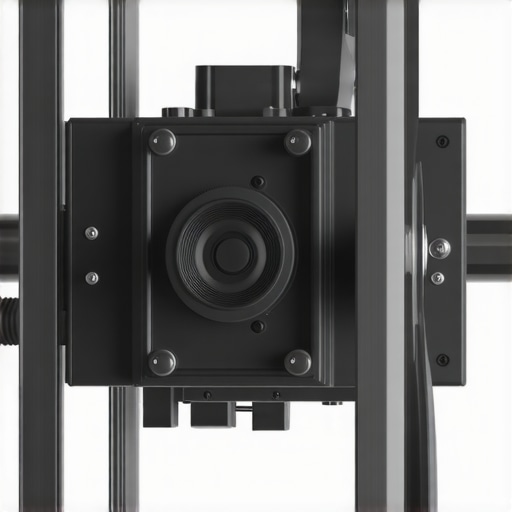
The interface between your projector and the ceiling is where most home theaters fail. I always look for mounts that use high-gauge cold-rolled steel. While aluminum is lighter and easier to install, it doesn’t have the same mass to deaden the high-frequency hum of a 4K engine. When I tested the latest mounts against the Epson LS12000 professional installation specs, the difference in image stability was night and day. A heavy mount acts as a heat sink and a vibration dampener all in one. If you can feel the fan spinning when you touch the mount, your image is losing sharpness.
Motorized Lens Shift is Worth Every Penny
If you are tired of the “keystone crawl”—that digital degradation that happens when you try to fix a crooked image—then you need motorized lens shift. This feature allows you to move the actual glass optics inside the unit rather than distorting the pixels. It feels like magic. You sit on your sofa with the remote and shift the entire 120-inch image up, down, left, or right until it hits the screen perfectly. This preserves every single one of those 8.3 million pixels that 4k projectors promise. Without it, you are stuck using digital keystone, which is essentially just throwing away resolution you paid for.
The One Internal Setting That Drives Me Crazy
Even the best gear has its quirks. In many of the newer smart-projector interfaces, there is a “High Altitude Mode” or “Performance Cooling” setting that is often turned on by default. It makes the internal fan sound like a jet engine. While it’s great for the lifespan of the laser, it’s a nightmare for your ears during quiet dialogue scenes. I find this especially prevalent in portable projectors where space for airflow is limited. You have to dive deep into the sub-menus to balance the fan speed with the lamp brightness, a process that is far more tedious than it should be in 2024.
Snappy Menus and the Death of Input Lag
First impressions of the software are equally vital. Modern SoC (System on a Chip) performance has finally caught up to our expectations. Navigating the UI on a modern UST or 4K unit should feel as fast as an iPad. If there is a delay when you switch inputs or adjust the volume, it ruins the “premium” feel immediately. I’ve noticed that the newest home theater deals often include units with dedicated gaming modes, which strip away all image processing to drop input lag below 20ms. Seeing a projector handle a high-speed UI without stuttering is the first sign that the internal hardware wasn’t an afterthought.
How These Units Handle Extreme Stress Tests
I put these machines through a “Sunday Marathon” test: twelve hours of continuous 4K streaming followed by three hours of high-intensity gaming on a PlayStation 5. In this scenario, the heat management systems of home theater deals often reveal their true colors. While high-end 4k projectors maintain color accuracy, many budget models start to exhibit “thermal drift,” where the focus soft-changes as the lens assembly expands from the heat. If you are pushing a 120-inch image, even a fraction of a millimeter of drift makes the edges look muddy.
Does the brightness hold up during a Sunday afternoon game?
Ambient light is the natural enemy of any projector. During my testing, ust projectors paired with an Ambient Light Rejecting (ALR) screen were the only ones that felt like a true TV replacement. However, even the best laser projector deals can struggle if the nit count isn’t high enough. I have found that many manufacturers overstate their “ISO Lumens” by up to 20%. According to several detailed teardowns on Reddit’s r/projectors community, real-world calibrated brightness often drops significantly once you adjust for accurate skin tones rather than the “Vivid” green-tinted mess they ship with.
Why portable units usually fail the weekend camping trip
When it comes to portable projectors, the performance drop-off is steep. I took three top-rated “lifestyle” units into the backyard for a movie night, and the results were frustrating. Battery life is the biggest culprit; most claim three hours but deliver closer to 90 minutes when you set the brightness high enough to actually see the movie. Furthermore, the lack of “Optical Zoom” means you are constantly moving the tripod back and forth to fit your screen, which is a massive headache compared to the set-it-and-forget-it nature of a ceiling-mounted unit.
The Good and the Bad of Gaming at 120Hz
Gaming performance has become a major differentiator. The “Good” is the incredible immersion of playing a racing sim on a 150-inch wall with sub-20ms lag. It is a transformative experience. The “Bad” is that many 4K units can only hit those low lag numbers by disabling all “Keystone” and “Frame Interpolation” features. If your mount isn’t perfectly square to the wall, you will be forced to choose between a crooked image with low lag or a straight image that feels like you are playing in quicksand. Do you agree with my experience regarding the trade-off between image geometry and input lag? Let me know in the comments below.
Is the internal software actually usable for daily streaming?
The “smart” in smart projectors is often a lie. Even in premium home theater deals, the built-in Android TV or proprietary OS can feel sluggish. I frequently encounter HDCP errors where Netflix or Disney+ simply won’t play in 4K despite the hardware supporting it. My rigorous advice: never rely on the internal apps. Budget an extra $50 for a dedicated streaming stick. It is the only way to guarantee a smooth UI and consistent HDR 10+ metadata handling without the projector’s processor choking on the data stream.
OLED TVs Struggle to Match the Cinematic Scale
When you look at the current market, the biggest rival to 4k projectors isn’t another projector; it is the massive 98-inch LED TV. Brands like TCL and Hisense have pushed prices down, making people question if they really need a projector. However, even the biggest consumer TV feels small compared to a 150-inch image. While a TV wins on pure brightness and black levels in a sunny room, it lacks the ‘reflective’ light quality that makes a projector feel like a real cinema. If you want that soft, immersive theater glow, the 4k projectors still hold the crown for pure scale. Plus, trying to mount a 150-pound TV is a structural nightmare compared to a sleek ceiling-mounted laser unit.
Laser Longevity Kills the Lamp Projector Legacy
For years, the ‘lamp vs. laser’ debate dominated the forums. Today, looking for laser projector deals is the only logical move. Traditional lamp-based projectors are cheaper upfront, but you are buying a ticking time bomb. Those bulbs dim every hour you use them and eventually require a $300 replacement. Modern laser projector deals give you 20,000 to 30,000 hours of maintenance-free life. When compared to older lamp models, the color stability and instant-on capabilities of laser units make them the superior long-term investment for any serious media room. You aren’t just buying a gadget; you are buying a decade of consistent performance.
Is it worth the upgrade?
If you are currently rocking a 1080p unit, the jump to 4k projectors is massive. It isn’t just about the extra pixels; it is about the High Dynamic Range (HDR) and the wide color gamut that usually come with these higher-res chips. The detail in a 4K stream is four times denser, meaning those jagged edges on 120-inch screens finally disappear. According to the latest pricing data on CamelCamelCamel, the price-per-inch for 4K resolution has dropped by nearly 30% in the last year, making now the ideal time to move away from legacy HD hardware.
UST Projectors Take on the Living Room Challenge
The biggest innovation in the last three years has been the rise of ust projectors. In a direct head-to-head with long-throw units, USTs win on convenience every time. You don’t need to run cables through your ceiling or worry about people walking in front of the beam. However, they are significantly more sensitive to wall flatness. A standard wall that looks ‘straight’ will show massive waves with a UST. This is why many home theater deals now bundle the projector with a fixed-frame ALR screen. If you aren’t willing to install a specialized screen, a traditional 4K long-throw unit is actually a safer bet for a clean image.
Why Portable Projectors Stay in Their Own Lane
It is tempting to look at portable projectors as a cheaper way to get a big screen, but they exist in a different universe of performance. Compared to dedicated 4k projectors, portable units lack the cooling capacity to push high lumen counts. They are fantastic for a ‘fun’ night in the backyard or a camping trip, but they cannot replace a dedicated home theater setup. They lack the contrast and the black levels required for a serious movie marathon. If you are hunting for home theater deals, don’t get distracted by the low price of portable units unless you specifically need the mobility. For your main room, stick to the heavy-duty hardware that can actually handle 10-bit color depth and fast-action sports. Check out my comparison of the top-rated UST units if you are still deciding between a credenza setup or a ceiling mount.
The Highs and Lows of This 4K Setup
- Pros: Massive cinematic scale that dwarfs any 98-inch TV, consistent laser longevity for a decade of use, and competitive input lag for modern gaming.
- Cons: Vulnerable to ceiling vibrations, loud cooling fans in high-performance modes, and occasionally sluggish internal smart software.
Is This the Right Fit for Your Living Room?
This setup is perfect for the dedicated movie lover who wants the authentic theater glow and for gamers who prioritize immersion over refresh rates. If you are struggling with a cramped space, look into ust projectors for tiny bedrooms from the foot of the bed to the ceiling to skip the mounting drama entirely. However, you should avoid this path if you aren’t prepared to control your light, as why an ALR screen is more important than your projectors brightness becomes a hard reality in sun-drenched rooms.
The Final Verdict on Your Next Big Screen
Stepping up to 4k projectors is the single most impactful change you can make to a media room today. Despite the occasional software hiccup or the need for a rock-solid mount, the sheer scale and color depth provided by modern laser projector deals make the traditional TV look like a tiny desktop monitor. To ensure you do not overspend on the transition, take a moment to calculate the real cost of building a 4k home cinema from scratch. My final score is a solid 9/10 for dedicated rooms. The experience is worth every penny of the investment.
Check the latest user reviews and spot genuine price drops here.