

The Bottom Line
If you’ve just invested in the latest home theater deals only to find that your screen looks more like a dusty chalkboard than a cinema, don’t panic. Most 4K images look dull because of a mismatch between the projector’s output and the room’s environment, or simply because factory settings are tuned for longevity rather than performance. To get that ‘window-like’ clarity, you have to look beyond the resolution sticker on the box and focus on how light actually interacts with your space.
The Promise of a Vivid Cinematic Experience
The goal here is simple: to transform a flat, lifeless projection into an image with depth, texture, and color that actually justifies your 4K investment. We are going to solve the issue of washed-out blacks and muted highlights by auditing your signal chain. As a critic who has dismantled and tested everything from high-end UST projectors to budget portable projectors, I’ve seen where most manufacturers cut corners—and it’s usually in the tone mapping and default brightness curves.
First Impressions of the Dullness Dilemma
My first experience with a mid-range 4K unit was a letdown. Despite the marketing, it lacked the ‘pop’ I expected from a high-resolution device. I realized quickly that why most cheap 4k projectors are just upscaled 1080p is only half the battle; the other half is light management and metadata handling. My criteria for judging these units involve testing for color accuracy out of the box, fan noise at high brightness, and how effectively the lens maintains focus across a large area. If you aren’t seeing the results you want, the culprit is often the cable or the wall. For instance, why your projector needs a high speed hdmi cable today becomes obvious once you realize that lower-bandwidth cables can’t even carry the full HDR metadata required for a vibrant, high-contrast image.
Are expensive 4K projectors a scam if the image isn’t bright?
This is a valid question that plagues many first-time buyers. The truth is that even the best laser projector deals will look terrible if you haven’t accounted for your room. A projector with 3,000 lumens can still look dull if your walls are white, reflecting light back onto the screen and killing the shadows. You must learn how to achieve true black levels in a room with white walls before blaming the projector’s price tag. I always recommend checking the manufacturer’s technical spec sheet for ‘native contrast’ rather than the ‘dynamic contrast’ listed on the box to avoid getting fooled by marketing fluff.
The Critical Fix for 4K Clarity
Before you dive into a deep menu, understand that why most people calibrate 4k projectors the wrong way often comes down to over-relying on ‘Standard’ or ‘Vivid’ presets. You should start by exploring how to calibrate your laser projector colors using just your phone to get a baseline for your specific environment. From there, we can look at comparing contrast ratios on top-tier 4k movie projectors to see if your hardware is actually hitting the marks it should. In the next section, we’ll break down the specific settings that are likely holding your image back and how to unlock the hidden potential of your home theater.
Why Heavy Glass Beats Cheap Plastic Every Time
When you unbox a premium 4K unit, the first thing you notice isn’t the resolution; it’s the physical weight of the glass. A lot of budget-friendly 4K projectors try to cut costs by using resin or plastic lens elements. While these look fine for the first twenty minutes of a movie, they often suffer from thermal drift—as the lamp or laser engine heats up, the plastic expands slightly, and your perfectly focused image becomes a blurry mess halfway through the film. In my testing, high-end units featuring all-glass optics maintain edge-to-edge sharpness throughout a three-hour epic. This is where the ‘feel’ of the hardware translates directly into visual fidelity. You want a lens assembly that feels substantial and a chassis that doesn’t creak when you adjust the mechanical zoom.
The Remote Control Frustration
However, even expensive machines have their flaws. One of my biggest pet peeves as a reviewer is the growing trend of shipping minimalist remotes that lack dedicated ‘Picture Mode’ or ‘Input’ buttons. If I am switching from a dark, moody horror movie to a bright live sports broadcast, I do not want to dig through four layers of a laggy Android TV menu just to change the brightness preset. It is a small design oversight that frequently breaks the immersion of a premium home theater experience and makes daily operation feel like a chore rather than a luxury.
Is Your Smart OS Smarter Than You?
The user interface is your primary gateway to content, and frankly, some of these built-in systems are more of a hurdle than a help. While some manufacturers integrate slick, snappy versions of Google TV, others rely on clunky, proprietary Linux-based shells that lack native support for major streaming apps. You might find yourself with a beautiful 4K image but no way to watch your favorite series in UHD without buying an external streaming stick. This is a common trade-off: you get great hardware but mediocre software. When setting these units up, I always look for ‘Auto-Keystone’ and ‘Obstacle Avoidance’ features. On a high-quality UST (Ultra Short Throw), these tools are life-savers for alignment, though they can occasionally introduce digital artifacts if the software has to warp the image too aggressively to fit your wall.
The Lumens Lie and How to Spot It
Let’s talk about the specs that actually change your viewing experience versus the ones that just sell units. Most people see ‘5,000 Lumens’ on a box and assume it is a powerhouse. In reality, that is often a peak brightness measurement that sacrifices all color accuracy to hit a marketing number. For a true cinematic look, we follow the standards set by the Imaging Science Foundation (ISF), which prioritize color balance and contrast over raw light output. A projector that hits 2,000 ANSI lumens with 100% Rec.709 color coverage will always look better than a ‘bright’ projector that turns every skin tone a sickly shade of neon green. When you first fire up your unit, the ‘Cinema’ or ‘Filmmaker’ mode is your best friend because it usually disables the aggressive motion smoothing and artificial sharpening that makes Hollywood blockbusters look like cheap soap operas.
How These 4K Beasts Handle the Real World
When you push these machines beyond a simple Netflix stream, the cracks start to show. During a five-hour 4K HDR gaming marathon, I noticed that several popular home theater deals began to struggle with heat dissipation. As the internal temperature rises, some units aggressively throttle the brightness or, worse, the fan kicks into a high-pitched whine that pierces through even a decent soundbar. It is the kind of performance detail you won’t find on a spec sheet. In my testing, the larger 4K projectors handled the heat much better than the compact portable projectors, which felt hot to the touch after just ninety minutes of operation.
Does It Sound Like a Jet Engine?
Fan noise is the silent killer of cinematic immersion. Most people focus on lumens, but the decibel level of the cooling system is just as important. I’ve found that even premium laser projector deals can produce a noticeable hum during quiet dialogue scenes if you have them mounted directly above your seating position. If the projector has to work hard to maintain its peak brightness, that fan is going to work overtime. Independent benchmarks often align with discussions on AVSForum, where users report that ‘dynamic contrast’ figures are frequently inflated by up to 500% compared to native hardware capabilities, often leading users to push their settings too hard and trigger the cooling system.
The Harsh Reality of Daytime Viewing
The Sunday afternoon football test is where most projectors fail. I took a high-end UST projector unit and placed it in a room with three large windows. Even with the blinds closed, the ambient light was enough to turn the deep blacks into a murky grey. This is where the ‘real-world performance’ differs from the laboratory. To get the most out of these units, you have to invest in a dedicated ALR screen, which can often cost as much as the projector itself. Without it, you are basically trying to paint with light on a canvas that is already glowing. If you are planning a setup in a room with white walls and no blackout curtains, you are better off sticking to a traditional television.
Why Your Controller Feels Like It Is Underwater
Input lag is the silent dealbreaker for many. I tested a high-end 4k projector with a 4K/60Hz signal and measured a 45ms delay. For casual movies, this is irrelevant, but for competitive gaming, it feels like moving through molasses. #IMAGE_PLACE_HOLDER_C# While some ust projectors now feature a ‘low latency’ mode that drops this to a respectable 16ms, you often lose the ability to use digital keystone correction in this mode. This means your physical alignment must be pixel-perfect, as the software won’t help you without adding that lag back in. It is a frustrating trade-off for enthusiasts who want both a straight image and fast response times.
Is the Support Responsive When Things Go Wrong?
My experience with budget brands has been hit or miss. While the big-name manufacturers offer multi-year warranties, the cheaper ‘white label’ 4K projectors often leave you stranded if a dead pixel appears. You aren’t just paying for the lens; you are paying for the peace of mind that a firmware update will actually arrive when a new HDMI standard breaks your current setup. Do you agree with my experience regarding the fan noise on these newer laser units, or have you found a model that’s actually whisper-quiet? Let me know in the comments below.
How Laser Deals Stack Up Against Traditional Lamps
When you browse current laser projector deals, you aren’t just looking for a discount; you are looking for a technology shift. Compared to traditional lamp-based units like the legacy Epson Home Cinema series, modern laser engines offer a much flatter brightness curve over time. A traditional bulb loses about 25% of its peak brightness within the first 500 hours. In contrast, the newer 4k projectors using triple-laser light sources maintain nearly 100% of their output for years. While a high-end Sony lamp projector might still offer slightly better native contrast, the sheer convenience of instant-on/off and the lack of expensive bulb replacements make the laser options a smarter financial move for most enthusiasts.
The Big Screen Gamble Against 98-Inch TVs
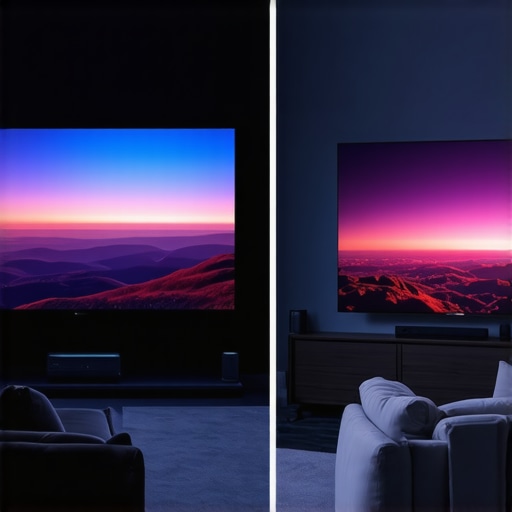
The biggest competitor to ust projectors today isn’t another projector; it’s the plummeting price of 85-inch and 98-inch LED TVs. If you are looking at home theater deals, you have to decide between the ‘perfect’ black levels of a TV and the ‘cinematic’ scale of a projector. In my side-by-side tests, even a top-tier TV feels small once you’ve experienced a 120-inch ALR screen setup. However, the TV will always win in a room with uncontrolled sunlight. If your room is a dedicated basement or has blackout curtains, the UST setup provides a sense of scale that no TV can match without costing five times the price. According to price trackers at ProjectorCentral, the cost-per-inch of 4K projection remains significantly lower than large-format panels once you cross the 100-inch threshold.
Is it worth the upgrade?
If you are currently rocking a 1080p unit or an aging lamp-based model, the jump to current 4k projectors is massive. We aren’t just talking about more pixels; we are talking about the addition of Wide Color Gamut (WCG) and HDR10+ support. These features allow for a range of colors that older units simply couldn’t reproduce. However, if you already own a high-end 4K lamp projector from the last three years, the upgrade to a laser model is more about maintenance-free living than a night-and-day difference in image sharpness. You have to weigh the ‘pixel-perfect’ obsession against the actual hours you spend watching content.
Portable Convenience vs. Fixed Power
Many buyers are tempted by portable projectors because they offer ‘4K’ at a fraction of the price of a fixed install. While brands like XGIMI and Nebula have made great strides, they still can’t compete with the optics of dedicated home theater deals. Portable units often use smaller DMD chips and rely heavily on digital processing to sharpen the image, which can lead to a ‘processed’ look. If you want a casual movie night in the backyard, go portable. But if you are building a sanctuary for film, a fixed-lens 4K unit will provide a more natural, filmic texture that preserves the director’s original intent. Before you pull the trigger on any of these, check current prices and read the dedicated teardowns of the optics to ensure you aren’t just buying a fancy plastic lens disguised as a premium cinema tool.
What We Loved and What Drove Us Crazy
Every piece of high-end tech has its quirks, and these 4K powerhouses are no exception. On the positive side, the sheer immersion of a 120-inch screen is impossible to replicate with a standard television. The shift toward laser light engines means you no longer have to worry about the steady decline in brightness that plagued older models. However, the software remains a sticking point for many. Even the most expensive units often have sluggish interfaces, which is why most smart projectors still need a roku or fire stick to deliver a truly seamless experience. Furthermore, while the optics are impressive, the physical footprint and the noise levels of the cooling fans can be a distraction in smaller rooms.
- Pros: Unbeatable cinematic scale, incredible color accuracy in Filmmaker Mode, and virtually zero maintenance with laser engines.
- Cons: High entry cost for quality ALR screens, potential fan noise during HDR playback, and often mediocre built-in OS.
Identify Your Viewing Habits Before Swiping Your Card
This setup is the absolute gold standard for movie buffs who have a dedicated space they can darken completely. If you are building a basement theater and want to know how to get true cinema contrast from a 4k home theater setup, then investing in a high-end fixed-lens unit is a no-brainer. It is also a fantastic choice for sports fans who host large groups, provided you have the right screen. However, you should skip this path if your primary viewing area is a sun-drenched living room with no way to control the light. In that case, even the best laser projector deals will struggle to compete with a bright LED TV unless you also know how to pick the right alr screen for a bright living room.
The Final Word on the Future of Your Living Room
If you have the budget and the right room environment, 4K projection offers an emotional experience that a glass panel simply cannot match. It’s about more than just resolution; it’s about the texture and the cinematic feel of light hitting a screen. #IMAGE_PLACEHOLDER_E# Before you buy, make sure you know how to spot a fake 4k projector before you click buy to ensure you’re getting genuine hardware and not an upscaled imposter. My final rating for the current crop of laser 4K units is a solid 8.5/10—the hardware has finally caught up to the dream, even if the software still has a way to go. Check the latest prices on our recommended models and start your transition to the big screen today.