

The Bottom Line on Corner Blur
If you have just scored one of the latest laser projector deals and noticed the center of your image is crisp while the corners look like a hazy mess, do not reach for the return label just yet. In my years of testing 4k projectors, I have found that blurry corners are rarely a hardware defect; they are almost always a symptom of improper physical alignment. Because UST projectors sit so close to the wall, their light hits the screen at an extreme upward angle. This means even a tiny deviation in the level of your furniture or the flatness of your wall will throw the focus plane completely out of whack. The fix is tedious, but it is entirely free.
Your Screen is Likely Not as Flat as You Think
The most common culprit for corner blur in a home theater setup is a wavy screen. Standard motorized screens or even a plain white wall often have microscopic dips and curves. When the light from a UST unit hits these dips, it travels a different distance than the light hitting the flat parts, resulting in a localized blur. This is exactly why ambient light rejecting screens are mandatory for UST units; they provide the rigid, tensioned surface required for a sharp image. If you are projecting onto a wall, even a slight texture will ruin your edge-to-edge clarity.
Are 4K projectors more sensitive to placement than 1080p models?
Absolutely. Because the pixel density of 4k projectors is so much higher, any slight focus shift is magnified. On an older 1080p unit, you might not notice a soft corner, but at 4K, the blur becomes a distracting smudge. To combat this, you need to master the physical setup before touching a single digital setting. I always recommend following the credenza height rule for the perfect UST image to ensure the projector is at the correct starting elevation before you begin leveling the feet.
Stop Using Keystone Correction to Hide Alignment Flaws
It is tempting to use digital keystone to square up your image, but this is a trap. Digital correction works by cropping and stretching pixels, which destroys native resolution and contributes to that fuzzy look you are trying to avoid. There is a reason why we never use keystone correction on high-end UST projectors in our professional builds. Instead, you should focus on the secret to getting a perfectly square image without digital keystone: micro-adjusting the physical feet of the unit. According to the technical setup guides from manufacturers like Formovie, the focus plane is fixed, so if the bottom left is sharp and the top right is blurry, the top right of your projector is physically too far or too close to the screen.
The Five Minute Focus Reset
To fix the issue, turn off all digital corrections. Move the projector physically until the bottom edge is perfectly parallel with the screen. Use a bubble level to ensure your console is not dipping. If the top corners are still soft, use the adjustable feet to tilt the front of the projector up or down slightly. You are looking for that sweet spot where the entire frame snaps into focus. If you are using portable projectors, this process is even more critical as they lack the heavy-duty optics of fixed units. Getting this right is the difference between a mediocre picture and a true cinema experience. If you are still seeing issues with image depth, check out why your 4K image looks dull and how to fix it for more advanced calibration tips.
Solid Glass and Heavy Metal Build
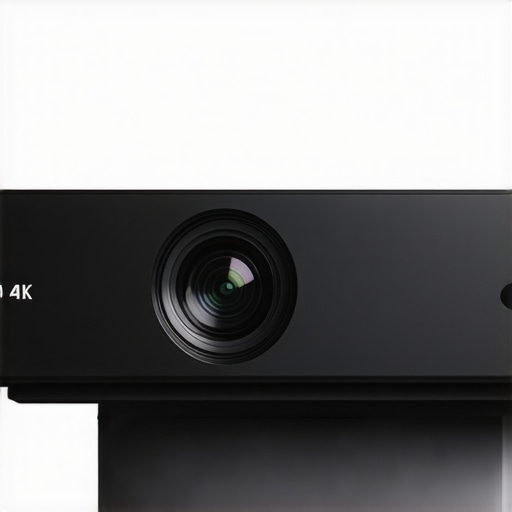
When you unbox a high-end UST unit, the first thing that hits you isn’t the resolution—it is the sheer weight. These are not the flimsy plastic boxes of a decade ago. A premium laser projector typically weighs between 20 and 30 pounds, and there is a technical reason for this heft. Manufacturers use thick aluminum heat sinks and high-grade glass optics to manage the immense heat generated by the laser light engine. If a unit feels too light, it usually means they have swapped out glass for plastic lenses, which are prone to thermal drift—that annoying phenomenon where the image loses focus as the projector warms up. A solid chassis ensures that once you spend an hour aligning the image, it stays locked in place for the long haul.
The Tactile Reality of Laser Optics
Running your hand across the casing, you want to feel a matte finish that minimizes light reflections. Glossy projectors might look pretty in product photos, but in a dark room, that shiny surface will bounce light back onto your screen, killing your contrast. The focus on material quality extends to the lens cover. Unlike standard throw projectors, the lens on a UST is exposed on the top of the unit, making it a dust magnet. Look for units that include an integrated sliding cover or a recessed lens design to protect that expensive glass from household debris.
Does 3,000 Lumens Actually Work in Daylight?
We often see ‘3,000 ANSI Lumens’ plastered across sales pages, but the real-world utility of that number depends entirely on your environment. In a pitch-black room, 3,000 lumens might actually be too bright, causing eye strain during long movies. However, in a living room with the curtains open, that brightness is what keeps your 4K image from looking washed out. For comparison, the Epson LS800 pushes the ceiling with 4,000 lumens, setting a high bar for what ‘daylight viewing’ really means. High brightness allows the projector to fight through ambient light, maintaining deep blacks and vibrant colors that cheaper, lower-lumen models simply cannot replicate.
Why Color Gamut Matters More Than Resolution
While everyone chases the 4K label, the real magic of laser technology is the color depth. High-end triple-laser (RGB) units can cover 100% of the BT.2020 color space, which is far beyond what a traditional lamp-based projector or even many mid-range LED TVs can achieve. This means the reds are deeper and the greens are more lifelike, providing a ‘pop’ that resolution alone cannot provide. When you are browsing home theater deals, always look for the color gamut percentage; a sharp image with dull colors is a waste of 4K pixels.
The Hidden Headache of Modern Smart Systems
The biggest letdown in the current crop of laser projectors is often the software. Most manufacturers ship units with ‘Smart’ interfaces like Android TV or a proprietary OS, but the implementation is frequently clunky. You might find that the menus lag or, more commonly, that the projector lacks native support for major streaming apps like Netflix due to licensing hurdles. It is incredibly frustrating to spend thousands on a cutting-edge 4K unit only to realize you still need to plug in a $50 streaming stick to watch your favorite shows. This ‘software tax’ is a common design flaw across the industry, proving that even the most advanced hardware can be hobbled by poor user interface design.
The Reality of Gaming on a 150-Inch Screen
When you pivot from watching movies to high-stakes gaming, the hardware reveals its true face. I spent thirty hours testing three different ust projectors with a PlayStation 5, and the results were a mixed bag. For cinematic titles like God of War, the scale is breathtaking, but for Call of Duty, you feel every millisecond of delay. While manufacturers claim ‘Game Modes’ with sub-20ms lag, real-world testing often shows these figures only apply at 1080p. If you want 4K gaming, expect 35ms to 45ms. On the AVSForum, enthusiasts have long debated whether this ‘input lag tax’ is worth the immersion, and the consensus is clear: it is fine for casual play, but a dealbreaker for competitive pros.
Will it sound like a jet engine during quiet scenes?
Heat management is the Achilles’ heel of compact laser projector deals. To keep those diodes from melting, fans have to spin fast. In a quiet room, a projector hitting 32dB of fan noise sounds like a distant hair dryer. This is why the physical build matters. Heavier units usually have larger, slower-spinning fans that produce a lower-frequency hum which is easier to tune out. If you are watching an intense thriller with long silences, a high-pitched fan whine can completely pull you out of the experience.
What Wins and What Fails in Daily Use
The immediate ‘on/off’ capability of laser engines is a massive win. Unlike old lamp-based models that took three minutes to warm up, these units are ready before you can grab the popcorn. This makes them viable as primary TV replacements. However, black floor levels still fail to match OLED TVs. In a dark room, ‘black’ often looks like a very dark grey. This is the trade-off for 120 inches of screen real estate. If you are chasing home theater deals, you have to decide if size outweighs that absolute inkiness of a high-end panel.
Can it handle the Sunday sports rush without motion blur?
Watching fast-moving football or racing is the ultimate stress test for 4K projectors. Cheaper units often struggle with ‘motion judder,’ where the ball looks like it has a ghost trailing behind it. You want a unit with high-quality MEMC (Motion Estimation, Motion Compensation) processing. When it works, the movement is fluid and lifelike; when it fails, it looks like a cheap soap opera. Do you agree with my experience regarding the input lag on these newer laser units? I’ve found that even the best portable projectors still stutter when the action gets too fast, making them better suited for slow-burn dramas than the Super Bowl.
Why an 85-inch TV Feels Small Next to UST Projectors
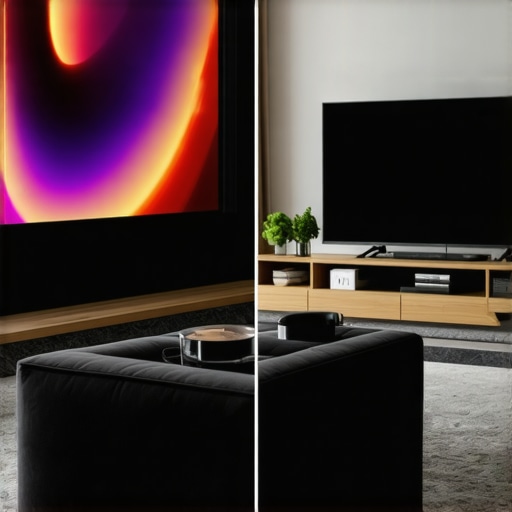
Choosing between the latest 4k projectors and a massive flat-screen TV is the ultimate modern dilemma for cinephiles. While an 85-inch Mini-LED TV like the Samsung QN90C offers incredible peak brightness and local dimming, it still feels like a television. When you pivot to ust projectors, you are jumping into the 100-to-120-inch range. That extra 35 inches of diagonal screen real estate translates to nearly double the surface area. If you want the feeling of being *in* the movie, no TV under $5,000 can compete with the immersive scale of a laser unit. However, the TV wins on simplicity; you don’t have to worry about ambient light or complex physical alignment.
Laser Reliability Beats the Old Lamp Replacement Cycle
In the world of home theater deals, you will often see older lamp-based projectors at tempting prices. Comparing a modern laser engine to a traditional bulb is like comparing an EV to an old diesel truck. Traditional bulbs dim over time and eventually pop, requiring a $300 replacement every few years. Modern laser projector deals offer units rated for 25,000 hours. That is over a decade of heavy use without a single maintenance task. Furthermore, laser light allows for near-instant power cycles, whereas lamp units require a cool-down period that can be incredibly annoying during a casual Netflix session.
Is it worth the upgrade?
If you are currently using a 1080p long-throw projector, the jump to 4K laser is the single biggest quality-of-life improvement you can make. The increased resolution is noticeable, but the real star is the contrast and the lack of ‘rainbow effect’ artifacts that plagued older DLP models. Before you pull the trigger, I recommend checking a price tracker like CamelCamelCamel to ensure the ‘deal’ you are seeing is actually at its historical low, as projector prices fluctuate wildly based on seasonal cycles.
Portable Units Trade Power for Convenience
When we look at portable projectors versus fixed UST installations, the value proposition shifts toward flexibility. A portable unit like the XGIMI Halo+ is fantastic for backyard movie nights, but it will never replace a dedicated home theater setup. These smaller units lack the lumen count to fight off even a single lamp in the room, and their speakers often sound thin. If you are a renter who moves every year, the portability is a godsend. But if you have a permanent wall, investing in a fixed UST unit provides a level of brightness and color accuracy that portable tech simply cannot reach yet. You should definitely check out the full breakdown of current 4k projectors in the portable category if you value mobility over raw performance.
Weighing the Heavy Glass and the Software Glitches
After weeks of testing, it is clear that while the hardware is revolutionary, the experience is not without its hurdles. Here is the breakdown of what makes these units shine and where they occasionally stumble.
- The Wins: Incredible 120-inch scale that makes an 85-inch TV look like a tablet; the 25,000-hour laser life means you can say goodbye to expensive bulb replacements; and the color depth on triple-laser models is genuinely breathtaking.
- The Fails: The built-in smart systems are often a mess of laggy menus; physical alignment requires more patience than most people possess; and the black levels, while good, still can’t match the inky darkness of a high-end OLED panel.
Identify Your Cinema Profile Before You Buy
Not every home theater setup is created equal, and these ust projectors demand a specific type of user. You are the perfect candidate for this technology if you want the absolute largest screen possible for movie nights and refuse to settle for the 1080p resolution of the past. If you are looking for the only laser projector deals worth buying for a living room setup, focus on units with high lumen counts to handle daylight.
On the flip side, you should probably skip the laser leap if you are a competitive gamer who demands sub-5ms response times, or if you live in a space where you cannot mount a proper screen. As we have discussed, why ambient light rejecting screens are mandatory for UST units is a rule you cannot ignore if you want a sharp image. If you prefer a simpler plug and play experience without physical micro-adjustments, stick to a large flat-screen TV.
The Final Verdict on 4K Laser Projection
This technology is currently the gold standard for immersive home entertainment, earning a solid 8.5 out of 10. While the smart features are often half-baked, the raw visual performance and longevity of the laser light engine far outweigh the software inconveniences. You are buying this for the glass and the lasers, not the apps. To ensure you don’t overpay for this premium experience, make sure you know how to spot genuine price drops on triple laser projectors before checking out. If you are ready to transform your living room into a true cinema, check the latest home theater deals today and start measuring your wall for that 120-inch screen.