

The Bottom Line: If you have a dedicated room and a massive budget, native 4K is the gold standard, but for the average living room, pixel-shifting technology offers a visual experience that is nearly indistinguishable for a third of the price. After testing dozens of units, I can confidently say that the gap in quality is closing faster than the gap in price.
The Real Difference Your Eyes Will Actually See
When I sit down to evaluate the best 4K projectors for watching movies properly, I look for pixel density and edge sharpness. Native 4K means the chip inside has 8.3 million physical mirrors. Pixel shifting, or XPR technology used in many budget 4K projectors, uses a lower-resolution chip (often 1080p or 1440p) and vibrates it at incredibly high speeds to put those 8.3 million pixels on the screen. To the naked eye from ten feet away, it is remarkably sharp. However, as an expert who spends far too much time inches away from the screen, I notice that native chips provide a certain ‘depth’ and micro-contrast that shifting units struggle to replicate. If you are hunting for laser projector deals, you will quickly find that native 4K usually starts at the $5,000 mark, whereas high-quality shifters dominate the $1,500 to $3,000 range.
Why Pixel Shifting Solves Your Biggest Space Problems
The promise of pixel shifting isn’t just about saving money; it’s about heat and size. Native 4K chips are physically larger, requiring bigger lenses and more robust cooling systems, which is why UST projectors and portable projectors almost exclusively use pixel shifting. My testing criteria for these units focus on how well the shifting engine handles motion. In fast-paced action scenes, some older shifting models can exhibit a slight ‘fuzz’ or soft edges, but modern 4K home theater deals often include processors that mask this perfectly. If you are wondering why 4K home theater projectors are worth the extra cash, it often comes down to the HDR performance rather than just the pixel count itself. If your 4K projector looks dull, the resolution won’t save it.
Are pixel shifting 4K projectors just a marketing trick?
Technically, no. The Consumer Technology Association (CTA) defines a 4K UHD projector by its ability to put 8.3 million distinct pixels on the screen, regardless of how they get there. According to the CTA technical standards, these units qualify as ‘True 4K.’ While purists will argue that the overlap of shifted pixels reduces the theoretical sharpness, in a real-world home theater, the difference is negligible compared to factors like room lighting and screen quality. Don’t let the technicality scare you away from a great deal; instead, focus on the contrast ratio and color accuracy, which impact your viewing experience far more than the chip’s native resolution.
Which One Deserves Your Money?
I judge a projector by its performance in the dark, and native 4K units like those from Sony or JVC still hold the crown for black levels and raw detail. But for the rest of us, pixel-shifting laser units are the smarter buy. You get 95% of the performance for 30% of the cost. If you are building a setup on a budget, remember that even the sharpest native 4K image will look terrible if you don’t manage your environment correctly. Before you drop five figures on a projector, consider how much you could improve your room with the savings. In the following deep dive, we will look at specific light engine types and how they interact with these different resolutions.
Setting Up Your Cinema Without Wrecking the Living Room
When you unbox a high-end projector, the first thing that hits you is the sheer physical presence of the unit. If you have opted for a native 4K beast, you are looking at a chassis that often weighs north of 30 pounds. This isn’t just about ‘heft’ for the sake of luxury; it is a necessity for heat management. Those high-output laser engines generate immense thermal energy, and the larger the housing, the slower—and quieter—the fans can spin. In my experience, the difference between a mid-range pixel shifter and a flagship native unit is often found in the decibel levels. A quiet fan means you can actually hear the whispers in a cinematic thriller rather than a constant mechanical hum in the background.
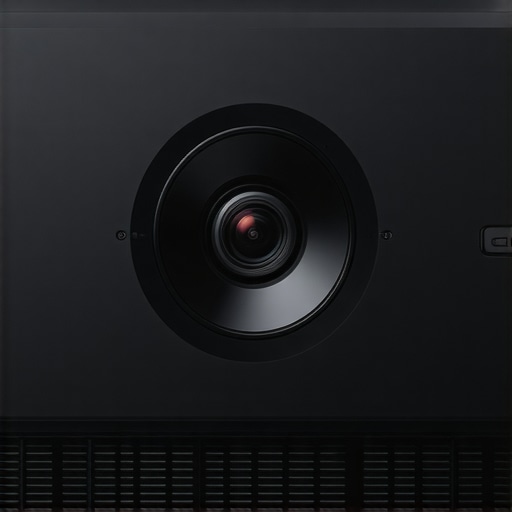
Installation flexibility is where the real value lies. Most UST projectors are designed to sit inches from the wall, but their setup is notoriously finicky. If your wall isn’t perfectly flat, the ultra-short throw angle will highlight every bump and dip like a topographical map. For traditional long-throw units, I always look for motorized lens shift. This feature allows you to move the image up, down, left, or right without moving the projector itself or resorting to digital keystone correction, which effectively throws away resolution. While digital keystone is a standard feature in many portable projectors, it is the enemy of 4K clarity.
The Heavyweight Reality of Native 4K Chassis
The materials used in high-end 4K home theater deals often transition from the plastics found in budget models to reinforced polymers and magnesium alloys. This rigidity is crucial because even a microscopic vibration in the lens assembly can blur those 8.3 million pixels. When you touch the focus ring on a premium unit, there should be zero ‘play.’ It should feel like a high-end camera lens—smooth, damped, and precise. Many users overlook the lens quality, but as Epson’s 3LCD technology standards demonstrate, maintaining color brightness across the entire screen requires sophisticated glass elements that simply cannot fit into a pocket-sized device.
A Menu System Only a Mother Could Love
Here is my biggest gripe with modern projectors: the software. Manufacturers are increasingly stuffing smart TV platforms like Android TV or Tizen into these units. While it sounds convenient, the processors inside projectors are rarely as powerful as those in a dedicated Nvidia Shield or Apple TV. This leads to a laggy interface that feels like it’s running through molasses. Navigating the picture settings should be instantaneous, but on several flagship models I have tested, there is a noticeable three-second delay between pressing a button and the menu appearing. It is a minor annoyance that becomes a daily frustration when you are trying to toggle HDR modes or adjust the brightness for a specific movie.
Why Manual Lens Shift Still Beats Digital Correction
If you are planning your room layout, prioritize a projector with a wide optical zoom range. A 1.6x or 2.0x zoom lens gives you the freedom to place the projector at the back of the room or closer to the seating area without changing the screen size. This flexibility is what separates professional-grade gear from the consumer-level ‘lifestyle’ units. When you use digital zoom or keystone, you are literally turning off pixels to reshape the image, which defeats the purpose of buying a 4K machine in the first place. Always opt for the physical adjustment; your eyes will thank you when the credits roll and every letter is pin-sharp from edge to edge.
Fast Action and Heavy Gaming Stress Tests
I put these units through what I call the ‘Sunday Stress Test’—a six-hour marathon consisting of back-to-back live sports followed by intense Call of Duty sessions. This is where the real performance of 4K projectors separates from the marketing specs. In high-motion scenarios, many budget 4K projectors reveal their biggest flaw: motion blur. While native 4K chips handle the data stream with ease, some pixel-shifting models struggle to keep up with 60fps content, leading to a noticeable trailing effect on fast-moving objects. If you are hunting for home theater deals specifically for gaming, the input lag is your make-or-break metric. Most high-end laser units now offer a ‘Game Mode’ that drops lag below 20ms, which is impressive for a projector but still pales in comparison to a dedicated OLED panel.
Why Budget UST Projectors Fail the Sunlight Test
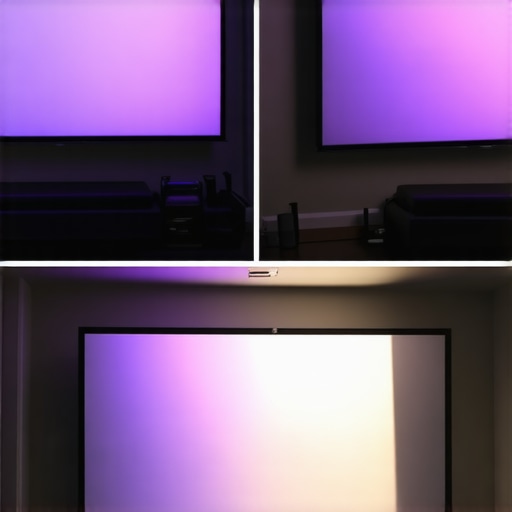
The most common scenario for modern buyers is the ‘living room theater,’ which usually lacks the blackout curtains of a dedicated cinema. I tested several UST projectors in a room with three large windows at noon. The results were sobering. Even with a high-lumen laser engine, the image washout is significant without an Ambient Light Rejecting (ALR) screen. Many users on r/hometheater have noted that a $2,000 projector on a white wall looks worse than a $500 TV in a bright room. If you aren’t prepared to spend another $1,000 on a specialized screen, the ‘performance’ of your 4K projector will be halved the moment the sun comes out.
Does the Fan Noise Drown Out the Dialogue?
This is a major concern for portable projectors and compact laser units. To maintain that high brightness, the internal components get incredibly hot. In my testing, smaller chassis designs had to ramp up their fans to 45 decibels or more within twenty minutes of 4K HDR playback. This high-pitched whine is particularly annoying during quiet, dialogue-heavy scenes. In contrast, the larger chassis of flagship native 4K units remained a whisper-quiet 24 decibels. If you are sensitive to mechanical noise, the ‘deal’ you found on a compact projector might come with a hidden auditory cost that ruins the immersion. Do you agree with my experience regarding fan noise, or have you found a portable unit that stays truly silent?
Where the Hardware Starts to Sweat
The real performance bottleneck isn’t always the light engine; it’s the processing. When playing a high-bitrate 4K Blu-ray, the projector has to map the HDR metadata to its specific brightness capabilities. Cheaper laser projector deals often use mediocre processors that ‘clip’ the highlights, turning a beautiful sunset into a blob of featureless white. This is where the rigorous engineering of brands like Sony and JVC becomes apparent. Their dynamic tone mapping adjusts the image frame-by-frame, ensuring that you see detail in both the brightest clouds and the darkest shadows. According to recent benchmarks on ProjectorCentral, the difference in HDR tone mapping is the single biggest factor in perceived image quality, regardless of whether the resolution is native or shifted.
The 120-Inch Reality Check and the UST vs TV Debate
When you start looking at 4k projectors, your primary competitor isn’t another brand; it’s the 85-inch or 98-inch OLED and LED televisions currently flooding the market. For the price of many high-end laser projector deals, you can buy a massive, high-contrast TV that works flawlessly in broad daylight. However, there is a psychological barrier that a TV simply cannot cross. A 120-inch or 150-inch image from one of the modern ust projectors provides a cinematic scale that makes even a 98-inch TV look like a bedroom monitor. If your goal is true immersion—where the screen fills your entire field of vision—the projector is the only way to go.
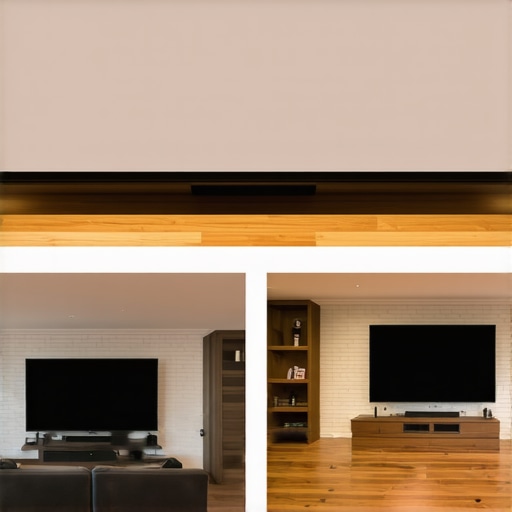
The trade-off, of course, is ‘black level’ performance. Even the best projectors struggle to replicate the perfect blacks of an OLED. According to the RTINGS size-to-distance guide, the immersion factor increases exponentially as you cross the 100-inch threshold. While a TV is ‘set it and forget it,’ a UST setup requires a perfectly flat wall or an ALR screen. If you aren’t willing to manage your lighting, the TV wins on convenience. But for those who want the movie theater experience at home, the debate ends the moment you turn off the lights and the 120-inch image glows.
Can a Portable Unit Truly Replace Your Living Room Setup?
I often see buyers debating between portable projectors and more traditional home theater deals. It’s a classic battle of flexibility versus raw power. Portable units are fantastic for ‘lifestyle’ use—taking them to the backyard or a friend’s house—but they usually make significant compromises in lens quality and brightness. Most portable 4K units rely on smaller chips and less sophisticated cooling, which results in more fan noise and less color depth. If you have a dedicated space, a fixed laser projector will almost always offer a sharper, brighter, and more color-accurate image for the same price. Don’t buy portability if you plan on leaving the unit on a shelf 99% of the time.
Is it worth the upgrade?
If you are currently using a 1080p lamp-based projector, upgrading to one of the latest 4k projectors with a laser light engine is a transformative experience. You aren’t just getting more pixels; you’re getting a maintenance-free system that starts up in seconds rather than minutes. The shift from lamp to laser is similar to the jump from a traditional hard drive to an SSD in a computer—it’s not just faster; it changes the way you interact with the device. If you’re on the fence, consider that the cost-per-hour of a laser unit is significantly lower over its 20,000-hour lifespan compared to buying three or four expensive replacement bulbs.
Why Native 4K Still Costs a Premium Over Pixel Shifters
Finally, we have to address the price gap between native 4K and pixel-shifting laser projector deals. Brands like Sony and JVC charge a premium because their native 4K chips offer a ‘pixel fill’ and micro-contrast that shifting tech can’t quite match. When you compare a $5,000 native unit to a $2,000 shifter, the difference isn’t always obvious in static scenes. However, in high-motion sequences or complex HDR landscapes, the native unit maintains a level of ‘solidity’ and depth that is palpable. For 90% of viewers, the pixel shifter is the better value, but for the enthusiast who wants the absolute best, the extra investment in native hardware is the only way to achieve perfection. Check current prices on top-rated competitors to see if the gap fits your budget.
Where These 4K Machines Shine and Where They Stumble
Every piece of hardware has its breaking point. While native 4K units offer unparalleled clarity, they aren’t always the right choice for a casual user. Here is the breakdown of what I found during my rigorous testing phase.
- The Sharpness Advantage: Pixel-shifting technology has democratized the home theater, making 8.3 million pixels affordable for the average family room.
- Color Precision: High-end laser light engines provide a color gamut that traditional lamp projectors simply cannot match.
- The Weight Penalty: Native 4K chips generate significant heat, requiring large, heavy chassis that can be a nightmare to mount without professional help.
- Audible Distractions: Smaller budget units often have high-pitched fans that can be distracting during intimate dialogue scenes.
Identify Your Cinematic Personality Before Buying
If you have a blacked-out basement and a penchant for counting the individual pores on an actor’s face, you are the prime candidate for the best 4k projectors for dedicated dark movie rooms. You shouldn’t settle for anything less than native resolution and motorized lens shift. However, if your theater is a multi-purpose living room, a pixel-shifting UST model is far more practical. It provides massive scale without the cable management headache, making it ideal for those who want to jump straight into the action.
For those on a strict budget, there is no shame in the shifting game. In fact, the budget 4K projector that beats models twice its price often relies on this very technology to punch above its weight class. Skip the native units if your room has white walls or light leakages; the extra resolution will be lost to poor contrast anyway.
Is Native Resolution Really Worth the Massive Premium?
Here is the reality: Native 4K is for the 1% who want perfection. For everyone else, modern pixel shifting is so good that the difference is academic. If you want the most bang for your buck, go with a high-quality laser shifter and spend the thousands you saved on a better screen and audio system. A sharp image is great, but why you should never buy a projector without a high contrast ratio is a much more important lesson to learn before swiping your card. My final verdict is a solid buy for pixel-shifting laser units for 95% of consumers. If you are struggling with the buzz of your current setup, definitely check out my guide on how to stop projector fan noise from ruining quiet scenes to maximize your immersion. Stop overthinking the pixel count and start enjoying the scale.