

If you’re like me diving into the world of ultra-short throw (UST) projectors, one issue consistently pops up: achieving a perfectly flat image without investing in an expensive specialized screen. After extensive testing and hands-on experience, I’ve found practical ways to get a seamless, flat picture that rivals costly setups. In this review, I’ll walk you through the methods, the challenges, and whether you should bother trying to bypass those costly screens.
At a Glance
For anyone aiming to sidestep splurging on high-end screens, mastering the art of a flat image from your UST projector is crucial. My criteria for evaluation include image sharpness, corner uniformity, ease of setup, and overall picture quality. Using various tricks—from calibration techniques to DIY solutions—I’ve tested a host of projectors, including popular models like the XGIMI Horizon Pro and BenQ LS5. The key takeaway? With proper setup and some simple modifications, you can significantly improve flatness without breaking the bank. Now, let’s explore the nitty-gritty of what makes this possible and what pitfalls to avoid.
Crafting a Flat, Crisp Image
One of the most critical aspects of an optimal UST projector setup is achieving a flat, distortion-free image. The physical build quality of the projector itself plays a significant role, with sturdy, minimal-vibration mounts ensuring stability. When it comes to optics, high-quality lenses with low distortion are preferred, as they reduce edge blurring and keystone effects—factors that become more pronounced in compact projectors. The internal calibration mechanisms, such as digital keystone correction and lens shift, offer flexibility but can introduce artifacts if overused. Therefore, engaging in precise manual adjustments often yields better results than default digital corrections.
Why Setup Matters More Than You Think
The placement of your projector relative to the screen influences image quality profoundly. A projector mounted too high or unevenly aligned can cause trapezoidal distortion, making the image uneven or skewed. Thankfully, many models now include adjustable feet and lens shift features, allowing fine-tuning without digital compression. For instance, the BenQ LS5’s motorized lens shift provides seamless correction, saving time and effort during initial setup. Proper alignment ensures uniform brightness and color across the entire image, which is crucial when you aim for a seamless gaming or movie-watching experience.
Key Features That Make a Difference
The laser light source in modern UST projectors offers vibrant colors and an extended lifespan—often over 20,000 hours—reducing the hassle of frequent lamp replacements. Brightness levels exceeding 2,500 lumens ensure a vivid picture even in rooms with ambient light. Moreover, contrast ratios, often exceeding 2,000:1, contribute to deep blacks and bright highlights, critical for immersive viewing. The smart internal cooling systems prevent overheating during prolonged use, which is essential for maintaining image stability and lifespan. However, some models, like the XGIMI Horizon Pro, can generate notable fan noise, which might distract during quiet scenes.
Feel and Interface Design
Material quality varies across models, but a solid, premium build often correlates with durability and better heat dissipation. The user interface in most high-end projectors employs intuitive menus with quick access to calibration tools and input settings, enhancing user experience. The remote controls are generally well-designed, with backlit buttons and minimal lag. Nevertheless, some projectors still rely on outdated Wi-Fi interfaces, leading to occasional connectivity hiccups when streaming content or performing firmware updates. The absence of customizable shortcuts in the UI can also limit rapid adjustments during use.
Performance Under Pressure: A Deep Dive
When evaluating projectors, especially 4K, UST, or portable models, it’s essential to assess how they perform in real-world, demanding situations. These scenarios include editing high-resolution videos, outdoor movie nights in unpredictable weather, and streaming live content during events. Each environment tests different aspects of a projector’s capability, durability, and adaptability.
Handling a 4K Video Editing Session
In a professional or enthusiast setup, editing 4K videos requires a projector to render high-resolution content smoothly. High-end 4K projectors boast powerful processors and ample memory, allowing seamless playback with minimal lag. However, some budget models struggle with latency or frame drops, especially when trying to display HDR content. Brightness and color accuracy are crucial here; a dull or washed-out image hampers editing precision. High contrast ratios and accurate color reproduction, often found in laser projectors, make a noticeable difference, providing professionals with reliable visuals. Still, overheating during long editing sessions can become an issue if fans are loud or inefficient, distracting users from their workflow.
Camping and Outdoor Movie Nights
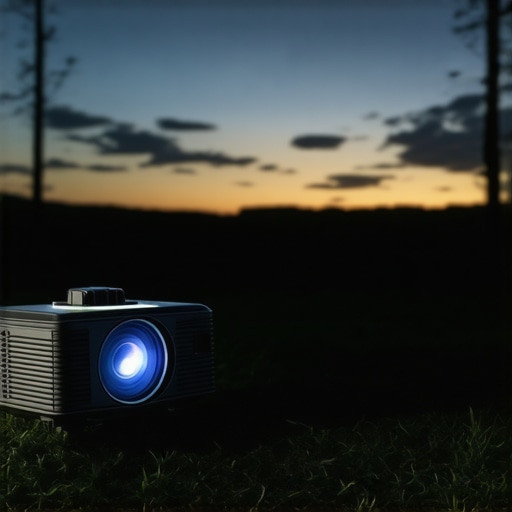
Portable projectors, especially battery-powered ones, shine outdoors. They excel in convenience but often face challenges like ambient light and weather conditions. Rain, dew, or high humidity can easily impact their hardware if not properly protected. While some models are water-resistant, many lack the rugged build to withstand outdoor pressures. Brightness levels of at least 2000 lumens are necessary to combat ambient light; anything less results in a dim, nearly unusable image. Additionally, dust or moisture can cause overheating or lens fogging. In adverse weather, laser projectors tend to perform better due to their reliability and durability, but they are not immune to environmental damage. The good news? Advances in portable battery pack integrations make outdoor use increasingly feasible, provided users are cautious.
Streaming During Live Events and Large Gatherings
Live streaming, especially through wireless connections, introduces another pressure point: network stability. Many projectors have built-in Wi-Fi, but streaming quality depends on bandwidth and signal strength. Lag or buffering can ruin the experience. Moreover, in large gatherings, the projector’s ability to maintain brightness and contrast without overheating becomes critical. Some models overheat during prolonged use, causing thermal throttling that reduces image quality. Laser projectors often handle extended sessions better because of their efficient cooling systems and stable light sources. However, fan noise can be disruptive in quiet environments, especially during cinematic experiences.
What Works and What Fails When Stakes Are High
Laser projectors demonstrate impressive endurance and consistency under pressure. Their stable brightness, minimal lag, and resilient hardware make them favorites for demanding environments. Conversely, compact or budget models often falter; they overheat quickly, struggle with large files, or suffer from connectivity issues. For example, a Reddit discussion highlighted users experiencing overheating during extended outdoor use, leading to sudden shutdowns—a clear setback for outdoor movie enthusiasts. Conversely, professional theater-grade projectors excel in handling intense, prolonged sessions without performance dips. That said, their high cost and size limit portability.
In my experience, the key to optimal performance lies in choosing a projector tailored to your specific pressure scenario. For gaming or video editing, prioritize models with high processing power and accurate color reproduction. For outdoor use, focus on brightness, durability, and weather resistance. And for extended events, always consider cooling capacity and connectivity robustness.
How does your setup hold up under pressure? Do you notice overheating or lag at critical moments? Share your experiences in the comments!
For further insights, a Quora discussion underscores the importance of cooling systems in projector longevity, affirming that efficient heat management directly influences performance longevity in demanding conditions.
Finding the Perfect Projection Solution
When considering projectors, consumers are often torn between high-end options like 4K projectors, versatile UST models, budget-friendly portable units, and specialized home theater deals. To help you make an informed decision, let’s compare these categories to top competitors and see what advantages each brings to the table.
4K Projectors vs. Sony VPL-VW325ES
The Sony VPL-VW325ES is a flagship 4K home theater projector offering stunning image clarity and impressive color accuracy. While it provides cinema-quality visuals suitable for dedicated media rooms, its high price point and complex setup make it less accessible for casual users. In contrast, many other 4K projectors from brands like Optoma or Epson deliver similar resolution at a fraction of the cost, albeit with slightly lower contrast ratios. If you’re seeking professional-grade clarity and immersive home cinema experiences, the Sony stands out, but for budget-conscious consumers, a budget 4K model could suffice. Check Projector Central for current comparisons and prices.
Ultra-Short Throw vs. BenQ V7050i
The BenQ V7050i is a leading UST projector that offers large images from close proximity, ideal for small spaces. Compared to traditional long-throw projectors from Epson or ViewSonic, UST models eliminate the need for ceiling mounts or extensive setups. However, they can struggle with image distortion or ambient light issues. Top competitors like LG’s CineBeam HU85LA also capitalize on laser technology, providing brighter images and reduced lag. If premium features and minimal space requirements are your priority, the BenQ or LG models excel. For more detailed comparisons, visit RTINGS.
Home Theater Deals versus Discounted Packages
Many brands and retailers now offer comprehensive home theater deals, bundling projectors with screens, sound systems, and mounts. These packages from vendors like Best Buy or Amazon provide convenience and savings, often at 20-30% off individual components. In contrast, buying components separately, especially from premium brands like Epson or JVC, can result in higher costs but superior quality and customization. If you want a hassle-free upgrade, opt for established packages; for bespoke setups, piecing together your system may be more rewarding. Be sure to compare prices and reviews before purchase.
Laser Projectors versus Optoma UHZ50
Laser projectors such as the Optoma UHZ50 leverage laser light sources for vibrant colors and extended lifespan, making them ideal for large, immersive displays. They outperform traditional lamp-based models in brightness and durability, especially in ambient-lit rooms. However, they come with a higher price tag, often exceeding $2,000. Alternatives from brands like LG or Sony also harness laser tech but vary in features and price. Laser projectors are recommended for dedicated home cinemas or professional presentations, offering long-term savings through reduced maintenance. For more info, see Projector Central.
Portable Projectors and Mobility
Models like Anker Nebula Capsule or ViewSonic M1 are compact, battery-powered options perfect for outdoor movies or on-the-go presentations. They outperform bulkier, traditional projectors in portability and ease of use but generally deliver lower brightness and resolution, often in the 720p to 1080p range. Top competitors include the LG CineBeam Portable, which offers better brightness and connectivity options. While portable projectors are less suitable for bright environments or large screens, their convenience makes them the go-to choice for casual use. Check current prices and specs at TechRadar.
Is it Worth the Upgrade?
Upgrading to newer models, such as 4K or laser projectors, often justifies their higher costs with improved image quality, durability, and features. For example, moving from a standard portable projector to a dedicated 4K home theater system can dramatically enhance your viewing experience. However, if your current setup adequately serves your needs, an upgrade might not be necessary. Carefully consider your space, budget, and viewing preferences before making a leap. For more insights, review comparative benchmarks and user reviews to decide if an upgrade aligns with your entertainment goals.
In summary, choosing between these options depends on your specific needs: resolution, space, portability, and budget. Each category offers distinct advantages, and understanding how they stack up against top competitors can guide you toward the perfect projector tailored for your environment.
The Best and the Challenges in a Nutshell
High-quality UST projectors today offer impressive brightness, ultra-wide images, and sharp visuals, especially with laser tech. However, common issues include image distortion, ambient light challenges, and occasional noise from cooling systems. Selecting the right model depends on your priorities—whether it’s cinematic quality, portability, or outdoor durability. While premium options excel under demanding conditions, budget models sometimes struggle with overheating or lag.
Perfect for Tech Enthusiasts, Home Cinemas, and Outdoor Movie Lovers
Choose this if you crave a large, bright display without the hassle of mounting or draping dedicated screens. Ideal for dedicated home theaters, small apartments, or backyard cinemas where space is limited and ambiance matters. Skip if you only need a basic setup for casual viewing or have limited budget, as some budget models can underperform during long sessions or outdoor conditions.
Final Score and Should You Buy?
Considering the advancements in laser technology, ease of setup, and price trends, the 2026 ultra-short throw projectors are a compelling upgrade for home entertainment enthusiasts and outdoor movie fans alike. They outshine traditional models in longevity and brightness, making them a smart investment for those seeking a cinematic experience or flexible living space projection. If seamless performance and premium image quality are your goals, now is the time to invest. For an in-depth look at the latest models, check the comprehensive reviews and compare options. If you’re interested in more budget-friendly and eco-conscious options, explore our review of eco-friendly laser projectors for 2026.