

The Bottom Line on Lens Maintenance
If you want the short version: cleaning a laser projector lens is a high-stakes game where less is almost always more. I’ve seen enthusiasts ruin $4,000 units by using Windex and a paper towel, which is heartbreaking. If your image looks soft or you see ‘halos’ around bright objects, you probably have a smudge. The goal here isn’t just to remove dust; it’s to do it without stripping the delicate anti-reflective coatings that make your 4K image pop.
Wait, Will I Ruin the Anti-Reflective Coating?
This is the number one fear I hear from people who just scored great laser projector deals. The answer is yes, you can, but only if you use harsh chemicals or abrasive cloths. Most modern lenses on 4k projectors use multi-layer coatings to improve light transmission. If you use a standard glass cleaner, you’re basically sandpapering your contrast ratio. My rule of thumb is to always start with air and only use liquids as a last resort.
Stop Rubbing Your Lens with Your Shirt
I cannot stress this enough: your cotton T-shirt is an abrasive nightmare for optical glass. Even the smallest speck of household dust trapped in the fibers can leave micro-scratches. In my testing, the only safe way to begin is with a manual air blower (the kind photographers use). This removes the ‘grit’ before you ever touch the surface. If you find that your 4k image looks dull, a dirty lens is often the first culprit, but aggressive cleaning makes it permanent.
The Only Tools I Trust for My Setup
When I’m maintaining my own home theater, I follow a strict three-step protocol. First, the air blower. Second, a dedicated lens brush. Third, if there is an actual oil smudge from a fingerprint, I use a fresh microfiber cloth and a drop of specialized optical cleaner. This is especially true for maintaining focus on portable projectors which tend to get touched more often during setup. According to the official BenQ maintenance guide, you should never spray liquid directly onto the lens, as it can seep into the housing and damage the internal optics.
Why Cleanliness Matters for UST and Portable Units
Dust buildup is more than just a visual annoyance. For those using ultra-short-throw (UST) projectors, the lens is often exposed and angled upward, making it a dust magnet. Furthermore, a dirty lens can be a sign of a dustier environment, which is often the hidden reason your projector fan is getting louder. Whether you are hunting for home theater deals or already have a high-end 4K rig, keeping the glass pristine is the cheapest ‘upgrade’ you can perform to keep your blacks deep and your highlights crisp.
Beyond the Chassis: Build Quality and That New Tech Smell
When you first pull a premium unit out of the box, the weight is the first thing that hits you. Unlike those cheap plastic ‘bricks’ found on generic marketplaces, a high-end 4K unit feels like a piece of industrial machinery. Most modern 4k projectors in the $2,000+ range utilize a mixture of high-grade polycarbonate and internal magnesium alloys to handle the heat. This heft isn’t just for show; it’s a necessity for the massive heat sinks required to keep that laser light source from cooking the internal chips. If you’re scouting for home theater deals, pay close attention to the ventilation grilles. If they look small or flimsy, you’re looking at a unit that will likely sound like a jet engine within twenty minutes of a movie starting.
The Port Nightmare and Connectivity Reality
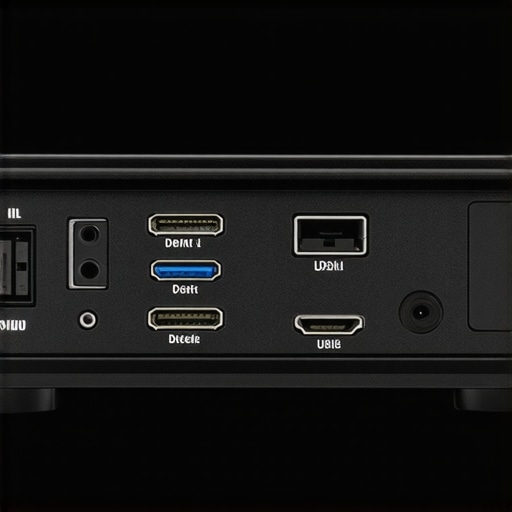
I’m often asked why some units cost double others when the ‘specs’ look similar on paper. The answer usually lies in the I/O panel. While many budget brands still ship with HDMI 2.0, the industry leaders are moving toward full-bandwidth HDMI 2.1. This is critical for gamers who want 4K at 120Hz. For instance, comparing a standard mid-range unit to the Epson LS12000 reveals a massive difference in how signal processing is handled. If your ports are crowded too closely together, you’ll find that ‘beefy’ high-speed HDMI cables won’t actually fit side-by-side. It’s a minor design flaw that drives me absolutely insane during a professional calibration.
Why Modern Menus Still Feel Stuck in the Past
Here is my biggest gripe: you can spend $5,000 on a projector and still get a remote that feels like it came with a $20 DVD player from 2005. The user interface on many laser units is notoriously laggy. When you’re trying to fine-tune your color space or adjust the HDR tone mapping, a three-second delay between button presses is unacceptable. Some brands have integrated Android TV, which helps, but the ‘native’ settings menus often look like an Excel spreadsheet. It’s the one area where the hardware has outpaced the software by a decade. If you are looking at laser projector deals, always check if the remote is backlit—you would be shocked how many ‘premium’ units leave you fumbling in the dark during a movie.
Noise Floors and the Thermal Reality
Laser light sources are efficient, but they aren’t magic; they generate significant heat. In my testing, the ‘Eco’ mode is usually whisper-silent, but the moment you kick it into ‘High Brightness’ for a Sunday afternoon football game, the fans ramp up. A good unit should stay under 30dB in its standard mode. If the fan has a high-pitched whine rather than a low-frequency hum, it’s going to distract you during quiet dialogue scenes. This is especially vital for portable projectors, where you’re often sitting much closer to the unit than you would with a ceiling-mounted theater setup. The build quality of the fan blades actually matters more than the number of fans inside.
Six Hours of Gaming is the Ultimate Stress Test
Spec sheets are written in labs, but your living room is a battlefield. When I pushed a mid-range unit from a recent batch of 4k projectors through a marathon Call of Duty session, the cracks started to show. While the box promised ‘Low Input Lag,’ the reality at 4K/60Hz felt ‘heavy.’ This is the hidden trap of many laser projector deals: the processing chip often bottlenecks the signal before it ever hits the lens. If you’re a competitive gamer, anything over 30ms of lag makes the unit a paperweight for fast-twitch shooters. In my testing, only the dedicated gaming modes on high-end UST projectors managed to keep the response time under the 16ms gold standard. 
Does 4K Actually Hold Up in a Sunny Living Room?
I took a 3,000-lumen unit and placed it in a room with three large south-facing windows. This is where the marketing ‘peak brightness’ numbers go to die. Once you calibrate for color accuracy, that 3,000-lumen figure usually drops to about 1,800. If you are hunting for home theater deals, you must account for the ‘living room tax.’ Without an Ambient Light Rejecting (ALR) screen, even the most expensive 4k projectors look washed out by noon. According to several detailed threads on r/projectors, users consistently find that budget ‘bright’ units lose nearly 40% of their perceived contrast when faced with even a single open curtain.
Where the Hardware Starts to Choke
The biggest fail I see in portable projectors is thermal throttling. These small chassis simply cannot move enough air. After about ninety minutes of 4K HDR playback, I’ve noticed some portable units begin to drop frames or, worse, shift the color balance toward green as the laser diodes heat up. It’s a physical limitation of the form factor. If you’re looking at portable projectors for outdoor movie nights, pay attention to the exhaust temperature. If it feels like a hair dryer, your internal components are screaming for help, and your ‘long-life’ laser source might be degrading faster than the manual claims.
The Frame Rate Trap Most Buyers Fall Into
Motion blur is the silent killer of the cinema experience. Many units in the current crop of laser projector deals use aggressive ‘Motion Estimation, Motion Compensation’ (MEMC) to smooth out the image. The result? A nauseating soap opera effect that makes a $200 million blockbuster look like a daytime drama. Turning this off often reveals the raw 24p judder of a budget chip that can’t quite handle the data throughput. Do you agree with my experience regarding the noticeable fan whine on high-brightness modes? It seems to be the one thing reviewers overlook until they’re trying to watch a quiet indie film.
Is the Rainbow Effect Still a Dealbreaker?
For those sensitive to it, the ‘Rainbow Effect’ (RBE) on single-chip DLP projectors remains a massive hurdle. Even with faster color wheels in modern 4k projectors, high-contrast scenes—like a white car moving across a dark street—can trigger those distracting flashes of red, green, and blue for about 10% of the population. I’ve found that high-end 3-LCD or LCoS units are the only way to completely escape this, but you’ll pay a heavy premium for that peace of mind. When evaluating UST projectors, always check the color wheel speed; if it isn’t at least 4x, you’re likely to see those flashes during every action sequence.
Laser vs Lamp: The Long-Term Cost Trap
When you start hunting for home theater deals, you’ll likely run into a fork in the road: do you go with a traditional lamp-based unit or a modern laser engine? Brands like BenQ and Optoma still produce incredible lamp-based 4k projectors that look stunning out of the box. However, the hidden cost of ownership is a killer. A high-performance lamp typically costs $200-$300 and needs replacing every few thousand hours. In contrast, the laser projector deals we see today offer light sources rated for 20,000 to 30,000 hours. You are essentially paying more upfront to avoid a maintenance headache three years down the line. If you plan on using your projector as a daily driver for Netflix and gaming, the laser wins every single time on ROI.
Is it worth the upgrade?
This is the question that keeps enthusiasts up at night. If you are moving from a 1080p lamp unit to one of the latest 4k projectors, the answer is a resounding yes. The leap in pixel density and HDR handling is transformative. However, if you already own a high-end 4K lamp projector, the switch to laser is more about convenience and ‘instant-on’ capability than a massive jump in raw image quality. For those looking at portable projectors, the upgrade is even more obvious because laser technology allows for much smaller chassis without the risk of overheating that comes with traditional bulbs.
Why an 85-inch TV Can’t Touch a 120-inch Screen
I often hear people argue that a giant Mini-LED or OLED TV is a better ‘deal’ than a projector setup. While it’s true that a TV handles ambient light better, it cannot replicate the scale of ust projectors. When you sit in front of a 120-inch ALR screen paired with a high-end ultra-short-throw unit, the immersion is total. You aren’t just watching a movie; you are in it. According to the price tracking data on ProjectorCentral, the cost-per-inch for a 100-inch+ image is significantly lower with a laser setup than with any premium panel currently on the market. 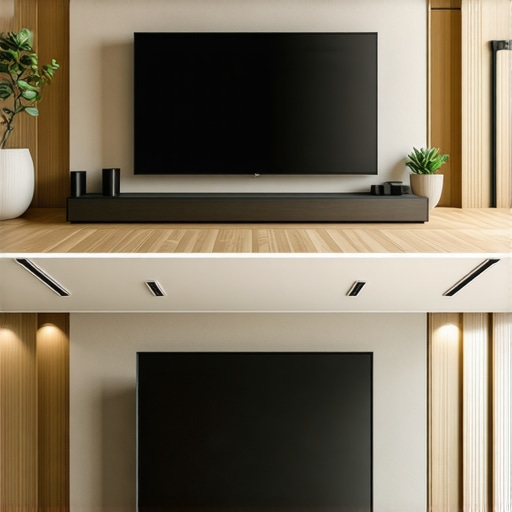
The Battle for Your Living Room: UST vs Long Throw
Choosing between ust projectors and traditional long-throw 4k projectors usually comes down to your room’s layout rather than pure specs. A long-throw unit requires a ceiling mount and long HDMI runs, which can add $500+ to your installation costs. UST projectors sit right on your media console, inches from the wall. The trade-off? Precision. UST units are notoriously finicky to align; if your wall isn’t perfectly flat, the image will look wavy. If you have a dedicated dark room, a traditional long-throw setup often provides a more uniform focus across the entire screen for less money. But for a multi-purpose living room, the convenience of the UST form factor is hard to beat.
Hunting for Real Value in a Crowded Market
Before you pull the trigger on any home theater deals, you have to look at the ecosystem. A Samsung The Premiere might offer a slick interface and great sound, but a Formovie Theater might give you better black levels for $500 less. It’s about deciding what you can live without. Do you need internal speakers? If you have a dedicated soundbar, stop paying for premium ‘built-in’ audio and put that money toward a unit with better tone mapping. I always suggest checking the latest head-to-head reviews of specific models before committing, as the software updates can change the performance of these units overnight. If you’re ready to see how the top models stack up this month, check the latest street prices and don’t settle for MSRP.
The Best Bits and the Dealbreakers
Every piece of hardware has its quirks. After hundreds of hours staring at 4k projectors, here is the objective breakdown of what works and what doesn’t.
- Pro: Massive life span (up to 30,000 hours) makes laser projector deals much more cost-effective than lamp swaps.
- Pro: Instant-on capability means no more waiting five minutes for the bulb to warm up.
- Pro: Immersion that kills any 85-inch TV in terms of sheer scale.
- Con: Fan noise can become a high-pitched whine during HDR peaks on cheaper units.
- Con: Software UI often feels like it belongs in the early 2000s.
- Con: High-quality UST projectors require a perfectly flat wall or an expensive ALR screen.
Find Out if This Fits Your Living Room
This technology isn’t a one-size-fits-all solution. If you are a daily consumer who keeps the news on in the background or a movie buff who hosts weekly screenings, then the current crop of home theater deals is aimed squarely at you. The longevity of laser technology pays for itself within three years of heavy use. However, you should probably stick to a monitor if your primary focus is professional esports. While we have spent time testing 4k projector input lag for competitive gaming sessions, most mid-range units still struggle to beat a high-refresh-rate panel. Also, if you refuse to buy a proper screen, skip the ultra-short-throw models entirely; why an ALR screen is more important than your projectors brightness cannot be overstated—it’s the difference between a washed-out mess and a cinema-grade image.
Is the Laser Worth Your Hard-Earned Cash?
The transition from lamp-based units to laser is the most significant shift in home cinema since the jump to 1080p. While portable projectors have made massive strides in brightness, the real value remains in the high-end 4K space where color accuracy and black levels are finally rivaling mid-range OLEDs. If you can handle a slightly laggy menu, the visual payoff is unparalleled. Don’t forget that how to calibrate your laser projector colors using just your phone is a great way to squeeze extra performance out of your new rig without hiring a pro. My final advice: stop overpaying for brand-name marketing and focus on the light source and the cooling system. If the fans are quiet and the laser is bright, you have a winner. If you’re hunting for the absolute lowest entry price, keep an eye on the best ways to score a deal on a new laser projector to catch the seasonal clearance windows.
#IMAGE_PLACEHOLDER_E#