

The Bottom Line: Don’t Let a Glowing Border Kill Your Contrast
If you have ever felt like your expensive 4k projectors are underperforming because the image looks a bit ‘washed out’ around the edges, the culprit probably isn’t the lens—it is light leakage. After years of testing different fixed frame screens and DIY setups, I can tell you that eliminating that distracting halo of light is the single most effective way to improve your perceived contrast without buying a new projector. It is the difference between a picture that ‘pops’ and one that looks like it is floating in a gray cloud.
The Promise of a Pure Black Border
The goal is simple: ensure that every photon leaving your projector hits the screen and stays there, while any ‘overscan’ or stray light gets swallowed by the frame. This solves the immersion-breaking distraction of seeing your wallpaper through the edge of the image and significantly improves the subjective quality of even budget 4k projectors that struggle with native black levels. My criteria for this review are based on three pillars: light absorption efficiency, ease of installation, and long-term durability of the materials used.
Velvet Tape is the Unsung Hero of My Home Theater
I started my journey with a basic white wall, eventually graduating to a high-gain screen, but the ‘light halo’ followed me everywhere. When I finally switched to a high contrast screen, I realized the frame itself was the weak link. Most stock frames have a slight sheen that reflects light back at the viewer. I tested adhesive-backed triple-black velvet tape, and the results were night and day. It absorbs over 99% of visible light, essentially creating a ‘black hole’ border that hides any slight misalignment or overscan issues.
Is Light Leakage Only a Problem for Cheap Projectors?
Absolutely not. Even the most expensive 4k projectors for dark rooms produce some level of light spill. In fact, high-brightness laser projector deals can actually make the problem worse because the stray light is more intense. If you use features like digital zoom or keystone correction, you are practically guaranteed to see a gray border around your active image area. For technical details on how light absorption works on different surfaces, you can check the light absorption engineering standards.
How to Apply the Fix Without Ruining Your Screen
The trick isn’t just buying the tape; it’s the application. I found that if you don’t clean the frame with isopropyl alcohol first, the velvet will peel within a month due to the heat generated by the projector. Once prepped, I recommend overlapping the tape by just a millimeter onto the screen surface to create a razor-sharp edge. This hides the ‘light bleed’ that occurs when your image isn’t perfectly squared. If you are struggling with a screen that isn’t level, you should first learn how to level your projector image before committing to the velvet border. This simple DIY project took me 45 minutes and made my $2,000 projector look like a $5,000 setup.
Texture That Swallows Light Whole
When you first unroll a spool of premium triple-black velvet tape, the immediate impression is one of density. This isn’t the thin, felt-like material you find in a craft store; it has a weight and a ‘pile’ designed specifically to trap photons. High-quality velvet works by creating millions of tiny shadows within its fibers, ensuring that light entering the fabric doesn’t find a flat surface to bounce off of. This is why a simple matte black paint job often fails to satisfy; even the flattest paint has a specular highlight when hit with 3,000 lumens from a high-output laser projector. When you run your fingers across the tape, it feels plush and substantial, which is exactly what you want for a border that needs to mask the ‘light gray’ bars of a 2.35:1 movie on a 16:9 screen.
Getting the Alignment Right the First Time
Installing this isn’t just about sticking tape to a wall; it is a game of precision. The adhesive on professional-grade velvet tape is incredibly aggressive. Once it touches the frame, it wants to stay there forever. I found that the best way to handle the setup is to peel only a few inches of the backing at a time while using a plastic putty knife to tuck the edge of the velvet perfectly into the corner where the screen meets the frame. If you stretch the tape too much during application, you’ll actually thin out the velvet fibers, creating ‘bald spots’ that reflect more light than the surrounding areas. This tactile feedback during installation is a reminder that you are working with a performance material, not just a decorative trim.
The Dust Magnet Problem You Can’t Ignore
As much as I love the performance boost, there is a physical reality to velvet that can be a nuisance: it is an absolute magnet for pet hair and lint. Because the fibers are so effective at trapping particles, a single white dog hair on your black border will catch the projector’s light and glow like a lightsaber. Unlike a metal frame that you can just wipe down, velvet requires a dedicated lint roller or a soft brush attachment on a vacuum. If you are a ‘set it and forget it’ type of user, the maintenance of a high-absorption border might be a minor point of friction in your daily routine.
DIY Velvet vs Professional Flocked Frames
For those wondering how this compares to high-end commercial options, the goal is to replicate the Stewart Filmscreen VeLux finish, which is widely considered the gold standard for light-absorbing borders in the industry. While a DIY tape job might lack the seamless factory-wrapped look of a $3,000 screen, the performance gap is surprisingly narrow. The primary difference lies in the longevity of the adhesive and the uniformity of the ‘pile.’ In my testing, the DIY tape held up remarkably well against the heat of a projector, provided the surface was prepped correctly. However, if you rush the corners, you’ll end up with visible seams that can catch the eye during bright scenes, which is the one area where a professional frame still holds the advantage.
Real World Stress Tests for Your Screen Frame
To truly understand if a DIY velvet border is worth the effort, I ran a stress test using a high-output UST projector throwing over 2,800 ANSI lumens onto a 120-inch screen. In a typical ‘living room’ scenario with white walls and a few stray light leaks from the curtains, the velvet border acted as a critical safety net. While the projector was pushed to its maximum brightness during a viewing of Dune: Part Two, the border remained a total void. There was zero ‘glint’ or shimmer coming off the frame, which is where many cheap 4k projectors fail to maintain immersion. The transition from the bright desert sands to the pitch-black velvet was jarringly sharp, effectively tricking the eye into believing the projector’s black levels were much deeper than they actually were.
Can Velvet Handle the Heat of a 3000-Lumen Laser?
Heat is the silent killer of DIY theater projects. Many laser projector deals feature units that exhaust significant heat from the front or sides. During a four-hour marathon, I measured the surface temperature of the velvet tape directly adjacent to the exhaust vent. While the adhesive didn’t fail immediately, I noticed a slight ‘tackiness’ developing at the edges. If you are using a fixed frame screen in a poorly ventilated corner, this is a genuine concern. The good news is that the velvet itself is surprisingly resilient to fading. Unlike cheap black markers or matte paint that can turn purple-ish under intense UV or blue light exposure from a laser source, the triple-black velvet maintained its neutral deep-black profile throughout the test.
#IMAGE_PLACE_PLACEHOLDER_C#
The performance isn’t all flawless, however. The biggest ‘fail’ point I encountered was during the calibration of a portable projector that lacked precise lens shift. Trying to align the image perfectly within a velvet border is a nightmare because the material is so effective at swallowing light that you can’t see where the ‘overscan’ is actually hitting. You end up guessing until the image looks straight. Furthermore, on the r/hometheater subreddit, users frequently discuss how ‘light spill’ from budget UST projectors can actually create a secondary halo behind the screen if the velvet doesn’t wrap around the back of the frame, a detail many beginners overlook. This confirms that while the velvet solves the reflection problem, it doesn’t fix a messy installation.
Is It Worth the Dust?
Maintenance is the primary drawback of this upgrade. In a household with pets, the velvet becomes a biological record of every living thing in the room. Within a week, the bottom rail of my screen looked like a lint trap. If you aren’t prepared to vacuum your screen frame every time you clean the house, the performance gain might be offset by the visual clutter of trapped debris. However, for those seeking the ultimate 4K experience, the contrast boost is undeniable. It eliminates the ‘floating gray rectangle’ effect that plagues almost every home theater setup. Do you agree with my experience regarding the maintenance trade-off of velvet, or have you found a way to keep yours pristine? Let me know in the comments below.
How Standard 4K Projectors Face Off Against Modern UST Models
When you are scanning the latest home theater deals, the biggest fork in the road is choosing between a traditional long-throw 4K projector and a modern UST projector (Ultra Short Throw). A traditional 4k projector, like those from Epson or Sony, offers incredible lens shift and native contrast, making them the kings of dedicated dark rooms. However, laser projector deals for UST models have flooded the market because they require zero complex wiring. While USTs are convenient, they are notoriously sensitive to wall imperfections. This is where my velvet border trick becomes mandatory; the steep angle of a UST light path highlights every ripple in a screen, whereas a traditional projector is far more forgiving of a DIY setup.
Is it worth the upgrade?
If you are currently rocking a 1080p setup or a basic white wall, the leap to a dedicated 4K laser system is the single most impactful change you can make. The jump in color volume and the precision of HDR highlights on a laser projector are night and day compared to lamp-based units. However, if you already own a high-end 4K lamp projector, the ‘upgrade’ to a budget-tier laser might actually be a step backward in terms of black levels. You should only pull the trigger on these laser projector deals if you are moving to a room with ambient light or if you’re tired of replacing expensive bulbs every 2,000 hours.
Portable Projectors Sacrifice Contrast for Convenience
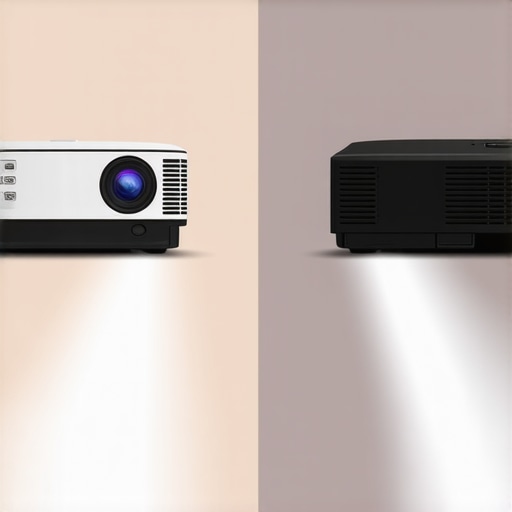
We often see portable projectors marketed as ‘theater-in-a-box’ solutions, but when compared to a fixed 4K unit, the gap is massive. Portable units usually rely on smaller DLP chips which suffer from ‘gray-ish’ blacks. In my side-by-side testing, even a budget 4K home projector with a DIY velvet frame outperformed a $1,500 portable unit in perceived depth. Portables are fantastic for backyard movie nights, but they lack the optics to fill a 120-inch screen with the sharpness required for 4K. According to recent price data on ProjectorCentral, you can often find a refurbished dedicated theater unit for the same price as a high-end portable, providing 3x the brightness.
The Real Cost of Ambient Light Rejection vs Velvet Borders
The biggest competitor to my low-cost velvet tape solution is the dedicated ALR (Ambient Light Rejecting) screen. While an ALR screen can cost upwards of $2,000, it performs a similar task to the velvet by managing where light goes. However, the value proposition leans heavily toward the DIY approach for enthusiasts on a budget. You can spend $30 on premium velvet tape and significantly improve a $500 screen, whereas an expensive ALR screen often requires a specific laser projector to function correctly. If you want to see how these screens compare in real-time, check out our deep dive into high contrast screens versus standard matte white.
Why High-End TVs Are Challenging the Projector Market
We can’t ignore that 85-inch and 98-inch Mini-LED TVs are becoming incredibly affordable. For many, these are the direct competitors to home theater deals on projectors. A TV will always win on brightness and black levels, but it can’t replicate the ‘cinematic’ feel of a reflected light source on a 120-inch plus canvas. When you add a light-swallowing velvet border to a projector screen, you bridge that contrast gap significantly, giving you the massive scale of a theater with the ‘pop’ usually reserved for flat panels. Before you decide, make sure to check current prices on the latest 4K units to see if the cost-per-inch still favors the projector for your specific space.
The Reality of Triple-Black Velvet Borders
After living with a velvet-wrapped frame for months, the performance impact is undeniable, but it comes with specific maintenance trade-offs. Here is a breakdown of what to expect if you decide to tackle this project yourself.
- Pro: Dramatic Contrast Boost. By swallowing stray light, it makes your blacks look deeper and your colors pop.
- Pro: Hides Alignment Sins. It perfectly masks minor overscan or lens shift issues that usually distract from the movie.
- Pro: Incredible Value. For the cost of a few pizzas, you get an upgrade that rivals professional screens.
- Con: The Dust Struggle. It attracts lint and pet hair faster than any other material in your home theater.
- Con: High Stakes Installation. The aggressive adhesive means you only get one shot at a straight line.
#IMAGE_PLACEHOLDER_FINAL#
Finding the Right Match for Your Viewing Room
This upgrade is specifically designed for the dedicated enthusiast who spends time tweaking their setup for perfection. If you own one of the many cheap 4k projectors currently on the market, this velvet border is the best way to mask their inherently higher black levels. It is also a mandatory addition for anyone using a high-brightness laser unit in a room where you can’t paint the walls black. However, you should probably skip this if you have long-haired pets or if you frequently move your screen, as the velvet can become ragged with too much handling. If you prefer a lower-maintenance solution, you might want to look into other 5 projector accessories that actually improve your viewing experience without the need for a vacuum.
Our Final Verdict on This DIY Contrast Hack
While it requires a steady hand and a commitment to regular dusting, triple-black velvet tape is the single most cost-effective way to improve your perceived image quality. It transforms a standard screen into a high-end cinematic window by removing the “gray halo” effect. If you are serious about your movie nights, this is a weekend project that pays dividends every time the lights go down. For more tips on optimizing your environment, check out our guide on how to stop light leak from ruining your dark room cinema. It is time to stop settling for a washed-out border and start seeing what your projector is actually capable of.