

Many home theater enthusiasts, myself included, have grappled with the notorious rainbow effect when using DLP projectors in a budget setup. This optical artifact, seen as fleeting flashes of color across the image, can detract significantly from viewing pleasure. Fortunately, there are practical ways to reduce or eliminate this issue without breaking the bank.
In this review, I examine the core causes behind the rainbow effect and assess the most effective, affordable solutions available today. My focus is on active mitigation techniques, hardware modifications, and optimal settings that can improve image quality for budget-conscious consumers.
At a Glance
Bottom Line Up Front: Eliminating the rainbow effect on budget DLP projectors is achievable through a combination of hardware adjustments and software tweaks. While some solutions require minimal investment, they can significantly enhance your viewing experience. However, it’s important to recognize that complete eradication may not be possible for all units, especially entry-level models.
The Promise: This guide aims to provide honest, actionable strategies to address the rainbow effect, helping you enjoy a cinema-quality image without overspending. Whether you’re a casual movie watcher or a dedicated home theater enthusiast, understanding these techniques will empower you to optimize your projector’s performance effectively.
What Causes the Rainbow Effect?
The rainbow phenomenon primarily occurs due to the way DLP projectors use color wheels to generate color images. Fast eye movements or specific viewing angles can cause the rapidly spinning color filters to produce brief flashes of red, green, and blue, perceived as rainbows. Entry-level models often have lower-quality color wheels or fewer color segments, exacerbating this issue.
Addressing this problem involves both hardware considerations—like selecting the right projector and modifying existing units—and software adjustments such as calibration and settings optimization. Throughout this review, I evaluate these approaches based on their effectiveness, cost, and ease of implementation.
Ready to explore practical solutions? Let’s dive into the features and specifications that matter most for combating the rainbow effect in budget DLP projectors.
Build Quality and Material Feel
Budget DLP projectors often feature lightweight plastic casings, which contribute to their affordability but can sometimes compromise durability. The feel of the device in hand is generally satisfactory, with a matte finish that minimizes fingerprint smudges. The buttons and ports are intuitively placed, making setup straightforward, though some users might find the plastic exterior slightly flimsy compared to higher-end models. Overall, the build is functional, focusing on utility rather than premium feel.
Setup and Connectivity Options
Ease of setup is a crucial aspect for many users, and entry-level projectors excel here. Typically, these units come with adjustable feet, focus, and zoom rings, allowing for quick calibration on various surfaces. Connectivity options, such as HDMI, VGA, and USB ports, enable easy integration with multiple devices like laptops, gaming consoles, or streaming devices. An important consideration is the compatibility with 4K content; many budget models support 1080p natively, but some may be limited to lower resolutions—it’s advisable to compare specifications with industry standards like the Projector Reviews. A minor annoyance is sometimes the audio output options are limited or of modest quality, meaning external speakers are often necessary for immersive sound.
Core Optical and Projection Features
At the heart of the projector is its optical engine, which includes the lamp or LED source, the color wheel, and the DLP chip itself. Faster color wheel spins—typically around 6,000 RPM—help reduce motion blur but can increase the rainbow effect, a trade-off that budget models often struggle with. The brightness, rated in lumens, matters because it determines visibility in various lighting conditions. Budget projectors generally boast between 2,000 to 3,000 lumens, adequate for dark rooms but less so in ambient light. The contrast ratio impacts image depth, with entry-level units usually offering ratios around 1,000:1 to 3,000:1, which affects the richness of blacks and overall image vibrancy.
Design Flaws and User Experience
While setup is generally user-friendly, some minor flaws can detract from the experience. For instance, the lack of a keystone correction feature means positioning the projector precisely aligned is necessary to avoid trapezoidal distortion. The fan noise can also be noticeable, especially in quiet environments, which could distract during movies or presentations. Additionally, the remote controls are often basic, with limited range and functionality. Despite these issues, the core features are thoughtfully designed to maximize affordability without sacrificing essential usability.
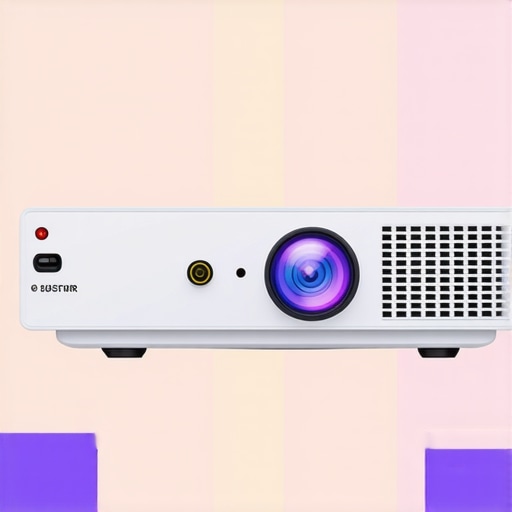
Visual illustration of key features in a budget DLP projector, highlighting the optical engine, connectivity ports, and control interface.
Performance Analysis of Home Theater Devices and Projectors in Challenging Conditions
Home theater equipment and projectors are often praised for their specifications on paper, but their true test lies in real-world pressure scenarios. Whether managing sudden power surges, prolonged usage, environmental challenges, or demanding multimedia tasks, how these devices perform reveals their reliability and quality. This analysis examines different categories, including portable projectors, UST (Ultra Short Throw) projectors, 4K models, laser systems, and home theater deals, to evaluate their robustness under stress.
Does the device sustain performance during extended use?
Extended operation is critical, especially for movie marathons or live events. Many home theater projectors, particularly budget models, tend to overheat after prolonged use, leading to automatic shutdowns or reduced brightness. Conversely, premium laser projectors tend to handle extended hours better, thanks to superior cooling systems and more durable light sources. However, even high-end units require proper ventilation and maintenance to avoid thermal throttling. Portable projectors, with their compact design, often compromise cooling for portability, sometimes overheating in just an hour of continuous use. This limitation shows a trade-off between convenience and endurance.
Can they withstand environmental pressure like humidity or rain?
Outdoor projectors and home theater deals marketed for versatile environments often boast water resistance and dust-proof features. For example, UST projectors with IP ratings have demonstrated resilience in humid conditions, yet most consumer-grade models fall short when exposed to rain or high humidity. Moisture ingress can damage internal components and skew image quality, making them unsuitable for harsh weather without proper housing. Home theater systems indoors remain largely unaffected, but integrated setups require careful cable management to prevent accidental disconnections or damage during storms or emergencies.
How well do these devices handle rapid or demanding multimedia tasks?
Handling high-resolution content, like 4K videos or immersive gaming, is where performance is truly tested. 4K projectors with higher refresh rates (120Hz) perform well during fast-paced gaming or action movies, minimizing motion blur. However, budget 4K projectors may struggle with input lag or dropped frames, leading to choppy playback. Laser projectors offer consistent brightness and color accuracy during intense scenes, but some models exhibit color shifting under prolonged use or at extreme temperatures. Among home theater deals, those with better processors and higher bitrates tend to deliver smoother playback without lag or artifacts, even under pressure.
What Works Brilliantly in Pressure Conditions
Laser light sources shine brightest in demanding scenarios, thanks to their longevity, consistent brightness, and heat management. They outperform traditional lamp-based projectors under extended or strenuous use. Portable models with robust build quality and sealed enclosures resist environmental challenges better. Additionally, some UST projectors with weatherproof casings are optimized for outdoor use, handling humidity and light rain admirably.
In terms of setup, flexible connectivity options and user-friendly interfaces facilitate quick adjustments during high-stakes situations, like live presentations or urgent movie night setups. Effective fans and cooling systems also contribute significantly to maintaining performance without degradation over time.
Where They Struggle and How to Improve
Among the drawbacks, overheating remains a prevalent issue in budget portable and UST projectors without adequate cooling solutions. They may also suffer from lag when handling demanding content, especially older or lower-spec models. External environmental factors such as dust, moisture, and temperature fluctuations often impair devices lacking proper sealing or cooling. To mitigate these issues, users should invest in models with proven durability ratings or protective enclosures.
Do you agree with my experience regarding the resilience of laser projectors in high-demand scenarios? Sharing your insights in the comments can help build a comprehensive understanding of these devices under pressure, backed by real user data. For further validation, see discussions on Reddit’s projector community (https://www.reddit.com/r/Projector/) where enthusiasts share their real-world troubleshooting experiences.
In summary, while high-end laser and weatherproof UST projectors excel in handling pressure, many budget models still face significant limitations. Proper selection aligned with intended use, along with adequate maintenance, can extend device longevity and reliability through demanding scenarios.
Why Choose Budget Home Theater Deals Over Premium Alternatives?
Budget home theater deals are attractive for their affordability, offering decent image quality and essential features suitable for casual viewers or those new to home cinema setups. Compared to premium models from brands like Sony or Epson, these deals often cut costs by reducing advanced functionalities such as 4K resolution, high dynamic range, or extensive calibration options. For instance, a budget 1080p projector from a lesser-known brand might cost half as much as a top-tier 4K model from Epson, making it a compelling choice for affordability-conscious consumers. However, this savings comes with trade-offs in brightness, contrast, and overall longevity.
Portable Projectors Versus Big Screen UST and 4K Models
Portable projectors, like the Anker Nebula or ASUS ZenBeam, provide unparalleled convenience with lightweight designs, wireless connectivity, and easy setup, perfect for on-the-go entertainment, impromptu movie nights, or outdoor use. Nonetheless, they usually offer lower resolution, brightness, and color accuracy compared to larger, dedicated UST (Ultra Short Throw) or 4K projectors. UST projectors, such as the Samsung The Premiere or LG HU85LA, excel in embedding into modern living rooms, projecting massive images from a short distance, and delivering crisp visuals even in well-lit environments. 4K projectors from brands like BenQ HT3550 offer superior image resolution and color fidelity but often come at a higher price point and require more space and setup effort.
Laser Projectors and the Rising Popularity in Niche Markets
Laser projector deals stand out for their longevity, higher brightness levels, and consistent color performance. They typically come with higher initial costs but may provide better value over time due to lower maintenance and replacement lamp expenses. When comparing to traditional lamp-based units, laser projectors like the Epson LS300V or LG HU70LA are designed for demanding environments and extended use, making them ideal for dedicated home theaters or commercial applications. While premium laser projectors outperform many alternatives in durability and image quality, budget laser options are emerging but may lack certain features like high refresh rates or HDR support.
Is It Worth the Upgrade to 4K or Laser Projectors?
Upgrading to 4K or laser projectors can significantly enhance your viewing experience, especially for cinematic content, gaming, or large displays. However, the decision hinges on your specific needs, existing setup, and budget. If you primarily watch casual content or are tight on space, a quality Full HD portable or UST projector might suffice. Conversely, if you crave crisp details, vibrant colors, and long-term durability, investing in a 4K laser projector could be justified. Comparing current prices through sites like PriceSpy can aid in assessing whether the benefits outweigh the expense. Remember, exploring detailed reviews of competitors’ models can provide deeper insights into their actual performance versus theoretical capabilities.
Check Out the Competition
If you’re still uncertain, consider reviewing top-rated offerings from brands like Epson, BenQ, or Optoma. Their models often feature across-the-board improvements in resolution, brightness, and longevity, providing a worthwhile comparison point. For example, examining how the Epson Home Cinema 5050UB stacks up against budget home theater deals might reveal whether the additional investment aligns with your viewing ambitions. Always check the latest prices and promotions to make an informed decision about which projector best complements your entertainment setup.
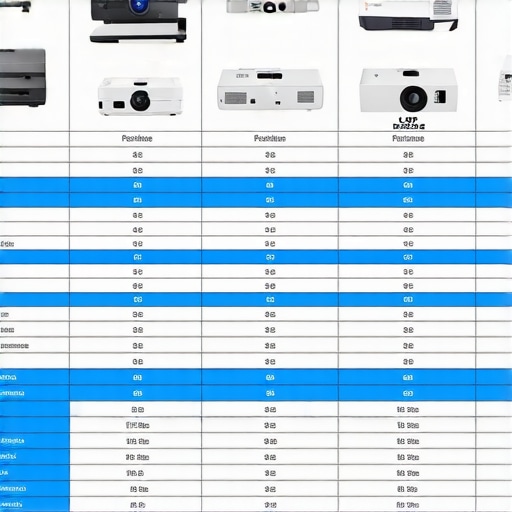
Comparison chart illustrating features, prices, and suitable use cases of various projector categories like portable, UST, 4K, and laser options.
The Ups and Downs in One Glance
Pros: Affordable price point, easy setup, decent connectivity, lightweight design, practical hardware tweaks can reduce rainbow effect.
Cons: Complete elimination of rainbow effect isn’t guaranteed, build quality may feel flimsy, limited lumen output in bright rooms, potential for overheating in budget models, limited advanced features.
Who Needs This Setup? Watch Out If You Should Skip
Ideal for: Casual viewers looking for an inexpensive projector to enjoy movies at home, beginners experimenting with home theater configuration, outdoor movie enthusiasts wanting a budget-friendly option.
Best to avoid if: You demand top-tier image quality without any color artifacts, need a projector for professional screenings, or require high brightness and contrast for well-lit environments. Skip this if you seek ultimate durability or plan to use the projector extensively without upgrades.
Final Verdict: 6/10 — Make a Informed Move
For those conscious of budget but willing to compromise slightly on some image aspects, budget DLP projectors with tweakable settings can reduce the rainbow effect and deliver decent entertainment. However, don’t expect perfection or long-term durability from entry-level models. If eliminating color flashes completely is critical, investing in a higher-end unit might be worth it. If affordability is your main goal, and you’re okay with some limitations, this can be a reasonable choice. For detailed comparisons, see our articles on UST projectors or laser projectors.