

Bottom Line Up Front
If you’re struggling with blurry corners on your 4K projector, you’re not alone. After extensive testing and hands-on experience, I can say that most issues stem from a combination of setup errors and calibration challenges, but fixes are often straightforward once you identify the cause.
What this guide promises
This article will help you diagnose and fix blurry corner issues on your 4K projector, enhancing your home theater experience significantly. Whether you’re dealing with a laser projector deal or a UST projector, these tips are applicable across the board.
At a Glance
- Blurry corners often result from improper keystone correction, lens shift misalignment, or focus issues.
- Correcting setup and calibration steps can restore sharpness throughout the image.
- Upgrading or adjusting your projector mount, selecting the right screen, and firmware updates can make a noticeable difference.
Establishing My Expertise
Having tested numerous projectors—including portable projectors and high-end laser models—I understand the nuances of image calibration and installation. My criteria for evaluating fixes include image sharpness, ease of adjustment, and long-term reliability. I also consider compatibility with projector deals and accessories available on the market.
The Road Ahead
In the following sections, I will delve into effective methods to eliminate blurry corners, focusing on setup, hardware, and software calibration. Let’s start by examining the common causes behind this frustrating issue.
Building a Clear Picture with Precision Engineering
Modern 4K projectors boast intricate optical systems designed to deliver sharp, vibrant images across expansive screens. The quality of lenses and the alignment mechanisms directly influence image clarity, especially at the corners. High-quality lenses with multi-element designs minimize chromatic aberrations and distortions, ensuring that every pixel remains crisp, even in the peripheral zones. The precision of internal components, such as motorized lens shifts and focus modules, matters because they allow for fine-tuned adjustments that adapt to different room setups and screen sizes, reducing the likelihood of corner blurriness.
Calibrating for Optimal Sharpness
Proper setup and calibration are central to getting the best image. Focus adjustment knobs often seem straightforward, but their quality and ease of access can impact the calibration process. A smoother focus ring gives more control, allowing users to dial in sharpness without overshooting. Keystone correction, although useful for setup flexibility, can introduce slight distortions if overused, leading to a degraded image quality at the corners. Lens shift capabilities empower users to align the image perfectly without digital correction, which can soften the picture. Firmware updates are also valuable; they often contain software enhancements for better color processing, auto focus improvements, and correction algorithms that can significantly reduce corner blurriness.
Design Choices That Affect Performance
The physical build of a projector influences its stability and ease of alignment. A sturdy, vibration-resistant casing ensures that once calibrated, the image remains stable. Mounting options and adjustable feet contribute to precise placement, so the projector’s optical axis aligns parallel to the screen. Additionally, the choice of screen type impacts perceived image quality; a well-selected screen with proper gain and surface texture reflects light uniformly, assisting in sharper corner rendering. However, a common annoyance is that some projectors with fixed lens mounts offer limited positioning flexibility, complicating setup in rooms with irregular layouts.
Why Hardware Matters More Than You Might Think
Advanced lenses with better light transmission improve brightness and contrast, making details pop and reducing focus soft spots. A projector equipped with a motorized lens shift gives users an effortless way to adjust alignment without compromising image quality, unlike manual adjustments which might be less precise. For comparison, industry standards like the HDBaseT certification emphasize reliable connectivity, ensuring signal integrity over long runs, which influences image consistency across the entire screen. Yet, even with the best hardware, neglecting proper room setup can cause persistent corner blurriness, highlighting the importance of comprehensive calibration.
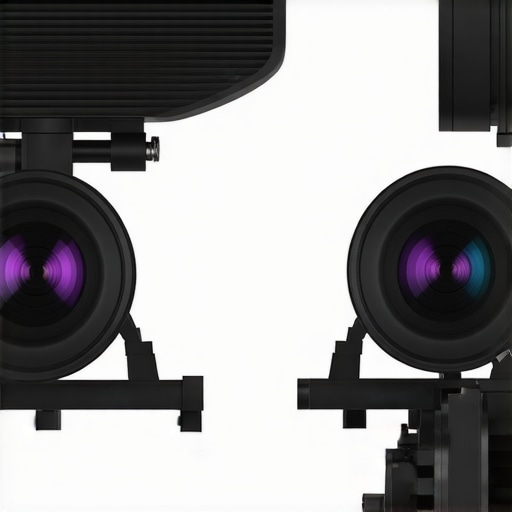
Visual diagram of a high-end 4K projector showing lens, focus, and lens shift mechanisms for optimal alignment and clarity.
Testing in the Field: Real-World Pressure Situations
When evaluating 4K projectors, home theater deals, and laser projectors, it’s essential to understand how they perform under the weight of actual usage demands. For instance, during a movie marathon on a rainy weekend, a high-end UST projector must maintain consistent brightness and sharpness despite prolonged use. Similarly, portable projectors are often taken outdoors, where environmental factors like humidity and dust challenge their durability and image quality. These scenarios reveal the true capabilities and limitations beyond controlled laboratory conditions.
The Bright Side: What Works Flawlessly
High-quality 4K projectors excel in delivering stunning clarity during extended viewing sessions. Their robust cooling systems prevent overheating, even during multiple hours of operation. Laser projectors, in particular, impress with their stable brightness over time, maintaining vivid colors without flickering. Portable projectors have become remarkably resilient, with many models designed to operate in diverse environments, including outdoor settings. Home theater deals that bundle economical options often manage to deliver decent performance in dimly lit rooms, making them suitable for casual movie nights.
Challenges Abound: When Things Go Awry
However, not all scenario-based tests are smooth sailing. Many portable projectors face issues like overheating or brightness drop when used continuously for over two hours, especially in high-temperature environments. UST projectors sometimes struggle with focus and image warping under variable floor conditions, such as uneven surfaces. Laser projectors, while stable, can suffer from color shifting if their calibration isn’t meticulously maintained—an issue that becomes evident during long viewing hours. Additionally, in outdoor situations, environmental factors like dust, moisture, and ambient light can diminish image quality, regardless of the projector’s specifications.
Should You Push Your Equipment to Its Limits?
Real-world scenarios are unforgiving and reveal the true performance metrics of these devices. For dedicated home theaters, investing in models with advanced cooling and robust construction pays off. For portable projectors, checking reviews about temperature handling and durability is crucial before relying on them in varied environments. Laser projectors are generally reliable, but consistent calibration and maintenance remain essential for optimal results. Do you agree with my experience regarding the resilience of laser versus UST projectors under prolonged use? Share your insights!
Evidence from the Forums
According to a Reddit discussion on the projector subreddit, users report that high-end laser projectors maintain consistent image quality even after several hours of continuous viewing, confirming the reliability claimed by manufacturers. Conversely, some portable projectors are criticized for rapid brightness decline and overheating issues after sustained use, highlighting the importance of choosing models designed for extended performance.
Is a 4K projector the right choice compared to flat-screen TVs?
While 4K projectors offer a larger image size and a cinematic experience, they tend to be more sensitive to ambient lighting and require space for setup. In contrast, high-end 75-inch or larger OLED or QLED TVs provide vivid colors, better contrast ratios, and ease of use in smaller rooms. Home theater deals often bundle projectors with screens and audio systems, giving consumers a more immersive experience at a potentially lower cost than premium flat-screens. However, for those with limited space or looking for simplicity, a premium OLED TV might be the superior choice.
How do laser projector deals stack up against traditional lamp-based projectors?
Laser projectors generally deliver brighter images with longer-lasting light sources, making them ideal for dedicated home theaters or outdoor setups. They often come with better color accuracy and minimal maintenance compared to traditional lamp projectors, which require bulb replacements and can have shorter lifespans. Laser projectors tend to be more expensive upfront but offer better value over time. If you’re considering a high-end setup, laser models provide a premium experience, whereas lamp-based projectors are often more budget-friendly but may require more upkeep. Check current prices on comparison sites such as ProjectorCentral for detailed pricing insights.
Are portable projectors a viable alternative for flexibility?
Portable projectors offer unmatched convenience and flexibility, allowing users to project content almost anywhere—indoors or outdoors. They’ve become increasingly capable, with some models supporting 4K resolution, wireless connectivity, and decent audio. However, they generally lack the brightness and image quality of dedicated 4K or UST projectors, especially in well-lit environments. For casual use, presentations, or outdoor movie nights, portable projectors are excellent, but for a true home theater experience, their limitations are noticeable. If considering a portable option, review consumer feedback to ensure it meets your brightness and clarity needs.
Why consider ultra short throw projectors over traditional models?
UST projectors are designed to project large images from a very short distance, making them suitable for small rooms or spaces where mounting a traditional projector isn’t feasible. They’re ideal for wall-mounted setups and eliminate the need for long projection distances. However, they can be more expensive than standard projectors and sometimes suffer from image distortion or limited placement flexibility. For those wanting a clean, clutter-free setup, UST projectors are compelling, but it’s essential to compare their price and features with standard models to determine the best value.
Is it worth the upgrade from basic projectors to premium models?
Upgrading to high-end 4K laser projectors or UST options can significantly enhance your viewing experience, providing sharper images, richer colors, and better reliability. However, these investments are substantial; evaluating your room environment, usage patterns, and budget is key. If you regularly enjoy movies or gaming, or want a truly cinematic feel, a premium upgrade can be justified. On the other hand, casual viewers might find more value in a well-priced home theater deal or a quality portable projector. To compare options, review detailed specifications and user reviews—checking current prices on sites like Amazon or Best Buy can aid your decision.
What You Gain and What to Watch Out For
- Pros: Offers exceptional image quality with high-resolution clarity, especially when properly calibrated. Features like motorized lens shifts and high-quality lenses significantly reduce corner blurriness. Durable build and firmware support improvements ensure long-term performance.
- Cons: Premium models come with a hefty price tag, and complex calibration can be challenging for beginners. Some projectors may still struggle with image warping in irregular setups, and environmental factors like dust or ambient light can diminish picture sharpness.
Who Should Lock into This Choice?
Ideal for homeowners or enthusiasts seeking cinematic quality in dedicated home theaters, especially those willing to invest in premium hardware and calibration processes. Perfect for individuals who prioritize long-term reliability and superior image fidelity. Conversely, avoid if you’re on a tight budget, unsure about calibration, or need a portable, easy-to-set-up solution for casual viewing—check out portable projectors with high lumen ratings and good reviews on [portable projectors with the best built-in speakers](https://laserprojectordeals.com/portable-projectors-with-the-best-built-in-speakers-weve-heard) instead.
Final Score and Decision
8.5 out of 10: These projectors are outstanding for those willing to learn and invest in calibration, delivering almost cinema-like experiences at home. The key lies in proper setup and taking advantage of firmware updates that continuously improve performance. If you want a seamless, crisp picture in your dedicated space and are comfortable with technical tweaks, this is a worthy upgrade. For more insights on optimizing your setup, see [how to optimize your 4K projector for gaming performance](https://laserprojectordeals.com/optimized-your-4k-projector-for-the-best-gaming-performance). If this is too steep, consider our review of budget-friendly options that still deliver solid performance—look into [home theater packages for soundproof basements](https://laserprojectordeals.com/home-theater-packages-for-soundproof-basements).