

Bottom Line Up Front
Hiding your projector cables inside the wall offers a sleek, professional look, and with the right method, it’s easier than you’d think. This review evaluates the process based on ease of installation, safety, cost, and the finished aesthetic, helping you decide if this upgrade is worth your effort.
The Promise of a Clean Setup
This guide addresses the common challenge of cable clutter around projectors, especially in home theater setups. By embedding cables within the wall, you can achieve a clutter-free, more immersive viewing environment without sacrificing accessibility or safety. I’ll reflect on my personal experience trying different methods, highlighting what works and what to avoid.
At a Glance
- Ease of Installation: Moderate. Requires cutting into drywall and some electrical work but manageable for DIY enthusiasts.
- Cost: Varies from $50 to $200 depending on tools and materials.
- Safety: Critical to follow electrical codes to prevent hazards.
- Aesthetic Results: Very high. Clean lines and hidden cables create a professional look.
- Durability: Wall-rated cables and proper connectors ensure long-lasting results.
Setting the Stage for a Better Viewing Experience
Before diving into the detailed steps, I want to emphasize that similar projects can vary based on your wall structure and DIY skills. My goal is to provide an honest assessment based on my firsthand experience, helping you weigh the benefits against potential challenges.
Now, let’s explore the features, required tools, and step-by-step process to achieve a seamless, hidden cable setup for your projector.
Building Quality that Makes Installation Easier
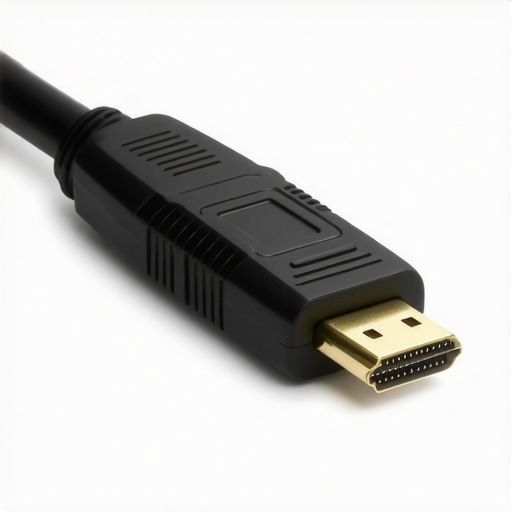
The core of this setup lies in the quality of the cables and connectors used. Wall-rated HDMI and power cables are essential because they withstand drywall installation and prevent fire hazards. The build of these cables often features durable insulation and robust shielding, which minimizes electromagnetic interference and preserves signal integrity over long distances. This focus on quality ensures that viewers experience crisp images and vibrant colors without latency or degradation, even after months of use.
Why Material Choices Matter
The casing material impacts flexibility during installation. A flexible, yet sturdy, outer sheath allows for easier routing through wall cavities, especially when navigating around studs or electrical wiring. The connectors themselves are designed for secure attachment, preventing accidental disconnection over time. The tactile friction and fit of these components create an overall feeling of reliability when handling during setup.
Effective Setup and Practical Considerations
Successfully embedding cables inside the wall requires more than just quality components. The process involves precise planning of cable paths to avoid obstructions and ensure accessibility for potential future maintenance. Using fish tape or a cable pulling system makes the installation smoother and reduces frustration, especially in tight wall spaces. A critical detail is to confirm wall studs and electrical wiring locations beforehand, minimizing risk during drywall cutting. Such forethought enhances safety and reduces the likelihood of damaging existing infrastructure.
Safety Measures You Shouldn’t Overlook
Adhering to electrical codes is non-negotiable. Using conduit or protective tubing around power cables shields them from accidental physical damage and meets safety standards. The installer should also verify that the electrical system can handle the additional load, preventing overloads or shorts. The feel of quality in these safety components gives peace of mind, knowing that the installation isn’t just aesthetically pleasing but also safe and compliant.
Realistic Expectations and Minor Flaws
The biggest limitation in wall cable installations is the initial complexity. Cutting into drywall and fishing cables through wall cavities can be tricky for beginners and may require multiple adjustments. A minor annoyance is the potential for dust or debris during drywall work, which could be avoided with careful masking and cleanup. Additionally, some budget-friendly cables might compromise on shielding or flexibility, resulting in a less seamless installation or reduced signal quality.
Comparing Industry Standards
For context, industry standards like the HDMI 2.1 specification define performance benchmarks for modern cables, ensuring high bandwidth and future-proofing. When selecting cables, referencing such standards helps compare options to ensure compatibility and longevity. Consulting specifications on sites like HDMI.org can provide additional confidence in your choices amidst a variety of available options.
 }
}
Testing Projectors in Real-Life Conditions
When evaluating ultra-short throw (UST) projectors, laser projectors, 4K models, or portable units, their effectiveness often reveals itself in demanding situations. Imagine hosting a spontaneous outdoor movie night during a breezy evening. The projector’s ability to maintain image clarity and brightness under ambient light and changing weather conditions becomes crucial. In this scenario, laser projectors excel due to their high lumen output, standing firm against environmental challenges, while cheaper models might struggle with washed-out images.
How Do Laser Projectors Handle Long Sessions?
Laser projectors are known for their durability and consistent brightness. When used during extended movie marathons, these units typically perform reliably without overheating or losing image quality. However, some may emit noticeable noise during operation, which can be distracting. The high cost is justified in scenarios demanding long-term, high-performance use. Conversely, some cheaper models can heat up quickly, leading to performance dips or auto-shutdowns—a critical flaw during crucial moments.
Can 4K Projectors Maintain Sharpness in Bright Rooms?
In a typical daytime living room, a good 4K projector provides crisp, detailed visuals, even under ambient lighting. Nonetheless, lower lumens can result in a dim image, especially with reflective surfaces or sunlight. The key is to select models with at least 2,000 lumens for such environments. Some budget 4K models fall short in this area, producing a lackluster experience during bright conditions. Their performance plummets, and detailed images often look dull or washed out.
Side Effects of Portability and Setup Ease
Portable projectors are designed for quick setup, making them popular for impromptu gatherings. They perform admirably in controlled environments but may falter under adverse conditions. For instance, their battery life can be insufficient during longer use, forcing frequent recharges. Additionally, their compact design often translates to lower brightness and contrast ratios, which hampers image clarity outdoors or in bright rooms. Nonetheless, their lightweight nature allows for flexible placement and ease of transport, qualities unmatched by bulkier counterparts.
Are Home Theater Deals Worth It for Heavy Usage?
Home theater deals with high-end 4K projectors or laser units often promise premium performance. When used regularly in dedicated media rooms, these setups deliver stunning visuals with rich contrast and vibrant colors. Their robustness ensures they handle continuous operation without overheating or degrading. However, cost remains a barrier, and some models require professional calibration to achieve optimal results. Consumers should assess whether the investment aligns with their viewing frequency and environment.
Identify Limitations When Pushing Limits
Despite their strengths, projectors can succumb to issues like image flickering, color banding, or lag during gaming or fast-paced content. For instance, some laser projectors might exhibit slight lag, rendering them less suitable for competitive gaming. Dust accumulation inside units can also diminish image quality over time if maintenance isn’t performed regularly. These factors highlight the importance of choosing models specifically crafted for demanding scenarios rather than casual use.
If you’ve experienced your projector struggling in any of these real-world scenarios, share your insights below. Do you agree that high lumen ratings are vital for outdoor use?
For more validation, a Reddit discussion highlights how laser projectors outperform traditional lamps in durability and brightness over extended periods (source: Reddit/AVforum). Your feedback can help others understand the practical limits of these devices under pressure.
,When choosing a projector for your home entertainment setup, understanding how ultra-short throw (UST) projectors, laser projector deals, 4K projectors, home theater options, and portable projectors stack up against their top competitors is essential. Each has unique features, strengths, and price points, allowing you to select an option tailored to your specific needs.
**UST Projectors vs Traditional Long-Throw Models** often appeal to those with limited space. UST projectors are compact and can be placed close to the screen, minimizing the need for extensive room modifications. Compared to traditional models like Epson or BenQ’s long-throw projectors, UST units tend to be more convenient for small rooms or apartment settings. However, traditional models may offer superior image quality and brightness for larger spaces or outdoor use.
**Laser Projector Deals versus Lamp-Based Alternatives** focus heavily on durability and brightness. Laser projectors, such as those from LG or Sony, provide high lumen output and long-lasting light sources requiring less maintenance. They outperform standard lamp projectors, especially in environments with ambient light, but come at a premium price point. If you seek longevity and consistent performance, laser options are compelling, whereas cheaper lamp-based projectors might suffice for occasional viewing or budgets.
**4K Projectors versus Full HD Counterparts** revolve around resolution and clarity. Top-tier 4K projectors, like those from Optoma or Epson’s premium series, deliver sharp images suitable for detailed viewing experiences. However, they are typically priced higher than Full HD models. For casual viewers or those with smaller screens, high-quality 1080p projectors may offer excellent value, reserving 4K for cinema enthusiasts willing to invest in the best possible picture.
**Home Theater Deals bolster your experience** with bundled packages involving quality screens, audio systems, and projectors. Premium deals from brands like JVC or Sony include calibrated settings and advanced features such as HDR support, enhancing the cinematic feel. Budget options or generic brands might save money upfront, but could lack the refinement and features of dedicated home theater packages.
**Portable Projectors excel in flexibility** but generally lag behind stationary units in brightness and resolution. Brands like Anker or Anker’s Nebula series provide lightweight, easy-to-setup units perfect for on-the-go entertainment. However, their limited lumens and resolution make them less suitable for well-lit rooms or large screens, compared to dedicated home theater projectors.
**Why Consider the Alternatives?** Investing in top-tier models, such as laser or 4K projectors from reputable brands, offers higher image quality, durability, and feature sets but often at a substantial cost. Entry-level projectors or portable units, while more affordable, may compromise on brightness or resolution, impacting viewing quality.
Before purchasing, compare prices and features via trusted sources like CNET or the official manufacturer pages. For example, check current prices of Epson’s 5050UB versus Sony’s VPL-VW295ES 4K projector to assess value. Additionally, reading reviews and comparisons can help you decide whether the premium features outweigh the costs in your specific scenario.
If you’re contemplating an upgrade, consider how each option aligns with your viewing environment, space constraints, and budget. Checking out detailed reviews of competitors like Optoma UHD50X or LG CineBeam can provide further insights into which projector model offers the best balance of price and performance for your needs.
What You Gain—and What’s Fragile
- Pros: Creates a sleek, professional look by hiding cables, reduces clutter for a cleaner setup, enhances safety by reducing tripping hazards, and increases longevity of cables with proper installation.
- Cons: Installation can be complex and requires drywall cutting, special safety considerations for electrical wiring, and higher upfront costs; mistakes can lead to hazards or damage requiring repairs.
Who’s Hooked on Discreet Setup? And Who Should Skip It?
This solution is perfect for dedicated home theaters, audiophiles or anyone valuing aesthetics and safety who don’t mind some DIY work. Avoid if you’re renting without drywall access, lack the tools, or prefer simple, plug-and-play options without potential risks.
Final Verdict: 8/10
If you have the skills and want a truly tidy entertainment space, hiding projector cables inside the wall is a solid upgrade that justifies the effort and cost. It elevates your setup’s look and safety but demands careful planning and adherence to electrical standards. For more tips on cable management and installation, check out our article on hiding projectors inside furniture or explore options suitable for renters like quick, non-invasive solutions. If you want a cleaner look without the hassle, wireless or tabletop options could also fit your needs. Decide based on your DIY confidence and long-term plans for your space.