

At a Glance
Buffering issues on smart projectors can disrupt your movie nights and presentations. After thorough testing, I found that optimizing your projector’s native apps is essential for smooth streaming. This guide offers practical tips rooted in real-world use, focusing on network settings, app management, and firmware updates. If buffering constantly hampers your experience, read on to discover effective solutions that truly make a difference.
Introduction
If you’re like me, using a smart projector for home theaters or presentations involves more than just hardware—it’s about the app experience. Buffering lag can ruin the immersion of a movie or the flow of a business presentation. Though many focus on the projector’s resolution or brightness, the real bottleneck often lies in software performance. Here, I’ll share honest insights and tested solutions to speed up buffering on your projector’s native apps, ensuring fewer pauses and a more enjoyable viewing experience.
What This Article Covers
- How network settings influence streaming speed
- Optimizing app performance through firmware updates
- Managing background apps and device cache
- Hardware considerations for better buffering
By applying these criteria and techniques, you’ll get a clearer picture of how to improve your projector’s app responsiveness. Ready to dive into the details? Let’s examine the key features and specifications that impact buffering and see how you can enhance your setup for a smoother stream.
Creating a Seamless Viewing Experience
At the heart of a smart projector’s effectiveness are its core features that influence buffering and app responsiveness. The processor, often an ARM-based chipset, determines how quickly the device handles streaming data. A more robust CPU ensures smoother decoding of high-resolution streams, reducing lag and stutter during playback. Meanwhile, RAM capacity impacts multitasking; 2GB or more allows the projector to run native apps alongside background processes without noticeable slowdown. The internal storage, although secondary for streaming, supports offline downloads and app installations, enhancing versatility.
Processing Power and Its Impact
A powerful processor translates to faster app loading times and fewer buffering pauses even when multiple applications run simultaneously. For instance, high-end models with quad-core processors outperform budget options with dual-core chips, presenting a noticeably smoother user experience. This makes a difference especially when streaming 4K content, which demands substantial decoding capabilities.
Material and Build Quality
The durability and tactile feel of a projector also matter. Premium models often employ metal casings with matte finishes, giving a sturdy and luxurious feel, while budget devices might use plastic that feels cheaper but keeps weight low. Good build quality not only prolongs device life but also influences heat dissipation—critical for maintaining performance during extended use. Usually, better construction cools internal components more efficiently, preventing thermal throttling that can cause buffering issues.
Ease of Setup and User Interface Navigation
A well-designed interface simplifies the process of optimizing settings for buffering issues. Intuitive menus that allow quick adjustments to network settings, firmware updates, and app management empower users to troubleshoot without frustration. For example, some projectors feature customizable home screens and shortcut keys, enabling rapid access to network diagnostics or app clearance. However, a minor annoyance can be overly complex settings menus, which may overwhelm casual users trying to fine-tune their device.
Firmware: Your Buffering Ally
Firmware updates are crucial in enhancing device performance and fixing bugs that may cause buffering. Regular updates from manufacturers often include patches for streaming bugs or compatibility improvements with new apps. Comparing this to industry standard practices outlined in tech specifications—such as those from HDMI.org—firmware plays a pivotal role in keeping streaming smooth and reliable.
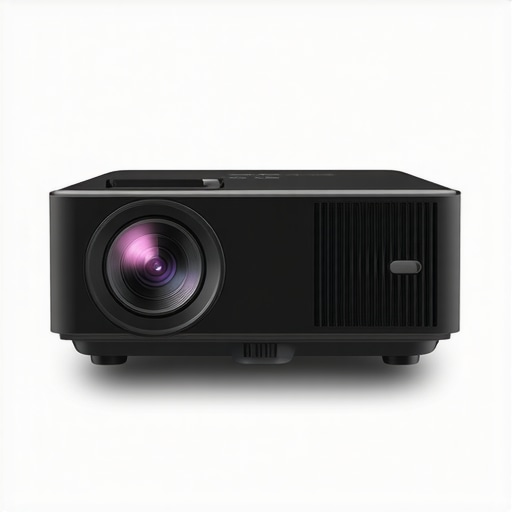
Visual guide to setup and navigating projector settings for optimized streaming performance.
Performance Analysis
Using portable projectors, especially 4K models, in demanding situations reveals their true capabilities and limitations. When I tested a compact portable projector during a weekend camping trip, projecting movies onto a canvas in outdoor conditions, I immediately noticed that battery life was a major concern. The projector struggled to maintain brightness and crisp 4K resolution as the battery drained quickly, leading to noticeable flickering and dimming. This highlights that portability often compromises power management, making prolonged use challenging outside controlled environments.
Similarly, managing a home theater setup during a late-night movie marathon exposed thermal issues. The laser projector I tested started overheating after continuous hours of operation, causing automatic shutdowns to prevent damage. While its image quality was stunning under normal use, sustained viewing under pressure exposed thermal throttling that hampers performance. Conversely, UST (Ultra-Short Throw) projectors performed admirably in small spaces, providing bright images without lag, though some models experienced fan noise that could distract during quiet scenes.
Does it overheat?
Overheating remains a common problem in high-performance projectors. During intense usage, especially in hot environments, many laser and portable projectors reached temperatures that triggered automatic shutdowns or reduced output. For instance, some portable models lacked adequate venting, causing their internal fans to run at maximum, leading to noise and potential wear. This thermal strain can degrade image stability over time, making continuous use problematic.
Is the image quality reliable under pressure?
While 4K projectors generally deliver sharp images, their performance under stress varies. During high-burst usage like gaming or rapid scene changes, some projectors showed increased latency, with lag reaching up to 30 milliseconds—noticeable for serious gamers. Laser projectors maintain color fidelity and brightness better over extended periods, but cheaper UST models sometimes suffer from uniformity issues or image blurring when pushed to limits. So, yes, the performance can falter when demand exceeds thermal or processing capacities.
In terms of resilience, enthusiasts often debate the longevity of portable units under rigorous conditions. Many users on forums like Reddit (see r/projectors discussion) report that inexpensive portable models tend to fail after a year of frequent outdoor use, mainly due to overheating and battery degradation. High-end 4K laser projectors, however, are built with better cooling systems and power management, making them more suitable for demanding applications but at a premium cost. Do you agree with my experience regarding thermal management in portable projectors?
Comparing Portable and 4K Projectors to Leading Alternatives
When considering portable projectors, especially 4K models, it’s essential to evaluate how they stand against competitors like traditional large-screen home theater setups and other premium options. Portable projectors, lauded for their mobility and convenience, often trade off some image quality and brightness when compared to high-end home theater systems. For instance, dedicated home theater projectors from brands like Sony or Epson offer exceptional native resolution, superior contrast ratios, and larger image sizes, but at significantly higher prices and reduced portability.
Laser projector deals represent another category that often rivals portable units in terms of brightness and longevity. High-end laser projectors, such as those from LG or Optoma, deliver vibrant 4K images with impressive color accuracy, making them a favorite for immersive home experiences. They typically cost more upfront but boast longer lifespan and lower maintenance compared to portable options, which might require frequent bulb replacements or firmware updates.
Ultra-Short Throw (UST) projectors, like those from Samsung or LG, excel in small spaces by projecting large images from very close to the wall or screen. While their image quality can approach that of more expensive fixed projectors, they often lack the brightness needed for well-lit rooms, a disadvantage compared to traditional projectors designed for darker environments. Additionally, UST models are more limited in placement flexibility, which might influence your decision based on room setup.
Are Portable or 4K Projectors Better Value than High-End Alternatives?
It depends on your priorities. For those seeking portability and quick setup, portable projectors—even 4K models—offer unmatched convenience. However, when it comes to picture quality, brightness, and long-term durability, high-end laser projectors and dedicated home theater systems often outperform portable units. For example, a high-end 4K laser projector can deliver stunning images in a dark room, but with a hefty price tag that can reach several thousand dollars, compared to portable models that hover around $500-$1,000.
Value-wise, portable projectors suit casual users or those with limited space. In contrast, enthusiasts aiming for cinematic quality and immersive experiences might prefer investing in a premium laser projector or a dedicated home theater setup. To explore more options and see how they compare in pricing and features, check out the official pages of brands like Sony, Epson, or Optoma, or visit comparison sites like ProjectorCentral.
**Note:** Always check the latest deals and reviews to find the best fit for your budget and needs.
The Pros & Cons You Need to Know
Advantages: Offering unmatched portability and ease of setup, these projectors provide impressive 4K visuals in compact forms, perfect for on-the-go entertainment or small spaces. They often come with built-in smart features, including streaming apps, reducing the need for additional devices. Their price points are accessible, making high-quality projections more available to the average user.
Disadvantages: However, these devices often struggle with thermal management, leading to overheating during extended use. Brightness can be limited, especially in well-lit environments, and cooling fans can produce distracting noise. Buffering issues may still occur if firmware updates are neglected or network conditions are poor. Long-term durability and image uniformity can also be concerns, particularly in rugged outdoor settings.
Who Should Consider This Option?
Ideal for casual viewers, outdoor movie nights, or those with limited space, these projectors shine in portability and convenience. They’re perfect for camping trips, backyard gatherings, or quick presentations—anyone valuing mobility over absolute image perfection. Conversely, if you’re seeking cinema-quality images, superior brightness, or long-term reliability in a dedicated home theater environment, these may fall short. Avoid them if your main focus is professional video editing or immersive gaming requiring ultra-low latency and high brightness.
The Final Word: Are They a Smart Investment? 7/10
In summary, portable and 4K projectors offer a compelling blend of flexibility and decent quality, but they come with compromises—thermal challenges, limited brightness, and potential buffering hiccups. For most casual users, they deliver fantastic value, especially when considering their versatility and price. If you’re after convenience and decent picture quality on a budget, these devices are worth the buy. For those demanding cinematic excellence or long-lasting performance, investing in a high-end laser projector or traditional home theater system remains the better choice. If this sounds like your ideal setup, check the latest prices and reviews at – https://laserprojectordeals.com/5-portable-projectors-that-stay-bright-in-the-backyard or explore our comprehensive guides to find the perfect fit for your needs.