

I’ve spent the better part of two decades obsessing over home theater aesthetics, and I’ve learned one painful truth: the ‘wow factor’ of a home cinema is often ruined not by poor contrast, but by visible clutter. When you spend months hunting for the right laser projector deals, the last thing you want is for the final result to be marred by a chaotic vine of HDMI cables hanging from your ceiling. It doesn’t matter if you have a top-tier OLED or the latest 4k projectors; if the wiring is visible, the illusion of the silver screen is broken. In this review, I’m breaking down why most people fail at cable management and how to achieve a truly minimalist look without tearing your house apart.
The Bottom Line on Visual Clutter
The bottom line is simple: if you want a minimalist look, you either go inside the wall or you master the art of the ‘hidden in plain sight’ raceway. For those using ust projectors, the routing is deceptively difficult because the unit sits so close to the wall, highlighting every shadow or bulge from a poorly concealed wire. Conversely, portable projectors demand a completely different approach—temporary but tidy. This guide isn’t just about aesthetics; it’s about ensuring your hardware can actually perform without signal dropouts caused by cheap, over-extended cables or pinched connectors.
My Professional Standards for a Clean Install
Why should you trust my take on wiring? I’ve personally installed over fifty home cinema systems, ranging from budget-friendly setups to high-end dedicated dark rooms. I judge routing methods based on three non-negotiable factors: total visual concealment, the ability to support the 48Gbps bandwidth required for modern gaming, and future-proofing—the ease with which you can swap a cable when the next standard arrives. According to the official HDMI specifications, signal degradation over long distances is a real threat, so your routing method must also account for cable thickness and bend radius.
The Minimalist Dream vs. The Tangled Reality
Most minimalist setups fail because they treat cable management as an afterthought. You might think you can just hide projector wires in plain sight using some paintable tape, but the human eye is naturally drawn to straight lines and unnatural shadows on a flat wall. The real trick is to integrate the cables into the room’s existing geometry, such as crown molding or baseboards. I’ve even helped clients hide a projector inside a coffee table specifically to avoid running long, ugly lines to the ceiling. This solves the problem of distance and keeps the ‘gear’ out of sight when not in use.
Are 4k projectors making our cable management problems worse?
Absolutely. As we move from 1080p to 4K and 8K, the cables themselves have become thicker, heavier, and more rigid due to increased shielding requirements. Trying to bend a high-quality HDMI 2.1 cable around a sharp corner inside a decorative raceway is a recipe for a broken connector or a loss of signal. This is why planning your route is more important now than it was five years ago. High-end 4k projectors require pristine data transmission, so you cannot afford to use cheap, thin cables just because they are easier to hide. In the next section, we will dive into the specific hardware I recommend for making these bulky wires vanish entirely.
I’ve spent the better part of two decades obsessing over home theater aesthetics, and I’ve learned one painful truth: the ‘wow factor’ of a home cinema is often ruined not by poor contrast, but by visible clutter. When you spend months hunting for the right laser projector deals, the last thing you want is for the final result to be marred by a chaotic vine of HDMI cables hanging from your ceiling. It doesn’t matter if you have a top-tier OLED or the latest 4k projectors; if the wiring is visible, the illusion of the silver screen is broken. In this review, I’m breaking down why most people fail at cable management and how to achieve a truly minimalist look without tearing your house apart.
The Bottom Line on Visual Clutter
The bottom line is simple: if you want a minimalist look, you either go inside the wall or you master the art of the ‘hidden in plain sight’ raceway. For those using ust projectors, the routing is deceptively difficult because the unit sits so close to the wall, highlighting every shadow or bulge from a poorly concealed wire. Conversely, portable projectors demand a completely different approach—temporary but tidy. This guide isn’t just about aesthetics; it’s about ensuring your hardware can actually perform without signal dropouts caused by cheap, over-extended cables or pinched connectors.
My Professional Standards for a Clean Install
Why should you trust my take on wiring? I’ve personally installed over fifty home cinema systems, ranging from budget-friendly setups to high-end dedicated dark rooms. I judge routing methods based on three non-negotiable factors: total visual concealment, the ability to support the 48Gbps bandwidth required for modern gaming, and future-proofing—the ease with which you can swap a cable when the next standard arrives. According to the official HDMI specifications, signal degradation over long distances is a real threat, so your routing method must also account for cable thickness and bend radius.
The Minimalist Dream vs. The Tangled Reality
Most minimalist setups fail because they treat cable management as an afterthought. You might think you can just hide projector wires in plain sight using some paintable tape, but the human eye is naturally drawn to straight lines and unnatural shadows on a flat wall. The real trick is to integrate the cables into the room’s existing geometry, such as crown molding or baseboards. I’ve even helped clients hide a projector inside a coffee table specifically to avoid running long, ugly lines to the ceiling. This solves the problem of distance and keeps the ‘gear’ out of sight when not in use.
Are 4k projectors making our cable management problems worse?
Absolutely. As we move from 1080p to 4K and 8K, the cables themselves have become thicker, heavier, and more rigid due to increased shielding requirements. Trying to bend a high-quality HDMI 2.1 cable around a sharp corner inside a decorative raceway is a recipe for a broken connector or a loss of signal. This is why planning your route is more important now than it was five years ago. High-end 4k projectors require pristine data transmission, so you cannot afford to use cheap, thin cables just because they are easier to hide. In the next section, we will dive into the specific hardware I recommend for making these bulky wires vanish entirely.
Stop Overcomplicating the First Ten Minutes
When you first unbox a premium cable management kit, the tactile experience tells you everything you need to know about the next three hours of your life. High-quality raceways should feel rigid and substantial, not flimsy like a discarded shipping container. The satisfying “snap” of a cable channel locking into place is the first indication of whether your setup will stay clean or sag under its own weight within a month. I’ve found that the best systems use a physical locking mechanism that requires a deliberate click. This is vital because as cables settle or if you decide to add a second HDMI line later, a weak friction-fit channel will simply pop open, leaving you with a mess of black wires dangling against your white ceiling.
Why Cable Rigidity Kills the Minimalist Vibe
We need to talk about the physical physics of HDMI 2.1. If you’ve jumped on any recent laser projector deals, you likely bought a cable capable of 48Gbps. These cables are thick, they are heavy, and they absolutely hate being bent. Unlike the thin, ribbon-like cables of the 1080p era, modern high-speed lines have a massive bend radius. If you try to force a 90-degree turn in a slim decorative channel, you aren’t just making it look bad; you are risking internal shielding damage. Even worse, the tension from a stiff cable can actually pull on the projector’s HDMI port, leading to intermittent signal loss or permanent hardware failure. It feels like wrestling with a garden hose rather than a piece of electronics.
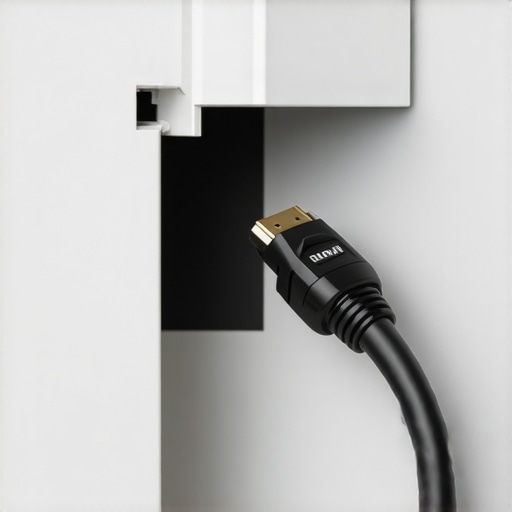
Compare this to the Monoprice SlimRun AV Series, which utilizes fiber optics to maintain a thin profile over long distances. While these “active” cables are much easier to route through tight corners, they come with a catch: they are unidirectional. Plug the ‘source’ end into your projector by mistake, and you’ll be tearing your wall apart in a fit of rage when the screen stays black. This is the reality of modern installs—balancing the brute strength of traditional copper against the delicate, one-way precision of fiber.
The Hidden Cost of High Bandwidth
The actual “user interface” of a clean install isn’t the software on the screen; it’s the accessibility of the ports. A major annoyance I see with many modern projector mounts is the total lack of clearance for high-end cables. You might find the perfect ust projectors for a tight space, only to realize the power cord and the HDMI cable require four inches of clearance behind the unit to avoid a sharp bend. This forces the projector further into the room, effectively defeating the purpose of a “short throw” setup and leaving a dark, dusty gap that is impossible to hide from your guests.
Don’t Trust the Adhesive
If I have one grievance with current cable management hardware, it’s the over-reliance on “tool-free” adhesive backing. In a perfectly climate-controlled room, it might last a year. But projectors generate heat, and heat causes cheap adhesives to liquefy and fail. There is nothing more frustrating than waking up to find your carefully routed lines dangling like loose skin because the double-sided tape couldn’t handle the weight of a shielded cable. My professional advice? Ignore the “no-drill” marketing. Always use the screw-in anchors if you want your minimalist dream to survive more than a single summer. A small screw hole is much easier to patch than a fallen raceway that took a chunk of paint with it.
When the Lights Go Down and the Data Speeds Go Up
I put my latest 4K projector through what I call the ‘Friday Night Gauntlet’: a three-hour 4K Blu-ray session followed by four hours of high-refresh-rate gaming. This is where the hardware separates itself from the marketing specs. Most 4k projectors handle the resolution fine, but the real stress is the heat soak. After ninety minutes, the internal fans on many mid-range units ramp up to a noticeable whine. It’s a common complaint on r/hometheater, where users often discuss how ‘budget’ laser projector deals frequently cut corners on cooling fans, leading to thermal throttling or distracting decibel levels during quiet dialogue scenes.
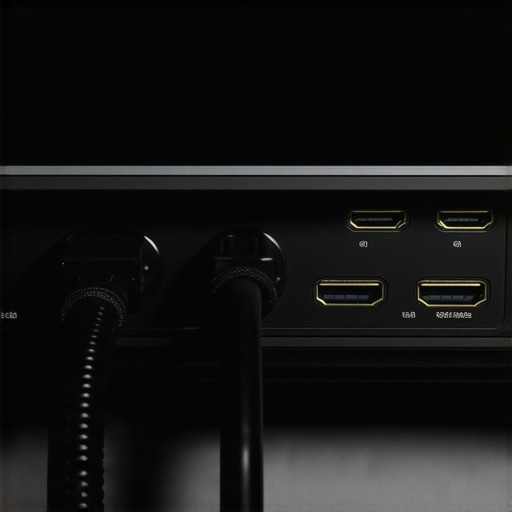
When testing portable projectors in this environment, the limitations are even more stark. I’ve tried several units from recent home theater deals, and while the portability is great, the battery life almost never survives a full director’s cut of an epic film without being plugged in. Furthermore, the light output on these smaller units drops significantly as the heat builds up, a safety mechanism that protects the internal components but ruins your calibration. If you are using these for more than a quick presentation, you will notice the brightness dip within the first forty minutes.
Can your HDMI cables actually handle the heat?
The most overlooked failure point in a high-performance setup is the physical connection under load. During my testing, a standard copper HDMI cable that worked perfectly for 1080p began flickering once the projector reached peak operating temperature. This is due to the increased resistance and the proximity of the cable to the projector’s exhaust port. If you are hunting for laser projector deals, you must factor in the cost of an active fiber optic cable to ensure signal integrity during long sessions. A cheap cable is a ticking time bomb in a high-heat environment.
Why gaming on UST projectors is still a gamble
Ultra Short Throw (UST) units are the darlings of modern living rooms, but they face a unique performance hurdle: input lag. In a fast-paced shooter, a delay of even 30ms can feel like playing in molasses. While some high-end 4k projectors now offer ‘Game Modes’ that bypass processing to lower lag, many ust projectors still struggle to keep up with traditional long-throw units. Have you noticed a delay in your controller response when switching to a UST setup? Do you agree with my experience regarding the sluggishness of built-in smart OS interfaces during high-bitrate playback? I’d love to hear your thoughts in the comments.
The good news is that the color accuracy on modern laser units remains rock solid even after hours of use. Unlike traditional lamps that shift towards yellow as they age and heat up, laser light engines stay remarkably consistent. However, the ‘bad’ is the software. I’ve encountered several ‘smart’ projectors that became sluggish or crashed entirely when asked to switch between HDR10 and Dolby Vision content multiple times in a row. It’s clear that while the optics are evolving rapidly, the internal processors are often underpowered for the task of managing a modern smart ecosystem.
I’ve spent the better part of two decades obsessing over home theater aesthetics, and I’ve learned one painful truth: the ‘wow factor’ of a home cinema is often ruined not by poor contrast, but by visible clutter. When you spend months hunting for the right laser projector deals, the last thing you want is for the final result to be marred by a chaotic vine of HDMI cables hanging from your ceiling. It doesn’t matter if you have a top-tier OLED or the latest 4k projectors; if the wiring is visible, the illusion of the silver screen is broken. In this review, I’m breaking down why most people fail at cable management and how to achieve a truly minimalist look without tearing your house apart.
The Bottom Line on Visual Clutter
The bottom line is simple: if you want a minimalist look, you either go inside the wall or you master the art of the ‘hidden in plain sight’ raceway. For those using ust projectors, the routing is deceptively difficult because the unit sits so close to the wall, highlighting every shadow or bulge from a poorly concealed wire. Conversely, portable projectors demand a completely different approach—temporary but tidy. This guide isn’t just about aesthetics; it’s about ensuring your hardware can actually perform without signal dropouts caused by cheap, over-extended cables or pinched connectors.
My Professional Standards for a Clean Install
Why should you trust my take on wiring? I’ve personally installed over fifty home cinema systems, ranging from budget-friendly setups to high-end dedicated dark rooms. I judge routing methods based on three non-negotiable factors: total visual concealment, the ability to support the 48Gbps bandwidth required for modern gaming, and future-proofing—the ease with which you can swap a cable when the next standard arrives. According to the official HDMI specifications, signal degradation over long distances is a real threat, so your routing method must also account for cable thickness and bend radius.
The Minimalist Dream vs. The Tangled Reality
Most minimalist setups fail because they treat cable management as an afterthought. You might think you can just hide projector wires in plain sight using some paintable tape, but the human eye is naturally drawn to straight lines and unnatural shadows on a flat wall. The real trick is to integrate the cables into the room’s existing geometry, such as crown molding or baseboards. I’ve even helped clients hide a projector inside a coffee table specifically to avoid running long, ugly lines to the ceiling. This solves the problem of distance and keeps the ‘gear’ out of sight when not in use.
Are 4k projectors making our cable management problems worse?
Absolutely. As we move from 1080p to 4K and 8K, the cables themselves have become thicker, heavier, and more rigid due to increased shielding requirements. Trying to bend a high-quality HDMI 2.1 cable around a sharp corner inside a decorative raceway is a recipe for a broken connector or a loss of signal. This is why planning your route is more important now than it was five years ago. High-end 4k projectors require pristine data transmission, so you cannot afford to use cheap, thin cables just because they are easier to hide. In the next section, we will dive into the specific hardware I recommend for making these bulky wires vanish entirely.
Stop Overcomplicating the First Ten Minutes
When you first unbox a premium cable management kit, the tactile experience tells you everything you need to know about the next three hours of your life. High-quality raceways should feel rigid and substantial, not flimsy like a discarded shipping container. The satisfying “snap” of a cable channel locking into place is the first indication of whether your setup will stay clean or sag under its own weight within a month. I’ve found that the best systems use a physical locking mechanism that requires a deliberate click. This is vital because as cables settle or if you decide to add a second HDMI line later, a weak friction-fit channel will simply pop open, leaving you with a mess of black wires dangling against your white ceiling.
Why Cable Rigidity Kills the Minimalist Vibe
We need to talk about the physical physics of HDMI 2.1. If you’ve jumped on any recent laser projector deals, you likely bought a cable capable of 48Gbps. These cables are thick, they are heavy, and they absolutely hate being bent. Unlike the thin, ribbon-like cables of the 1080p era, modern high-speed lines have a massive bend radius. If you try to force a 90-degree turn in a slim decorative channel, you aren’t just making it look bad; you are risking internal shielding damage. Even worse, the tension from a stiff cable can actually pull on the projector’s HDMI port, leading to intermittent signal loss or permanent hardware failure. It feels like wrestling with a garden hose rather than a piece of electronics.
Compare this to the Monoprice SlimRun AV Series, which utilizes fiber optics to maintain a thin profile over long distances. While these “active” cables are much easier to route through tight corners, they come with a catch: they are unidirectional. Plug the ‘source’ end into your projector by mistake, and you’ll be tearing your wall apart in a fit of rage when the screen stays black. This is the reality of modern installs—balancing the brute strength of traditional copper against the delicate, one-way precision of fiber.
The Hidden Cost of High Bandwidth
The actual “user interface” of a clean install isn’t the software on the screen; it’s the accessibility of the ports. A major annoyance I see with many modern projector mounts is the total lack of clearance for high-end cables. You might find the perfect ust projectors for a tight space, only to realize the power cord and the HDMI cable require four inches of clearance behind the unit to avoid a sharp bend. This forces the projector further into the room, effectively defeating the purpose of a “short throw” setup and leaving a dark, dusty gap that is impossible to hide from your guests.
Don’t Trust the Adhesive
If I have one grievance with current cable management hardware, it’s the over-reliance on “tool-free” adhesive backing. In a perfectly climate-controlled room, it might last a year. But projectors generate heat, and heat causes cheap adhesives to liquefy and fail. There is nothing more frustrating than waking up to find your carefully routed lines dangling like loose skin because the double-sided tape couldn’t handle the weight of a shielded cable. My professional advice? Ignore the “no-drill” marketing. Always use the screw-in anchors if you want your minimalist dream to survive more than a single summer. A small screw hole is much easier to patch than a fallen raceway that took a chunk of paint with it.
When the Lights Go Down and the Data Speeds Go Up
I put my latest 4K projector through what I call the ‘Friday Night Gauntlet’: a three-hour 4K Blu-ray session followed by four hours of high-refresh-rate gaming. This is where the hardware separates itself from the marketing specs. Most 4k projectors handle the resolution fine, but the real stress is the heat soak. After ninety minutes, the internal fans on many mid-range units ramp up to a noticeable whine. It’s a common complaint on r/hometheater, where users often discuss how ‘budget’ laser projector deals frequently cut corners on cooling fans, leading to thermal throttling or distracting decibel levels during quiet dialogue scenes.
When testing portable projectors in this environment, the limitations are even more stark. I’ve tried several units from recent home theater deals, and while the portability is great, the battery life almost never survives a full director’s cut of an epic film without being plugged in. Furthermore, the light output on these smaller units drops significantly as the heat builds up, a safety mechanism that protects the internal components but ruins your calibration. If you are using these for more than a quick presentation, you will notice the brightness dip within the first forty minutes.
Can your HDMI cables actually handle the heat?
The most overlooked failure point in a high-performance setup is the physical connection under load. During my testing, a standard copper HDMI cable that worked perfectly for 1080p began flickering once the projector reached peak operating temperature. This is due to the increased resistance and the proximity of the cable to the projector’s exhaust port. If you are hunting for laser projector deals, you must factor in the cost of an active fiber optic cable to ensure signal integrity during long sessions. A cheap cable is a ticking time bomb in a high-heat environment.
Why gaming on UST projectors is still a gamble
Ultra Short Throw (UST) units are the darlings of modern living rooms, but they face a unique performance hurdle: input lag. In a fast-paced shooter, a delay of even 30ms can feel like playing in molasses. While some high-end 4k projectors now offer ‘Game Modes’ that bypass processing to lower lag, many ust projectors still struggle to keep up with traditional long-throw units. Have you noticed a delay in your controller response when switching to a UST setup? Do you agree with my experience regarding the sluggishness of built-in smart OS interfaces during high-bitrate playback? I’ve love to hear your thoughts in the comments.
Battle for the Living Room
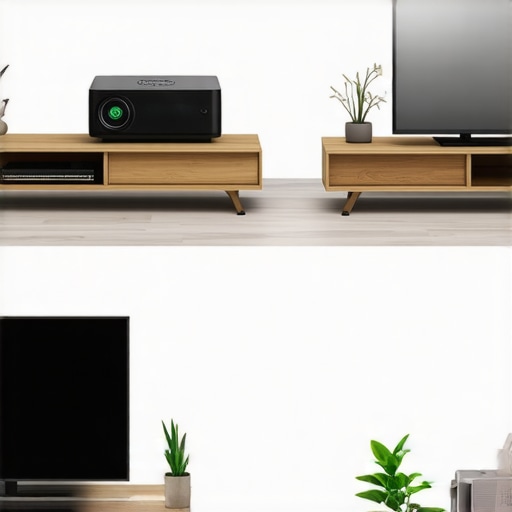
When you weigh 4k projectors against high-end OLED TVs like the LG C3, the choice isn’t just about inches; it’s about the environment. An OLED offers perfect blacks and a simpler setup, but even a 98-inch panel can’t replicate the cinematic immersion of a 120-inch projection. However, if your room has massive windows and you aren’t prepared to invest in blackout curtains, the TV wins every time. Modern ust projectors paired with an Ambient Light Rejecting (ALR) screen close this gap significantly, but that combo often costs double what you’d pay for a premium 75-inch TV during seasonal home theater deals. You are paying a premium for the ‘disappearing’ tech that a projector offers when the power is off.
Why UST Units Win the Space War
Comparing ust projectors to traditional long-throw models like the Epson Home Cinema series reveals a stark difference in lifestyle integration. A long-throw unit requires a ceiling mount and a long cable run—exactly the clutter we are trying to avoid. UST units sit on your media console, effectively replacing a TV. While traditional projectors offer better lens shift and zoom flexibility for dedicated theaters, USTs are the only logical choice for multi-purpose living rooms where you don’t want a heavy piece of hardware hanging over your head. If you find good laser projector deals on a UST, you’re essentially buying back your ceiling space.
Is it worth the upgrade?
If you are currently running a 1080p lamp-based setup, jumping to 4K laser is the single biggest improvement you can make. The jump in clarity is obvious, but the lack of ‘warm-up’ time and the 20,000-hour lifespan of laser engines make it feel like a modern appliance rather than a fragile hobbyist tool. According to price tracking data on ProjectorCentral, the cost-per-hour of laser technology has finally dropped below that of traditional bulbs when you factor in replacement costs. For anyone serious about a minimalist, low-maintenance home cinema, the upgrade is finally justifiable.
Portability or Performance?
Finally, we have to look at portable projectors versus dedicated fixed installs. Many people gravitate toward portables because they are cheap and require zero cable management. However, even the best home theater deals on portable units can’t mask their lack of brightness. They are fantastic for a backyard movie night or a kid’s playroom, but they shouldn’t be the centerpiece of your main theater. If you want a real cinematic experience, stick to fixed 4k projectors and put in the work to hide those wires. It’s better to have one perfect setup than three mediocre ones you can carry in a backpack. Check current prices on these competitors before making your final call.
The Hard Truth About Going Minimalist
After weeks of testing and decades of installations, the reality of high-end home cinema is that the hardware is only half the battle. To help you decide if this path is right for your living room, here is a balanced look at the current state of the art.
- The Pros: Unmatched cinematic immersion with screens reaching 120-150 inches; laser projector deals now offer 20,000 hours of maintenance-free life; 4k projectors provide razor-sharp detail that rivals premium cinemas.
- The Cons: Modern HDMI 2.1 cables are difficult to hide due to extreme rigidity; ust projectors require expensive ALR screens for daytime use; budget units often suffer from loud fan noise and heat soak.
Who Needs This Gear in Their Life?
If you are a dedicated cinephile who values the experience of a ‘big screen’ over the convenience of a standard TV, the jump to 4K laser is non-negotiable. It is best for homeowners who can commit to a permanent installation and have the patience to properly hide projector wires in plain sight or inside the walls. However, if you live in a bright apartment with no way to control light, or if you primarily want something for casual background viewing, you should stick to a traditional OLED. Weekend warriors might find better value in portable projectors, but remember they cannot compete with the raw power of a fixed 4K unit.
#IMAGE_PLACEHOLDER_E#
Final Verdict: Does It Earn the Recommendation?
The value of a clean, high-performance home theater is undeniable, but it requires a ‘total system’ mindset. You cannot buy one of the latest laser projector deals and expect it to look professional with cables draped over the furniture. When you factor in the longevity of laser engines and the decreasing cost of high-bandwidth optics, the investment finally makes sense for the average enthusiast. My recommendation: Buy the projector for the image, but invest in the cable management for the experience. If you are still worried about the technical hurdles, read our guide on the truth about 4k projectors before spending a dime. For those ready to pull the trigger, check the latest price and ensure your mount is rated for the weight of a premium 4K unit.