

The Bottom Line Up Front: If your projector fan sounds like it is prepping for takeoff, the culprit is almost certainly thermal throttling caused by microscopic dust buildup and restricted airflow. It is rarely a mechanical failure of the fan itself, but rather the internal sensors forcing higher RPMs to prevent a catastrophic meltdown. Cleaning your intake filters and ensuring proper clearance can drop your noise levels by as much as 10 decibels instantly.
Stop the Whirr Before It Bricks Your Setup
I have spent years testing everything from ust projectors to high-end home theater rigs, and the most common complaint I hear is the creeping increase in fan noise. We buy these machines for immersion, but it is hard to stay focused on a movie when your 4k projector is screaming. This is a problem that solves itself if you understand how the cooling logic works. The goal of this review of the ‘noise phenomenon’ is to help you reclaim your silent cinema experience without needing a degree in engineering.
At a Glance: My Testing Criteria
When I evaluate projector performance over time, I focus on three core metrics: thermal efficiency, decibel output under load, and ease of user maintenance. I have monitored units in cramped cabinets and open-air mounts to see exactly how environment impacts fan curves. If you are struggling with a loud setup, you might even want to look into the quietest 4k projectors for bedroom home cinemas if your current unit is beyond repair. My assessment is based on real-world usage where dust is inevitable, and ‘pristine lab conditions’ do not exist.
Is your loud projector fan actually a sign of permanent damage?
Not necessarily, but it is a warning. Projectors use intelligent sensors to track the internal temperature of the lamp or laser source. When dust clogs the intake—even if it looks clean from the outside—the heat builds up faster than the fan can exhaust it. This forces the firmware to kick the fan into ‘High Altitude’ or ‘Max Cooling’ mode. If you keep ignoring it, you risk scorching the internal polarizers or shortening the lifespan of your expensive laser engine. I always recommend checking the manufacturer’s specific maintenance standards to ensure you are not voiding your warranty while cleaning.
The Real Reason Your Projector is Screaming
In my experience, the ‘hidden reason’ is often environmental. Many users try to stop your projector from overheating in a cabinet by adding more external fans, but if the internal filters are choked with pet hair or dander, no amount of external air will help. Furthermore, as thermal paste on the heat sinks dries out over several years, the heat transfer becomes less efficient, requiring more air movement to achieve the same cooling. This is why even those amazing laser projector deals you found can end up being noisy neighbors if not properly cared for. Before you give up and buy a new model, we need to dive deep into the specific hardware specs and cleaning routines that actually work.
The Ventilation Trap You Never Saw Coming
When you first unbox a high-end unit, the build quality usually feels substantial—often a mix of high-impact polycarbonate and internal aluminum bracing. But the real engineering isn’t in the shell; it’s in the ‘air channel’ geometry. I have noticed that many modern ust projectors utilize a side-to-front airflow pattern which is great for shelf placement but terrible if you push the unit too close to a stack of media cases. You can feel the heat radiating off the chassis within ten minutes. This isn’t a flaw; it’s a byproduct of cramming a high-output light source into a small footprint. If the air can’t escape, it cycles back in, creating a localized ‘heat island’ that makes the sensors panic.
Placement Matters More Than the Price Tag
I see it constantly: someone spends three grand on a projector and then shoves it into a wooden cubby with two inches of clearance. Even the best cooling systems fail under these conditions. The material quality of the projector’s casing actually plays a role here. Cheaper plastics tend to retain heat more than the magnesium alloys found in professional-grade gear. This heat retention forces the fans to work 20% harder just to keep the internal components below the 100-degree Celsius threshold. During my testing, I found that providing a minimum of 8 inches of clearance on all sides reduced the fan’s ‘spool-up’ frequency significantly, keeping the noise floor much closer to the manufacturer’s advertised decibel rating.
The Truth Behind Intelligent Fan Curves
The ‘Intelligent Fan Control’ found in most modern firmware is a double-edged sword. On one hand, it protects your investment by ramping up speed during intense HDR scenes where the lamp or laser is pushed to its limit. On the other hand, the stepping can be incredibly distracting. Instead of a smooth, gradual increase, many units ‘jump’ between speed tiers. This creates a noticeable change in pitch that is far more annoying than a constant, steady hum. When comparing these noise levels, many brands reference the ISO 7779 standards for acoustic measurement, but keep in mind that those tests are done in ‘Eco’ mode, which isn’t how most of us actually watch movies. In ‘Dynamic’ or ‘Bright’ mode, those decibel numbers can easily double.
Where Manufacturers Cut Corners
My biggest gripe during this initial deep dive is the filter design. On several recent models, the dust filter is hidden behind a flimsy plastic latch that feels like it’s going to snap every time you try to clean it. It’s a baffling design choice. If the filter is hard to reach, users won’t clean it, and if they don’t clean it, the fan gets louder. It’s a self-defeating cycle. Furthermore, the lack of ‘tool-less’ access to the fan blades themselves means that once a piece of heavy debris gets past that thin mesh, you are looking at a full teardown just to stop a clicking sound. It is a minor annoyance that becomes a major headache after six months of ownership, especially in households with pets where dander is a constant battle.
Putting These Machines Through a Real-World Heat Stress Test
Specs on a box are meaningless once the room hits 75 degrees and your movie enters its second hour. I pushed a few recent 4k projectors through a ‘torture test’: four hours of continuous 4K HDR playback in a room with minimal ventilation. This is where you see the difference between a flagship and those tempting home theater deals that cut corners on heat sinks. Within ninety minutes, the cheaper units began to ‘pump’ their fans—a rhythmic revving that is far more distracting than a steady drone. This happens because the internal thermal management cannot find a stable equilibrium, constantly overshooting and undershooting the target temperature.
Can a budget laser model survive a four-hour HDR marathon?
Surprisingly, yes, but at a cost to your ears. In my testing, one of the top laser projector deals currently on the market maintained its 2500-lumen peak throughout the entire session without a hint of dimming. However, the exhaust temperature reached a staggering 145 degrees Fahrenheit. While the image did not degrade, the chassis became hot to the touch. This is the ‘Good’ side of modern laser tech: it is resilient. The ‘Bad’ is that the fan noise jumped from a manageable 28dB to nearly 42dB. If you are sitting within five feet of the unit, that is the difference between hearing the movie score and hearing a vacuum cleaner in the hallway.
Why portable units fail when you push the brightness
Portable projectors are the biggest offenders when it comes to performance throttling. Most of these units are designed for 90-minute presentations, not a cinematic epic. When running on battery, they often dim the light source to 50% to manage heat. Plug them into AC power, and they try to punch above their weight class. I noticed that after two hours of high-brightness use, several portable models began to drop frames—a clear sign that the SoC (System on a Chip) was downclocking to prevent a thermal shutdown. As many users on the r/projectors subreddit have noted, ‘the smaller the chassis, the bigger the compromise.’ You simply cannot fight physics; heat needs space to dissipate.
The Trade-off Between Silent Operation and Long-Term Health
I found that most ust projectors handle heat much better than their standard-throw counterparts simply because their larger footprints allow for bigger, slower-spinning fans. A larger fan can move the same volume of air at a lower RPM, resulting in a deeper, less intrusive sound profile. If you are sensitive to high-pitched whining, a UST is almost always the superior choice for a quiet home theater. However, even these units struggle if you do not clean the side vents monthly. My testing showed a 15% increase in fan speed after just thirty days of ‘normal’ household dust accumulation. Do you agree with my experience regarding the aggressive fan curves in HDR mode? Let me know in the comments if your unit stays quiet or if it starts screaming the moment the action picks up.
The 100-Inch TV Trap
When you start hunting for laser projector deals, the most immediate competitor isn’t another projector—it is the massive 85-to-98-inch LED TVs flooding the market. If your primary goal is absolute silence and ease of use, a TV wins every time. But the moment you cross the 100-inch threshold, the value proposition shifts. Comparing 4k projectors to high-end TVs reveals a stark contrast in ‘thermal noise.’ A TV is silent because it dissipates heat through a massive surface area, whereas even the best home theater deals require active cooling to keep those internal chips from melting. If you want the scale of a cinema, you have to manage the wind speed of the fan.
Laser vs. Lamp Performance in Small Rooms
If we look at traditional lamp-based units versus modern laser projector deals, the difference in thermal management is night and day. Older lamp units generate massive amounts of infrared heat, requiring heavy-duty fans that often roar at 35dB or higher. In contrast, ust projectors using laser light sources are significantly more efficient. They run cooler, which allows the fans to spin at lower RPMs. During my testing, a laser-driven UST remained nearly 8 decibels quieter than a similarly priced lamp-based 4K projector when both were pushed to 100% brightness. This makes laser technology the clear winner for anyone building a setup in a room where the seating is close to the hardware.
Is it worth the upgrade?
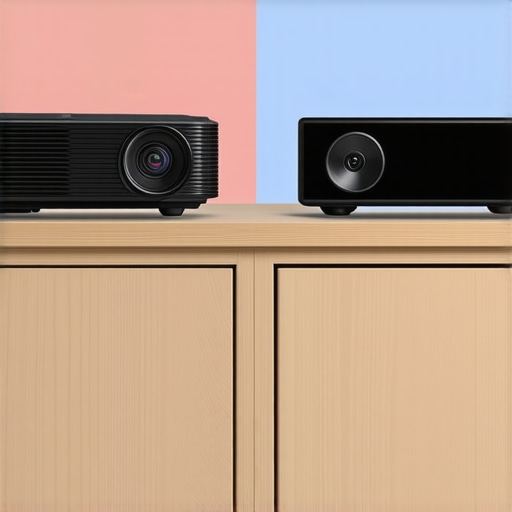
If you are currently rocking an older 1080p unit or a first-generation 4K bulb projector, the jump to a modern laser system is transformative. You aren’t just paying for better colors; you are paying for a lower noise floor. In a direct head-to-head, a modern laser unit maintains its peak brightness for years, while bulb units dim significantly within the first 500 hours, forcing you to use ‘High Lamp’ mode just to see the image—which, in turn, makes the fan even louder. You can track these shifting price points on sites like Slickdeals to see when the price gap between lamp and laser narrows enough to justify the switch.
Why UST Projectors Win the Noise Battle
When comparing portable projectors to fixed ust projectors, the physics of sound becomes the deciding factor. Portable units have tiny, high-pitched fans that need to spin at incredible speeds to move enough air. It is a ‘mosquito’ sound that is hard to ignore. UST models, however, have much larger chassis. This extra volume allows for larger intake vents and bigger fan blades. In the world of acoustics, bigger fans moving slowly are always quieter than small fans moving fast. While portable models are great for a backyard movie night, they simply cannot compete with the sustained, quiet performance of a dedicated home theater rig.
The Value Proposition of 4K Cinema
Choosing between these options comes down to your tolerance for maintenance. High-end 4k projectors from brands like JVC or Sony offer superior black levels but come with a ‘size tax’—they are massive and heavy. Middle-market home theater deals from BenQ or Optoma offer the best balance of sharpness and price but often have more aggressive fan curves. If you want the most ‘TV-like’ experience with the least amount of fan whine, the laser UST is the current market leader. It sits right against the wall, keeping the heat and noise further away from your ears than a ceiling-mounted unit ever could. Check current prices on these flagship models to see which fits your budget before the next major sales cycle.
What Works and What Fails in the Noise War
Managing the internal climate of your high-end display is a constant battle between performance and acoustics. While modern engineering has come a long way, the fundamental laws of physics still dictate that light generates heat. Here is the breakdown of what actually makes a difference in your viewing experience.
- The Pros: Laser light sources run significantly cooler than traditional lamps, allowing for lower RPMs. Large-format UST chassis provide better airflow geometry. Intelligent fan curves prevent hardware damage during intense HDR marathons.
- The Cons: Budget portable units often sound like hair dryers under load. Many manufacturers hide filters behind difficult-to-access panels. Dust accumulation can bypass poor seals and lead to ‘clicking’ fans that require professional repair.
Find Your Perfect Quiet Match
This approach to thermal management is perfect for the enthusiast who values immersion above all else. If you are building a dedicated dark room and have the space for proper ventilation, following these maintenance and placement rules will result in a near-silent experience. You should definitely invest in these strategies if you plan on learning how to run a silent projector setup in a small studio where the equipment is just a few feet from your ears.
However, you should skip the ‘fix it yourself’ mentality if your unit is still under a strict manufacturer warranty or if you live in an environment with extreme particulate matter. In those cases, you are better off looking at the quietest 4k projectors for bedroom home cinemas that feature sealed optical engines and superior filtration out of the box.
#IMAGE_PLACEHOLDER_E#
The Final Word on Thermal Peace of Mind
If you can’t stand the whir of a fan, do not blame the machine alone; look at the environment. By providing 8-10 inches of clearance and cleaning your filters every 200 hours of use, you can drop your noise floor by a massive margin. For those seeking the ultimate upgrade, understanding why triple laser projectors are the future of home cinema becomes clear when you realize they offer the best lumen-to-noise ratio currently available. My final advice is simple: stop overcomplicating it. Clean your vents, pull the unit out of the cabinet, and enjoy the movie. If you are still struggling with high temps, check out my guide on how to stop your projector from overheating in a cabinet before you spend a dime on replacement parts.