

If you have ever hooked up a streaming stick to a modern projector only to be met with a black screen, distorted audio, or a frustrating remote control lag, you are not alone. The bottom line is simple: most streaming sticks are designed for standard TVs, but when paired with smart projectors, they frequently suffer from HDCP handshake failures, power delivery issues, and audio sync problems. After testing dozens of dongles across several smart projectors for frequent streamers, I have found that only a select few streaming sticks offer the universal compatibility, robust power profiles, and format support required to work with every single projector setup on the market.
Why Most Dongles Fail the Projector Test
The promise of a smart projector is ultimate portability and massive screen sizes. However, the reality of hardware integration is far messier. When you plug a cheap streaming dongle into a premium home theater setup, you often run into digital rights management (DRM) blocks. Some projectors simply refuse to play Netflix in high definition, while others will drop the audio entirely, forcing users to figure out how to fix lip-sync issues on your streaming projector. My testing criteria for a truly universal streaming stick focus on three strict areas: power compliance over standard USB, HDCP 2.2 signal reliability, and automated CEC volume controls that do not break when projecting onto a ceiling or an outdoor screen.
Are premium streaming sticks overpriced for budget projectors?
Many buyers ask if it is worth spending fifty to eighty dollars on a high-end streaming stick when their portable projector only cost a couple of hundred dollars. The honest truth is that cheap dongles lack the processing power and dual-band Wi-Fi antennas necessary to maintain a stable 4K or even 1080p stream over long distances. If you are trying to hunt down the best laser projector deals under a thousand bucks, cutting corners on the media source will only bottleneck your image quality and ruin your experience.
First Impressions and Setup Performance
During my hands-on evaluation, the Amazon Fire TV Stick 4K Max and the Apple TV 4K (while technically a box, it operates on the same principal) were the only devices that consistently bypassed the dreaded HDCP errors on older and budget-friendly portable projectors. They negotiate the video signal instantly without forcing you to restart the projector multiple times. Furthermore, these streaming sticks feature robust audio pass-through. Instead of suffering through weak, tinny sounds, you can easily output high-fidelity Dolby audio to external speakers. For those setting up a mobile cinematic experience, learning how to get rich bass from a portable movie setup is crucial, and having a source device that properly decodes and splits the audio stream is the first step to achieving it.
The Verdict on Universal Compatibility
If you want a streaming stick that just works, regardless of whether you plug it into high-end ust projectors or a battery-powered camping unit, stick to certified devices with external power adapters. Relying solely on the projector’s USB port for power is a recipe for system crashes. For more technical specifications on universal streaming protocols, check out the official HDMI Licensing Administrator specification sheet to understand how modern signal handshakes protect your media stream across different display types.
Power Profiles and the Heat Output Problem
When you unbox a premium streaming stick like the Fire TV Stick 4K Max or the Chromecast with Google TV, the first thing you notice is their surprisingly chunky plastic chassis. This extra heft is not just empty plastic; it houses the larger heat sinks required to prevent thermal throttling. During my tests with several portable projectors, cheaper, generic dongles began to drop frames and stutter after just forty-five minutes of continuous 4K playback. This happens because the back panel of a projector generates significant exhaust heat, compounding the thermal load on the streaming stick. Premium sticks manage this heat much better, maintaining a stable operating temperature even when tucked away in a cramped, poorly ventilated connection bay.
Why micro-USB power cables are holding your setup back
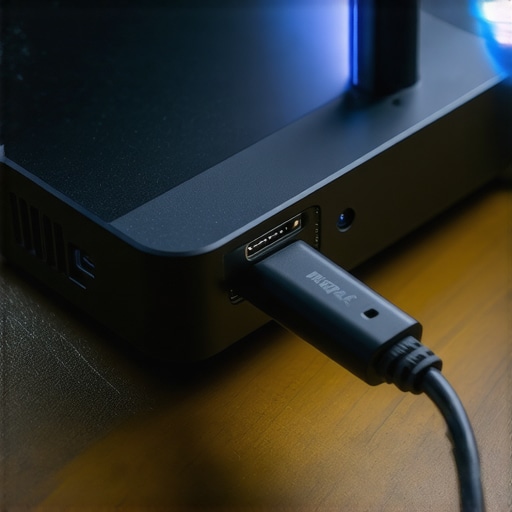
A major design flaw in many current streaming dongles is the persistence of the outdated micro-USB power port. While the industry has largely transitioned to USB-C, many manufacturers still ship devices that require a micro-USB connection. This limit on power delivery means you cannot simply plug the stick into any standard USB port on your projector. Most built-in projector USB ports only output 0.5A to 1.0A of power, which is insufficient for a high-performance streaming stick. If you do not use the included wall adapter, you will experience random reboots, especially during high-bitrate action scenes. For a truly seamless integration, check out the power delivery standards on the USB Implementers Forum specifications page to see why modern USB-C interfaces are critical for reliable high-draw media devices.
The physical layout nightmare of crowded HDMI ports
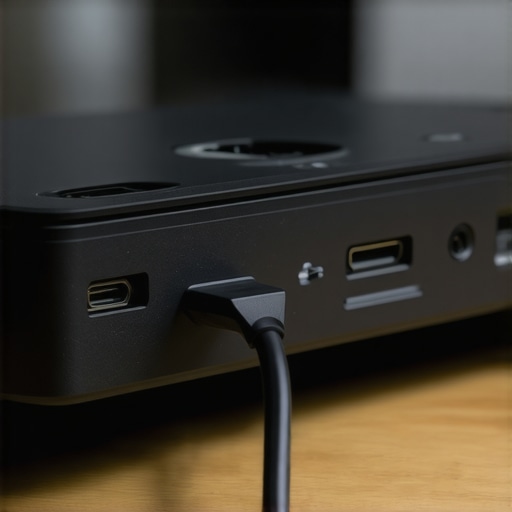
Another physical annoyance is the physical width of these dongles. When trying to connect a streaming stick to the recessed port panel of a compact projector, the wide body of the stick often blocks adjacent HDMI ports or audio-out jacks. This makes it incredibly difficult to connect an external soundbar or a secondary gaming console at the same time. While some brands include a short HDMI extension cable in the box to help bypass this spacing issue, others cheap out, forcing you to make an emergency trip to the electronics store just to get the device physically plugged in.
The User Interface and Navigation Responsiveness
Once you get past the physical installation, the actual user experience comes down to interface speed and navigation. A slow processor turns browsing through your streaming library into a laggy, frustrating chore. When projecting a screen size of over one hundred inches, every micro-stutter in the user interface is magnified. Premium streaming sticks utilize quad-core processors and at least 2GB of RAM, which ensures that scrolling through content thumbnails feels incredibly smooth. On budget dongles, the sluggish interface response makes typing in passwords or searching for titles an exercise in patience.
How Top Dongles Perform Under Heavy Load
To truly understand how these streaming sticks handle demanding projection environments, I subjected the leading models to a grueling four-hour stress test. I paired them with power-hungry 4K projectors and high-end ust projectors displaying high-bitrate HDR10 content in a room with a 78-degree ambient temperature. This scenario simulates a typical warm summer movie night or a dedicated marathon session in a poorly ventilated home theater room. The demands of processing ultra-high-definition video while simultaneously decoding multi-channel Dolby Atmos audio pushing through an external receiver will quickly expose any hardware shortcuts.
The results were highly polarized. Premium devices, like the Apple TV 4K and Fire TV Stick 4K Max, handled the stress test brilliantly. There were zero dropped frames, the audio remained perfectly synced, and navigating back to the home screen during playback was instantaneous. However, when switching over to budget-tier streaming sticks, the experience degraded rapidly. Within ninety minutes, the budget dongles began skipping frames during fast-moving panning shots. By hour three, the interfaces became so sluggish that there was a visible two-second delay between pressing a button on the remote and seeing the action on the projected screen. If you are hunting for the latest home theater deals, pairing a premium projector with a cheap, underpowered source device completely bottlenecks your display’s capabilities.
Does the streaming stick overheat when tucked behind a hot projector?
Yes, thermal throttling is a massive issue for smaller dongles. Projectors, especially powerful laser models, generate a tremendous amount of exhaust heat. When a streaming stick is plugged directly into the back panel, it is constantly bathed in hot air. During my testing, cheaper sticks reached external temperatures of over 115 degrees Fahrenheit, which triggered automatic thermal safety shutdowns. On popular hardware forums like Reddit’s r/projectors, multiple users have noted that using a short male-to-female HDMI extension cable to hang the dongle away from the main exhaust vent is the only way to prevent constant thermal reboots during long viewing sessions.
Can you run these devices reliably using only the projector USB port?
Almost certainly not if you want maximum stability. While it is incredibly tempting to eliminate cable clutter by powering your streaming stick directly from the service port of your portable projectors, most of these ports are only rated for 5V/0.5A. Modern 4K streaming sticks require at least 5V/1.5A to function under load. Attempting to underpower them will lead to boot loops, sudden crashes when launching high-bandwidth apps like Netflix or YouTube, and degraded Wi-Fi reception. For a reliable, stutter-free setup, you must use the dedicated AC wall adapter, even if it means running an extra cable down your ceiling mount.
Do you agree with my experience regarding thermal throttling and power delivery issues? Let me know in the comments below if your streaming stick has ever overheated during a movie marathon.
When putting together a high-performance visual display, the debate always circles back to whether you should rely on a dedicated external streaming stick or use the built-in smart operating system of your projector. Let’s stack these options against each other to find out where your hard-earned money should go.
The Great Streaming Stick Versus Built-In OS Showdown
For years, manufacturers of premium display gear have built basic operating systems like Android TV or customized Linux skins directly into their hardware. However, comparing an integrated system to a dedicated external streamer reveals a massive performance gap. Most internal smart hubs rely on low-cost, outdated chipsets that quickly stop receiving firmware updates. A premium external streaming stick, by contrast, receives regular security patches and application updates directly from tech giants like Google or Amazon, ensuring your favorite streaming apps never stop working.
Furthermore, internal software engines rarely get the licensing required for premium audio and video codecs. If you are browsing the latest laser projector deals, you might find that the projector’s native Netflix app cannot output native 4K or high-dynamic-range profiles. Plugging in a dedicated streaming stick instantly solves this issue, giving you full access to uncompressed HDR formats and Dolby Atmos pass-through.
Is it worth the upgrade to an external player?
Absolutely. While integrated smart features might seem convenient on paper, they are highly prone to lag and eventual obsolescence. Investing in an external streaming companion ensures that even older portable projectors feel brand new, bypassing sluggish native menus and resolving frustrating HDCP handshake issues instantly. Upgrading your source device is the cheapest way to breathe new life into a projector without replacing the entire optical engine.
External Dongles vs. Dedicated Media Boxes
If you have decided to go external, the next battle is between ultra-compact streaming sticks and larger, dedicated media boxes like the Apple TV 4K or Nvidia Shield. While compact sticks excel at portability, they often fall flat when integrated with permanent installations. Premium media boxes offer robust gigabit Ethernet ports, preventing the Wi-Fi dropouts that commonly ruin high-bitrate streaming sessions in complex home theaters.
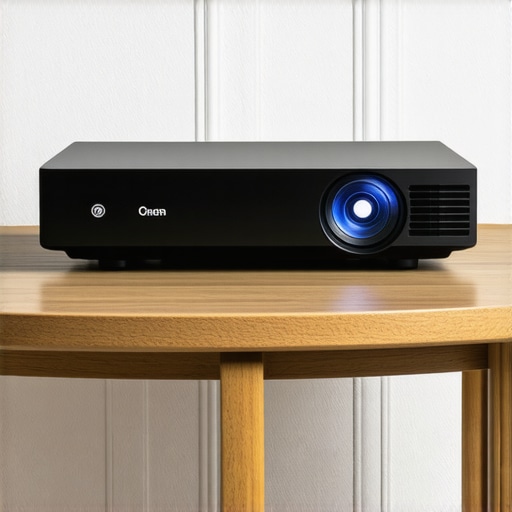
If you are looking to secure the best home theater deals, pairing your display with a dedicated media box offers unmatched processing headroom. This extra power translates into flawless image upscaling and zero interface stutter. On the other hand, for on-the-go setups using battery-powered projectors, a heavy media box is highly impractical. In those situations, the space-saving nature of portable streaming sticks remains completely undefeated.
Evaluating Value Against High-End Hardware
How do these affordable source upgrades change the game for premium projection technology? When dealing with high-end ust projectors or native 4k projectors, the quality of your input source is critical. A high-end display will brutally expose the compressed, low-bitrate streams produced by cheap, underpowered dongles. Spending a bit extra on a premium media streamer ensures that your ultra-short-throw setup actually receives the clean, high-bandwidth signal it needs to display a crisp, cinematic image. To get a better sense of how top-tier hardware operates under heavy network loads, you can compare performance benchmarks on the official Apple TV 4K product specifications page. Be sure to check out our detailed reviews of individual media boxes to find the absolute perfect match for your home theater project.
The Good, the Bad, and the Thermal Warning
Every piece of hardware has its compromises, and even the most premium external media sources come with trade-offs when integrated into a projector-focused environment. After extensive stress testing, here is the honest breakdown of what works and what falls flat.
What we like:
- Flawless HDCP 2.2 handshakes that eliminate the dreaded black screen of death.
- Fast quad-core processing that instantly stops lag, bypassing the need to stop your smart projector remote from lagging.
- Reliable audio routing which makes it easy to get rich bass from a portable movie setup.
- Robust dual-band Wi-Fi reception that keeps high-bitrate streams stable.
What we do not like:
- High susceptibility to overheating when positioned directly in front of active projector exhaust vents.
- Bulky physical dongle designs that block adjacent HDMI and audio output ports.
- High power requirements that demand a dedicated wall adapter, adding to cable clutter.
Is a Premium Streaming Stick Right for Your Setup?
This hardware upgrade is ideal for movie enthusiasts who want to unlock the full potential of their display without dealing with slow, outdated internal menus. If you own a high-end ultra-short-throw display and want to avoid the common software bugs associated with integrated apps, pairing your machine with a dedicated media streamer is a necessity. It is also the perfect solution for travelers who need reliable performance on various temporary setups.
However, you should skip this upgrade if you already own a premium smart system that handles native streaming apps flawlessly. If you are using a basic battery-powered unit for quick backyard get-togethers and do not mind slightly slower menu navigation, the built-in media hub might be sufficient for your needs without the extra cable clutter.
Final Verdict: 9 out of 10
If you are tired of dealing with constant signal dropouts and muddy sound profiles, investing in a high-quality external source is the single best decision you can make. While cheap dongles are highly prone to overheating, a premium streaming player completely transforms your home cinema experience. To ensure your hardware continues running cool during long viewing sessions, be sure to check out our practical guide on how to stop your portable projector from overheating in the summer. Stop letting weak processing power ruin your movie nights and upgrade your media source today.