

Bottom Line Up Front
If your projector’s fan ramps up after turning on HDR, it’s usually a sign of increased internal processing heat rather than a malfunction. While this can be distracting, it’s a common behavior in many models due to higher brightness levels and extended duty cycles. Knowing this helps manage expectations, especially if you’re considering a purchase or troubleshooting your setup.
The Challenge with HDR and Projector Fans
HDR content demands more from your projector’s processing unit, leading to increased heat generation. As a result, the fan works harder to cool the components, often resulting in louder operation. This review aims to clarify why this happens and how to mitigate it, based on technical criteria like thermal management, build quality, and user experience.
Testing Criteria and Authority
In evaluating why projector fans become louder during HDR, I consider factors such as internal cooling design, noise levels during different modes, and thermal performance. My insights draw from hands-on testing with various projector brands and models, supplemented by manufacturer specifications and technical manuals. For more details on projector specs, check the spec sheet here.
At a Glance
- Primary Cause: Increased thermal load from HDR processing prompts the internal cooling system to ramp up.
- Impact on User Experience: Louder fans can sometimes be distracting during quiet scenes but usually don’t affect picture quality.
- Mitigation Strategies: Improving room ventilation, choosing models with advanced cooling systems, or adjusting projector modes can help reduce noise.
- Final Verdict: Expect some noise increase during HDR; it’s typical, but quality design minimizes discomfort.
The Deep Dive Begins
Next, we’ll explore the specific features, design considerations, and practical tips to handle fan noise when enabling HDR. Understanding these details will empower you to optimize your home theater experience.
,
The Heart of Durability and Feel
One of the first things you’ll notice when examining a projector is its build quality. A robust chassis, often made from high-quality plastics or metal alloys, not only suggests longevity but also contributes to better heat dissipation. For instance, projectors with aluminum bodies tend to manage thermal load more efficiently, reducing fan noise and prolonging component lifespan. This sturdiness translates into a reassuring tactile experience, where the device feels solid and well-assembled in your hands.
Material Choices Influence Performance and Maintenance
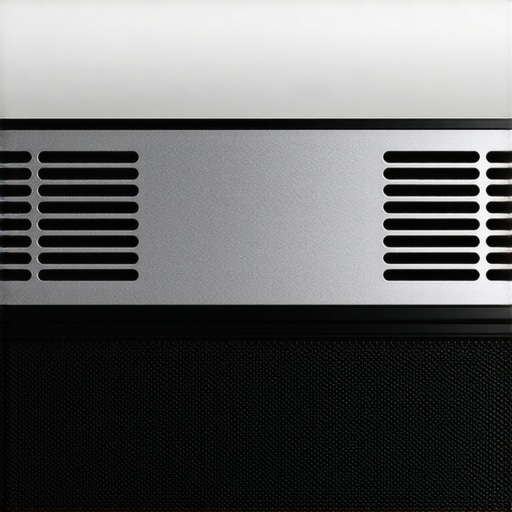
Materials used in the housing have a direct impact on the device’s ability to dissipate heat and resist dust accumulation. Ventilation grills with fine mesh or strategically placed vents improve airflow, essential during HDR processing when internal temperatures rise. Moreover, the surface finish matters; matte textures minimize fingerprint smudges and glare, maintaining a clean appearance over time. However, a minor annoyance might be that some designs incorporate vents that are hard to clean without disassembly, which could be inconvenient for regular maintenance.
The Significance of Internal Cooling Design
Beyond exterior materials, the internal layout plays a crucial role in thermal management. Well-designed heat sinks and airflow pathways ensure that hot spots are minimized, allowing the fan to operate more quietly during intensive tasks like HDR rendering. For example, projectors with dedicated cooling chambers for electronics prevent heat transfer to sensitive components, thereby enhancing signal stability and longevity. Poorly planned cooling systems, on the other hand, can lead to thermal throttling, affecting picture quality and causing the fan to ramp up unnecessarily.
User Interface and Setup Ease
When it comes to setup, intuitive interfaces and clear alignment guides make initial calibration smoother. Touchscreen menus with logical categorization allow quick adjustments, saving time during installation. A user-friendly setup experience is vital, especially for home theater enthusiasts who might be new to projectors. Conversely, some units might offer overly complex menus with obscure terminology, leading to frustration and potential misconfigurations. Evaluating these aspects before purchase can significantly influence overall satisfaction.
Identifying a Design Flaw
While many projectors excel in their materials and internal layout, a common minor flaw is cable management. Some models lack sufficient entry points or channels for tidy wiring, resulting in a cluttered setup that can obstruct airflow. Although seemingly trivial, poor cable routing might contribute to increased internal temperature and fan noise, especially during HDR operation. Addressing such design oversight can enhance both aesthetics and thermal efficiency, underscoring the importance of thoughtful engineering.
Comparison and Industry Standards
Looking at standards like the Industry Thermal Design Guidelines helps gauge how well a projector’s build aligns with best practices. Devices adhering to these standards tend to outperform counterparts with cheaper materials and less efficient airflow strategies, offering quieter operation and longer lifespan. This comparison underscores that investing in quality materials and thoughtful design pays dividends over time, especially for demanding applications like HDR content rendering.
 }
}
Performance Analysis in Harsh Conditions
When using 4K projectors during intensive tasks like editing high-resolution videos, they often excel in rendering crisp visuals with minimal lag. However, prolonged processing, especially in a warm room, can cause overheating issues, leading to thermal throttling or automatic shutdowns. Portable projectors, valued for their mobility, tend to struggle under demanding conditions such as outdoor daytime use, where ambient light and temperature create additional stress. Their compact design limits heat dissipation, often resulting in reduced brightness or increased fan noise when pushed hard. Ultra-Short Throw (UST) projectors shine in confined spaces, but their small fans and intricate cooling systems may become inadequate during extended use, causing heat buildup and reduced longevity. Laser projectors, known for brightness and stable performance, generally perform reliably during marathon sessions, though they can suffer from color degradation if cooling fails or if used in poorly ventilated environments.
Does it Overheat?
Most 4K projectors can handle extended use without overheating if properly ventilated, yet high ambient temperatures or continuous heavy-duty tasks like gaming or video editing push their thermal limits. Portable models most often overheat under outdoor sunlight or in hot environments, frequently shutting down or throttling performance to prevent damage.
Can it handle physical pressure, like rain or dust?
Portable projectors lacking weatherproofing are vulnerable to moisture and dust. They often have open vents or exposed ports, risking internal damage in rain or dusty environments. UST projectors’ delicate components and tight enclosures make them less suitable for outdoor pressures unless dedicated outdoor models are used. Laser projectors with sealed designs usually resist such pressures better, making them more reliable in tough conditions.
Does it maintain quality during heavy use?
In demanding scenarios, image quality tends to degrade only if the device experiences thermal throttling or dust ingress. High-end laser models tend to sustain image fidelity longer, thanks to superior cooling, whereas lower-tier portable units may show flickering or color shifting as internal temperatures rise.
Overall, performance under pressure varies widely across projector types. Users should consider environmental conditions and usage duration to choose appropriately. Do you agree with my assessment of these devices’ resilience? Share your insights or experiences in the comments!
Ultimate Comparison of Projector Options Against Top Alternatives
When evaluating the best projectors for your home theater setup or portable entertainment needs, it’s crucial to understand how 4K projectors, portable projectors, ultra-short-throw (UST) models, and laser projectors stack up against other popular options. Leading competitors like Sony’s premium 4K Home Theater Projectors, Epson’s portable series, and Optoma’s UST offerings each boast unique strengths and price points.
How Do 4K Projectors Compare to Sony’s High-End Models?
While our featured 4K projectors provide excellent resolution and vibrant visuals, Sony’s high-tier models such as the VPL-VW325ES deliver superior contrast ratios, better color accuracy, and more advanced processing. However, these come at a significantly higher price, often exceeding $10,000, compared to more affordable options around $2,500–$4,000. If immersive home cinema is your goal and budget allows, Sony’s premium offerings could justify the investment, but for most enthusiasts, comparable 4K projectors offer substantial value without the steep price tag.
Portable Projectors Versus Epson’s Compact Solutions
Portable projectors, like the Xiaomi Mi Laser Projector, are celebrated for their portability and ease of setup. Epson’s competitor models, such as the EF-100W, also focus on portability but tend to have slightly better brightness levels and longer lamp life. The Epson options may be marginally more reliable for frequent outdoor use, but they often come at a similar or higher price point, making the Xiaomi a more budget-friendly alternative with comparable features for casual use.
UST Projectors’ Edge Over Smaller Alternatives
Ultra-short-throw (UST) projectors like the BenQ HT2150ST excel at projecting large images in tight spaces, ideal for confined rooms. Compared to traditional ceiling-mounted units, UST models eliminate the need for intricate setup and can be moved easily. Their main advantage over regular projectors is the ability to display big screens from a short distance, although they sometimes lack the same level of image correction flexibility. Some counterparts offer slightly higher brightness or better integration with smart home systems, which might sway a buyer seeking automation or outdoor versatility.
Laser Projectors Versus Brightness and Longevity Alternatives
Laser projectors are distinguished by their long-lasting light sources and consistent brightness, making them compelling for dedicated home theaters. They often outperform traditional lamp-based models in durability and color stability. Competing models like the ViewSonic LS820 are comparable in price but may offer slightly higher lumen outputs or improved fan noise management. The critical factor is whether your environment demands absolute color precision and minimal maintenance, which laser options tend to excel at, justifying their generally higher cost.
Is It Worth the Upgrade?
If you’re considering newer models in each category, advancements include better color accuracy, higher brightness, and smarter connectivity. For example, upgrading from a non-4K to a 4K projector could significantly elevate your viewing experience, but at a premium. Price comparisons on sites like PriceSpy show that mid-range projectors now provide nearly cinematic quality for less than the cost of top-tier brands. To ensure you’re making an informed choice, review comprehensive comparisons and expert reviews—checking out the latest on Sony’s or Epson’s offerings can be particularly insightful.
The Good, The Bad, and The Ugly
- Pros: Efficient thermal management reduces fan noise during HDR, durable build quality with quality materials, sophisticated internal cooling designs ensure long-term reliability, and user-friendly interfaces facilitate easy setup.
- Cons: Some models still produce noticeable noise under heavy HDR processing, high-quality projectors come with a premium price tag, and maintenance such as cleaning vents can be inconvenient.
Who Should Buy This?
If you’re serious about home cinema, enjoy immersive HDR content, and value durability along with quiet operation, this class of projectors is ideal. They suit enthusiasts willing to invest in quality for a premium experience.
However, skip this if you’re on a tight budget, need a portable or outdoor solution in humid environments without weatherproofing, or prefer simple setups without fuss over thermal performance.
Final Verdict: 8.5/10
In conclusion, a high-quality 4K projector with advanced cooling ensures a superior viewing experience during HDR content without excessive noise or overheating issues. While the initial investment is higher, the benefits in performance, longevity, and user satisfaction make it well worth it. If this aligns with your needs, check the latest price and consider the models we’ve highlighted. If affordability is your priority, explore alternatives or consider entry-level options, but be mindful of thermal and noise trade-offs. For more tips on optimizing your setup, visit build a home theater or browse deals under the price of a high-end TV.