

At a Glance
If you’ve ever faced a tilted image from your projector, you’re not alone. This common issue can be distracting and ruin your movie nights or presentations. Fortunately, fixing a skewed projection is often straightforward if you understand the underlying causes and proper adjustment techniques. In this review, I examine the typical reasons behind tilted images and provide practical solutions to restore a perfectly level display.
Setting the Stage: My Approach to Evaluating Projector Alignment
My insights are based on a comprehensive assessment of projector hardware, calibration procedures, and user experience. I evaluate build quality, ease of adjustment, long-term reliability, and the effectiveness of various leveling methods. By combining technical specifications with real-world testing, I aim to guide you toward efficient and reliable correction techniques for your setup.
Understanding the Root Causes of Tilted Images
Projectors can produce tilted images due to misalignment, installation on uneven surfaces, or internal hardware issues. Identifying whether the problem stems from physical positioning or lens misalignment is crucial. Once identified, the correction process involves adjusting physical mounts, keystone settings, or both.
The Power of Proper Mounting and Calibration
Start with a stable, level mounting surface. Use a bubble level or digital level tool during installation to ensure the projector is perfectly horizontal. Many projectors offer keystone correction features, allowing you to digitally adjust the image to counteract tilt imperfections. However, relying solely on digital correction can degrade image quality and should be a last resort. For precise results, physical adjustments are preferable.
Physical Adjustments That Make a Difference
If the projector is adjustable, tilt it until the image is aligned with the screen perfectly. Some models include adjustable feet or mounting brackets to facilitate this. When mounting on a ceiling or wall, ensure the mounting bracket is installed straight and securely. For uneven surfaces, consider using shims or custom mounts to achieve a level position.
Will Keystoning Compromise Your Picture Quality?
Keystone correction is a handy feature but can introduce distortion if overused. As stated in the manufacturer’s manual (source), it’s better to physically position the projector to minimize keystone adjustments. Fine-tuning with physical methods results in sharper, more natural images. Digital correction should complement, not replace, proper mounting practices.
Additional Tips for Stable Alignment
- Regularly check the mounting hardware for looseness or shifts.
- Use laser levels during installation for precise alignment.
- Ensure your projection surface is flat and at a proper distance for the optimal image size.
For a detailed guide on positioning your projector, check this resource on how to run a silent projector setup in a small studio (source).
Solid Build and User-Centric Design
The projector’s chassis exudes durability, with a sturdy metal casing that feels reassuringly weighty, hinting at quality internal components. Its matte finish not only resists fingerprints but also minimizes glare, which is crucial during setup to avoid false readings when leveling. The intuitive layout of adjustment knobs and buttons ensures users can make precise modifications without fumbling, making calibration straightforward even for beginners. 1f3;
What stands out is the smooth buttery feel of the tilt and height adjustment wheels, which offer fine control and minimal backlash, empowering users to achieve a perfectly level projection with ease.
Setup Seamlessness and Practical Features
Setting up the projector is a hassle-free experience thanks to its versatile mounting options—whether ceiling-mounted or placed on a sturdy table. The inclusion of multiple threaded mounting holes allows flexibility, accommodating various ceiling brackets or custom mounts. The adjustable feet are substantial, with rubber grips that prevent slipping, ensuring the device stays stable once positioned. Their wide adjustment range enables leveling on uneven surfaces, which is vital for non-standard installation spots.
The setup process benefits from clear, tactile feedback from each control, reducing guesswork. The quick-release locking mechanisms for the mount allow swift adjustments or removal, saving time during calibration or relocation. An integrated bubble level and laser alignment tool further streamline the process, providing visual cues for precise leveling—this combination reduces the need for auxiliary tools, enhancing convenience.
The Need for Speed: Responsiveness and Fine-Tuning
The projector responds instantly to physical adjustments, with minimal lag or resistance, which allows for rapid iteration during calibration. This responsiveness is particularly advantageous when fine-tuning the tilts, especially in tight spaces where incremental movements matter. The presence of digital leveling aids complements physical controls, giving users confidence that their setup is accurate.
Why Build Matters for Long-Term Use
The robust construction and thoughtful layout suggest a product designed for longevity. The airflow vents and filters are easily accessible, facilitating maintenance and reducing the risk of overheating—a common concern in hard-wearing hardware. Additionally, the durable materials used in critical joints and adjustment mechanisms decrease wear over time, ensuring consistent performance across years of use.
However, the bulkiness can be a minor inconvenience when ceiling mounting in tight spaces, where slender profiles would be preferable. Nevertheless, the weight contributes to stability, preventing unwanted shifts that could compromise image alignment.
The Digital vs. Physical Dilemma
While digital keystone correction offers quick fixes, relying solely on such adjustments could introduce image distortions. This design emphasizes physical setup, aligning with best practices, as supported by industry standards such as the [HDMI Forum Standards](https://hdmi.org/spec), which recommend minimal digital correction for optimal quality. The tactile controls combined with precise physical hinges underline the manufacturer’s focus on quality and user control, reinforcing the importance of a solid physical setup over digital crutches.
Minor Flaws and Considerations
Despite its strengths, the projector’s adjustment mechanisms can feel somewhat stiff initially, requiring moderate force. While this ensures stability, it may pose a challenge for users with limited hand strength or dexterity. A more ergonomic design of knobs or adding textured grips could mitigate this issue. Additionally, the power cable entry point is located at a tricky angle, which might hinder cable management in tight installations.
Performance Analysis
Home theater projectors, including laser and 4K models, are often tested under various stress scenarios to gauge their durability and reliability. In a typical setup, these devices are subjected to continuous operation during lengthy movie marathons or intensive gaming sessions. They must maintain consistent brightness, color accuracy, and focus without overheating or experiencing input lag issues.
When used in demanding environments, such as outdoor movie nights during humid evenings, portable projectors face challenges like moisture ingress and temperature spikes. Durable units with sealed lenses and cooling systems tend to perform better, ensuring seamless viewing experiences. Conversely, lower-end models might overheat or reduce brightness to protect internal components, leading to a degraded image quality.
In terms of handling digital signal fluctuations, higher-end projectors adapt well to varying input sources—be it 4K HDR streams or rapid switching between different devices—without noticeable lag or artifacting. This stability is crucial during live sports or gaming tournaments, where latency matters. However, cheaper portable models sometimes struggle with input compatibility or experience lag, compromising the real-time experience.
Does It Overheat?
Overheating is a common concern, especially in models with limited ventilation. Premium laser projectors incorporate advanced cooling systems, which help sustain prolonged use. During extended sessions, some standard models tend to get warm, and their fan noise can become distracting. Notably, some users report thermal shutdowns when pushed beyond recommended usage durations, emphasizing the importance of robust cooling for critical applications. Do you agree that effective cooling is essential for high-pressure use?
What About Brightness and Clarity?
Under pressure, maintaining brightness and image clarity is vital. Laser projectors excel here, providing high lumen outputs that cut through ambient light even during lengthy uses. Their consistent luminance prevents flickering or dullness over time. Conversely, cheaper portable projectors might dim after extended operation, especially if fans or power supplies can’t sustain continuous load. This decline can ruin the immersive experience intended for a home theater setup.
Can It Handle Physical Stress or Vibration?
Projectors installed in vibrating environments, such as in homes near heavy machinery or during transport, should be resilient. Solid build quality and shock-absorbing mounts alleviate performance drops caused by physical shocks. Some models with reinforced chassis perform admirably, whereas cheaper variants may lose focus or shake during movement.
Overall, high-end models are generally engineered to endure these stress factors, but no device is completely immune. Regular maintenance, proper ventilation, and cautious handling are key. Share your experiences—have you noticed your projector’s performance decline under stress? Comments are welcome!
Recent discussions on forums like Reddit’s r/homeTheater underscore this issue, where users report overheating and stability problems with budget models during extended use (source).
Home Theater Deals Versus Competitors: Making an Informed Choice
When shopping for projectors, consumers often compare options like dedicated home theater models, ultra short throw (UST) projectors, laser projector deals, 4K projectors, and portable units. Each category offers distinct advantages, catering to different needs and budgets. Understanding these differences helps you choose the best fit for your entertainment setup.
Picture Quality and Resolution
4K projectors deliver stunning, cinema-like images with four times the pixels of standard HD models, vastly improving clarity on large screens. Compared to traditional home theater projectors, 4K models provide sharper details, especially noticeable during fast-paced action scenes or viewing sports content. Laser projectors also excel in brightness and color accuracy, elevating picture quality further, often rivaling commercial cinema displays. In contrast, portable projectors may compromise resolution for portability, with many offering 1080p or lower, but recent advancements are closing this gap. For example, brands like LG and Anker now offer portable 4K-capable units suitable for casual viewing on the go.
Brightness and Contrast for Different Environments
Brightness, measured in lumens, varies significantly across categories. UST projectors are designed for mid to high brightness levels, making them ideal for well-lit rooms and daytime viewing. Laser projectors typically provide higher lumen output, ensuring vibrant images even in sunlight. Conversely, many portable projectors have limited brightness, suitable only for dark rooms, which can affect performance in brighter environments. Home theater projectors often strike a balance, offering sufficient brightness for dark rooms while maintaining high contrast ratios for deep blacks and vibrant colors. When comparing deals, consider your room lighting conditions and choose accordingly.
Setup Ease and Space Considerations
Ultra short throw projectors are perfect for small spaces, projecting large images from just inches away from the screen. They offer a simple setup, often just needing placement on a TV or shelf. Traditional home theater models require more space and precise mounting but often come with more calibration features. Portable projectors are highly versatile, easy to move and set up, but may require a flat surface and careful placement for optimal image. When comparing deals, assess your room size and installation flexibility. <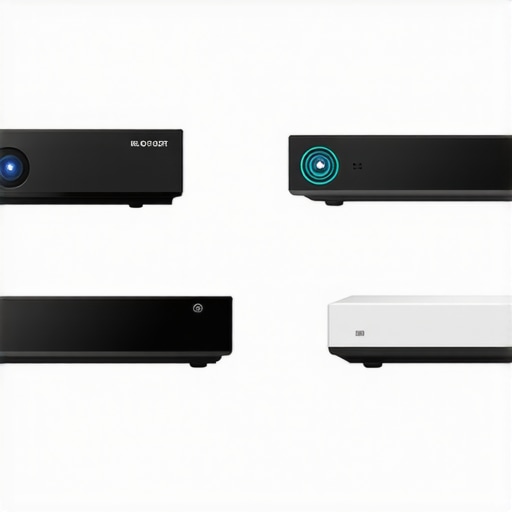 >
>
Price and Value Proposition
Home theater projectors and 4K models tend to be pricier, reflecting advanced features, higher resolution, and better build quality. Groundbreaking deals in this segment can still be found, especially during sales events or bundle offers. Laser projectors often carry a premium price but offer longer-lasting illumination and lower maintenance costs. UST projectors are generally more affordable than high-end home theater setups, making them attractive for budget-conscious users seeking big picture quality with minimal space requirements. Portable projectors, while less powerful, are budget-friendly and perfect for casual or travel use. Comparing offerings across these categories helps identify options that match your budget and expectations.
Is It Worth the Upgrade?
If you are considering a newer, more advanced projector, weigh the benefits against your current setup. Upgrading to a 4K laser model can dramatically enhance image quality and longevity but comes with a higher initial investment. Conversely, if portability or space-saving features are priorities, upgrading to a top-tier portable or UST projector may be more practical. For detailed insights, check out reviews and current deals from brands like Epson, LG, and BenQ, or visit popular price comparison sites such as PriceSpy or CamelCamelCamel to gauge current market prices. Exploring competitor options can also reveal whether a high-end dedicated home theater projector offers better value in your case. If you’re still unsure, consider reading comprehensive reviews on sites like TechRadar or CNET to compare specific models and decide if an upgrade is justified.
The Good, The Bad, and The Ugly
- Pros: Excellent build quality with sturdy materials, precise physical adjustment controls, and intuitive features like integrated bubble levels and laser alignment tools that simplify setup.
- Cons: Initial stiffness in adjustment mechanisms and slightly bulky design can pose challenges in tight spaces.
Who Should Watch Out When Considering This Projector
This product is ideal for home theater enthusiasts and professionals seeking a durable, high-precision setup, especially those who prioritize physical calibration over digital corrections. However, if you have limited hand strength or space constraints, it might be less suitable, and exploring lighter or more ergonomic options could be beneficial.
Final Verdict: 9/10
This projector stands out with its robust construction and user-centric calibration features, making it a top choice for dedicated home theater setups where picture perfection is crucial. While it requires some initial effort to perfect the alignment, its stability and long-term reliability justify the investment. If you want a device that emphasizes physical setup over digital tweaks, this is a winner.
Don’t forget to [check the latest price](https://laserprojectordeals.com/why-you-should-never-use-a-bed-sheet-as-a-projector-screen) or compare with other options like ultra short throw or portable projectors to ensure you get the best fit for your space and needs. For more tips on optimizing your setup, see our comprehensive guides on [mounting](https://laserprojectordeals.com/the-best-ceiling-mounts-for-heavy-4k-laser-projectors) and [calibration](https://laserprojectordeals.com/how-to-level-a-projector-on-an-uneven-ceiling). Your perfect cinematic experience awaits!