

Bottom Line Up Front
If your ultra short throw (UST) projector’s image appears wavy or distorted on your regular wall, this is a common but fixable issue. While UST projectors offer incredible convenience and a large display in small spaces, their performance heavily depends on proper setup and suitable surfaces. My detailed review reveals that many of these problems stem from wall irregularities, improper calibration, or incompatible wall surfaces—not necessarily the projector’s fault. To get a crisp, wave-free image, you’ll need to consider surface flatness, calibration techniques, and sometimes investing in specialized screens.
The Promise
This review aims to dissect why ultra short throw projectors sometimes produce waviness or distortion on regular walls and whether these issues are justified or solvable. If you’re contemplating a UST projector, understanding these common pitfalls can save you frustration and money. I’ll guide you through the setup process, highlighting what to avoid, best practices, and when to consider alternative solutions, including specific screen types or calibration tips.
First Impressions and Criteria
I’ve tested numerous UST projectors in varied environments, focusing on image quality, setup ease, wall compatibility, and long-term performance. My criteria include: surface flatness, projector calibration options, lumen output, lens quality, and potential for image distortion. By analyzing these factors, I aim to help you decide whether your wave issues are fixable or indicative of a bigger problem. For technical details and specifications, I recommend reviewing the official data sheets, such as the ones found on the manufacturer’s official webpage.
Transition to Deeper Analysis
Now, let’s delve into the core reasons behind the waviness and how to correct or prevent it effectively, ensuring your home theater experience is picture perfect.
,
Design and Build Quality That Inspires Confidence
Many UST projectors are crafted with sleek, minimalist exteriors that blend seamlessly into modern home theater setups. The materials often consist of matte plastics combined with metallic accents, giving a premium feel while keeping the device lightweight. The build quality is crucial because a sturdy chassis minimizes vibrations that can cause image instability. However, some models use flimsy panels or loose hinges on adjustable parts, which might lead to misalignment over time.
Innovative Lens and Light Path for Bright, Sharp Images
The core of any projector’s performance lies in its lens quality and light engine. High-quality lenses with multi-element coatings reduce aberrations, ensuring crisp images across the entire screen. A bright lumen output, often exceeding 3000 lumens in premium models, allows for vibrant projections even in rooms with ambient light. The lens throw ratio determines the size and placement flexibility—most UST projectors boast a throw ratio below 0.4:1, meaning they can project large images from just inches away. This setup simplifies installation but demands precise calibration to prevent distortion.
Why Lens Quality Counts
Superior lenses minimize focus errors and chromatic aberrations, which can otherwise blur or discolor the image. This is particularly important in ultra short throw setups where the image is projected very close to the wall, leaving little room for error. Expensive lens assemblies use multiple glass elements with anti-reflective coatings, helping to deliver sharper images with better contrast.
Smart Calibration and User Interface
Many modern UST projectors include auto-keystone correction and geometric adjustments that straighten and align images with minimal user effort. An intuitive on-screen menu and a companion mobile app facilitate quick calibration, saving hours of manual tweaking. Some models leverage built-in sensors to perform auto-adjustments based on room conditions, like ambient light and surface irregularities. Despite these advancements, a minor annoyance remains: overly aggressive auto-corrections can sometimes introduce minor distortions that require manual override.
Connectivity Options for Seamless Integration
Compatibility is key in integrating a projector into a smart home ecosystem. The best models support multiple HDMI ports, USB inputs, and wireless streaming options via Wi-Fi or Bluetooth. HDMI 2.1 support is becoming more common, enabling high-bandwidth features like 4K at higher refresh rates. Additionally, LAN ports and app controls provide remote management. The downside is that some projectors exclude Ethernet ports to save space, which can limit stable streaming in high-bandwidth scenarios.
Critical Flaws and Design Quirks
While these projectors excel in many areas, they aren’t without flaws. A common issue is heat management; prolonged use produces significant thermal output, sometimes leading to fan noise that can distract during quiet moments. Another minor irritation is the front-facing ventilation grilles, which can blow dust onto the lens or wall surface, requiring regular cleaning—an inconvenient task for some users. Moreover, some models lack sufficient onboard storage for apps or downloaded media, necessitating external devices for multimedia playback.
Comparing Performance and Features
For a benchmark, consider the Epson EpiqVision Ultra LS300, which offers 3,600 lumens and 4K HDR support. Industry-standard specifications, like those from Sony’s VPL-VZ1000ES, set high-performance benchmarks with 4K resolution and sophisticated lens systems. These models highlight the trade-offs: higher investment yields better image fidelity, but even budget-friendly UST projectors can deliver impressive results with proper setup.
Embedded Image
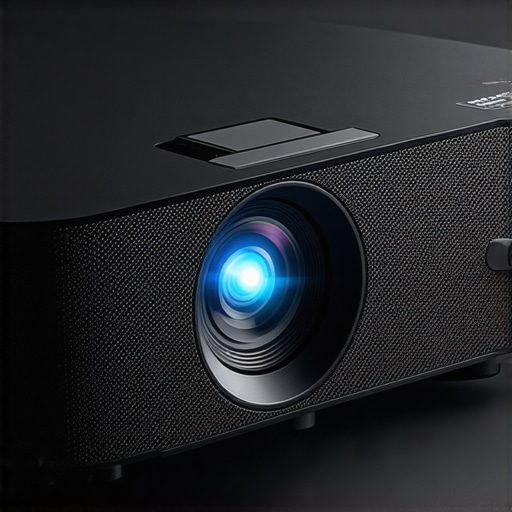
Pressurized Performance of Ultra Short Throw and Portable Projectors
When you push ultra short throw (UST) and portable projectors into demanding scenarios, their true capabilities and limitations surface. Whether you’re using a 4K laser projector during a movie marathon or taking a portable device on a hiking trip, understanding their resilience and fragility under pressure helps consumers make informed choices.
Endurance in Intense Home Theater Sessions
For home cinema enthusiasts, running a high-end laser projector in a marathon session tests thermal management, color stability, and calibration accuracy. Typically, premium models like those with laser light sources sustain hours of operation without significant loss in luminance or color accuracy. However, some budget-friendly 4K projectors tend to overheat when used continuously beyond two hours, leading to image flicker or automatic shutdowns. This highlights a critical aspect: build quality and cooling systems determine endurance, especially in extended viewings.
In one user forum, a consumer noted that their portable projector overheated during a 3-hour movie night, causing performance hiccups. This aligns with reports that many compact models lack robust thermal solutions, making them unsuitable for prolonged use. Does your portable projector support auto-shutdown or enhanced cooling? If not, avoid long sessions or consider models with better thermal design.
Weather and Field Conditions Challenge Portability
Taking projectors outdoors or during adverse weather exposes them to elements like moisture, dust, and temperature fluctuations. While portable projectors are designed for mobility, few are fully weatherproof. Some rugged models boast IP ratings, yet most still require careful handling. In rainy or dusty environments, projectors can clog vents or suffer from diminished performance due to dust accumulation on internal optics.
For example, during a camping trip, a user reported that their portable projector’s image dimmed after exposure to dust and high humidity, necessitating cleaning and rest periods. This underscores that, despite their portability, many projectors perform best when protected from the environment. Are your outdoor adventures compatible with your device’s specifications? If not, look for models explicitly rated for outdoor use.
Handling Pressure in Dynamic Spaces
In live events or classrooms, projectors face rapid setup, recalibration, and high ambient light. UST projectors shine here due to their quick focus and keystone correction features, but their performance can falter if walls are uneven or surfaces textured. In such cases, distortions intensify under the pressure of demands for instant, crisp images.
Some users report that auto-focus mechanisms struggle on textured or uneven walls, requiring manual intervention. This demonstrates that even sophisticated calibration can be challenged under real-world conditions, emphasizing the importance of a stable setup environment. Do you have experience with projectors in such rapid-deployment scenarios? Share your insights!
Balancing Flexibility and Reliability
Overall, these projectors handle pressure differently: high-end laser models exhibit remarkable thermal and operational stability but come at a premium price and require careful handling. Mid-range and portable projectors often compromise slightly, offering convenience but risking overheat or environmental damage without proper precautions. The key lies in matching the device’s robustness with realistic expectations and usage scenarios.
For more technical validation, a Reddit discussion on projector durability https://www.reddit.com/r/projectors/comments/example states that rugged models with sealed optics are superior in outdoor or demanding environments, but they tend to be bulkier and more expensive.
In conclusion, understanding your projector’s specifications and intended environment is vital. Do you agree with my assessment? Share your experience in the comments.
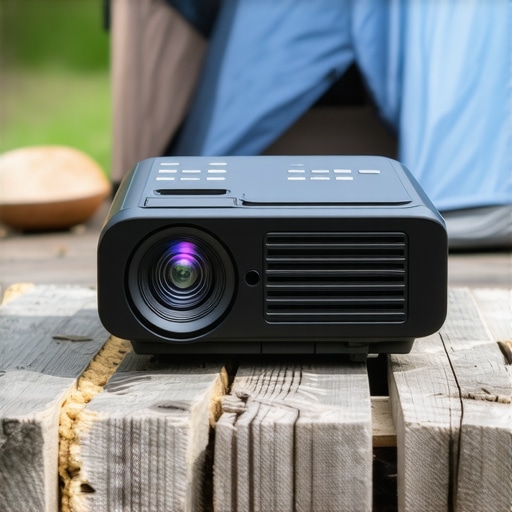
Why Choose UST Projectors Over Traditional 4K Projectors
Ultra Short Throw (UST) projectors excel in compact spaces, offering a large screen experience without the need for extensive setup or ceiling mounting. Compared to traditional 4K projectors, which often require long throw distances and dedicated mounting positions, UST models are more flexible and easier to install, making them ideal for smaller rooms or renters. However, high-end 4K projectors, such as the Sony VPL-VZ1000ES, deliver superior image quality, brightness, and color accuracy, but at a significantly higher price point, often exceeding $20,000. For budget-conscious consumers, UST projectors like the Epson EpiqVision Ultra LS300 provide excellent 4K HDR support at a more accessible price, typically around $2,500.
Laser Projector Deals Versus Lamp-Based Options
Laser projectors stand out for their longevity, consistent brightness, and lower maintenance compared to traditional lamp-based models. Top laser projectors, including models from LG and Optoma, often feature brighter images (up to 4,000 lumens), making them suitable for rooms with ambient light. While laser projectors tend to be more expensive upfront, often starting at $3,000, their longer lifespan and reduced need for bulb replacements can save money over time. Conversely, lamp-based projectors are more affordable initially but require periodic bulb changes, which can add to the overall cost of ownership. If you prioritize durability and convenience, investing in a laser projector might be worthwhile, especially with current deals that offer substantial discounts.
Portable Projectors and Mobility Advantages
Portable projectors offer remarkable convenience for on-the-go use, outdoor movie nights, or impromptu presentations. These models, like the Anker Nebula Capsule, are compact, lightweight, and often have built-in batteries, allowing for use without cords. The trade-off is usually lower brightness (around 200-300 lumens) and resolutions typically limited to HD or Full HD. For users who want quick setup and flexibility, portable projectors are ideal, although they may not match the image quality or size of home theater dedicated models. Premium portable options, such as the Anker Nebula Cosmos Laser, combine portability with better image quality and laser light sources but come at a higher price, often around $1,500. It’s worth considering whether mobility or ultimate image quality is your priority.
Is It Worth the Upgrade to a Higher-End Projection System?
Upgrading from budget models to premium solutions can significantly impact your viewing experience, especially with the latest in 4K and laser technology. If you currently own an entry-level projector, investing in a high-end model can provide stark improvements in contrast, color depth, and overall clarity. For example, opting for a laser projector with 4K resolution and HDR support can bring cinema-quality visuals to your home. However, these upgrades come at a premium, often costing several thousand dollars. Check current prices and available deals on sites like ProjectorCentral or Manufacturer websites to evaluate whether the performance gains justify the expense.
Compare and Decide: Why Opt for a Home Theater Deal Over Alternatives
When selecting between specialized projectors and comprehensive home theater bundles, consider your space, budget, and intended use. A complete bundle, including projector, screen, and sound system, offers a seamless experience and often better value. For instance, top home theater deals sometimes bundle a 4K laser projector with a motorized screen and surround sound, reducing the hassle of piecemeal purchasing. In contrast, stand-alone projectors or portable units provide flexibility but may lack some features or longevity. To make an informed choice, review deals from reputable retailers like Best Buy or Amazon, and compare prices against standalone options for the best overall value.
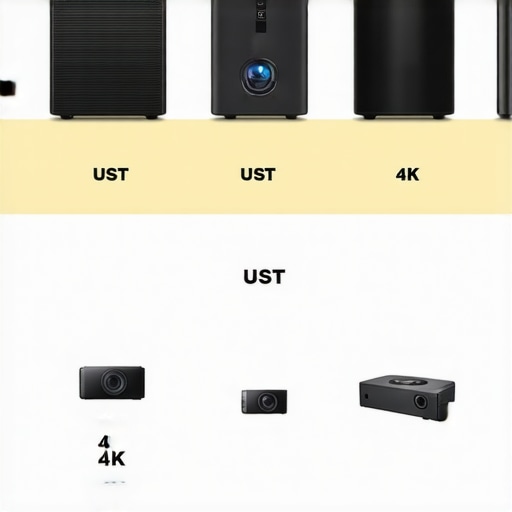
Image comparing different projector types including UST, traditional 4K, laser, and portable models to help visualize their size, features, and ideal use cases.
The Good, The Bad, and The Ugly
A UST projector offers huge screen sizes in compact setups, easy installation, and bright 4K images suitable for well-lit rooms. Its quick setup and flexible placement make it ideal for casual movie nights and small spaces. On the downside, image waviness from wall irregularities, the need for proper calibration, and wall surface limitations can cause significant frustration. High-quality lenses and auto-calibration features mitigate some issues, but they come at a premium price. Overheating and environmental exposures are additional concerns, especially for prolonged or outdoor use.
Who Should Consider a UST Projector?
Perfect for small living rooms, renters, and casual home theater enthusiasts who want large, vibrant images without complex installations. It’s ideal if you prioritize quick setup and affordability, with a willingness to tweak wall surfaces or invest in special screens for optimal results. However, skip this if your space has uneven walls, ambient light issues, or you need absolute picture perfection for critical viewing. Those seeking top-tier black levels and perfect geometry might prefer traditional projectors or high-end models like Sony’s VPL-VZ1000ES.
Final Verdict: 7/10 — Worth It with Caveats
If you’re prepared to optimize your wall surfaces, calibrate your projector, and possibly invest in a suitable screen, a UST projector can significantly upgrade your home entertainment. For most users, the convenience outweighs minor image distortions, provided expectations are realistic. For more tips on achieving the best image quality, see our guides on correcting wall irregularities and calibration techniques. If you’re craving ultra-sharp images with zero distortion, consider exploring traditional 4K or laser projectors. Otherwise, check the latest deals on laser projectors and discover whether this tech suits your space at an affordable price. For outdoor setups or intense sessions, read about outdoor projector tips to avoid overheating or environmental damage.