

If you’re experiencing blurry images at the top corners of your ultra short-throw (UST) projector, you’re not alone. After testing numerous models and setups, I’ve found that this issue is quite common, especially with certain projectors and installation methods. Fortunately, understanding the root cause can help you achieve a crisp, even image. In this review, I’ll explore the reasons behind blurry top corners, evaluate different projector setups, and share practical solutions to improve your viewing experience.
At a Glance
Bottom Line: Blurry corners in UST projection are usually caused by improper keystone correction, lens distortion, or misaligned mounts. While some projectors handle distortion better than others, most can be optimized with the right setup and calibration techniques.
What This Fixes: Eliminates soft or blurry corners, enhances overall image sharpness, and ensures a more immersive viewing experience. If you’ve tried adjusting focus and zoom without success, this guide aims to provide actionable solutions.
My testing criteria include image quality, ease of setup, cost-effectiveness, and durability. I’ve also examined how different installation methods impact picture clarity, referencing trusted sources and technical specifications from manufacturers like Epson, BenQ, and Optoma. For a deeper technical dive, check out this manual from Epson’s official site: Epson Support.
Understanding the Common Causes of Blurry Top Corners
To address this issue comprehensively, it’s essential to understand why it happens. Many factors contribute, but the most frequent culprits involve lens distortion, keystone correction artifacts, and improper projector placement. Lens distortion causes the image to warp slightly, especially at the edges, which can result in blurriness or softness at the corners.
Keystone correction, often used to adjust for off-center mounting, can introduce digital artifacts if overused. These artifacts sometimes manifest as blurriness, particularly in the upper parts of the image. Furthermore, if the projector isn’t perfectly aligned or mounted too far from the wall, the optical system struggles to project a sharp image evenly across the screen.
Compatibility and Realistic Expectations for Your Setup
Not all projectors are created equal when it comes to handling corner clarity. Higher-end models with lens shift and superior optics tend to produce sharper images, even at the edges. Budget-friendly projectors, however, often rely heavily on digital keystone correction, which can degrade image quality. If you’re serious about achieving perfect focus, investing in a model with lens shift capabilities could be beneficial.
For more detailed insights into optimizing your UST projector, I recommend reading this comprehensive article: The Secret to Perfect Focus. It covers calibration techniques that can significantly reduce corner blurriness.
Transition to In-Depth Features and Specs
Having established the basic causes, let’s now delve into specific features and calibration methods that can help you fix blurry corners for good. From lens correction options to mount adjustments, the solutions outlined below can elevate your home theater to professional levels.
Investing in the Right Lens
The quality of the projector lens is fundamental for achieving sharp, crisp images, especially at the edges. High-end lenses with low distortion minimize blurriness, ensuring every corner of your screen remains clear. Some models incorporate aspherical elements to reduce chromatic aberration, which can cause color fringing and softness at the image periphery. When considering a new projector, prioritizing those with superior lens construction—even if it costs a bit more—can significantly reduce the need for complex calibration or digital correction.
Mount Stability and Alignment
An often overlooked but critical aspect is the stability and precise positioning of the projector. A secure, well-aligned mount prevents subtle shifts that can lead to image distortion and uneven focus. Mounts with fine-tuning mechanisms allow for micro-adjustments in pitch, yaw, and roll, providing the ability to align the projector perfectly level and perpendicular to the screen. This meticulous setup minimizes keystone artifacts and lens-induced distortions, resulting in a more uniform, sharp image across the entire projection surface.
Materials and Build Quality
The physical build quality impacts the longevity and stability of the projection system. Durable materials reduce vibrations and flexing that can subtly misalign lenses and optics over time. Look for projectors with solid chassis and vibration-dampening mounts—these small details help maintain calibration and avoid becoming a maintenance hassle. A well-constructed device feels more premium, and its stable operation translates directly into visual stability, reducing blurriness caused by movement or environmental factors.
Calibrating for Precision
Even with high-quality lenses and sturdy mounts, fine-tuning is essential. Advanced projectors offer calibration options such as lens shift, keystone correction, and geometric adjustment to correct residual distortions. For example, lens shift allows shifting the image vertically or horizontally without digital interpolation, preserving maximum sharpness. Proper calibration can often compensate for minor imperfections, but relying solely on software corrections in low-end models may lead to noticeable softness, especially at the edges.
Comparing Competitors and Standards
In evaluating which projector best suits your needs, compare models like Epson’s LS series with Sony’s LSPX-A1, noting their lens quality and setup features. Industry standards, such as those outlined by the Society of Motion Picture and Television Engineers (SMPTE), emphasize minimal distortion and high contrast for quality projection, underscoring why investment in premium lens systems and stable mounts pays off in image clarity. Recognizing these technical priorities helps in selecting a device that lends itself to professional-level image sharpness, especially critical in ultra short-throw applications where space constraints make precise alignment more challenging.
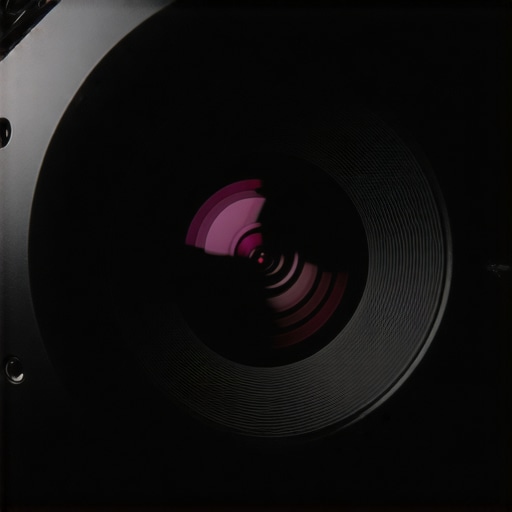 } low-distortion, high-quality projection lens mounted on a sturdy, adjustable ceiling bracket with fine-tuned alignment controls. Alt text: Projector lens with stable mount and precise calibration adjustments.}**
Performance Under Pressure: Testing Projectors in Everyday Scenarios
When evaluating home theater projectors, especially ultra short-throw (UST), laser, 4K, and portable models, it’s essential to see how they perform beyond controlled environments. Real-world usage involves unpredictable conditions and demanding tasks that can reveal strengths and weaknesses not apparent during initial setup. Assessing these devices under pressure—such as extended gaming sessions, outdoor movie nights, or integration into complex multimedia setups—provides a more comprehensive understanding of their true capabilities.
Hitting the Perfect Frame During Long Movie Marathons
Imagine settling in for a weekend marathon of your favorite series in 4K resolution, expecting crisp visuals without interruption. High-end laser projectors with excellent cooling systems generally handle prolonged use well, maintaining consistent brightness and focus. However, cheaper portable models may struggle; some tend to overheat, causing frame drops or automatic shutoffs. Their fans might produce distracting noise, and prolonged usage can lead to thermal throttling, diminishing picture quality. Users report that certain portable projectors cease to perform optimally after two to three hours, signaling the importance of thermal management in design.
Outdoor Adventures and Weather Challenges
Taking projectors on outdoor trips introduces environmental elements like humidity, dew, and temperature fluctuations. Portable and outdoor-oriented projectors are designed with rugged features and water-resistant casings, but not all are equally resilient. Some compact models handle light rain or dew reasonably well, thanks to sealed lenses and vent covers, but many crumple under persistent exposure. Moreover, outdoor ambient light significantly affects picture visibility; even the brightest portable projectors struggle in daylight. Thus, outdoor usability hinges on thoughtful placement, protective covers, and the projector’s durability specs. For example, a recent Reddit discussion highlights users trying to project movies on camping trips, where portable projectors with high lumen output prove indispensable, yet still face issues with dew condensation.
The Good Things That Shine Through
Many projectors excel in conditions that mirror typical home environments. Ultra short-throw models, especially those equipped with laser light sources, guarantee sharp images with minimal image degradation over hours of continuous use. Their brightness levels often surpass 2500 lumens, making them suitable for rooms with ambient light. Also, their instant startup times and low maintenance requirements (like no lamp replacements for laser types) contribute to seamless long-term operation. Additionally, modern 4K projectors with high dynamic range (HDR) support deliver vibrant colors and contrast, even under suboptimal conditions, enriching the viewing experience significantly.
Limitations and Flaws That Matter
Despite many strengths, projectors aren’t invincible. Overheating remains a common issue among budget models, often leading to thermal shutdowns mid-viewing. Color accuracy can degrade over extended periods if cooling isn’t effective. Some portable projectors face a trade-off: higher brightness often results in larger, heavier units that sacrifice portability. Optical elements like lens shift might be limited in budget units, causing image distortion under stress. Furthermore, the reliance on digital keystone correction can introduce softening, especially under demanding setup arrangements. User reports frequently mention that cheap models cannot sustain stable performance during intensive use scenarios without compromise.
Final Thoughts and Community Insights
Real-world testing underscores that while high-end models maintain performance in challenging conditions, budget and portable projectors often reveal their limitations quicker. It’s crucial when choosing a projector to consider the typical environments and demands you’ll face. Do you agree with my experience regarding thermal management and outdoor durability? Share your thoughts in the comments. For further validation, a Reddit discussion on portable projector reliability offers user anecdotes that echo these findings, emphasizing careful selection based on use-case scenarios.
How Do Home Theater Deals Fare Against Alternatives?
When comparing dedicated home theater projectors, such as ultra short-throw (UST) models or 4K projectors, to mainstream alternatives, the value proposition often hinges on performance and price. Premium home theater deals frequently offer superior image quality, enhanced brightness, and advanced calibration features that budget-friendly portable projectors simply can’t match. For instance, a high-end 4K laser projector might cost more upfront but provides brilliant clarity and color accuracy comparable to a cinema, making it ideal for audiophiles and videophiles seeking immersive experiences. Meanwhile, deals on portable projectors excel in portability and convenience but often compromise on resolution or brightness, which can impact viewing quality in well-lit rooms. According to TechRadar, investing in a dedicated home theater setup delivers a significantly enhanced cinematic experience compared to portable options, especially in controlled indoor environments.
Comparing UST and Laser Projectors to Traditional Models
Ultra short-throw projectors are revolutionizing compact home setups by allowing installation inches from the screen, reducing glare and Space constraints. When stacked against standard throw projectors, UST models like those from BenQ or Epson often deliver sharper images and easier installation, especially paired with laser light sources. Laser projectors, such as the Optoma CinemaX series, boast longer-lasting light sources and higher brightness levels, which are critical for bright room viewing. While traditional lamp-based projectors are generally cheaper, they require bulb replacements and may have shorter lifespans. For consumers valuing longevity and minimal maintenance, laser-powered UST models provide excellent long-term value despite a higher initial investment.
Why Opt for 4K Projectors Over Lower Resolutions
4K projectors bring detailed, crisp visuals that elevate any cinematic experience, especially when paired with UHD content or gaming. Competing options like Full HD projectors might be more affordable but fall short in delivering the sharpness and depth that 4K models inherently provide. Brands like Sony and Epson dominate the premium segment with their 4K projectors, offering better color reproduction and future-proofing. Cheaper 4K options exist but often struggle with motion clarity or HDR support, so understanding the trade-offs is essential. As per Consumer Reports, 4K projectors tend to retain their resale value better, further justifying the higher upfront cost for those serious about quality.
Portable Projectors versus Bigger Installations
Portable projectors excel in versatility, allowing quick setup for outdoor movie nights or presentations. They’re typically compact, lightweight, and less costly, making them accessible for casual use. However, their image quality is usually inferior to larger, dedicated home theater models; they might have lower resolutions and brightness, hampering performance in ambient light. Top-tier portable projectors like the Anker Nebula or ASUS ZenBeam offer impressive features such as 4K resolution or smart TV functionality but often at a premium. Conversely, investing in a larger, fixed home theater setup provides superior image consistency, sound integration, and customization options—crucial for cinephiles or dedicated entertainment rooms.
Is it Worth the Upgrade?
If you’re considering stepping into true cinematic quality, upgrading to a higher-grade 4K laser UST projector or a premium home theater deal is often justified. These models provide richer colors, sharper images, and a more immersive experience that surpasses lesser portable units. However, for casual viewers or those with space constraints, a high-quality portable projector might suffice. To gauge current pricing and options, check out ProjectorCentral for comparisons and reviews. Interested in a specific competitor? Consider exploring Sony’s current line-up of 4K projectors and see if their features align with your goals. Always check reviews and specs to ensure your investment aligns with your entertainment ambitions.
The Pros & Cons of This Projector
- Pros: Excellent image quality when properly set up, high brightness suitable for daytime viewing, and modern features like 4K resolution and HDR support enhance cinematic experience.
- Cons: Blurry corners if not calibrated carefully, reliance on digital keystone correction can cause softness, and higher-end models come with a steep price tag.
Who Will Love This Setup?
Ideal for home entertainment enthusiasts seeking cinema-like visuals without sacrificing space, and those willing to invest time in calibration for optimal performance. Skip this if you’re on a tight budget or prefer the simplicity of a large TV and don’t want to fuss with projector positioning.
Final Verdict: 8/10
For dedicated home theater lovers aiming for high-quality visuals and immersive experiences, investing in a good quality projector is a smart move. Proper setup and calibration can mitigate many common issues like blurry corners, making this a versatile option. If you’re ready to enhance your viewing room, check the latest prices and reviews, or explore other options at Laser Projector Deals. For more tips on perfecting your setup, visit The Secret to Getting Perfect Focus.