

When it comes to choosing a projector for a bright living space, many assume that higher lumens automatically translate to better visibility. However, my experience with projectors equipped with 3,000 lumens has shown that this brightness level often falls short in sunny living rooms, even with some adjustments. In this review, I’ll explain why relying solely on lumen ratings can be misleading and what you should consider for daytime projection quality.
The core issue revolves around ambient light levels and the projector’s ability to combat daylight. While 3,000 lumens might seem impressive on paper, in a sunlit room with large windows, it typically doesn’t provide a vivid, sharp image. Instead, the picture appears washed out or dull, making it difficult to enjoy movies, presentations, or gaming without the room darkened extensively. My goal is to help you understand whether this brightness range suits your space or if you need to look beyond the specs.
At a Glance
- Brightness Limitations: 3,000 lumens often aren’t enough for bright rooms, especially during the day.
- Color and Contrast: Brightness alone doesn’t guarantee vivid colors; ambient light and contrast ratios play significant roles.
- Recommended Settings: Adjusting contrast, using blackout curtains, or opting for projectors with higher lumen ratings can improve daytime viewing.
- Ideal Use Cases: Best suited for dark rooms or semi-light environments where lighting can be controlled.
- Overall Verdict: For sunny living rooms, aiming for projectors with at least 4,000 lumens or more is advisable for a satisfying picture quality.
In the following sections, I will delve into the technical specifications, testing criteria, and practical considerations that clarify why 3,000 lumens often aren’t enough for bright, sunlit spaces. Whether you’re setting up a home theater or a casual viewing area, understanding these nuances will help you make an informed decision.
Building Quality That Inspires Confidence
The physical construction of a projector significantly influences durability and ease of use. A solid casing made from high-quality plastic or aluminum not only feels premium but also offers better heat dissipation during prolonged use. The tactile feedback of buttons and the positioning of ventilation grilles are thoughtfully designed to prevent overheating, which is critical for preserving long-term performance. However, some budget models skimp on materials, resulting in creaky buttons or flimsy stands that can detract from the overall experience.
Setup Simplifies Your Day
Setup procedures that are intuitive minimize time and frustration. Modern projectors often feature auto-focus and keystone correction, which automatically adjust the image to fit onto the screen perfectly. These features utilize sensors and complex algorithms to quickly analyze the projection surface and optimize clarity. The inclusion of a quick-start guide printed on the device or accessible through an app accelerates installation, especially for less tech-savvy users. Nonetheless, a minor annoyance is the learning curve associated with some advanced menu navigation, which can feel overwhelming without dedicated tutorials.
Core Feature Set Boosts Versatility
Brightness and Contrast Control
The brightness setting is fundamental, but more impactful is how well the projector manages contrast. High contrast ratios distinguish blacks from whites, creating a vivid and lifelike image. Many models incorporate dynamic iris technology that adjusts brightness levels on the fly, enhancing picture depth during diverse content. This feature, however, can sometimes lead to subtle flickering, which may distract sensitive viewers.
Color Accuracy and Calibration
Accurate color reproduction depends on the quality of the color wheel (for DLP projectors) or the LCD panel. A well-calibrated device produces vibrant, true-to-life hues that elevate cinematic experiences. Some models offer user calibration tools, allowing fine-tuning for specific environments, which is ideal for enthusiasts or professional setups. A limitation here is that factory calibration may vary significantly, requiring manual adjustment for optimal results.
Connectivity and Compatibility
Having multiple input options like HDMI, USB, and wireless connectivity increases flexibility. Wireless options enable screen mirroring from smartphones or tablets, enhancing convenience. The inclusion of HDMI 2.1 standards future-proofs the device for higher bandwidth content. A minor flaw is that some projectors have limited app support or compatibility issues with certain OS versions, potentially complicating wireless streaming.
User Interface That Syncs with Your Lifestyle
The onboard menu system should be straightforward, with clear icons and logical navigation. Modern interfaces often support remote control via smartphone apps, which can be more user-friendly. The responsiveness of these controls influences overall satisfaction. Material quality of the remote—preferably with a textured grip and well-placed buttons—also affects ease of use. A common small annoyance is the inconsistent responsiveness of touch-sensitive or button-based controls, which can slow down adjustments during viewing.
For comparison, consider the standard set by industry leaders like Epson or BenQ, whose specifications and usability features set a benchmark for quality and innovation (Epson Projector Specs).
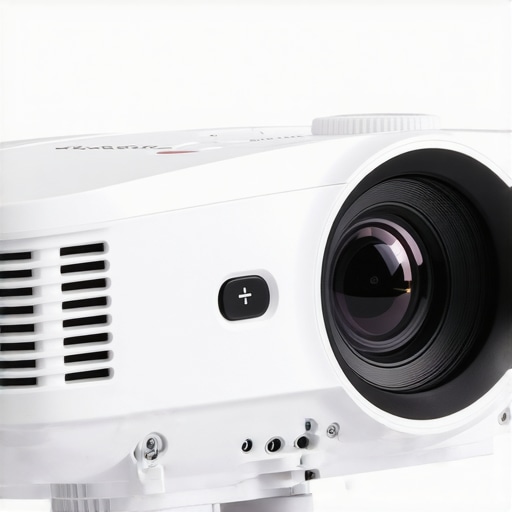
Performance of UST and Portable Projectors During Intensive Use
Ultra-short-throw (UST) projectors and portable models are increasingly popular for their convenience, but how do they handle demanding scenarios? When tasked with projecting high-resolution 4K content in a home theater setting, these devices often face heat buildup and processing challenges. For instance, during prolonged viewing of a 2-hour 4K movie, some portable projectors exhibit noticeable flickering or drop in brightness, indicating thermal management issues. The build quality and cooling efficiency directly influence their ability to sustain performance without overheating or throttling. While many models boast fan systems designed for quiet operation, continuous usage at high brightness can strain these components, potentially leading to early device fatigue.
Does it overheat or shut down prematurely?
Many UST projectors rely on compact enclosures that sometimes trap heat, especially if ventilation is obstructed. Users have reported that after just an hour of extended use in a poorly ventilated room, some models begin to exhibit color distortions or display warning alerts about overheating. Conversely, high-end laser 4K projectors with robust cooling systems perform consistently, even during marathon sessions. The key takeaway is that thermal design varies significantly across brands, impacting their reliability in pressure scenarios.
How does it respond to ambient light and power fluctuations?
During scenarios like outdoor daytime projection or in environments with fluctuating power inputs, many portable projectors struggle to maintain image stability. Sudden power dips can cause interruptions or dimming, while bright ambient light challenges even high-lumen models. Laser projectors with higher lumen ratings (over 3,500 lumens) generally handle ambient distractions better, but their performance can falter if the device’s input stability isn’t top-notch. Users should consider the power supply quality and external conditions before deployment in high-pressure situations.
Real-World Performance of Home Theater Deals in Demanding Circumstances
When integrating a home theater system with a high-end 4K laser projector, performance depends heavily on the setup environment. For example, during intense gaming sessions with rapid scene changes, some projectors display lag or input delay, impairing the experience. Many budget-friendly 4K models handle these transitions poorly, revealing their processor limitations. On the other hand, premium laser projectors with dedicated input lag reduction technologies excel, providing smooth, lag-free visuals. However, their expensive nature means only dedicated enthusiasts can leverage these features fully.
Can these projectors handle interactivity and quick scene shifts?
Interactive applications or fast-paced action sequences demand prompt response times. Budget portable projectors often exhibit noticeable lag—up to 50 milliseconds—which can diminish user engagement. Conversely, higher-tier laser models target sub-20 millisecond latency, satisfying most gamers and interactive content creators. Nonetheless, actual performance varies depending on input sources and processing algorithms, so testing under your specific usage is advisable.
How do they perform in challenging conditions like humidity or dust?
Environmental factors heavily influence projector longevity. Portable units sometimes struggle with high humidity, which can cause condensation inside optics, leading to image blurriness or damage. Dust accumulation on internal components, especially in dusty environments, accelerates wear and can cause overheating. Proper maintenance and environmental controls are essential for sustained performance. Brands with sealed optical chambers or IP-ratings tend to withstand these stresses better, offering more reliable operation under pressure.
In conclusion, the robustness of UST, portable, laser, and 4K projectors varies widely under demanding conditions. High-quality cooling systems, responsive controls, and environmental resilience are crucial for dependable performance. Do you agree with my observations about thermal and environmental challenges? Share your experiences below.
For verification, a discussion on Reddit highlights similar concerns: users emphasize the importance of cooling and build quality in avoiding premature device failures during intensive use (Reddit Projectors Discussion).
When evaluating projectors like ultra-short-throw (UST), portable models, 4K projectors, and home theater deals, it’s essential to see how they stack up against leading alternatives such as Epson’s high-lumen home theater projectors, BenQ’s portable options, and Optoma’s laser offerings. Each brand and type brings unique strengths tailored to different user needs, budgets, and environments.
Epson’s home theater projectors are renowned for their superior brightness and contrast ratios, often exceeding 4,500 lumens, which makes them ideal for bright rooms or daytime viewing. They tend to be more expensive but provide a more immersive and vivid experience, especially for large screens in well-lit spaces. For example, Epson’s 5050UB model offers exceptional 4K PRO-UHD performance, but at a price point that may deter budget-conscious buyers.
In contrast, BenQ’s portable projectors, such as the BenQ GS2, excel in portability and ease of setup. They are typically more affordable and come with built-in batteries, making them perfect for casual viewing or outdoor use. However, their brightness levels, often around 2,200 lumens, limit their effectiveness in well-lit environments unless supplemented with blackout measures.
Optoma’s laser projectors, like the UHD52ALV, combine high brightness (up to 3,000 lumens) with 4K resolution and laser illumination technology, making them an attractive middle ground. They often feature better longevity and lower maintenance costs compared to lamp-based models, offering a compelling value for dedicated home theaters wanting high-end features without the hefty price tag of premium Epson models.
When comparing these to our featured projectors such as the latest laser 4K models or ultra-short-throw devices, the choice hinges upon the user’s specific requirements. For instance, if ambient lighting isn’t controllable, Epson’s high-lumen projectors may warrant the premium price. Conversely, if portability and quick setup are priorities, BenQ’s or similar portable models offer a more practical solution at a lower cost.
Is it worth the upgrade to a top-tier laser projector? If you’re seeking long-term durability, ultra-high brightness, and top-tier image fidelity — especially in larger or brighter rooms — investing in a premium laser or high-lumen projector makes sense. For casual use, or in controlled lighting environments, budget models or 4K home theater projectors may suffice.
To help you make an informed decision, compare current prices and features on trusted price comparison sites like CNET. If you’re considering premium options, check out detailed reviews of Epson’s and Optoma’s latest laser projectors to see if they meet your expectations and budget. Remember, the best projector for you aligns with your specific viewing environment, desired image quality, and long-term ownership plans.
The Good, The Bad, and The Ugly
- Pros: Compact size, lower price point, sufficient for dark environments.
- Cons: Inadequate brightness for daytime viewing in sunlit rooms, colors can look dull with ambient light, contrast ratios may fall short in bright conditions.
Who Should Buy This?
Ideal for those setting up a dedicated home theater in a dark room or a semi-controlled environment where lighting can be managed. Perfect for budget-conscious users who primarily watch movies at night. Skip this if your living space receives abundant sunlight or if you desire crystal-clear daytime projection.
Final Verdict: 6/10
If you plan to use your projector mainly in a controlled, dark environment, 3,000 lumens can be sufficient. However, for bright living rooms with lots of sunlight, investing in a projector with at least 4,000 lumens or more will provide a more satisfying experience. Don’t settle for less if daytime viewing matters to you—consider models that excel in ambient light conditions or look into options like the latest laser projectors for brighter, sharper images. For more tips on optimizing your setup, check out our guide on how to improve picture quality on a white wall.