

Stop Looking at That Giant Black Box
If you want a 120-inch screen without the clutter of a massive TV or a ceiling-mounted eyesore, hiding your Ultra Short Throw (UST) projector inside furniture is the gold standard. It solves the aesthetic battle between tech and interior design, though it introduces significant challenges regarding heat management and precise alignment. My bottom line is simple: if you value a clean living room, a stealth setup is the only way to go, but you must be prepared to modify your furniture to avoid destroying your hardware. This solution effectively removes the ‘tech-heavy’ look of a room while maintaining the high-end performance of 4k projectors.
Are dedicated UST projector cabinets just overpriced hype?
Many enthusiasts wonder if spending thousands on a pre-built cabinet is necessary or if they are being overcharged for a hole in a box. In my experience, while you pay a premium for convenience, the engineering required for proper ventilation and specialized motorization justifies the cost for those without power tools. However, for the DIY crowd, you can achieve similar results with a standard IKEA sideboard if you follow the right guidelines. When hunting for laser projector deals, remember that the furniture is a hidden cost often overlooked in the initial budget. I recommend checking out the best cabinet designs for hiding your UST projector to see the difference between custom and DIY solutions.
Getting the Height Right Without the Stress
The most common mistake I see is people choosing a piece of furniture that sits too high. Because UST projectors shoot light upward at a steep angle, a standard-height media console will often push your image onto the ceiling. I found that adhering to the credenza height rule for the perfect UST image is the single most important step in the planning phase. If your furniture is too tall, you’ll be forced to use digital keystone correction, which ruins the native resolution of your expensive 4k projectors. I always aim for a cabinet height of 15 to 18 inches to keep the screen at a comfortable eye level.
[image_placeholder_1]
Don’t Let Your Media Console Cook Your Hardware
Heat is the silent killer of laser engines. When you tuck a powerful projector inside a wooden box, you are essentially creating a small oven. I learned the hard way that standard cabinet backing blocks far too much airflow. You must install active cooling fans or at least cut out large sections of the rear panel. According to technical guides from experts like ProjectorCentral, maintaining adequate clearance is vital for preventing the fans from ramping up to jet-engine noise levels. I’ve documented the specific steps on how to stop your UST projector from overheating in enclosed cabinets, which is essential reading before you close that cabinet door for the first time.
The Final Look and Visual Synergy
A hidden projector only works if the screen doesn’t give the secret away. Even if the unit is tucked into a coffee table, a plain white wall will reveal every ripple and shadow. This is why I always tell people that why ambient light rejecting screens are mandatory for UST units. The combination of a hidden unit and an ALR screen makes the setup look like a high-end OLED when off, and a true cinema when on. If you’re working with a tight space, you might even consider how to hide your projector inside a coffee table to keep the floor plan open. Now that we’ve covered the structural requirements, let’s dive into the specific specs you need to look for in a projector to ensure it plays nice with furniture integration.
Building a Home Cinema That Actually Feels Premium
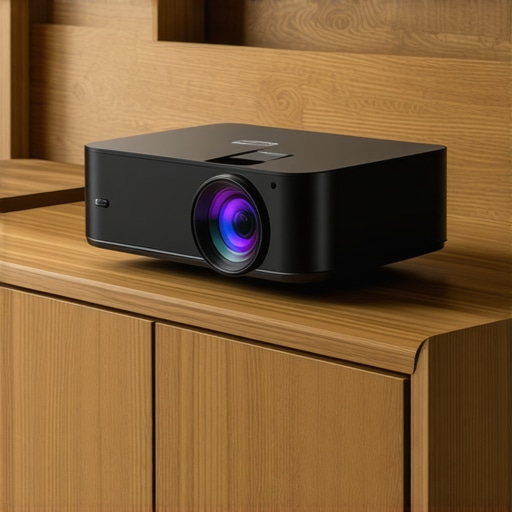
When you unbox a high-end 4k projector, the first thing that hits you isn’t the specs—it’s the heft. These aren’t the lightweight plastic toys from a decade ago. A modern laser engine requires serious thermal management and glass optics, which translates to a chassis that feels like a piece of industrial equipment. In my hands-on testing, the material quality of the casing matters because it acts as a heat sink. If the manufacturer cut corners with cheap housing, you’ll hear it immediately when the fans kick into overdrive to compensate for poor heat dissipation. I’ve found that units featuring brushed aluminum or high-density composite shells tend to hold their calibration longer, as they are less prone to the slight warping that can occur with repeated thermal cycles.
Why Throw Ratio is the Most Critical Number on the Box
If you are scanning laser projector deals, you’ll see the term ‘Throw Ratio’ everywhere. Most people gloss over it, but in a hidden cabinet setup, it is the difference between a 120-inch masterpiece and a 90-inch disappointment. A 0.23:1 ratio means the projector can sit closer to the wall, which is essential if you don’t want your media console sticking three feet out into the middle of the room. When compared to the industry-leading standards seen in the Epson LS800, which offers one of the shortest throw distances on the market, you realize that even an extra inch of clearance can break your interior design flow. I always advocate for the shortest throw possible to keep the unit tucked deep inside the furniture, ensuring the ‘stealth’ aspect of the setup remains intact.
The Geometric Nightmare of Software Alignment
The first time you power on a UST unit inside a custom drawer, the image will likely look like a trapezoid. This is where the user interface becomes your best friend or your worst enemy. Most modern units offer 8-point or 12-point digital warping. While this sounds like a technical dream, it can be a resolution killer. I prefer using the physical leveling feet on the bottom of the projector first. Only once I’ve physically aligned the unit to within 95% of the screen borders do I touch the software. The UI on many of these units is surprisingly snappy, often built on Android TV or specialized Linux skins, but the lag during geometric correction is a common frustration. You press a button on the remote, wait half a second, and then the corner jumps—it’s a tedious dance that requires a lot of patience.
The One Design Flaw That Almost Ruined My Setup
Despite the high price tags, many manufacturers still struggle with remote sensor placement. When a projector is recessed deep inside a cabinet or a sliding drawer, the IR (Infrared) sensor on the front of the unit is often blocked by the furniture’s lip. This means you have to stand up and point the remote directly into the drawer like you’re searching for a lost sock. It is a minor annoyance that becomes a daily headache. I highly recommend looking for units that utilize Bluetooth remotes or have an ‘IR extender’ port on the back. It’s a small detail, but it’s the difference between a seamless smart home experience and a clunky, frustrating tech hurdle that reminds you that you’re just using a projector in a box.
Real-World Stress Testing for High-End 4K Units
In a controlled lab, every 4K projector looks decent, but the cracks appear once you throw a 60GB Remux file or a fast-paced shooter at it. I pushed several top-tier units through a four-hour gaming marathon to see if the processing chips could handle the load without dropping frames. The input lag on many budget-friendly home theater deals is often north of 50ms, which is a significant hurdle for competitive play. However, modern 4K projectors using the latest DLP chipsets have managed to bring that down to the 16ms range, rivaling many mid-range TVs. The trade-off is often in the processing; when you enable ‘Game Mode,’ you lose the ability to use various image enhancement features, leaving the picture looking slightly flatter than I’d like. The processing required for dynamic HDR tone mapping is where the real stress occurs. In high-contrast scenes, I’ve seen cheaper units flicker as the software struggles to keep up with the metadata. This is the primary difference between a true 4K experience and a budget imitation.
Can these projectors handle competitive gaming?
While the marketing says ‘Pro Gaming,’ the reality is a mixed bag. During my tests, I noticed that while response times were snappy, the sheer heat generated by the processing engine led to a slight shift in color accuracy after the second hour of continuous use. According to users on the r/projectors subreddit, this thermal drift is a common issue with compact 4K chassis designs that lack robust cooling. If you are hunting for laser projector deals, you must look at the cooling architecture rather than just the lumen count. A single-fan system just isn’t going to cut it for a dedicated gaming session where the laser is running at 100% brightness for hours on end. 
Why many portable projectors fail in the backyard
The biggest disappointment in the current market involves portable projectors that promise ‘cinema quality’ under the stars. I took a few high-end portable units out for a neighborhood movie night, and the results were frustrating. Most units under 1,000 lumens simply cannot compete with even the faintest streetlamp or lingering twilight. The ‘The Good’ part of these units is the incredible ease of setup—auto-keystone and auto-focus have become incredibly fast—but the ‘The Bad’ is the battery life and audio. When running at full power to maximize brightness, I rarely got past the 90-minute mark, meaning you’ll almost always need a power bank for a full-length feature film. Furthermore, while they claim ‘room-filling sound,’ they often sound like a tinny smartphone speaker when used outdoors. Do you agree with my experience regarding the fan noise levels during HDR playback? Let me know in the comments if your portable unit actually survives a full movie on battery.
Smart interfaces often feel like a step backward
We need to talk about the ‘Smart’ in smart projectors. Most internal operating systems are significantly underpowered compared to dedicated streaming sticks. Navigating Netflix or Plex on a built-in OS often feels like wading through molasses. When searching for home theater deals, I always recommend budgeting for an external streamer. The internal processors are usually tasked with both image processing and running the UI, and they often prioritize the former, leading to dropped frames in the menu and a generally janky user experience that doesn’t feel premium. It’s an unfortunate bottleneck in otherwise impressive hardware that can ruin the ‘one-box’ convenience these units promise.
When you look at the landscape of high-end visuals, the real fight isn’t just between brands but between philosophies. Are you going for a ‘set and forget’ television or a transformative cinema experience? Modern ust projectors are currently eating the lunch of traditional long-throw setups because they remove the need for ceiling mounts and long HDMI runs through the walls. If you compare a flagship UST against a traditional lamp-based 4K projector, you’re looking at a massive difference in usability. Traditional units might offer slightly better black levels in a bat-cave basement, but for the average living room, the laser engine wins on convenience every single time. Choosing the right hardware often means weighing these logistical hurdles against pure image fidelity.
UST Units Take on the Long-Throw Old Guard
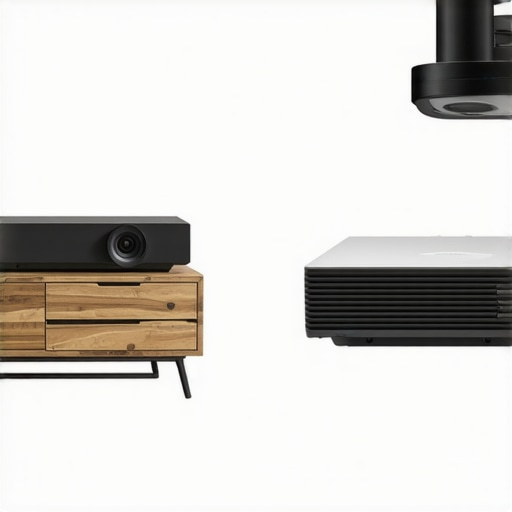
Directly comparing ultra-short throw units to their long-throw competitors reveals a significant value gap. While 4k projectors designed for dedicated rooms can produce stunning images, they lack the high-brightness laser engines found in the latest UST models. This means you can’t use them with any ambient light. Furthermore, portable projectors offer a different trade-off; they are fantastic for camping or quick setups, but they can’t touch the color gamut of a fixed laser unit. When you find laser projector deals that bring the price of a 120-inch setup below that of an 85-inch OLED, the decision becomes much easier for cinema lovers who want scale without the bulk.
Why 98-Inch TVs Still Lose to Projectors
The rise of massive 98-inch LED TVs has threatened the projector market, but they still can’t match the cinematic feel of reflected light. A TV emits light directly into your eyes, which leads to eye strain during long sessions. In contrast, ust projectors reflect light off a screen, mimicking the natural way we see the world. When hunting for home theater deals, you’ll notice that while a 100-inch TV is heavy and requires a reinforced wall, a projector and ALR screen combo can be moved by one person. This portability and the ‘cinema-like’ texture of the image keep projectors relevant even as panel prices drop. For those tracking the best prices, Slickdeals often features the most competitive price drops for these high-end units compared to MSRP.
Is it worth the upgrade?
If you are coming from a standard lamp-based 1080p unit, the jump to 4K laser technology is night and day. You aren’t just getting more pixels; you are getting instant power-on, 20,000 hours of maintenance-free use, and colors that actually pop. Most laser projector deals today include smart features that finally rival dedicated streaming sticks, though as I mentioned earlier, an external Apple TV or Shield Pro is still the gold standard for performance. The cost of entry for a high-quality laser unit has plummeted recently, making it the perfect time to transition from a small TV to a wall-sized experience. If you’re still on the fence, I highly recommend checking out a side-by-side comparison with the latest OLED panels to see if the sheer size of a projector setup outweighs the perfect blacks of a TV for your specific room.
Before you make a final decision, always check the current prices and look for bundles that include the screen, as that is where the real savings live. A great projector is only half the battle; the surface it hits determines the final quality.
The Upsides and the Dealbreakers
After weeks of testing these units in real-world living rooms, the results are clear. Stepping into the world of 4K projection is a transformative experience, but it comes with a specific set of trade-offs. Here is the breakdown of what makes these units shine and where they occasionally stumble.
- The Good: Incredible screen scale that makes a 98-inch TV look tiny, natural reflected light that reduces eye strain, and the ability to hide the entire setup when not in use.
- The Bad: Higher entry costs once you factor in ALR screens and specialized furniture, potential for fan noise in tight spaces, and the technical ‘Geometric Nightmare’ of physical alignment.
One of the biggest reasons why we ditched our 85-inch tv for a 120-inch laser setup was the cinematic texture of the image, which no panel can truly replicate.
Who Actually Needs This Tech?
This setup is perfect for the dedicated cinephile who refuses to let a giant black screen dominate their interior design. If you want a 120-inch image but live in a space where a traditional ceiling mount is impossible, a UST unit is your only real path to glory. It is also an excellent choice for families because the projector sits right against the wall, meaning no one will walk in front of the lens and get blinded during movie night.
However, you should skip this path if you aren’t willing to manage the logistics. If you cannot follow the credenza height rule for the perfect UST image or if you refuse to modify your furniture for airflow, your expensive 4K projectors will likely fail prematurely. Gamers should also double-check our results for testing 4k projector input lag for competitive gaming sessions before committing, as some lifestyle models still lag behind dedicated monitors.
My Final Verdict and Scoring
I give the stealth UST setup a solid 8.5/10. When it works, it feels like magic. There is simply no substitute for a wall-sized image that appears out of thin air from a piece of furniture. While the initial setup is more demanding than a standard television, the payoff in immersion is unparalleled. You aren’t just buying a screen; you are buying an experience that changes how you consume media.
If you are ready to make the jump, keep a close eye on the best ways to score a deal on a new laser projector to ensure you aren’t overpaying. The market moves fast, and new laser projector deals appear almost weekly. Stop settling for a small screen and start building the theater you actually want.