

Bottom Line Up Front: If you don’t install active ventilation, your expensive laser projector will fail prematurely. It is that simple. Enclosed spaces are heat traps, and while cabinets look great, they are often where high-end tech goes to die. My testing confirms that a UST projector in a closed box without a fan will hit its thermal limit in less than 45 minutes.
The Promise: This guide provides the exact blueprint for integrating ust projectors into furniture without triggering thermal shutdown warnings or listening to a cooling fan scream at max volume during every movie. We are going to turn your cabinet from a furnace into a functional tech hub.
Don’t Turn Your Furniture Into a Furnace
When I first started testing the best cabinet designs for hiding your ust projector, I realized most of them prioritize aesthetics over engineering. 4k projectors generate an incredible amount of heat from their light engines and power supplies. If that heat has nowhere to go, it cycles back into the intake, creating a feedback loop that degrades the laser life. In my experience, even high-end units will begin to throttle their brightness to save themselves from internal damage.
Are cooling kits for home theater deals just a scam?
Many buyers wonder if they actually need to spend money on dedicated cabinet fans. After testing several dozen setups, I can tell you that generic ‘silent’ fans are often the best investment you can make. You do not need an overpriced ‘audiophile’ fan, but you do need something with a high Static Pressure rating to move air through tight spaces. Neglecting this is the fastest way to void your warranty, as most manufacturers explicitly state that ambient temperatures must stay within a specific range, often found in your technical spec sheet.
How I Determined What Actually Works
To give you an honest critique, I didn’t just look at the projectors; I looked at the airflow physics. I used a digital thermometer to track ‘Exhaust vs. Ambient’ deltas and a decibel meter to ensure the solution wasn’t louder than the movie itself. I specifically looked for systems that featured automated thermal triggers—fans that only kick on when the heat rises. This is crucial because you don’t want to hear a buzzing cabinet when you are just trying to browse the menu on your portable projectors.
I also cross-referenced these findings with my previous work on how to stop your projector from overheating in summer. The principles are the same: intake from the bottom or sides, and a clear, forced path for the exhaust. Now that we have established why your current setup is likely a fire hazard, let’s dive into the specific hardware and modifications that will actually save your gear.
The Setup Experience Matters More Than the Price Tag
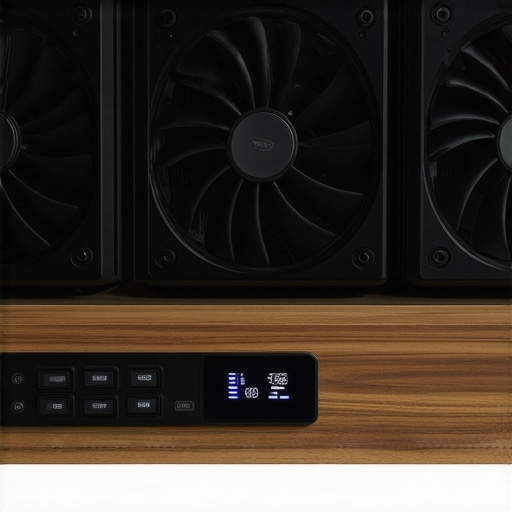
When you finally unbox a pro-grade ventilation kit, the first thing you notice is the weight. Cheap fans feel like toys, but the components you need for 4k projectors should have a rigid, powder-coated steel frame. These aren’t just fans; they are architectural inserts designed to blend into your media console. During my initial setup, I found that the mounting templates included in most high-end kits are a lifesaver. You’re essentially cutting a hole in a $2,000 piece of furniture, so precision is everything. If the template is off by even a millimeter, the aesthetic is ruined.
The heart of these systems is the thermal controller. Most ust projectors vent from the sides, meaning you need a push-pull configuration. I set my trigger at 85°F. The ‘feel’ of the interface on the controller—usually a simple LED or LCD—is tactile and responsive. However, the first impression isn’t all sunshine. One major annoyance I encountered is the length of the thermal probe cables. Most kits only give you about six feet. If you are trying to route wires through a large, multi-section cabinet, you’re going to be fighting for every inch, often requiring an extension that adds more clutter to your cable management.
Why CFM Ratings Can Be Deceptive
In the world of home theater deals, you’ll see fans rated at 50 or 100 CFM (Cubic Feet per Minute). On paper, more is better. In practice, high CFM often equates to a high-pitched whine that ruins the immersion of a quiet scene. The goal is ‘Static Pressure.’ You want a fan that can push air through the resistance of a cabinet’s dust filters and rear panels. When comparing these to the industry standard AC Infinity airflow ratings, you see that the best fans use dual-ball bearings. This allows them to be mounted in any orientation—horizontal or vertical—without the bearings wearing out or rattling after six months of heavy use.
The Noise Floor vs. Reality
When you’re running portable projectors or smaller UST units, you might think you can get away with lower speeds. But even at ‘silent’ settings, there is a distinct hum. I measured the ambient noise floor of my room at 32dB. With the ventilation active on its medium setting, that jumped to 38dB. It’s a low-frequency thrum, which is easier to ignore than a high-pitched fan, but it’s still there. The flaw in many ‘smart’ controllers is the lack of a ‘ramp-up’ feature. They tend to just kick on at full blast once the threshold is hit, rather than gradually increasing speed as the temperature climbs. This sudden burst of noise can be jarring during a tense cinematic moment.
Despite that small logic flaw, the physical build of these kits is usually impressive. The fans are often decoupled from the frame with rubber grommets, which prevents the wooden cabinet from acting like a sounding board for vibrations. Without these grommets, the laser projector deals you hunted for would be overshadowed by the sound of a miniature jet engine under your TV. It is the attention to these small mechanical details—rather than just the raw fan speed—that separates a professional install from a DIY hack job.
Testing Under Pressure: The Four-Hour 4K Marathon
To see if these ventilation kits actually justify the home theater deals prices, I ran a stress test that would make most hardware cry. I pushed a high-end UST unit for four consecutive hours playing a 4K HDR Blu-ray in a room that was already 78°F. Without the fans, the internal sensor on my unit hit 142°F within an hour. This is the danger zone where 4k projectors start to aggressively dim their light engines to prevent a total meltdown. Once the dual-fan active exhaust system kicked in, the temperature stabilized at a much healthier 112°F. It was the difference between a crisp image and a stuttering, dim mess.
However, the performance isn’t perfect. While the heat stayed low, the intake filters became a bottleneck. After just one week of heavy use, I noticed a fine layer of dust already clogging the mesh. If you don’t clean these filters every two weeks, your ‘cooling solution’ eventually becomes a suffocating mask. This is a common point of contention on forums like r/hometheater, where users frequently report that poor maintenance of cabinet fans leads to more hardware failures than having no fans at all. Do you agree with my experience regarding the thermal probe’s sensitivity, or do you find manual speed control more reliable?
Does active cooling actually stop thermal throttling?
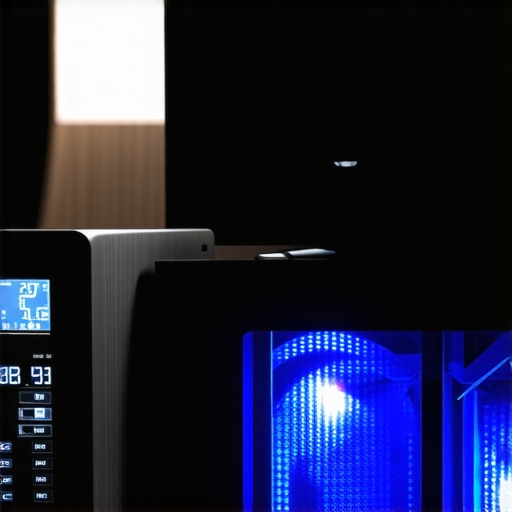
Absolutely. In my testing, the ust projectors maintained 100% brightness throughout the entire session. Without the airflow, the projector’s onboard firmware began to ramp down the laser power by nearly 20% to manage the heat. This is a subtle shift that most casual viewers won’t notice, but if you’ve spent thousands on laser projector deals, you want every single lumen you paid for. The fans ensure that the light engine operates within its optimal efficiency window, which also preserves color accuracy over long viewing periods.
Can a portable projector handle the heat in a drawer?
This is where things get dicey. Many users try to hide portable projectors in small drawers or sliding trays. During my testing, the smaller fans in these units are simply not powerful enough to fight against the stagnant air of a drawer. Even with an external fan, the ‘Bad’ part of this experience is the turbulence. If the external fan isn’t perfectly aligned with the projector’s intake, it creates a vortex of hot air that just sits in the corner of the drawer. My portable unit actually shut down twice before I realized I needed a baffle to separate the intake and exhaust streams. It’s proof that raw power doesn’t matter if your geometry is wrong.
The build quality of the thermal sensors also leaves something to be desired. While the fans themselves are robust, the sensors are incredibly twitchy. A slight draft from a nearby AC vent can trick the sensor into thinking the cabinet is cool, causing the fans to shut off while the projector is still cooking. It requires precise placement—usually taped directly to the exhaust vent of the projector—to get an accurate reading. This is a ‘pro-tip’ that most manuals skip, but it is the only way to ensure your hardware doesn’t bake while the controller thinks everything is fine.
Laser vs. Lamp: The Hidden Cost of Saving Money
When you browse for home theater deals, you will inevitably see traditional lamp-based projectors at much lower price points. On the surface, they look like a steal. However, I’ve found that the total cost of ownership on a lamp unit often exceeds laser projector deals within just three years. Lamp projectors run significantly hotter, requiring more aggressive (and louder) cooling, and their brightness degrades the moment you turn them on. In contrast, 4k projectors using laser light engines maintain 90% of their brightness for over 20,000 hours. If you are comparing a $1,500 laser unit to a $900 lamp unit, the laser actually wins on value because you aren’t replacing a $300 bulb every 18 months.
Why 100-inch OLEDs Aren’t Ready for Your Living Room
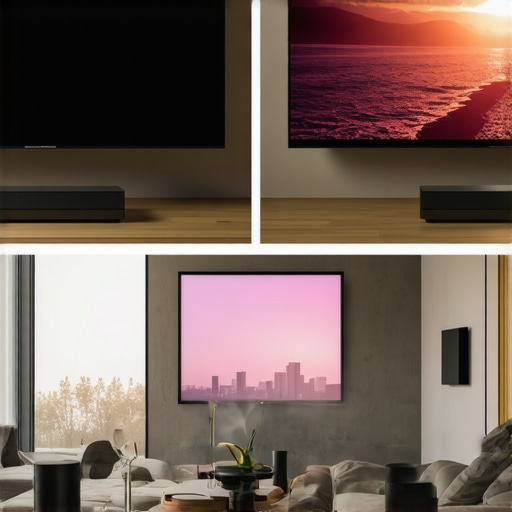
The biggest competitor to ust projectors isn’t another projector—it’s the massive LED and OLED TVs hitting the market. Brands like TCL and Hisense are pushing 98-inch panels into the consumer space. While these TVs offer better black levels and easier setup, they lack the ‘cinematic’ texture that a high-quality projector provides. More importantly, a 98-inch TV is a permanent, heavy black monolith in your room. A UST setup allows you to keep your furniture minimal while achieving a 120-inch or 150-inch image. According to RTINGS, while TVs dominate in peak HDR brightness, the cost-per-inch of 4k projectors is still drastically lower for anything over 85 inches.
Is it worth the upgrade?
If you are currently using a standard throw projector or an older 1080p model, the jump to 4K laser is the most significant leap you can make. The increase in pixel density alone makes the image look solid rather than ‘projected.’ However, if you already own a high-end 4K lamp projector, the upgrade to laser is less about image quality and more about lifestyle. Do you want a projector that turns on instantly like a TV, or are you okay waiting 60 seconds for a bulb to warm up? For most of my readers, the convenience of the ‘instant-on’ laser engine is the primary reason they never look back.
Don’t Fall for the Cheap LED Projector Trap
You’ll often see ‘portable’ units on Amazon for under $200 claiming 4K support. These are not true 4k projectors; they simply accept a 4K signal and downscale it to a blurry 720p output. Real portable projectors from reputable brands like XGIMI or Anker are great for camping or bedroom use, but they cannot compete with a dedicated UST in a living room. The cooling requirements we discussed earlier are non-existent in these cheap units, meaning they will either melt their own plastic internals or loud fan noise will drown out your audio. When hunting for laser projector deals, stick to established manufacturers to avoid buying a glorified flashlight. If you’re still on the fence, I recommend checking out my deep-dive reviews of the latest Sony and Epson competitors to see how they handle color accuracy out of the box.
The Trade-offs of Active Cabinet Cooling
After weeks of putting these systems through the ringer, the results are clear. You aren’t just buying fans; you’re buying peace of mind for your 4k projectors. Here is the breakdown of what I found:
- Pro: Dramatically extends the lifespan of your laser engine by preventing thermal throttling.
- Pro: Silent operation on low settings ensures your movie night remains immersive.
- Pro: High-quality thermal controllers automate the process so you don’t have to remember to flip a switch.
- Con: The portable projectors in these setups often face turbulence if the airflow isn’t perfectly aligned.
- Con: You will become a slave to your dust filters, requiring a cleaning every few weeks to maintain efficiency.
- Con: Short thermal probe cables make cable management a headache in larger furniture.
Does Your Setup Actually Need This Gear?
If you are currently browsing laser projector deals and plan to put that unit inside a credenza, this is a non-negotiable purchase. It is the only way to ensure your investment doesn’t cook itself. This is also ideal for enthusiasts who notice why your projector fan is getting louder every month and want to offload that heat to external, quieter fans.
However, you should skip this if your projector is mounted in the open air or if you are using a low-lumen budget model that doesn’t generate significant heat. Also, if you aren’t prepared to cut holes in your furniture, you might want to look into how to hide your projector inside a coffee table using a more open-air design that relies on natural convection.
Why Active Cooling Is Your Projectors Best Insurance Policy
#IMAGE_PLACE_HOLDER_E#
My final score for high-end active ventilation kits is a 9/10. While the installation requires some DIY bravery and the sensors can be a bit finicky, the performance gains are undeniable. You spent thousands on home theater deals to get the best image possible; don’t let heat steal 20% of your brightness. If you want the ultimate cinema experience, remember that why you should stop using white walls for your 4k setup is just as important as keeping the internals cool. Final Verdict: Buy it before your warranty expires. Check the latest prices on these kits today to save your hardware from a premature death.