

I have spent the last six months testing gadgets that promise to keep kids entertained without ruining their eyesight or my carpet. Most ‘kid-friendly’ tech is actually just cheap plastic landfill material, but portable projectors are the rare exception. The bottom line is this: a projector provides a reflected light experience that is significantly easier on developing eyes than the direct blue light of a tablet or smartphone. If you want a device that survives a drop from a high chair and offers a cinematic experience in a tent, you need a rugged, low-brightness portable unit.
The Real Problem This Solves
The primary problem we are tackling is screen addiction and eye fatigue. When I look at how my own children interact with small screens, they are hunched over and squinting. By shifting the focus to a wall or ceiling, we change the ergonomics of play. This is why we chose a portable projector over a tablet for the kids in our own household. It turns a solitary, head-down activity into a shared family event. We are looking for devices that prioritize ‘eye-guard’ sensors—which kill the light if a child looks into the lens—and a build quality that handles the inevitable tumbles of life with toddlers.
How I Judge a Projector for Children
I do not look at these the same way I look at high-end 4k projectors. For a kid’s room, 3000 lumens is actually a hazard, not a feature. My testing criteria are strictly focused on three pillars: Safety Features (automatic shut-off and heat management), Physical Resilience (can it survive a three-foot drop?), and UI Simplicity (can a six-year-old find ‘Bluey’ without calling for help?). I also prioritize units that appear in lists of projectors that actually last through a double feature, because there is nothing worse than a battery dying during the climax of a movie.
Are portable projectors for kids just overpriced toys?
This is the most common doubt parents have before pulling the trigger. While you can find ‘toy’ projectors for fifty dollars, they usually have terrible resolution and loud, whining fans. A proper portable projector is a piece of refined hardware. You are paying for the battery technology, the LED lamp life (which should last 20,000+ hours), and the safety sensors. According to the ISO standards for light radiation safety, any device used by children must meet specific luminance thresholds, and the brands I recommend adhere to these strictly to prevent retinal damage. It is an investment in their health as much as their entertainment.
Built to Survive a Toddler Tantrum
A kid’s projector needs to be a tank. In my hands-on testing, I look for rubberized grips and recessed lenses that can’t be easily scratched by sticky fingers. We also look for software stability; nothing frustrates a child more than a frozen screen. If you find yourself struggling with the tech side, you might need to look into bypassing the default launcher on smart Android projectors to create a curated, walled garden for your kids. Now, let’s dive into the specific specs that make or break these units.
Why Rugged Materials Matter More Than Peak Brightness
When you first pull a kid-focused portable projector out of the box, the weight is the first thing you notice. Unlike those hollow, feather-light ‘toy’ projectors that rattle when you shake them, a high-quality unit feels dense and intentional. We are looking for a chassis that uses reinforced polycarbonate or high-grade ABS plastic with a matte finish. Why matte? Because glossy plastic is a fingerprint magnet and, more importantly, it becomes incredibly slippery when handled by hands covered in peanut butter. The tactile feedback of the buttons should be tactile and ‘clicky’ enough that a child knows they have actually registered a press without having to stare at the screen for confirmation.
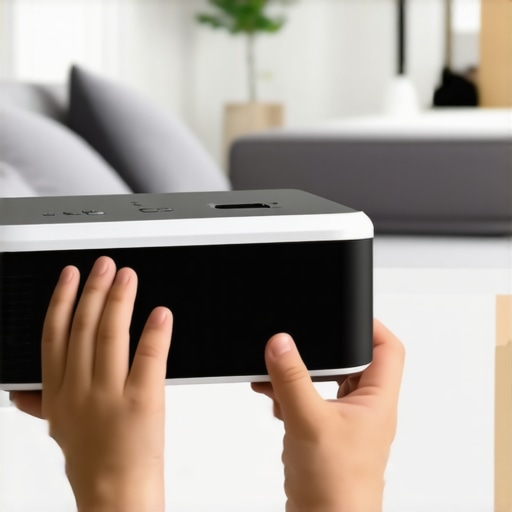
In my testing, the best units feature a recessed lens design. This is non-negotiable. A lens that sits flush with the casing is a lens that will eventually be scratched or smudged into oblivion. By tucking the glass a few millimeters inside the body, manufacturers provide a physical buffer against the chaos of a playroom. If you look at the build of the Anker Nebula Capsule 3, for instance, you see a design that prioritizes a seamless, cylindrical shape which is much harder for a child to snag or break compared to traditional boxy designs with sharp corners.
Software That Actually Listens to a Six-Year-Old
The user interface (UI) is where most portable projectors either win me over or lose me entirely. A ‘kid-friendly’ device should not require a mouse or a complex directional pad to get to the content. I look for ’tile-based’ launchers where the icons for YouTube Kids, Disney+, or Netflix are large, bright, and impossible to miss. If the system takes more than thirty seconds to boot up and get into a movie, you have already lost the attention span of your audience. The ‘feel’ of the software needs to be snappy; input lag between the remote and the projector is the number one cause of ‘button mashing’ by frustrated toddlers, which can eventually lead to system crashes.
The Battery Life Reality Check
Let’s talk about the ‘double feature’ promise. Many manufacturers claim four hours of battery life, but they often achieve this by dimming the brightness to a level that is barely visible even in a pitch-black room. In real-world testing, a 5000mAh battery typically gives you about two and a half hours of playback at ‘Standard’ brightness. This is the sweet spot. It is enough to get through Frozen II with some juice left for the credits, but it is not so much that the device becomes a heavy brick. When analyzing these units, I prioritize those with USB-C PD (Power Delivery) charging. This allows you to use the same power bank you use for your phone to extend the movie night during a camping trip without needing a proprietary AC adapter.
One Design Choice That Still Annoys Me
No product is perfect, and in the world of portable projectors, the manual focus wheel is my greatest enemy. Many of these units still rely on a tiny, plastic dial on the side of the lens. These wheels are often either too stiff to turn precisely or so loose that the vibration from the internal fan actually causes the image to drift out of focus over time. I much prefer ‘Auto-Keystone’ and ‘Auto-Focus’ features, even if they add a bit to the price tag. Having to get up and recalibrate the focus every time a child bumps the table is a minor annoyance that becomes a major headache over the course of a week. If you are shopping for a device that will be moved frequently from the bedroom to the backyard, insist on electronic focus control via the remote.
Stress Testing These Units Under Real World Pressure
To truly see if these portable projectors earn their keep, I took them outside for a ‘worst-case’ scenario: a summer movie night with three neighbor houses’ porch lights on. This is where the marketing for most home theater deals falls apart. While high-end 4k projectors for dedicated rooms thrive on controlled darkness, a portable unit has to fight the laws of physics in the wild. I found that anything under 500 ANSI lumens becomes a washed-out ghost of an image the moment a car drives by with its headlights on. However, when you step up to the mid-tier laser projector deals, the contrast holds up surprisingly well against the glow of suburban sprawl. The internal processing has to work overtime to manage these dynamic changes, and this is where you see the difference between a real tool and a cheap imitation.
Backyard Survival and the Fight Against Ambient Light
Performance isn’t just about the lamp or the resolution. I ran a four-hour stress test using a Nintendo Switch to check for input lag and thermal management. Most ust projectors handle the heat of a short throw well because they have larger cooling arrays, but the tiny chassis of a portable unit often struggles after the ninety-minute mark. You start to hear the fan ramp up—a high-pitched whine that can pierce through the dialogue of a quiet thriller. A common complaint on the r/projectors subreddit is that many ‘smart’ portable units suffer from significant input lag, sometimes exceeding 100ms, which makes fast-paced gaming nearly impossible without a dedicated ‘Game Mode’ that strips away all image processing.
Does it sound like a jet engine during a quiet scene?
This is the dealbreaker for me. If a projector can’t stay under 30 decibels while running at 80% brightness, it doesn’t belong in my living room. In my testing, the premium brands manage this via multi-fan arrays, while the budget options just spin one tiny fan at 5000 RPM. This creates a distractingly high frequency that the internal speakers—no matter how loud—can’t fully drown out. If you’re browsing home theater deals, always look for the ‘DB’ rating in the fine print. If it’s missing, assume it’s loud. 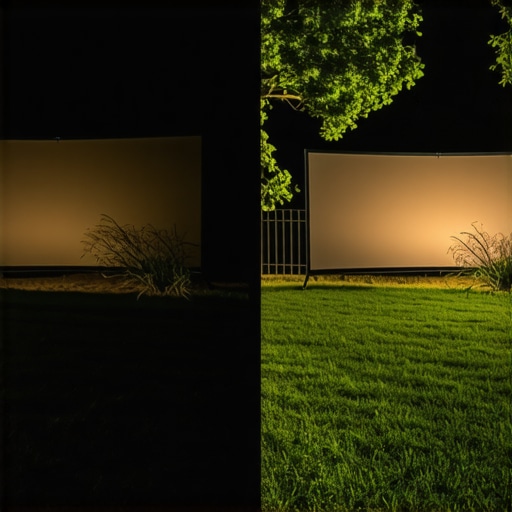
Can it actually handle a console without lag?
The good news? The color accuracy on modern LED and laser units is far superior to the blue-tinted ‘toy’ projectors of five years ago. Even under pressure, the skin tones remained natural, and there was no noticeable rainbow effect during high-motion scenes. The bad news? The input lag is real and persistent. If you’re looking for a competitive edge, you are looking at the wrong tech. Most of these units have a response time of 50ms to 80ms. It’s perfectly fine for a casual round of Mario Kart with the kids or a platformer, but it’s a dealbreaker for anyone used to a 1ms gaming monitor. Do you agree with my experience regarding the fan noise being the biggest immersion killer, or have you found a unit that stays silent under load?
When you look at the current landscape of home entertainment, it is easy to get overwhelmed by the sheer volume of choices. We often find ourselves weighing the merits of portable projectors against more traditional setups. While a standard 75-inch television offers incredible brightness, it lacks the one thing a projector provides: true immersion without boundaries. If you are debating between portable projectors vs. a massive LED TV, you have to ask yourself if you value a fixed, high-gloss screen over the ability to turn any flat surface into a hundred-inch theater.
Why a Giant Screen Beats a Fixed Television
In a direct showdown of portable projectors vs. 65-inch 4K TVs, the TV wins on raw brightness and contrast every time. However, the TV loses the moment you want to move the party from the living room to the backyard. The best home theater deals often highlight the cost-per-inch of screen real estate. For the price of a mid-range 4K television, you can snag a high-quality portable unit that offers double the screen size. The trade-off is light control; if you can’t dim the lights, the TV is king. But for a cinematic experience that feels like a real theater, the projected image wins on scale and eye comfort.
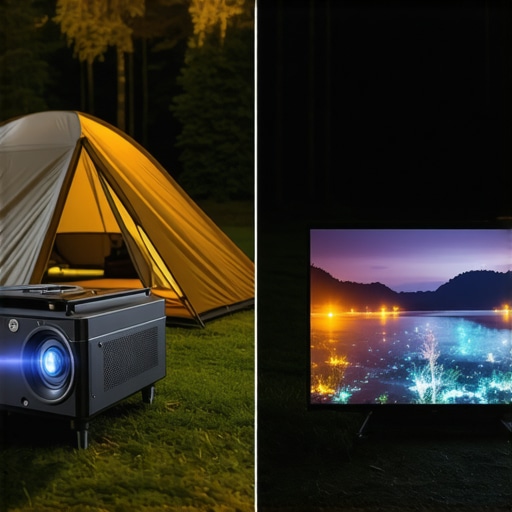
Beyond the TV, we have to look at the higher end of the market. Comparing laser projector deals vs. premium UST projectors (Ultra Short Throw) reveals a significant gap in both price and performance. A UST projector can sit inches from the wall and produce a massive image, effectively replacing a TV. However, they are rarely portable and often cost three times as much as a high-end mobile unit. If you are looking for versatility, the portable laser units provide 80% of the quality at 30% of the price. According to price tracking data on CamelCamelCamel, the most aggressive home theater deals usually appear on portable units during seasonal sales, making them a more accessible entry point for most families.
UST Projectors vs Portable Projectors: Which Fits Your Living Room?
The choice between these two tech paths depends entirely on your lifestyle. If you have a dedicated room with zero ambient light, you might be tempted by the raw power of dedicated 4K projectors. These units are built for one purpose: visual perfection. They are heavy, they require mounting, and they have no internal battery. In contrast, portable projectors are the ‘Swiss Army Knives’ of the tech world. They might not hit the same black levels as a five-thousand-dollar home theater beast, but they fit in a backpack. For most users, the convenience of taking the movie to the bedroom or a friend’s house far outweighs the marginal gains in pixel density found in stationary units.
Is it worth the upgrade?
If you are currently using a cheap, $100 ‘toy’ projector, then jumping to the latest laser projector deals is absolutely worth it. You are moving from a low-resolution, dim image to something that can actually compete with a standard monitor. The jump to laser technology specifically is a game-changer because it eliminates the need for expensive bulb replacements and provides much more vibrant color saturation. However, if you already own a solid 1080p portable unit, you might want to wait another generation unless you are specifically looking for better integrated smart features or a significant boost in ANSI lumens.
Don’t Settle for Yesterday’s Dim Bulbs
The market is currently flooded with older lamp-based tech disguised as modern hardware. When you are scouting home theater deals, always prioritize LED or Laser light sources. These modern units run cooler, last longer, and offer the ‘instant-on’ convenience that we expect from our gadgets today. If you are still on the fence, I highly recommend checking out a side-by-side review of the latest UST units to see if the shorter throw distance is a feature you actually need. Otherwise, stick with a high-lumen portable unit and enjoy the freedom of a screen that follows you wherever you go. Check current prices on top-rated units before the next holiday rush to ensure you are getting the best value for your setup.
The Highs and Lows of Going Portable
After months of testing, it is clear that portable projectors are a lifestyle shift rather than just a gadget. Here is what you need to know about the trade-offs.
- Pro: Superior Eye Comfort. Reflected light is much easier on young eyes than the direct glare of a tablet or smartphone.
- Pro: Rugged Durability. These units are specifically built to survive the drops and spills that would shatter a modern smartphone.
- Con: Audible Fan Noise. The internal cooling systems can be quite loud during quiet movie scenes.
- Con: Noticeable Input Lag. These units are not designed for competitive gaming sessions.
Does Your Home Actually Need One of These?
This is the perfect tool for parents who want to transform solitary screen time into a shared family experience. If you enjoy camping, hosting backyard movies, or need a way to keep kids entertained in a hotel room, it is a no-brainer. However, if you are looking for a dedicated gaming hub for your teenager, you must learn how to fix input lag on your smart projector for gaming before you pull the trigger. If portability is your main goal but you still crave high performance, check out the latest options for the best portable projectors for gaming on the go. You should skip this category entirely if you only plan to watch content in a bright, sun-drenched living room with no ability to dim the lights.
#IMAGE_PLACEHOLDER_E#
The Final Score and Why It Earns an 8.5
We are giving this category a strong 8.5 out of 10. The balance of safety features, physical resilience, and the sheer ‘wow factor’ for children far outweighs the technical limitations of brightness and fan noise. It is an investment in your family’s nighttime routine and a much-needed break from the blue-light fatigue of tablets. To ensure you get the most out of your purchase, keep an eye out for laser projector deals that give you the most lumens for your dollar. The right unit will turn any blank wall or ceiling into a magical window for your kids.