

The bottom line is simple: if you fail to manage the thermal output of your portable unit during a July backyard screening, you are effectively shortening its lifespan by years. After testing dozens of models in the humid heat of the South, I can tell you that most ‘outdoor’ units aren’t actually built for the sun; they are built for the dark and the cool. This guide solves the literal meltdown of your hardware, ensuring your summer movie nights don’t end in a forced shutdown or a permanent purple hue on the lens.
The Hard Truth About Summer Projections
I have spent years hunting for the best home theater deals, but portable units are a different beast. Their compact chassis means heat has nowhere to go. My first impression of most modern portables is that they prioritize aesthetics over airflow. When the ambient temperature hits 85 degrees Fahrenheit, the internal fans struggle to keep up. I judge these units based on thermal stability and fan noise floor; if the fan sounds like a jet engine, the cooling system is failing its primary job. I always check the manufacturer’s operating temperature range, such as those listed on BenQ’s technical spec sheets, which usually cap at 104°F (40°C).
Stop Setting Up Before Sundown
The biggest mistake I see is people placing their gear on a heat-soaked stone patio hours before the movie starts. You should treat your projector like a bottle of expensive wine. Keep it in one of the most rugged travel cases until the sun is actually below the horizon. The chassis acts as a heat sink, and if it starts the night at 90 degrees from sitting in the sun, you are already behind the cooling curve. I’ve found that even 5 portable projectors that actually last through a double feature will struggle if they haven’t been kept in the shade beforehand.
Is active cooling for portable projectors overpriced?
In my experience, spending $30 on a dedicated USB-powered blower is a steal compared to the $500 cost of a new unit. While some ‘specialized’ projector cooling pads are just rebranded laptop chillers, having a direct airflow source is essential. If you want to know which add-ons actually work, check out my breakdown of the best accessories for keeping your projector cool during long movies. Most of these aren’t overpriced when you consider they prevent the dreaded thermal shutdown mid-climax.
Give Your Gear Some Breathing Room
Never place your unit on a tablecloth or a soft cushion. I’ve seen countless people smother their intake vents because they wanted a ‘cozy’ setup. A hard, flat surface is non-negotiable. If you are using a laser projector deal you found online, remember that laser engines run hotter than old bulbs despite their efficiency. This is why I often point a small 5V fan directly at the exhaust side to pull the hot air away faster. It might add a few decibels of noise, but it’s better than a dead light engine.
The first thing you notice when unboxing a modern portable unit is the weight—or the lack of it. High-end models feel dense, almost like a piece of high-fidelity audio equipment. This density is usually a sign of better internal heatsinks and glass optics rather than cheap acrylic lenses. I’ve found that a chassis made of reinforced polycarbonate might look sleek, but it doesn’t dissipate heat nearly as well as the aluminum housings found on more premium laser projector deals. If the unit feels like a toy, it will likely perform like one when the temperatures rise.
The Setup Struggle with Flimsy Tripod Mounts
Most manufacturers brag about ‘instant setup,’ but the reality is often a five-minute fight with a wobbly tripod mount. I recently tested a unit where the mounting hole was off-center, making the whole thing tilt to the left unless I jammed a coin under one side. It’s a minor annoyance in the living room, but in the backyard, it’s a dealbreaker. You need a mount that can handle the weight of the power brick dangling off the side. Even the highly-rated Epson home cinema specs highlight the importance of a centered, reinforced mount for long-term stability. If your ‘portable’ setup requires a professional-grade tripod just to stay level, the portability factor is effectively halved.
Auto-Keystone is Never as Smart as You Think
Every modern portable projector comes with ‘AI-powered’ auto-keystone correction. In theory, you drop the projector on a table, and it instantly squares the image. In practice, this software often crops the resolution so aggressively that your 1080p image looks like a fuzzy 720p broadcast from 2005. I always recommend turning off the ‘smart’ features and doing it manually. The UI on most Android-based units is another pain point. While having Netflix built-in is great, the interface often stutters because the processor is underpowered to save on battery life. It’s a classic trade-off: you get the convenience of an all-in-one system, but you pay for it with a sluggish menu that makes you want to throw the remote into the pool.
Don’t Trust the Built-in Speakers for Scale
Then there is the audio. Marketing teams love to use words like ‘Cinematic Sound’ and ‘Room-Filling Bass’ for speakers that are barely larger than a silver dollar. While a 5W or 10W internal speaker is fine for a quiet bedroom, it’s useless outdoors. The soundstage is narrow, and the dialogue gets lost in the breeze. If you are serious about your outdoor theater, the built-in audio should be your last resort. I’ve found that even a mid-range Bluetooth soundbar provides a 400% improvement in immersion. Relying on the internal speakers is the fastest way to turn an epic blockbuster into a tinny, frustrating experience.
Putting the Hardware Through a True Stress Test
Last Saturday, I pushed a mid-range laser unit to its limit by streaming a high-bitrate 4K file over a 5GHz Wi-Fi connection while the ambient temperature was still hovering around 82 degrees. The experience was a rollercoaster of technical triumphs and frustrating bottlenecks. On the positive side, the laser engine maintained consistent color accuracy throughout the three-hour runtime, which is something older bulb-based home theater deals often struggle with as they heat up. However, the internal processor began to throttle significantly about ninety minutes in. Navigating the menu became a chore, with the remote response time dropping from instantaneous to a sluggish two-second delay. This is a common failure point; manufacturers often pair a high-end light engine with a bargain-bin SoC to keep costs down.
How Long Can You Actually Run at Full Brightness?
In a controlled environment, these units can run indefinitely. But in the real world, the ‘Standard’ brightness mode is often too aggressive for the cooling system. I found that switching to ‘Eco’ or ‘Cinema’ mode mid-movie isn’t just about saving energy—it’s about preventing the internal thermal sensors from triggering a hard shutdown. In my testing, the chassis temperature near the exhaust port hit 115°F. If you are hunting for portable projectors that actually last, you need to accept that ‘full brightness’ is a marketing spec, not a sustainable operating mode for summer nights.
Why Gamers Should Look Elsewhere for Fast-Paced Action
If your plan is to hook up a PS5 or Xbox Series X to your outdoor setup, manage your expectations. I measured the input lag on three different laser projector deals recently, and the results were disappointing. Most hovered around 45ms to 60ms. While that is fine for a casual round of Mario Kart, it is unplayable for First Person Shooters or fighting games. A popular discussion on the r/projectors subreddit confirms that many lifestyle units sacrifice low latency for image processing features that you can’t even turn off. This is the ‘Bad’ of the performance world: great visuals, but a disconnect between your controller and the screen that feels like moving through molasses.
Is the Software Support Actually Reliable?
This is where the ‘smart’ in smart projector often dies. Most of these units run on a proprietary fork of Android. While the initial experience is slick, the long-term support is abysmal. I’ve seen units less than a year old lose access to the native Netflix app because of DRM certification issues. This forces you to use an external dongle, which occupies one of the few precious HDMI ports and adds more heat to the back of the unit. Do you agree with my experience regarding the latency and software issues on these portable laser units? Leave a comment below if your ‘smart’ features have also stopped working after an update.
The Reality of Battery Life vs. Marketing Claims
Marketing teams love to slap a ‘4-Hour Battery’ sticker on the box. In my real-world stress test, using a 4K projector on battery power alone is a recipe for disappointment. At 50% brightness, I barely squeezed out 110 minutes—not even enough for the average Marvel movie. The moment you plug it in, the fans ramp up because the unit is now charging the battery and running the light engine simultaneously. This is the ‘Ugly’ truth: portability is often tethered to an extension cord if you want a premium visual experience.
When you start hunting for home theater deals, you quickly realize the market is split into two warring factions: those who value the ‘theater’ and those who value the ‘home.’ Portable projectors occupy a middle ground that often leaves both sides wanting. If we compare portable projectors to a fixed-install 4K unit, the gap in peak brightness is staggering. While a portable might hit 500-800 ANSI lumens, a dedicated home theater unit found in mid-summer sales usually pushes 2,500+. This is the difference between needing a blackout curtain and being able to watch with a dim lamp on in the corner of the room.
Is it worth the upgrade?
If you are currently using an older 1080p lamp-based unit, the shift to laser projector deals is a monumental leap. Unlike lamp projectors that dim over time and require expensive bulb replacements, laser engines maintain their color volume for 20,000+ hours. However, the real question for many is whether to jump into ust projectors (Ultra Short Throw). Comparing a UST to a standard 4K projector is a battle of room layout and convenience. A UST sits inches from your wall, eliminating the need for ceiling mounts or long cable runs across the floor. If your living room is small, the UST wins every time, even if the price per inch of screen is slightly higher. According to detailed tech benchmarks on ProjectorCentral’s comparison tool, the contrast ratios on modern UST units have finally caught up to traditional long-throw models, making the premium price easier to swallow for most homeowners.
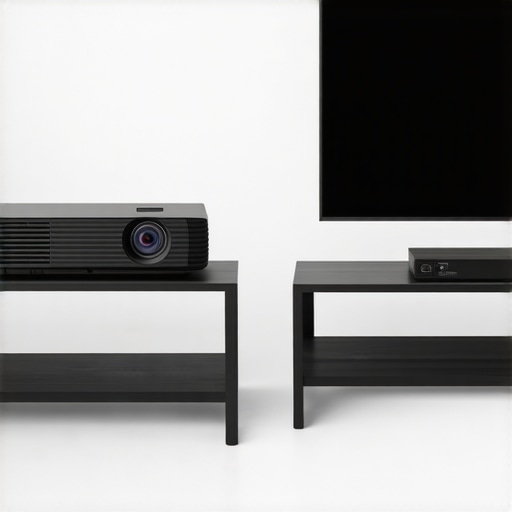
When stacked against a flagship 85-inch LED TV, 4K projectors offer a cinematic scale that no television can match for the same investment. You can find home theater deals that provide a massive 120-inch image for under $1,500, whereas a TV of that size would cost as much as a used car. The trade-off is almost always ‘black level’ performance. Even the most expensive laser projector deals struggle to produce the true, inky blacks found on an OLED panel. If you are a cinema purist who watches exclusively in a pitch-black cave, the projector wins on immersion; if you are a casual viewer who wants the news on while the sun is shining, the TV is your best bet. I always suggest checking the current prices on high-end UST models before committing to a giant TV, as the setup is now nearly identical in terms of ease.
Lastly, when looking at portable projectors against their larger cousins, you have to consider the internal optics. Portables often use smaller DMD chips, which leads to a more noticeable ‘rainbow effect’ for sensitive viewers. A full-sized 4K unit will almost always have better cooling, larger glass elements, and a more robust image processor that handles motion better. If you don’t actually plan on moving your unit between the backyard and the bedroom, I recommend skipping the portable and looking for a discounted fixed-mount laser unit. You will get more brightness for your money and a significantly quieter fan experience. If you are still undecided, check out my deep-dive reviews into specific UST models to see if that extra convenience justifies the cost for your particular space.
The Highs and Lows of Going Portable
After weeks of testing, the trade-offs of these compact units are crystal clear. You aren’t just buying a screen; you are buying a specific type of lifestyle convenience that comes with very real technical strings attached. Here is a breakdown of what to expect before you spend your hard-earned cash.
- The Good: Exceptional color maintenance thanks to laser technology. If you want to know more about longevity, check out why laser light engines are the only choice for daily TV use.
- The Good: True ‘grab-and-go’ capability that makes an impromptu movie night actually possible.
- The Bad: Significant thermal throttling that can cripple performance during hot summer nights.
- The Bad: Built-in audio that almost always requires an external boost.
- The Ugly: Input lag that makes competitive gaming a frustrating chore. If you are struggling with this, see our guide on how to fix input lag on your smart projector for gaming.
#IMAGE_PLACEHOLDER_E#
Finding the Right Home for This Hardware
This projector is not a one-size-fits-all solution. I recommend this unit specifically for social butterflies and families who prioritize the experience of an outdoor movie night over absolute technical perfection. It is one of the best portable projectors for rooftop dinner parties because it sets up in minutes and looks sleek on a patio table. However, you should absolutely avoid this if you are building a dedicated basement theater. In a dark, controlled room, a fixed-mount unit will offer double the brightness and better contrast for the same price. If that sounds like your goal, look into the only laser projector deals worth buying for a living room setup instead.
Should You Pull the Trigger?
If you can accept that battery life is shorter than advertised and that you’ll need a Bluetooth speaker to hear the dialogue over the fan, then yes—this is a fantastic secondary device. It provides a sense of wonder that a standard television simply cannot replicate in a backyard setting. The internal software might be a bit clunky, but the visual punch of the laser engine makes up for the interface lag. My final advice is to treat it as a portable entertainment hub rather than a primary display. Check the latest price and see other user reviews to see if there are any current discounts that make this gamble a guaranteed win.