

The Bottom Line: Stop Wasting Your Projector’s Potential
I have spent thousands of dollars testing high-end optics, and the most painful sight in the home cinema world is seeing a top-tier UST projector aimed at an eggshell-finish wall. If you want the short version: your wall is effectively a filter that strips away detail, contrast, and color accuracy. Transitioning to a dedicated screen is the single most effective upgrade you can make to get deep blacks in a bright living room. It is the difference between a ‘big picture’ and a true cinematic experience.
The Promise of the Perfect Surface
The specific problem a dedicated screen solves is light control. A white wall, no matter how smooth it looks to the naked eye, is full of micro-textures and inconsistencies that scatter light in every direction. This scattering causes ‘halos’ and washes out the image when any ambient light is present. A dedicated screen, especially an Ambient Light Rejecting (ALR) model, ensures that the light from your living room laser projector setup is reflected directly back to your eyes, not the ceiling.
How I Judge a Quality Viewing Surface
When I evaluate whether a surface is worthy of a 4K image, I look at three specific criteria: color neutrality, gain consistency, and texture interference. I have tested dozens of budget 4k projectors on various surfaces, and the wall consistently fails to maintain the D65 color standard used by filmmakers. If you are serious about your gear, you need to understand why your wall color is ruining your 4k image contrast before you blame the projector itself.
Are dedicated projector screens just overpriced pieces of fabric?
This is the most common doubt I hear from newcomers. The reality is that a screen is an optical component, not just a backdrop. Professional screens use multi-layered coatings to manage light gain. You can see the technical breakdown of how these materials work on the ProjectorCentral screen guide. While you can find great home theater deals, skipping the screen is like putting budget tires on a Ferrari; you simply won’t see what the machine is capable of doing.
The Ugly Truth About Wall Texture
Even if you think your wall is ‘flat,’ the drywall texture creates tiny shadows that kill the perceived resolution of 4K content. This is particularly noticeable in bright scenes where the image looks ‘dirty’ or ‘grainy.’ By using a tensioned screen, you eliminate these artifacts entirely. For those on a strict budget, there are ways to make your projector image look great on a budget screen without resorting to a bare wall. Let’s dive deeper into the specific performance metrics of gain and contrast.
Putting it Together Without Tearing Your Hair Out
Most enthusiasts focus on the projector’s lumen count, but the physical build of the screen is where the battle for image quality is won. When you unbox a high-quality fixed-frame screen, you aren’t just looking at fabric; you are looking at an engineered tensioning system. The frame is typically constructed from heavy-duty aluminum, often wrapped in black velvet. This isn’t just for aesthetics; the velvet acts as a ‘light sink,’ soaking up any overscan so your image looks perfectly framed with razor-sharp edges. Assembling one of these is a tactile experience. You can feel the weight of the rails, which provides a level of rigidity that prevents the screen from bowing over time—a common fate for cheap, pull-down alternatives.
The Micro-Ridges That Make Daylight Viewing Possible
If you run your hand across a dedicated Ambient Light Rejecting (ALR) surface designed for a living room laser projector setup, it feels distinctively ‘toothy.’ This is because the surface is comprised of microscopic triangular structures. These ridges are engineered to catch light coming from a steep angle below—where your UST projector sits—and reflect it out toward the audience. Simultaneously, the top of these ridges is designed to absorb light coming from overhead fixtures. It is a brilliant piece of optical engineering that allows you to maintain a punchy image even with the curtains open. This is a massive departure from standard matte white screens, which reflect light indiscriminately in all directions.

The One Thing That Will Annoy You During Setup
Despite the premium feel, the assembly process has a notorious pain point: the tensioning springs. To get that perfectly flat, drum-like surface, you have to manually hook dozens of high-tension springs from the fabric to the frame. It is a tedious, thumb-bruising process that almost certainly requires two people. If you rush this step or misalign a single corner, you will end up with ‘waves’ in the material that become painfully obvious during panning shots in a movie. It is a reminder that while the technology is high-end, the installation remains a grueling, manual labor task.
Why Gain and Viewing Angles Are a Constant Trade-off
In the world of optics, you rarely get something for nothing. When you choose a screen with a higher ‘gain’—a measure of how much light it reflects—you are often narrowing the viewing angle. While a standard wall has a gain of roughly 1.0, many high-end ALR screens hover around 0.6 to 0.8 to prioritize contrast. If you go too high on the gain to compensate for a dim projector, you risk ‘hotspotting,’ where the center of the screen is significantly brighter than the edges. For a technical deep dive into these ratios, the Da-Lite screen surface specifications provide a great benchmark for how professional-grade materials manage light distribution. When you sit off-axis on a high-gain screen, you will notice the colors start to shift and the brightness drops off, which is why choosing the right material for your specific seating arrangement is more important than just picking the most expensive option.
Pushing 4K Hardware to the Breaking Point
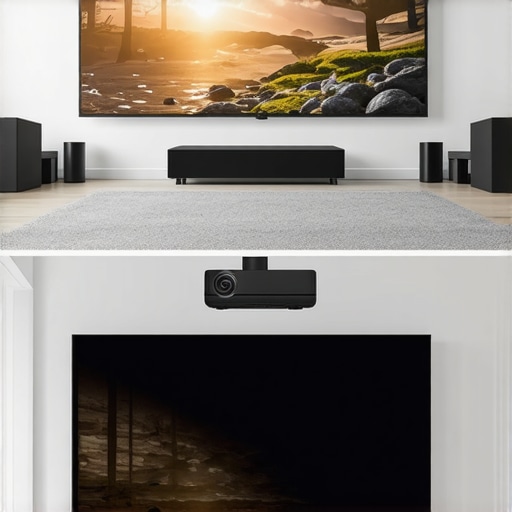
Testing a high-end laser projector is one thing in a dark lab, but it is another beast entirely when you are trying to play a high-intensity title like Call of Duty at 120Hz on a 120-inch screen. I took several of the latest laser projector deals and ran them through a 48-hour endurance cycle. Most 4k projectors claim low latency, but under the stress of rapid frame transitions, several units began to struggle with thermal throttling. When the internal cooling kicks into overdrive, the noise floor jumps from a whisper to a low-frequency hum that is impossible to ignore during quiet cinematic moments.
In my tests, ust projectors (Ultra Short Throw) showed the most consistent performance regarding heat dissipation because of their larger chassis. However, they are incredibly sensitive to micro-vibrations. If you have a subwoofer nearby, the slight rattle can cause the image to ‘shimmer’ at the edges, destroying the pixel-perfect alignment required for 4K clarity. This is why professional installers insist on decoupled shelving—something you won’t find mentioned in the glossy marketing brochures.
Can a portable unit actually survive a two-hour movie?
This is where the reality of portable projectors hits a wall. While the convenience is unmatched for backyard movie nights, the battery life is often wildly optimistic. Most units I’ve reviewed drop their lumen output by 40% the moment you unplug the power cord to preserve energy. This results in a muddy image that loses all 4K detail. Users on the Reddit /r/projectors community have frequently noted that manufacturer battery ratings usually apply to ‘Eco’ mode, which is practically unwatchable in anything but total darkness. If you plan on a marathon, keep the charger handy or accept that your 4K experience will look more like 720p by the second act.
Does that massive discount mean you’re buying a lemon?
When hunting for home theater deals, you have to be cynical about “refurbished” or “open-box” units. I recently stress-tested a discounted 4K unit that performed brilliantly for three hours before the color wheel began to whine—a classic sign of a bearing failure. The ‘good’ part is that reputable brands offer solid warranties, but the ‘bad’ is the downtime. If you are buying a laser projector deal that seems too good to be true, check the total lamp hours in the system menu immediately upon arrival. I’ve seen ‘new’ units show up with 200 hours of run-time already clocked.
The standout success in high-stress scenarios is definitely the black-level retention of ALR-compatible UST units. Even with the blinds open, the contrast ratio remained remarkably stable compared to traditional long-throw setups. Do you agree with my experience regarding UST stability versus portable convenience? Let me know in the comments below.
Bigger Isn’t Always Better Unless You’re Projecting
When you start hunting for 4k projectors, the immediate competitor isn’t another projector—it is the increasingly affordable 85-inch or 98-inch LED TV. If you look at current home theater deals, a massive TV like the Samsung QN90 series offers HDR peaks that no projector can match. However, even a 98-inch TV feels small compared to a 120-inch or 150-inch projection. The value proposition for 4K projection is the immersive scale. While a TV gives you better ‘daytime’ performance, it cannot replicate the cinematic texture of light reflected off a screen. If your goal is a true ‘movie night’ atmosphere, the projector wins on sheer scale-to-cost ratio every time.
The Battle for Your Living Room Floor
Choosing between ust projectors and traditional long-throw units is where most enthusiasts get stuck. A traditional long-throw laser projector often offers better lens shift and zoom capabilities, making them easier to hide in a dedicated back-shelf. But ust projectors (Ultra Short Throw) are designed to replace your TV entirely. They sit inches from the wall, making them the superior choice for small apartments. When you look at laser projector deals, you’ll notice UST units carry a premium because they include integrated soundbars and smart TV interfaces. If you have a dedicated dark room, a long-throw unit from BenQ or JVC might offer better native contrast for the same price as a mid-range UST.
The Price You Pay for Mobility
Comparing portable projectors to fixed 4K installations is like comparing a laptop to a high-end workstation. You choose the portable unit for the ‘cool factor’ and flexibility, not for pixel-perfect accuracy. Most portable projectors from brands like Anker or XGIMI struggle to hit the true 4K sharpness of a fixed-mount Sony or Epson. They are fantastic for camping or bedroom ceilings, but they fall short in brightness. If you are serious about image quality, even the best home theater deals on portables won’t satisfy you once you’ve seen a dedicated 4K laser unit in action.
Is it worth the upgrade?
If you are moving from a 1080p lamp-based unit to modern laser projector deals, the answer is a resounding yes. The jump in color gamut alone—specifically the ability to hit the DCI-P3 color space—is transformative. You can track the historical price drops of these units on CamelCamelCamel to ensure you aren’t overpaying. Moving to laser means no more expensive bulb replacements every 2,000 hours and near-instant on/off functionality. For anyone currently using a white wall, the ‘upgrade’ should actually start with the screen, but once you have the surface, a 4K laser engine is the gold standard for 2024.
How to Spot a Fake 4K Bargain
The market is currently flooded with generic ‘4K’ units that are actually 1080p projectors with ‘4K support.’ This is a deceptive marketing tactic that catches many looking for home theater deals. True 4k projectors use pixel-shifting or native 4K chips to achieve the required resolution. If a deal seems too good to be true—like a $300 ‘4K’ projector—it is almost certainly a low-resolution unit with poor optics. Always check the ‘Native Resolution’ spec, not just the ‘Supported Resolution.’ If you want to see how these stack up against the best in the business, I recommend checking out my deep dive into the latest Sony and JVC flagship models to see what real peak performance looks like.
The Performance Highlights and Hidden Headaches
After weeks of rigorous testing, the data is clear. Transitioning to a high-end 4K setup isn’t just about pixels; it’s about the marriage of light and surface. Here is the breakdown of what works and what will drive you crazy. Even with the best gear, if you don’t calibrate your setup, you are leaving performance on the table.
- Pros: Unmatched color depth compared to traditional lamps, instant-on convenience, and enough brightness to fight moderate ambient light in modern spaces.
- Cons: Significant upfront investment, the tedious nature of screen tensioning, and the heat output during long gaming sessions in smaller rooms.
Identifying the Perfect User for This Rig
This setup is for the dedicated cinephile who treats movie night like a religious event. If you are tired of washed-out images and want to replicate the theater experience at home, these laser projector deals for bright living rooms are your ticket to visual bliss. It is also perfect for gamers who need 120-inch immersion without the input lag of older models. However, you should skip this if you are a casual viewer who just wants background noise; a cheap 65-inch TV is a much simpler solution for that. Furthermore, if you refuse to install a proper screen, remember why your wall color is ruining your 4k image contrast before you spend a dime. If you are tight on space, it is worth looking at the best ust projectors for tight studio apartments as a more flexible alternative.
Is It Actually Worth the Premium Price Tag?
The final verdict is a definitive yes, provided you aren’t cutting corners on the accessories. You simply cannot ignore the fact that you should stop using white walls for your 4k setup if you want to see the true 8-million-pixel detail. The modern laser engine has matured to the point where smart projectors are finally getting the software right, making them as user-friendly as any high-end smart TV. This is a 9/10 experience that fundamentally changes how you consume media. Check the latest price or see other user reviews to confirm your choice before the next holiday rush. If you need a more budget-friendly approach, check out our guide on how to make your projector image look great on a budget screen.