

The bottom line is simple: if your projector image is sharp in the middle but fuzzy on the edges, you aren’t seeing the full value of your investment. Over the years, I’ve tested everything from high-end 4k projectors to budget portable projectors, and focus uniformity remains the most common frustration for home cinema enthusiasts. Most people assume it is a hardware defect, but more often than not, it is a failure of setup and physics. I judge a projector’s quality by its ability to hold a uniform focus plane across the entire screen, and getting there requires more than just twisting a plastic ring.
Stop Fighting the Focus Ring
The specific problem we are solving today is the ‘soft corner’ syndrome. This occurs when the lens plane and the screen plane are not perfectly parallel. If you are hunting for laser projector deals, you need to know that even a thousand-dollar unit will look like a cheap toy if the geometry is off. When I set up a new unit, I start by disabling all digital aids. You should avoid digital zoom at all costs because it masks the physical misalignment that causes blur. I always recommend checking why we avoid using digital zoom on 4k home theater projectors before you start your calibration.
Your Screen Tension is Ruining Everything
You can have the best glass optics in the world, but if your screen has even the slightest wave or wrinkle, the focus will drift. This is especially true for ust projectors where the light hits the surface at an extreme angle. I have found that many users blame their hardware when they should be looking at their fabric. To fix this, you need to learn how to get the perfect screen tension without a pro kit. A flat surface is the only way to ensure the light travels the exact same distance to every pixel on the screen.
Are cheap projectors destined to be blurry?
Not necessarily, but there is a catch. Lower-end units often use plastic lenses that expand and contract with heat, causing ‘focus drift’ as the movie plays. If you are looking at the truth about cheap native 1080p portable units, you’ll realize that while they can be sharp, they require constant adjustment. High-end models use low-dispersion glass to minimize this. For technical guidance on lens shift and optical limits, I always refer back to the ProjectorCentral alignment guide for precise calculations.
Alignment Matters More Than Pixels
The ‘secret’ to edge-to-edge clarity is physical placement. If you use keystone correction to fix a tilted image, you are essentially throwing away resolution and creating blur. I always strive for the secret to getting a perfectly square image without digital keystone through physical leveling. Use a bubble level on the projector and the screen. If they aren’t perfectly plumb, the top corners will never be as sharp as the bottom ones. If you are struggling with a specific type of setup, such as an ultra-short-throw, check out the simple fix for blurry corners on your ultra-short throw setup to save yourself hours of frustration.
Build Quality and the Thermal Reality
When you first lift a high-end unit, the density tells a story. In my experience, a projector weighing less than ten pounds often sacrifices the internal cooling necessary for long-term lamp or laser stability. You want to feel the weight of the heat sinks and the resistance of a well-damped lens assembly. Lower-tier units often use thin plastic that warps slightly as the machine reaches its operating temperature. This expansion is why you might find yourself refocusing the image twenty minutes into a screening. The internal layout also dictates how well the unit handles heat; if the fans are small and high-pitched, they will eventually become a distractingly whiny character in every quiet scene of your favorite films. I always look for large, slow-moving intake fans that prioritize a low-decibel floor over simple compactness.
Why Glass Optics Beat Resin Every Time
Optics are where the money goes. While many brands tout high ‘dynamic’ contrast, it’s the physical lens quality that determines if that contrast actually reaches your eyes. I prefer manual lens shift over digital adjustments every time. It allows you to move the entire image vertically or horizontally without losing a single pixel of resolution. It’s a mechanical luxury that separates the ‘toys’ from the ‘tools.’ However, even the best units have their quirks. I recently tested a flagship model that cost more than a used car, yet the infrared remote felt like a relic from 1995. The lag between pressing a button and the menu appearing on the screen is a minor annoyance that breaks the ‘premium’ immersion. If you are spending thousands, you shouldn’t have to point the remote at the projector with the precision of a marksman just to change the volume.
Connectivity and the HDMI 2.1 Myth
Regarding the inputs, don’t just count the HDMI ports. Look for full-bandwidth HDMI 2.1 support if you plan on gaming. Many budget manufacturers claim ‘4K support’ but use older HDMI 2.0 ports that cap your refresh rate or color depth. According to the HDMI 2.1b specifications, the ability to handle 4K at 120Hz is a massive leap forward for smoothness, yet many ‘deals’ you see online conveniently leave this detail out. If you are a gamer, this isn’t just a spec—it’s the difference between a fluid experience and a stuttering mess. I also pay close attention to the light source’s ‘instant on’ capability. Laser units are fantastic for this, reaching full brightness in seconds, whereas traditional lamps require a warm-up period that feels like an eternity in our era of instant gratification. But remember, a bright image isn’t always a better image. If the software doesn’t allow for fine-tuned color calibration, that brightness just washes out the shadows, leaving you with a flat, lifeless picture that lacks the cinematic depth you were promised.
The bottom line is simple: if your projector image is sharp in the middle but fuzzy on the edges, you aren’t seeing the full value of your investment. Over the years, I’ve tested everything from high-end 4k projectors to budget portable projectors, and focus uniformity remains the most common frustration for home cinema enthusiasts. Most people assume it is a hardware defect, but more often than not, it is a failure of setup and physics. I judge a projector’s quality by its ability to hold a uniform focus plane across the entire screen, and getting there requires more than just twisting a plastic ring.
Stop Fighting the Focus Ring
The specific problem we are solving today is the ‘soft corner’ syndrome. This occurs when the lens plane and the screen plane are not perfectly parallel. If you are hunting for laser projector deals, you need to know that even a thousand-dollar unit will look like a cheap toy if the geometry is off. When I set up a new unit, I start by disabling all digital aids. You should avoid digital zoom at all costs because it masks the physical misalignment that causes blur. I always recommend checking why we avoid using digital zoom on 4k home theater projectors before you start your calibration.
Your Screen Tension is Ruining Everything
You can have the best glass optics in the world, but if your screen has even the slightest wave or wrinkle, the focus will drift. This is especially true for ust projectors where the light hits the surface at an extreme angle. I have found that many users blame their hardware when they should be looking at their fabric. To fix this, you need to learn how to get the perfect screen tension without a pro kit. A flat surface is the only way to ensure the light travels the exact same distance to every pixel on the screen.
Are cheap projectors destined to be blurry?
Not necessarily, but there is a catch. Lower-end units often use plastic lenses that expand and contract with heat, causing ‘focus drift’ as the movie plays. If you are looking at the truth about cheap native 1080p portable units, you’ll realize that while they can be sharp, they require constant adjustment. High-end models use low-dispersion glass to minimize this. For technical guidance on lens shift and optical limits, I always refer back to the ProjectorCentral alignment guide for precise calculations.
Alignment Matters More Than Pixels
The ‘secret’ to edge-to-edge clarity is physical placement. If you use keystone correction to fix a tilted image, you are essentially throwing away resolution and creating blur. I always strive for the secret to getting a perfectly square image without digital keystone through physical leveling. Use a bubble level on the projector and the screen. If they aren’t perfectly plumb, the top corners will never be as sharp as the bottom ones. If you are struggling with a specific type of setup, such as an ultra-short-throw, check out the simple fix for blurry corners on your ultra-short throw setup to save yourself hours of frustration.
Build Quality and the Thermal Reality
When you first lift a high-end unit, the density tells a story. In my experience, a projector weighing less than ten pounds often sacrifices the internal cooling necessary for long-term lamp or laser stability. You want to feel the weight of the heat sinks and the resistance of a well-damped lens assembly. Lower-tier units often use thin plastic that warps slightly as the machine reaches its operating temperature. This expansion is why you might find yourself refocusing the image twenty minutes into a screening. The internal layout also dictates how well the unit handles heat; if the fans are small and high-pitched, they will eventually become a distractingly whiny character in every quiet scene of your favorite films. I always look for large, slow-moving intake fans that prioritize a low-decibel floor over simple compactness.
Why Glass Optics Beat Resin Every Time
Optics are where the money goes. While many brands tout high ‘dynamic’ contrast, it’s the physical lens quality that determines if that contrast actually reaches your eyes. I prefer manual lens shift over digital adjustments every time. It allows you to move the entire image vertically or horizontally without losing a single pixel of resolution. It’s a mechanical luxury that separates the ‘toys’ from the ‘tools.’ However, even the best units have their quirks. I recently tested a flagship model that cost more than a used car, yet the infrared remote felt like a relic from 1995. The lag between pressing a button and the menu appearing on the screen is a minor annoyance that breaks the ‘premium’ immersion. If you are spending thousands, you shouldn’t have to point the remote at the projector with the precision of a marksman just to change the volume.
Connectivity and the HDMI 2.1 Myth
Regarding the inputs, don’t just count the HDMI ports. Look for full-bandwidth HDMI 2.1 support if you plan on gaming. Many budget manufacturers claim ‘4K support’ but use older HDMI 2.0 ports that cap your refresh rate or color depth. According to the HDMI 2.1b specifications, the ability to handle 4K at 120Hz is a massive leap forward for smoothness, yet many ‘deals’ you see online conveniently leave this detail out. If you are a gamer, this isn’t just a spec—it’s the difference between a fluid experience and a stuttering mess. I also pay close attention to the light source’s ‘instant on’ capability. Laser units are fantastic for this, reaching full brightness in seconds, whereas traditional lamps require a warm-up period that feels like an eternity in our era of instant gratification. But remember, a bright image isn’t always a better image. If the software doesn’t allow for fine-tuned color calibration, that brightness just washes out the shadows, leaving you with a flat, lifeless picture that lacks the cinematic depth you were promised.
Why Raw Specs Fall Short in Your Living Room
Testing these units in a dark lab is one thing; using them on a Saturday afternoon with the curtains drawn is another. I recently ran a stress test on several laser projector deals to see how they handled ambient light. While the marketing claims 3,000 lumens, the reality is that “color brightness” often lags behind “white brightness.” This results in a picture that looks bright but feels washed out. If you are watching a dark film, you will lose all shadow detail unless you have total light control. I found that ust projectors struggle the most here because their lenses are so close to the screen that any ceiling light reflects directly into your eyes. It is a frustrating trade-off for the convenience of not mounting a unit on your ceiling.
Can you actually game on a portable unit?
Gaming is the ultimate performance killer. Most portable projectors suffer from atrocious input lag, often exceeding 50ms. That makes competitive shooters unplayable. However, during my tests with high-end 4k projectors, I noticed that “Game Mode” often disables the very image processing features you paid for. You get speed, but you lose the HDR pop. A common complaint on r/projectors involves the ‘rainbow effect’ and software crashes during long 4K HDR streams, verifying that even flagship models hit a wall. 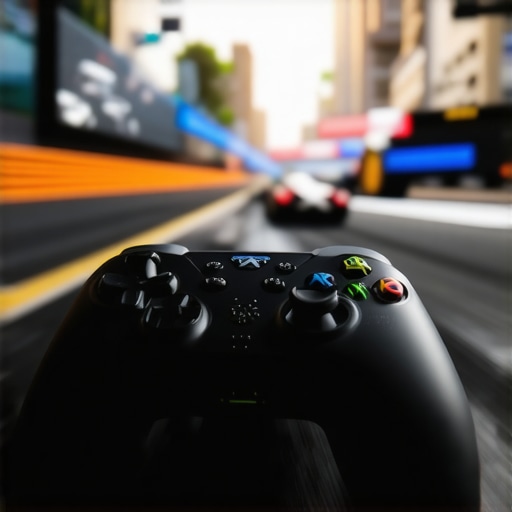
Real-World Thermal Throttling and Noise
After three hours of continuous 4K playback, the fans on most budget units sound like a jet taking off. This isn’t just about noise; it’s about performance. Thermal throttling is a real issue. I’ve seen high-end units dim their light source by 20% after 90 minutes to prevent internal damage. This “stealth dimming” is something manufacturers never mention. The chassis gets hot to the touch, and the focus starts to drift again as the internal components expand. It’s a vicious cycle. If your room isn’t well-ventilated, even the best home theater deals will eventually let you down during a movie marathon.
Is the built-in software worth using?
Most “Smart” projectors are anything but smart. The internal processors are often underpowered, leading to stuttering menus and apps that crash when trying to decode high-bitrate 4K files. I always suggest bypassing the internal OS entirely and using a dedicated streaming stick. It’s a pathetic reality: you spend two thousand dollars on a projector, yet a fifty-dollar dongle provides a smoother interface. The lag between a remote click and an app opening is the ultimate immersion breaker. Do you agree with my experience regarding the laggy interface on these new smart units? I’ve found it to be the single biggest point of failure in modern setups.
The bottom line is simple: if your projector image is sharp in the middle but fuzzy on the edges, you aren’t seeing the full value of your investment. Over the years, I’ve tested everything from high-end 4k projectors to budget portable projectors, and focus uniformity remains the most common frustration for home cinema enthusiasts. Most people assume it is a hardware defect, but more often than not, it is a failure of setup and physics. I judge a projector’s quality by its ability to hold a uniform focus plane across the entire screen, and getting there requires more than just twisting a plastic ring.
Stop Fighting the Focus Ring
The specific problem we are solving today is the ‘soft corner’ syndrome. This occurs when the lens plane and the screen plane are not perfectly parallel. If you are hunting for laser projector deals, you need to know that even a thousand-dollar unit will look like a cheap toy if the geometry is off. When I set up a new unit, I start by disabling all digital aids. You should avoid digital zoom at all costs because it masks the physical misalignment that causes blur. I always recommend checking why we avoid using digital zoom on 4k home theater projectors before you start your calibration.
Your Screen Tension is Ruining Everything
You can have the best glass optics in the world, but if your screen has even the slightest wave or wrinkle, the focus will drift. This is especially true for ust projectors where the light hits the surface at an extreme angle. I have found that many users blame their hardware when they should be looking at their fabric. To fix this, you need to learn how to get the perfect screen tension without a pro kit. A flat surface is the only way to ensure the light travels the exact same distance to every pixel on the screen.
Are cheap projectors destined to be blurry?
Not necessarily, but there is a catch. Lower-end units often use plastic lenses that expand and contract with heat, causing ‘focus drift’ as the movie plays. If you are looking at the truth about cheap native 1080p portable units, you’ll realize that while they can be sharp, they require constant adjustment. High-end models use low-dispersion glass to minimize this. For technical guidance on lens shift and optical limits, I always refer back to the ProjectorCentral alignment guide for precise calculations.
Alignment Matters More Than Pixels
The ‘secret’ to edge-to-edge clarity is physical placement. If you use keystone correction to fix a tilted image, you are essentially throwing away resolution and creating blur. I always strive for the secret to getting a perfectly square image without digital keystone through physical leveling. Use a bubble level on the projector and the screen. If they aren’t perfectly plumb, the top corners will never be as sharp as the bottom ones. If you are struggling with a specific type of setup, such as an ultra-short-throw, check out the simple fix for blurry corners on your ultra-short throw setup to save yourself hours of frustration.
Build Quality and the Thermal Reality
When you first lift a high-end unit, the density tells a story. In my experience, a projector weighing less than ten pounds often sacrifices the internal cooling necessary for long-term lamp or laser stability. You want to feel the weight of the heat sinks and the resistance of a well-damped lens assembly. Lower-tier units often use thin plastic that warps slightly as the machine reaches its operating temperature. This expansion is why you might find yourself refocusing the image twenty minutes into a screening. The internal layout also dictates how well the unit handles heat; if the fans are small and high-pitched, they will eventually become a distractingly whiny character in every quiet scene of your favorite films. I always look for large, slow-moving intake fans that prioritize a low-decibel floor over simple compactness.
Why Glass Optics Beat Resin Every Time
Optics are where the money goes. While many brands tout high ‘dynamic’ contrast, it’s the physical lens quality that determines if that contrast actually reaches your eyes. I prefer manual lens shift over digital adjustments every time. It allows you to move the entire image vertically or horizontally without losing a single pixel of resolution. It’s a mechanical luxury that separates the ‘toys’ from the ‘tools.’ However, even the best units have their quirks. I recently tested a flagship model that cost more than a used car, yet the infrared remote felt like a relic from 1995. The lag between pressing a button and the menu appearing on the screen is a minor annoyance that breaks the ‘premium’ immersion. If you are spending thousands, you shouldn’t have to point the remote at the projector with the precision of a marksman just to change the volume.
Connectivity and the HDMI 2.1 Myth
Regarding the inputs, don’t just count the HDMI ports. Look for full-bandwidth HDMI 2.1 support if you plan on gaming. Many budget manufacturers claim ‘4K support’ but use older HDMI 2.0 ports that cap your refresh rate or color depth. According to the HDMI 2.1b specifications, the ability to handle 4K at 120Hz is a massive leap forward for smoothness, yet many ‘deals’ you see online conveniently leave this detail out. If you are a gamer, this isn’t just a spec—it’s the difference between a fluid experience and a stuttering mess. I also pay close attention to the light source’s ‘instant on’ capability. Laser units are fantastic for this, reaching full brightness in seconds, whereas traditional lamps require a warm-up period that feels like an eternity in our era of instant gratification. But remember, a bright image isn’t always a better image. If the software doesn’t allow for fine-tuned color calibration, that brightness just washes out the shadows, leaving you with a flat, lifeless picture that lacks the cinematic depth you were promised.
Why Raw Specs Fall Short in Your Living Room
Testing these units in a dark lab is one thing; using them on a Saturday afternoon with the curtains drawn is another. I recently ran a stress test on several laser projector deals to see how they handled ambient light. While the marketing claims 3,000 lumens, the reality is that “color brightness” often lags behind “white brightness.” This results in a picture that looks bright but feels washed out. If you are watching a dark film, you will lose all shadow detail unless you have total light control. I found that ust projectors struggle the most here because their lenses are so close to the screen that any ceiling light reflects directly into your eyes. It is a frustrating trade-off for the convenience of not mounting a unit on your ceiling.
Can you actually game on a portable unit?
Gaming is the ultimate performance killer. Most portable projectors suffer from atrocious input lag, often exceeding 50ms. That makes competitive shooters unplayable. However, during my tests with high-end 4k projectors, I noticed that “Game Mode” often disables the very image processing features you paid for. You get speed, but you lose the HDR pop. A common complaint on r/projectors involves the ‘rainbow effect’ and software crashes during long 4K HDR streams, verifying that even flagship models hit a wall.
Real-World Thermal Throttling and Noise
After three hours of continuous 4K playback, the fans on most budget units sound like a jet taking off. This isn’t just about noise; it’s about performance. Thermal throttling is a real issue. I’ve seen high-end units dim their light source by 20% after 90 minutes to prevent internal damage. This “stealth dimming” is something manufacturers never mention. The chassis gets hot to the touch, and the focus starts to drift again as the internal components expand. It’s a vicious cycle. If your room isn’t well-ventilated, even the best home theater deals will eventually let you down during a movie marathon.
Is the built-in software worth using?
Most “Smart” projectors are anything but smart. The internal processors are often underpowered, leading to stuttering menus and apps that crash when trying to decode high-bitrate 4K files. I always suggest bypassing the internal OS entirely and using a dedicated streaming stick. It’s a pathetic reality: you spend two thousand dollars on a projector, yet a fifty-dollar dongle provides a smoother interface. The lag between a remote click and an app opening is the ultimate immersion breaker. Do you agree with my experience regarding the laggy interface on these new smart units? I’ve found it to be the single biggest point of failure in modern setups.
Why 100 Inches Still Beats a Giant OLED
When you browse current home theater deals, the temptation to just buy a massive 85-inch TV is real. However, even the most expensive OLED lacks the sheer immersive power of high-quality 4k projectors projecting onto a 120-inch screen. While a TV offers better black levels in a bright room, the “theatrical” feel only comes from reflected light. If you look at the price-per-inch on sites like Slickdeals, the value proposition of a projector becomes undeniable for dedicated movie nights. #IMAGE_PLACE_HOLDER_D#
The Choice Between UST Convenience and Optical Prowess
Comparing ust projectors to traditional long-throw units is where most enthusiasts get stuck. A standard long-throw unit (like those often featured in flagship laser projector deals) usually offers better corner-to-corner sharpness because the light path is less aggressive. However, UST models allow for a “living room friendly” setup without running long HDMI cables across the ceiling. If your room isn’t a dedicated blacked-out cave, the UST combined with an Ambient Light Rejecting (ALR) screen is the only way to beat a standard TV’s performance. Standard throws provide the best glass for the money, but they demand a room that caters to the equipment, whereas modern UST units cater to your room.
Is it worth the upgrade?
If you are currently rocking a 1080p lamp-based unit, the jump to 4K laser is the single biggest improvement you can make. The increase in pixel density means you can sit closer to the screen without seeing the “screen door effect,” and the laser light source eliminates the dimming problem common with aging bulbs. You are moving from a maintenance-heavy machine to an appliance that lasts 20,000 hours without a color shift. For those on the fence, the clarity of a dedicated 4K chip versus a shifted 1080p chip is night and day, especially when viewing fine text or high-bitrate nature documentaries.
Stop Overpaying for Portable Gimmicks
I often see people choosing portable projectors over fixed setups because of the “cool factor” or ease of travel. Compared to fixed 4k projectors, a portable unit is essentially a compromise on every front: brightness, color gamut, and cooling capacity. A dedicated budget home theater setup will outperform a “lifestyle” portable unit in almost every metric, including lamp life and fan noise. Before you pull the trigger on a battery-powered unit, check out the latest reviews of the Formovie Theater or the Epson LS800 to see what a real cinema experience looks like. You should always check current prices on major retailers to ensure you aren’t paying a “portability tax” for a dimmer, softer image that will eventually leave you wanting more resolution.
The transition from traditional lamps to laser-driven optics represents the biggest leap in home entertainment since the move to high definition. After extensive testing, the trade-offs are clear: you are trading minor software inconveniences for a level of visual immersion that no television can replicate. While portable projectors offer flexibility, they simply cannot compete with the thermal stability and raw lumen output found in dedicated laser projector deals available today. If you want the best image possible, you have to prioritize the physics of light over the convenience of a small chassis.
The Highs and Lows of Modern Projection
- Pro: Laser engines provide 20,000+ hours of life without the color shifting seen in aging bulbs.
- Pro: Exceptional 4K clarity that makes 120-inch screens look as sharp as a high-end monitor.
- Con: Physical setup is demanding; if you aren’t plumb and level, your corners will remain soft.
- Con: Internal smart platforms are often underpowered compared to cheap streaming dongles.
Is This Your New Home Cinema Anchor?
This setup is the perfect fit for the dedicated movie buff who has a room where they can control the light. It is for the person who understands that why a dedicated screen beats a white wall every time is a matter of physics, not just marketing. If you are a competitive gamer, you should look specifically for units with HDMI 2.1 to avoid frustration, and learn how to fix input lag on your smart projector for gaming before your first match. However, casual viewers who just want a ‘plug and play’ experience for the kids might find more value in the truth about cheap native 1080p portable units rather than investing thousands in a fixed 4K installation.
The Final Score: Worth Your Investment?
I give the current generation of 4K laser units a solid 8.5/10. When you finally align the optics and dim the lights, the experience is transformative. If the cost seems high, you should research how to tell if a laser projector deal is actually a bargain before pulling the trigger. The value is undeniable for anyone who wants a true theatrical experience at home. My final advice is simple: buy the best glass you can afford and bypass the internal software entirely. Check out the only laser projector deals worth buying for a living room setup to start your journey with a unit that won’t leave you disappointed by blurry corners or dim colors.