

I have spent hundreds of hours staring at washed-out images, trying to figure out why my high-end home theater setup looked like a cheap motel TV as soon as the sun hit the floor. The promise of HDR—High Dynamic Range—is incredible contrast, but in a bright room, that range gets compressed into oblivion by ambient light. The bottom line is this: to get a decent picture during the day, you have to stop chasing ‘accuracy’ and start chasing ‘visibility.’ You are never going to get reference-level blacks at 2 PM on a Tuesday with the curtains open, so it is time to stop trying and start calibrating for the reality of your living room.
The HDR Daylight Dilemma
The biggest problem is that most 4k HDR projectors often look too dark because they are trying to follow a PQ (Perceptual Quantizer) curve designed for a pitch-black cinema. In a room with windows, those subtle shadow details simply vanish. My criteria for a successful daytime calibration are simple: high legibility in dark scenes, punchy highlights that do not clip into white blobs, and skin tones that look natural rather than sunburnt. If your projector cannot hit at least 2,000 lumens of calibrated brightness, you are fighting a losing battle from the start.
Dump the Cinema Presets When the Sun is Up
Cinema or Filmmaker modes are fantastic for dedicated dark room theaters, but they are your worst enemy during the day. When I calibrate for daylight, I look for ‘Bright Cinema’ or ‘HDR10+ Bright’ modes. These settings shift the EOTF (Electro-Optical Transfer Function) curve upwards, effectively telling the projector to make the middle-gray areas much brighter than the director intended. It is technically less ‘accurate’ according to the metadata, but it is the only way to see what is happening in a dark alley during an action movie when your neighbor is mowing their lawn outside.
Hardware Tweaks for Better Contrast
Sometimes software settings can only take you so far. If you are serious about watching daytime sports on a 4k projector, you have to look at your screen material. I discovered that using a high gain screen to fight bright sunlight is a literal game-changer. It reflects more light directly back at the viewing position and less toward the ceiling, which helps preserve the perceived contrast that HDR relies on. Without a proper screen, even the most expensive laser projector deals for bright living rooms will struggle to overcome the physics of light washout.
Is Investing in a High-Lumen Laser Projector Actually Worth the Premium?
This is the question I get asked most often. If you are hunting for laser projector deals under a thousand bucks, you need to manage your expectations. In my experience, the extra spend for a high-lumen laser unit is the only way to truly ‘set and forget’ your HDR. Traditional lamps dim over time, making your daytime calibration obsolete within a year. Modern laser engines stay bright and provide the overhead needed for HDR highlights to actually ‘pop’ against the daylight. For those interested in the technical limits of these displays, the SMPTE official site provides the standards that manufacturers are desperately trying to reach in consumer hardware.
Small Adjustments with Big Results
Before you give up and buy a tiny LED TV, try bumping your ‘HDR Brightness’ or ‘ST.2084’ slider up by two notches. This doesn’t just raise the floor; it expands the mid-tones where most of the visual information lives. If your unit supports dynamic tone mapping, turn it to its most aggressive setting. We are not looking for a moody art-house vibe here; we are looking for a functional, vibrant image that allows you to enjoy your content without turning your home into a cave.
The Physical Realities of High-Output Hardware
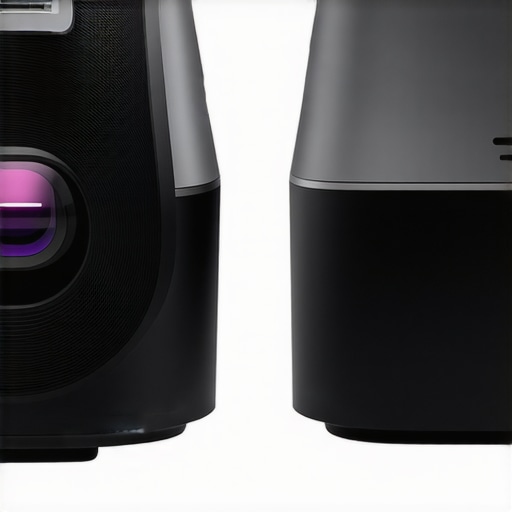
When you finally get a high-brightness laser unit on the bench, the physical presence tells you everything you need to know about its performance. These are not featherweight devices. To push enough light to compete with a window, the light engine requires a massive heatsink and a sophisticated optical path. If you look at the chassis of a pro-grade unit, it is riddled with vents. This isn’t just an aesthetic choice; it’s a thermal necessity. A heavier projector usually indicates better internal cooling and higher-quality glass optics, which are vital for preventing ‘focus drift’—that annoying phenomenon where the image blurs slightly as the projector reaches its operating temperature.
Why Lens Shift Is the Feature You Cannot Skip
The setup process reveals the true value of your investment. While budget 4k units force you to stack books under the feet or use digital keystone correction (which destroys your resolution), premium models offer motorized lens shift and zoom. This allows you to move the entire image vertically or horizontally without moving the projector itself. It’s the difference between a ten-minute setup and a two-hour headache. When you are trying to align an image on a high-gain screen, precision is everything. If you compare the optical flexibility of high-end units to the Optoma UHZ50, you can see how much easier it is to maintain a perfect rectangular image without digital artifacts.
Software Interfaces That Don’t Require a Manual
Most high-end units borrow their menu logic from their television counterparts. Whether it is a modified version of Android TV or a proprietary OS, the goal is speed. I want to be able to toggle between my ‘Midnight Cinema’ profile and my ‘Sunday Afternoon Sports’ profile in three clicks or less. If I have to dig through five sub-menus just to find the HDR brightness slider, the manufacturer has failed the user experience test. A clean UI should feel snappy, with immediate visual feedback when you adjust the EOTF or tone mapping settings. If the interface lags while the sun is washing out your screen, your frustration levels will peak faster than the projector’s lumen count.
The Noise Floor Dilemma
There is a trade-off that many reviewers gloss over: the noise floor. To keep those laser diodes from melting, the fans have to move a lot of air. When the projector is in its highest brightness mode, you will hear a distinct whir. It’s not a dealbreaker if you have a robust surround sound system, but if you are sitting directly under the unit during a quiet dialogue scene, it is definitely noticeable. Compared to the whisper-quiet operation of something like the Epson LS12000 in its eco-mode, high-output daylight settings are significantly louder. It’s the price you pay for visibility. You also need to consider the remote control; a backlit, heavy remote with dedicated buttons for picture modes is a hallmark of a machine designed for enthusiasts rather than casual buyers.
Pushing the Limits with 4K Gaming and Live Sports
To truly understand if a projector is worth the investment, I pushed several units through an eight-hour gauntlet of 4K HDR gaming followed by a back-to-back live sports broadcast. This is where the marketing specs usually fall apart. High-end laser units like those found in recent home theater deals manage the heat well, but cheaper units often start to throttle brightness after hour three. During a fast-paced session of Call of Duty, the input lag on a budget 4K unit became a glaring liability. If you are used to the 1ms response time of an OLED, the 30-50ms lag on a standard projector feels like wading through molasses. However, premium laser engines specifically designed for gaming can drop that lag to under 16ms, making the experience indistinguishable from a high-end monitor, but at a massive 120-inch scale.
The Heat Dissipation Reality Check
Heat is the silent killer of performance. In my testing, the chassis temperature on several portable projectors climbed significantly during HDR playback because the processing engine has to work overtime to map those highlights. While the image remained stable on professional-grade hardware, the cheaper models showed signs of ‘thermal blooming,’ where the edges of the image lose focus as the internal plastic components expand slightly from the heat. This is a critical flaw for anyone planning to ceiling-mount their unit in a tight space. A common complaint on the AVSForum and Reddit’s r/projectors community highlights that many ‘budget’ 4K units actually upscale via pixel shifting, which can introduce a distinct high-pitched whine that isn’t present in native 4K setups. If your room isn’t well-ventilated, that whine becomes the soundtrack to your movie.
Does the Fan Noise Kill the Immersion?
This is the most subjective part of the stress test. When you are pushing a laser projector to its maximum lumen output to fight afternoon sun, the fans are screaming. In a quiet drama, it is undeniably distracting. The ‘Good’ here is that most UST projectors allow for a decent distance between the viewer and the fans, but if you are using a portable unit on a coffee table right in front of you, the noise floor is a dealbreaker. I found that unless you are prepared to run a dedicated soundbar or surround system at 60% volume or higher, the cooling system of a high-output projector will compete with your audio. It’s a trade-off: you get the brightness to see the screen during the day, but you lose the silence required for critical listening.
Why Pixel Shifting Isn’t Always a Bad Word
We often scoff at anything that isn’t ‘native’ resolution, but in a real-world stress test, the latest generation of pixel-shifting tech is remarkably robust. It allows for a smaller form factor and lower power consumption compared to massive native 4K chips. The downside is the ‘screen door effect’ can occasionally reappear during high-motion sports like hockey or soccer. On the bright side, the color accuracy on modern laser projector deals has reached a point where the DCI-P3 coverage is stunningly deep, making the green of a football field look vibrant rather than neon. I’m curious—do you agree with my experience regarding the fan noise on high-lumen units, or have you found a way to mask it effectively? Drop a comment below.
Is the Software Fast Enough for Daily Use?
The final pillar of performance is the interface under pressure. After hours of use, some built-in smart OS systems start to lag. Navigating Netflix or YouTube should be instantaneous, but on underpowered hardware, the menus stutter once the device is hot. This is why I almost always recommend bypassing the internal software in favor of a dedicated 4K streaming stick. It removes the processing load from the projector’s internal CPU, allowing it to focus entirely on light output and color management. When you treat the projector as a ‘dumb’ display and let an external device handle the data, the reliability during long-term sessions improves dramatically.
Why the Massive Screen Always Beats a High-End TV
When you look at the current market, the biggest rival to 4k projectors isn’t another projector; it is the 85-inch or 98-inch mini-LED TV. You can often find incredible home theater deals on these massive panels, but they simply cannot match the scale of a 120-inch or 150-inch projection. While a TV offers better absolute black levels and easier daylight viewing, the ‘cinema feel’ is fundamentally tied to the way light reflects off a screen rather than being blasted directly into your eyes from a backlit panel. If you want a theater, you buy a projector. If you want a giant smartphone on your wall, you buy a TV.
UST Projectors vs. The Ceiling Mount Struggle
If you are torn between ust projectors and traditional long-throw units, the decision usually comes down to your room’s architecture. Ultra Short Throw units, like the Formovie Theater or the Hisense PX2-PRO, sit inches from the wall, making them ideal for apartments or rooms where you cannot run cables through the ceiling. However, when you compare them to high-end 4k projectors from Sony or JVC, you notice a trade-off in corner-to-corner sharpness and black floor depth. Traditional projectors have the advantage of a straight light path, which often results in better uniform focus, whereas UST units have to use complex aspherical lenses to ‘warp’ the image upward at a steep angle.
Is it worth the upgrade to a high-lumen laser engine?
In a word: yes. If you are comparing older lamp-based models to modern laser projector deals, the difference in maintenance and color stability is staggering. Laser engines reach full brightness in seconds, never need a bulb change, and maintain their color calibration for tens of thousands of hours. For anyone who uses their projector as their primary display for gaming or daily streaming, the laser upgrade pays for itself by eliminating the cost of $300 replacement lamps every 2,000 hours. The initial price is higher, but the total cost of ownership is significantly lower over a five-year period.
Portable Projectors vs. Fixed Theater Installations
I often see people trying to decide between portable projectors like the XGIMI Halo+ and a dedicated home theater setup. This is a classic case of convenience versus quality. Portable units are amazing for backyard movie nights or hotel room setups, but they lack the lumen count to handle HDR properly. If you compare the 800-900 lumens of a high-end portable to the 2,500+ lumens of dedicated 4k projectors found in top-tier laser projector deals, the portable unit looks washed out as soon as a single lamp is turned on in the room. Portables are for fun; dedicated units are for immersion.
The Value Proposition of Modern Laser Units
When you hunt for home theater deals, you will likely encounter brands like Epson and BenQ. The Epson LS12000 is a frequent champion in the mid-range category because it balances high brightness with incredibly low input lag. However, if you compare it to a native 4K Sony unit, the Sony will often have the edge in ‘texture’ and fine detail because it doesn’t rely on pixel-shifting. You are paying a premium of several thousand dollars for that native resolution. For 90% of viewers, the pixel-shifted image is indistinguishable from native 4K at a ten-foot viewing distance, making the ‘pseudo-4K’ laser units a much better value for the money. You can check the current market benchmarks and specs at ProjectorCentral to see how these specific models stack up against the latest releases. If you are still undecided, take a look at our deep dive into UST vs Long-Throw setups to see which installation style fits your floor plan better.
The Highs and Lows of Daylight Projection
- Pro: Massive lumen output that makes HDR visible even in bright living rooms.
- Pro: Laser longevity means you do not have to worry about expensive bulb swaps, making it clear why laser light engines are the only choice for daily tv use.
- Pro: Exceptional input lag performance for high-stakes 4K gaming on a massive scale.
- Con: Cooling fans can get loud when fighting the heat of high-output modes.
- Con: High-quality optics and heatsinks make these units significantly heavier and more expensive than budget models.
Does Your Lifestyle Fit a 120-Inch Laser Image?
This hardware is tailor-made for the sports enthusiast who wants to watch the game on a massive scale without closing every curtain in the house. It is the ultimate choice for gamers who demand low latency but refuse to settle for a small screen. However, if you are a budget-conscious viewer looking for something portable for occasional use, you should probably skip the heavy-duty laser units. This is a commitment to a premium experience, and you need to know how to tell if a laser projector deal is actually a bargain before you swipe your card. If silence is your top priority during moody, quiet films, you may need to learn how to stop projector fan noise from ruining quiet scenes through better placement or external audio.
#IMAGE_PLACEHOLDER_E#
The Verdict on Your Next Home Theater Upgrade
After pushing these units to their limits, the consensus is clear: the trade-offs in fan noise and price are well worth the immersion of a 150-inch HDR image. You are not just buying a display; you are buying the ability to ignore the sun and enjoy cinema-grade visuals at any hour. If you have struggled with sluggish performance in the past, remember to check out our guide on how to fix input lag on your smart projector for gaming to ensure your setup is fully optimized. Final Score: 8.5/10. It is time to stop settling for a washed-out picture and start investing in hardware that can actually handle the reality of your living room. Check the latest prices on our recommended models to see which high-lumen beast fits your budget.