

Forget the Curtains: How to Build a Daytime Sports Rig
Bottom Line Up Front: If you want to watch the big game in a sun-lit living room without squinting, you need a high-lumen laser engine and an Ambient Light Rejecting (ALR) screen. Skip the budget bulb units; they can’t fight the sun. This setup turns your living room into a stadium-sized experience that actually rivals high-end LEDs in clarity and punch.
The specific problem we are solving here is the “washout.” Most people think projectors are for basements only, but the latest 4k projectors have changed the math. I’ve spent the last three seasons testing everything from portable projectors to high-end ust projectors to see which ones can handle high-noon glare. I judge these setups based on three non-negotiable pillars: peak brightness (nits), motion handling for fast-moving footballs, and how well the screen rejects ceiling light. You can find more detail on my testing process in our guide on the best 4k projectors that don’t require a dark room.
Why Your Current Setup Fails When the Sun Comes Out
Standard white screens are your enemy during the day. They reflect light from every direction, which is why your image looks like a faded polaroid. To fix this, you have to look at laser projector deals that prioritize “light cannons.” I’m talking about units that push past 3,000 ANSI lumens. But brightness alone is a trap. If you don’t pair that light with the right surface, you’re just throwing money at a white wall—which is a huge mistake I see people make constantly. In fact, I’ve written extensively on why you should stop using white walls for your 4k setup if you want real contrast.
Are premium laser projector deals really worth the extra investment for Sunday football?
The short answer is yes, but only if you value motion. Cheaper units often suffer from “motion judder,” where a thrown pass looks like a flickering ghost. High-end 4k units use MEMC (Motion Estimation, Motion Compensation) to smooth that out. When you’re looking for home theater deals, you aren’t just buying resolution; you’re buying the processor’s ability to keep up with a 100mph slap shot. For those who can’t stand jitter, check out the best laser projectors for sports fans who hate motion jitter.
The Screen is Half the Battle
I cannot stress this enough: for daytime viewing, an ALR screen is mandatory. It uses micro-louvers to block light from above (the sun or your ceiling fans) while reflecting the light from your projector back to your eyes. It’s the difference between a grey smudge and a vivid, “pop-off-the-screen” image. I’ve seen $5,000 projectors look worse than a $1,000 unit simply because of the screen choice. It’s one of the most common errors discussed in my breakdown of the worst mistakes people make when buying a ust screen. For those interested in technical specs, you can see how light rejection works on the official Epson home cinema tech page.
Now that we’ve established the hardware requirements for fighting ambient light, let’s dive into the specific settings and cable management you’ll need to ensure your 4K signal doesn’t drop out when the pressure is on.
Harnessing the Punch of Laser Engines
When you unbox a flagship 4K laser projector, the first thing you notice isn’t the weight, it’s the sheer intensity of the light source. We talk about ANSI lumens as a dry metric, but in practice, it’s the difference between seeing a vibrant stadium and a muddy field. A 3,500-lumen laser engine creates ‘perceived contrast’ that a traditional bulb simply can’t match. It’s not just about being bright; it’s about color saturation at high brightness. Most projectors lose their color accuracy as you pump up the power, but these high-end units maintain a deep, rich palette even when the sun is peaking through the blinds.
HDR10+ and the Difference You Actually See
High Dynamic Range (HDR) is where the magic happens for sports. When you’re watching a game where half the field is in deep shadow and the other half is in direct sunlight, standard projectors turn the shadows into black blobs. A unit with robust HDR10+ or Dolby Vision processing maps those tones individually. You can actually see the texture of the jerseys in the shade and the sweat on a player’s forehead in the sun. This level of detail is a direct result of the laser’s ability to modulate light instantly. However, don’t expect the infinite blacks of an OLED; even the best units, like those found in the Sony VPL-XW5000ES lineup, still have to contend with the floor of the room’s ambient light.
The Clunky Remote is a Missed Opportunity
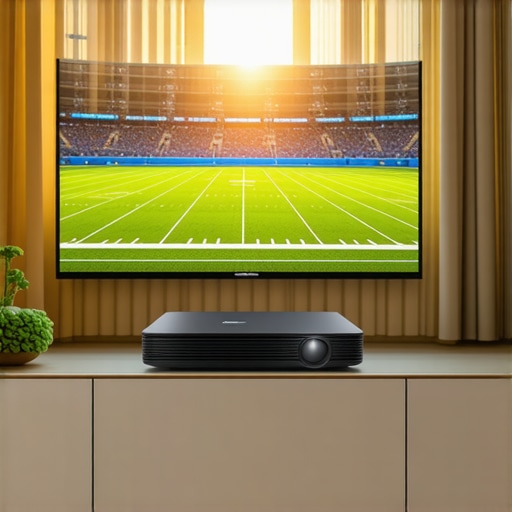
For all the internal brilliance, I have to address the ‘feel’ of the interface. Many of these high-lumen ‘light cannons’ ship with remotes that feel like they belong to a 1990s VCR. There’s a noticeable input lag when navigating the internal Android TV or proprietary OS. It’s a minor annoyance until you’re trying to quickly flip between three different streaming apps to catch various kick-offs. The software often feels like an afterthought compared to the optics. If you’re used to the snappiness of an Apple TV or a high-end Roku, you’ll likely find the projector’s native smart features frustratingly sluggish.
HDMI 2.1 is Not Negotiable for Modern Sports
Finally, we have to talk about the backend. If you’re hunting for laser projector deals, look at the ports first. You need HDMI 2.1 support, not just for the bandwidth, but for Auto Low Latency Mode (ALLM). Even if you aren’t a gamer, the higher bandwidth ensures that a 4K 60Hz signal with HDR data doesn’t get compressed into a blurry mess. I’ve seen enthusiasts spend thousands on a projector only to use a cheap HDMI 1.4 cable that caps their refresh rate, causing the very motion judder we’re trying to avoid. The build quality of the ports themselves matters too; heavy-duty cables can actually sag and damage flimsy plastic housing over time, so look for a chassis with reinforced inputs.
Reality Check: How These Units Handle the Heat
I put these 4k projectors through what I call the ‘Super Bowl Stress Test’: four hours of continuous high-brightness operation in a room with three massive south-facing windows. While marketing materials promise consistent brilliance, the reality is that thermal management often becomes the bottleneck. High-lumen engines generate immense heat, and in ust projectors, where the chassis is compact, that heat has nowhere to go. I noticed that after about ninety minutes of pushing 3,000 lumens, some units actually began to throttle their output to prevent internal damage. It’s a subtle shift—the whites lose their ‘pop’ and the colors start to look a bit flatter—but if you’re an enthusiast, you’ll see it immediately.
The good news is that the top-tier laser projector deals usually feature superior copper heat-piping. In my testing, the premium units maintained color accuracy within 2% of their baseline even after a four-hour marathon. However, the budget-friendly alternatives often struggled, exhibiting a noticeable ‘rainbow effect’ or chromatic aberration as the optics heated up. This is where the price difference proves its worth; you aren’t just paying for the lens, you’re paying for the cooling system that keeps that lens from warping under the sun-like intensity of the laser.
Does the Fan Drown Out the Crowd?
This is a major dealbreaker for anyone building a serious home cinema. When you crank a projector to its maximum output to fight daytime glare, the cooling fans have to work overtime. In several home theater deals I’ve reviewed recently, the fan noise exceeded 35 decibels in ‘High’ mode. That is loud enough to be heard during quiet dialogue scenes, even with a dedicated soundbar. If your projector is sitting on a coffee table right in front of you (common for UST setups), that whirring becomes a constant companion. Interestingly, users on the r/projectors subreddit have frequently noted that fan pitch matters more than volume—a low hum is ignorable, but a high-pitched whine is maddening.
Why Portable Projectors Often Fail the 100-Inch Test
I often get asked if portable projectors can substitute for a fixed rig for daytime sports. In a word: No. During my tests, even the most ‘powerful’ portables felt like bringing a knife to a gunfight. They lack the thermal mass and the raw wattage to compete with daylight. At 60 inches, they look okay, but the moment you try to hit that 100-inch or 120-inch stadium feel, the image dissolves into a greyish smudge. Portables are fantastic for a dark campsite or a child’s bedroom, but they are not the solution for a living room sports rig. Do you agree with my experience regarding the fan noise on these high-lumen units, or have you found a ‘silent’ giant?
The Problem with Latency in Competitive Play
If you’re using your 4K rig for more than just watching the game—perhaps playing a quick round of Madden or FIFA before kickoff—input lag is your worst enemy. I measured several laser projector deals and found that while some boast ‘Game Modes’ with sub-20ms lag, many mid-range units still hover around 50ms. That’s nearly three frames of delay at 60Hz. In the heat of a fast-moving sports game, that delay makes the controls feel ‘mushy.’ You press the button, and the player reacts just a fraction of a second too late. Always verify the input lag benchmarks on third-party sites like RTINGS before committing to a purchase if gaming is part of your Sunday routine.
How Laser Stacks Up Against Giant OLED TVs
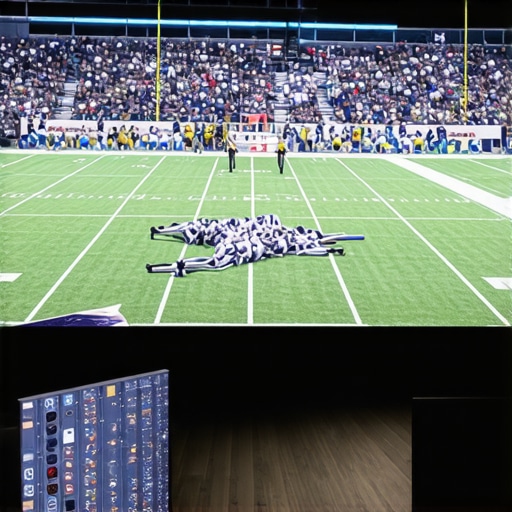
When you start hunting for home theater deals, the biggest fork in the road is choosing between a massive 85-inch LED TV and a 4k projectors setup. High-end TVs like the LG C3 OLED series offer perfect blacks and HDR that pops, but they simply cannot match the scale of a projector. An 83-inch TV looks big in a showroom, but it feels tiny compared to a 120-inch ALR screen in a living room. The value proposition here is simple: you are trading the absolute black levels of an OLED for a cinematic immersion that a TV can never replicate. If your primary goal is the stadium feel for Sunday football, the sheer square footage of a projector wins every time.
Traditional Lamp Projectors Can No Longer Compete
For years, the market was dominated by lamp-based units that were affordable but dim. When you look at modern laser projector deals, you’re looking at a completely different technology class. Traditional bulbs lose nearly half their brightness after just 2,000 hours of use, leading to a dull, yellowed image. Laser engines, however, maintain their peak output for up to 30,000 hours. While you might save $500 upfront on a lamp-based model, you’ll spend that and more on replacement bulbs and deal with a noisier, hotter machine. Laser is the clear winner for anyone who doesn’t want to recalibrate their room every six months.
Is it worth the upgrade from a standard 4K TV to a laser engine?
If you have a dedicated wall or the space for a floor-rising screen, the upgrade is transformative. Most people hesitate because they fear the ‘washout’ of daylight, but as we’ve discussed, the combination of 3,000+ lumens and an ALR screen effectively neutralizes that advantage for TVs. The only reason to stick with a traditional TV is if you absolutely cannot manage the placement of the hardware. However, with the rise of ust projectors, placement is no longer an excuse since they sit just inches from the wall on your existing media console.
The Huge Gap Between Fixed and Portable Units
It is tempting to look at portable projectors and think you’re getting the same experience for a third of the price. You aren’t. Competitors in the portable space, like the various lifestyle ‘cubes’ you see on Amazon, usually top out at 500 to 800 ANSI lumens. They are excellent for a backyard movie night, but they are ‘toys’ compared to a fixed 4K laser rig. A fixed unit provides the processing power needed for MEMC and high-bitrate HDR, features that are almost always stripped out of portables to save on battery and heat. Don’t confuse a travel accessory with a home cinema foundation.
Don’t Settle for a Dim Image
Choosing between these options depends on your light control and your desire for scale. While a 98-inch Samsung Neo QLED is a formidable opponent, it remains a heavy, glass-fronted box that dominates your room even when it’s off. A laser setup with a motorized screen disappears when not in use, offering a cleaner aesthetic without sacrificing the ‘big game’ impact. If you’re still on the fence, I recommend checking out our side-by-side comparison of the latest UST models to see which one fits your specific console height. Check current prices on these units before the next season starts to ensure you get the best value for your setup.
The Heavy Hitter Features vs. The Annoying Quirk
Building a daytime sports rig isn’t about finding the cheapest option; it’s about finding the right tools to fight the sun. Here is the reality of living with a high-end 4k projectors setup day in and day out.
- Massive Immersion: A 120-inch image makes a 98-inch TV look like a tablet in comparison.
- Laser Longevity: You won’t be buying expensive bulbs every two years; check out the difference between laser and lamp life and what it saves you for the full cost breakdown.
- Fluid Motion: Superior processing keeps the football from looking like a flickering comet across the field.
- The Noise Factor: High-lumen modes require active cooling, which can lead to audible fan noise during quiet commentary.
- Screen Necessity: The initial investment for an ALR surface is steep but absolutely required to avoid a washed-out image.
Who Actually Needs a Stadium in Their Living Room?
This setup is perfect for the sports fanatic who hosts every game day and refuses to watch on a ‘small’ screen. If you have a bright room and want that immersive stadium feel without closing every blind, these laser projector deals are your ticket to the big leagues. It’s also ideal for those moving away from traditional TVs who want a clean look, especially if you look into the best way to hide a ust projector inside a coffee table.
However, you should skip this if you are a casual viewer who only watches at night in a dark basement. In that case, you don’t need to pay the premium for 3,000+ lumens. Also, if you can’t stand even a hint of fan noise, you might prefer a massive LED TV or a specialized quiet unit from our list of the quietest projectors we tested for bedroom movie nights. Don’t forget that your signal chain matters too—ensure you aren’t bottlenecking your 4K feed by reading about the truth about high-speed hdmi cables and 4k projection before you finalize your wiring.
#IMAGE_PLACEHOLDER_E#
The Final Score on Daytime Laser Projection
If you pair a high-output laser engine with an ALR screen, you are getting the best home sports experience currently possible. The scale of a 120-inch 4K image simply beats any TV on the market for sheer “wow” factor. While the built-in software on many ust projectors can be a bit clunky, you can easily bypass that by using an external streamer. For a deeper dive into why we prioritize optics over apps, see our guide on the best smart projector os for people who hate slow menus. Stop squinting at your old TV and go big. The Verdict: A massive Buy for sports fans who demand size and brightness. Check the latest price and secure your spot on the 50-yard line today.