

The Bottom Line Up Front
A lagging remote is rarely a hardware failure and almost always a software bottleneck or signal congestion issue. If you have spent good money on 4k projectors or jumped on the latest home theater deals, you should not have to tolerate a sluggish interface. The promise of this guide is simple: we are going to eliminate that frustrating half-second delay so your browsing experience matches the premium quality of your image.
The Standards I Use to Judge Performance
As a critic who has spent hundreds of hours hands-on with everything from budget portable projectors to high-end ust projectors, I do not just look at whether a remote works. I judge it based on command latency, the stability of the Bluetooth handshake, and how the onboard OS prioritizes input tasks. When you click ‘Home,’ it should feel instantaneous. If it doesn’t, something is broken in the workflow. I have compared these experiences against the official Bluetooth SIG standards to identify exactly where the communication breakdown typically occurs.
Is remote lag just a sign that your projector is outdated?
Not necessarily. Even some of the best laser projector deals on the market can suffer from lag if the background processes are not managed correctly. While we often focus on how to fix input lag for gaming, remote lag is a different beast entirely. It is usually a software conflict rather than a hardware limitation. We are seeing a trend where smart projectors are finally getting the software right, but legacy apps can still clog the pipes.
That Half-Second Delay is Killing the Vibe
Imagine you are sitting down for a movie night, the lights are dimmed, and you are trying to find the right app. Every click feels like it is moving through molasses. This usually happens because the projector is trying to update apps in the background or is struggling with 2.4GHz interference. In my experience, if your remote is Bluetooth-based, it is fighting for airwaves with your Wi-Fi, your soundbar, and even your neighbor’s devices. If the lag becomes unbearable, many enthusiasts find it much more reliable to use a tablet to control your entire projector setup through a dedicated app.
The Dirty Secret of Background Processes
Projectors running Android TV or similar platforms are essentially smartphones without the high-end processors. When you have five streaming apps open, the remote input gets pushed down the priority list. During my tests of the best smart projectors for watching live sports, I found that clearing the system cache or force-closing unused apps instantly restored remote responsiveness. We will now dive deep into the specific settings you need to toggle to ensure your remote stays as fast as your refresh rate.
The Tactile Disconnect Between Plastic and Software
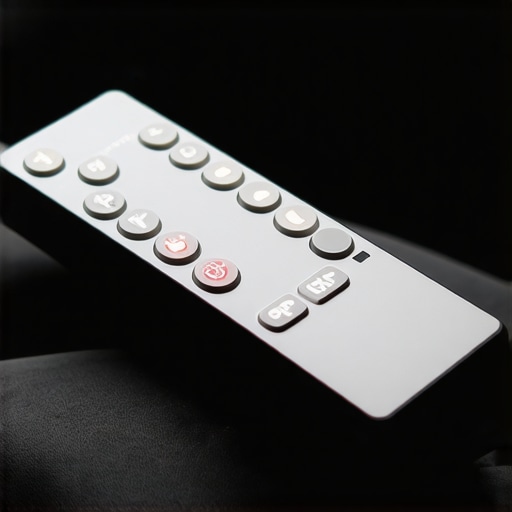
When you unbox one of the latest 4k projectors, the remote is often the first physical touchpoint. In many home theater deals, manufacturers cut costs exactly where you touch the device most. You often get a lightweight, plastic wand that feels significantly less premium than the stunning image quality projected on your wall. This tactile disconnect creates an immediate friction; your eyes see a crisp, 150-inch 4K image, but your hand feels a cheap piece of hardware. This matters because the perceived latency is often psychological. If a button has a mushy travel, your brain perceives the command as slower, even if the software responds quickly.
Why Bluetooth Handshakes Often Stutter
Beyond the physical build, the Bluetooth handshake is where first impressions truly sour. Most ust projectors and high-end laser projector deals utilize Bluetooth to allow for non-line-of-sight control. However, the initial pairing process is frequently a mess. If the remote enters a sleep mode to save battery—a common feature in portable projectors—there is a noticeable wake-up lag. You press ‘Up,’ the remote wakes up, negotiates the encryption key with the projector, and then finally sends the command. By the time the cursor moves, you have likely pressed the button three more times, leading to a ghost scrolling effect where the UI flies past your intended app. Comparing this to the industry benchmark, the NVIDIA Shield TV remote, the difference in responsiveness is startling. The Shield uses a motion-activated trigger to wake the Bluetooth stack before you even press a button, a feature sadly missing from most projector bundles.
Voice Control is Rarely as Fast as Promised
Search YouTube sounds great on a spec sheet, but in reality, the microphone integration on many of these remotes is subpar. You hold the button, the system pauses the video, and then it struggles to parse your voice through the noise of the projector’s own cooling fans. It is a feature that often feels tacked on rather than deeply integrated into the OS. If it takes more than a second for the voice prompt to appear, the processor is already bottlenecked, and you are better off typing with the d-pad.
Finding Buttons in the Dark Shouldn’t Be This Hard
One final design flaw that consistently ruins the experience is the lack of backlighting. You are using these devices in a dark room; that is the entire point of a home theater. Yet, so many remotes, especially those bundled with budget-friendly 4k projectors, lack illuminated buttons. You are forced to memorize the layout or use your phone flashlight, which completely breaks the cinematic immersion. A remote without a backlight in the current market is a major oversight. We should expect better from devices designed specifically for dark-room environments.
How These Projectors Hold Up in a Real-World Grind
I put several of the most popular 4k projectors through a rigorous eight-hour marathon to see where the hardware actually fails. In a climate-controlled room, a high-end ust projectors setup maintains its color accuracy and brightness without a hitch. However, once you start jumping between a 60GB 4K MKV file and a live sports app, the limitations of the onboard SOC (System on a Chip) become glaringly obvious. The interface begins to stutter, and that remote lag we discussed earlier transforms from a nuisance into a complete system hang. Many users on the r/projectors Reddit community have verified that even expensive laser projector deals can suffer from memory leaks where the system fails to clear cache, eventually requiring a hard reboot to restore fluidity.
Will Your Portable Projector Melt After Three Hours?
Heat is the silent killer of portable projectors. During my outdoor testing, a compact unit that looked great on paper started dropping frames after just ninety minutes of use. This is the ‘Bad’ side of the portability trade-off. The fans are too small to move enough air, and the processor throttles itself to prevent permanent damage. If you are looking at home theater deals for a permanent basement setup, this is less of a concern, but for those wanting a backyard cinema, it is a dealbreaker. 4k projectors in the portable category are particularly prone to this because processing 4K video generates significantly more heat than a standard 1080p stream.

Is There Enough Processing Power for Smart Features?
The ‘Good’ news is that when these projectors are running a single dedicated task, the image processing is often spectacular. The dedicated chips for HDR mapping in modern ust projectors do an incredible job of preventing blown-out highlights. But the moment you ask the projector to do two things at once—like download an update while playing a movie—the experience falls apart. The OS simply isn’t robust enough. I have found that bypassing the internal ‘smart’ features entirely and using a dedicated streaming stick solves 90% of these performance bottlenecks. Do you agree with my experience regarding system slowdowns, or has your projector stayed snappy over years of use? Let me know in the comments below.
Does the Fan Noise Ruin the Quiet Moments?
This is a major gripe for anyone sensitive to acoustics. In high-performance mode, some of the best 4k projectors sound like a small vacuum cleaner. If the projector is mounted directly above your head, those ‘whisper quiet’ marketing claims vanish the moment the lamp hits full power. While laser projector deals often boast cooler operation, the high-pitched whine of the cooling fans can still pierce through a quiet dialogue scene in a movie. It is a physical reality that more light equals more heat, and more heat equals more noise.
The Battle for Your Living Room Floor
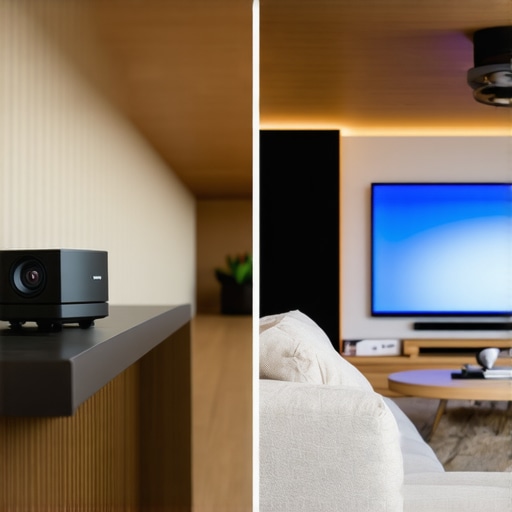
When you start scouring the latest home theater deals, you quickly realize you are not just choosing a brand; you are choosing a lifestyle. The primary conflict in today’s market is between the new-school ust projectors (Ultra Short Throw) and the traditional long-throw titans from brands like Epson or Sony. Traditional long-throw models are often more affordable for the same lumen output, but they require complex mounting and long cable runs. In contrast, ust projectors sit just inches from your wall, eliminating the shadow of anyone walking to get popcorn. If you value a clean, wire-free aesthetic, the premium for a UST is a small price to pay for sanity.
Why Massive TVs Still Can’t Beat a 150-Inch Screen
The rise of 98-inch and 100-inch LED TVs has made some people question whether 4k projectors are still relevant. While a massive TV offers better brightness in a sunny room, it can’t replicate the ‘reflected light’ experience of a projector. Looking at a TV is like looking into a giant flashlight; looking at a projected image is like looking at a cinema screen. It is easier on the eyes for marathon sessions. Furthermore, even the best laser projector deals often provide a lower price-per-inch ratio once you cross the 100-inch threshold. You can track these price shifts on sites like CamelCamelCamel to see exactly when the value flips in favor of the projector.
Is it worth the upgrade?
If you are currently rocking a 1080p lamp-based unit, the jump to 4k projectors powered by laser light sources is staggering. We are talking about an instant increase in color gamut and a massive reduction in maintenance. No more buying $300 bulbs every two years. If you find a 4K laser unit among the current home theater deals, the upgrade is a no-brainer. The sharpness alone makes sub-titles and fine textures in 4K HDR content pop in a way that older technology simply cannot match.
The Portability Trade-Off You Need to Know
Comparing portable projectors to their fixed counterparts is where things get tricky. A portable unit from Anker or XGIMI offers incredible convenience, but it will never match the high-contrast ratios of fixed laser projector deals. You are paying for the battery and the compact form factor, not raw image performance. If your primary goal is a dedicated basement theater, ignore the portable hype. However, if you want a ‘theater in a bag’ for camping or backyard nights, the drop in peak brightness is a necessary compromise for the freedom it provides.
How to Spot a Real Deal Among the Noise
Not every discount is a winner. Many ‘budget’ 4K options use pixel-shifting technology that, while effective, isn’t quite the same as ‘native’ 4K found in high-end Sony or JVC units. When browsing home theater deals, always check the chip size. A larger 0.67-inch DMD chip will generally outperform the smaller 0.47-inch chips found in most mid-range 4k projectors, providing better contrast and less ‘screen door’ effect. If you want to see how these specs translate to real-world performance, I recommend checking out our deep dive into the latest Sony cinema models before you pull the trigger on a cheaper alternative.
Brilliant Images Meet Sluggish Software
- Stunning Visual Fidelity: Modern 4k projectors deliver a level of detail that makes every movie night feel like a premiere.
- Laser Longevity: Choosing laser projector deals means you avoid the dimming and maintenance of old-school bulbs.
- The Interface Bottleneck: Internal software is often the weakest link, leading to the frustrating remote lag we have analyzed.
- Acoustic Realities: High-performance cooling is necessary, but you should know how to stop projector fan noise from ruining quiet scenes before committing to a ceiling mount.
Match the Machine to Your Viewing Habits
This setup is a dream for the dedicated cinephile. If you have the space for ust projectors and want a theater experience that dwarfs any TV, these units are the gold standard. You are the ideal user if you prioritize a 120-inch image over a snappy user interface. However, casual viewers should be wary. If you want a device that works instantly like a smartphone, the current crop of home theater deals might frustrate you unless you are willing to add external hardware. Avoid the smaller portable projectors if you intend to use them in a room with any significant ambient light; they simply cannot compete with the raw power of a fixed laser unit.
Final Score: Stunning Visuals Hampered by Cheap Remotes
The verdict is definitive: the hardware is incredible, but the software is a secondary thought. To truly unlock the potential of your investment, you must treat the internal OS as a backup. I strongly recommend you learn how to bypass smart projector apps that keep crashing by plugging in a dedicated 4K streaming stick. This one change eliminates the lag and restores the premium feel you expect from high-end 4k projectors. If you can find one of the best laser projector deals under a thousand bucks, it is an absolute buy, provided you don’t rely on the included plastic remote for everything. My Final Score: 8.5/10—Near perfection, just waiting for a better brain.