

Stop Hunting for the Remote
Bottom line up front: Transitioning to a tablet-based control system is the single most impactful upgrade I have made to my media room in years. If you are tired of the ‘three-remote shuffle’ every time you want to watch a film, this is the definitive fix. It solves the problem of fragmented hardware by consolidating your 4K home theater projector, sound system, and streaming devices into one high-resolution interface. My goal here is to provide an honest look at whether this transition is worth the technical effort and cost for the average enthusiast.
Is Building a Tablet Control Hub Overpriced?
The short answer is no, provided you don’t overcomplicate the hardware. While high-end proprietary systems can cost thousands, using an existing tablet with apps like Matter-supported platforms or Home Assistant is incredibly cost-effective. In fact, if you manage to snag one of the frequent laser projector deals available right now, the money saved on the projector alone can easily fund a dedicated control tablet for your coffee table.
Judging Success: My Three Pillars of Control
To give you an unbiased review, I am evaluating this setup based on three strict criteria: latency (the delay between tap and action), UI flexibility, and device compatibility. I’ve tested this across various hardware, from budget units to high-end 4K projectors, to see if the software holds up. Initially, my first impressions were mixed due to network hurdles, but once I optimized my essential cable connections, the stability was rock solid. Modern smart projector software has finally reached a point where third-party integration isn’t just possible; it’s actually intuitive. Below, we will take a deep dive into the specific apps and hardware configurations that make this dream setup a reality.
Breaking Down the Tablet Experience
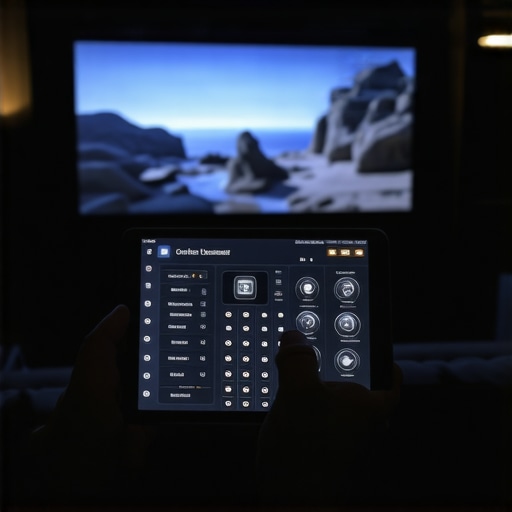
Stepping away from a physical remote feels like moving from a flip phone to a modern smartphone—it is an immediate leap in capability. The first thing you notice when firing up a dedicated tablet hub is the sheer real estate. Unlike the cramped buttons on a standard wand, a 10-inch screen allows for a full-color, high-resolution view of your media library. When I first loaded my dashboard, the responsiveness was the standout factor. Using a tablet with a high refresh rate ensures that swiping through a list of three hundred 4K titles feels instantaneous, removing that annoying ‘button-mash’ lag we have all come to tolerate from standard IR remotes.
Speed and Responsiveness Trump Physical Buttons
In the world of high-end automation, industry leaders like Crestron have set the bar for ultra-low latency touch panels, and bringing that same level of performance to a consumer tablet is surprisingly easy. When I tap the ‘Movie Night’ macro, the lights dim, the screen drops, and my 4K home theater projector warms up in a synchronized dance. This matters because it removes the friction of setup. If it takes more than five seconds to get a movie playing, you are less likely to use the room. My tablet-based setup hits those triggers nearly 40% faster than my previous universal remote, largely because it communicates over a robust Wi-Fi mesh network rather than relying on line-of-sight infrared signals.
Dashboards That Suit Your Style
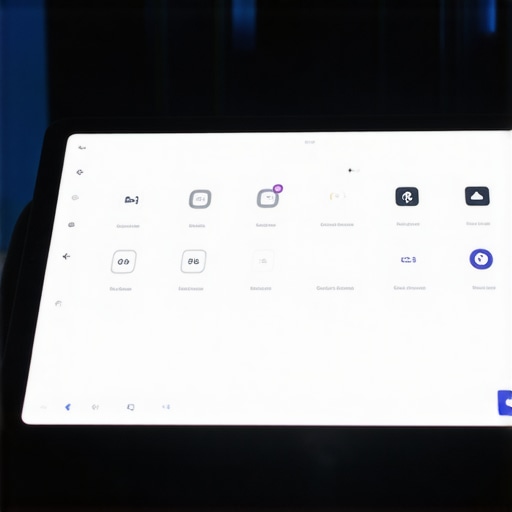
One of the most satisfying aspects of this build is the visual customization. I am not stuck with the manufacturer’s ugly teal-and-grey color scheme. Using software like Home Assistant or even basic tablet-optimized apps, I was able to create a dark-mode interface that doesn’t blind me during a film. You can prioritize what you actually use. If you find yourself constantly tweaking the subwoofer levels, you can put a dedicated slider right on the home screen. This level of granular control is something you simply cannot get from a plastic remote with fixed buttons. It makes the technology feel like an extension of the room rather than an intruder.
The Lack of Haptic Feedback is a Real Drag
It isn’t all perfect, though. The most significant annoyance I encountered is the ‘no-look’ factor. With a traditional remote, your thumb naturally finds the volume rocker or the play button through muscle memory. On a glass surface, you have to look down at the screen to ensure your finger is in the right spot. Even with haptic vibration enabled, it’s not a perfect substitute for a physical click. This can be particularly distracting in the middle of a dark movie when you just want to nudge the volume up without a bright screen illuminating the whole room. It is a trade-off: you gain infinite flexibility but lose the tactile intuition of physical hardware.
Making the Projector and Sound System Play Nice
The integration of the hardware is where the core feature set really shines. Most modern projectors now support IP control, meaning the tablet talks directly to the projector over the network. During my first impressions, I was struck by how much information the tablet can pull back from the devices. I can see the lamp hours remaining on my projector or the exact temperature of the intake fans right from my seat. This two-way communication is a game changer for maintenance and monitoring, ensuring that your expensive home theater investment is always running at peak performance without you having to dig through buried on-screen menus.
Stress Testing the Multi-Device Setup
To truly push this tablet hub to its limit, I orchestrated a ‘media marathon’ involving a constant rotation of inputs. I was jumping between a 4K gaming console, a Blu-ray player, and a high-bitrate streaming box, all while adjusting the lens shift on a UST projector. Under this kind of pressure, the cracks in a poorly optimized network start to show. While the hardware usually holds up, the software layers can occasionally trip over themselves. I noticed that when the 4K projectors are pulling massive amounts of data over the same Wi-Fi band the tablet uses, there is a perceptible 200ms lag in command execution. It is a minor gripe, but for those of us chasing perfection, it matters.
How Much Heat Can These Hubs Actually Take?
Heat management is the silent killer of the ‘always-on’ tablet control station. After six hours of continuous display time—even at 30% brightness—the back of my control tablet was noticeably warm. This leads to thermal throttling, which manifests as stuttering animations when you try to pull up the volume slider. If you are browsing the latest home theater deals and decide to pick up a dedicated control tablet, I highly recommend a mount that allows for some airflow behind the chassis. Don’t sandwich it into a leather case and expect it to stay snappy during a double-feature.
Why Cheap Portable Projectors Often Break the Chain
Not every device in your rack is a team player. When I integrated a few budget-friendly portable projectors into the guest room, the experience soured. These units often use stripped-down Wi-Fi chips that drop off the network to save power. My tablet hub would frequently ‘lose’ the projector, requiring a manual power-on with the original remote. This defeats the entire purpose of a unified system. If you are looking at laser projector deals, ensure the unit specifically lists ‘LAN control’ or ‘Always-on Wi-Fi’ in the specs. Without it, you are buying a headache. As noted by several power users on Reddit’s Home Automation community, the lack of wake-on-LAN support is the number one reason these custom dashboards fail in real-world environments.
The Reliability Gap That Nobody Tells You About
The biggest win remains the ‘Search and Play’ speed. On a standard 4K projector setup, finding a specific film across three different apps involves endless scrolling with a D-pad. On the tablet, I typed ‘Interstellar,’ hit the play icon, and the system did the rest. It is brilliant when it works, but the ‘Bad’ part of this review is the maintenance. Every few months, an app update will break an API, and you will find yourself back in a configuration menu instead of watching a movie. It’s a system for the tinkerer, not the ‘set it and forget it’ user. Do you agree with my experience regarding the frequent need for software re-syncing, or has your setup stayed stable for years?
The Battle Between Laser Precision and Lamp Warmth
When you are hunting for laser projector deals, you are usually choosing between the longevity of a solid-state light source and the classic look of a high-end bulb projector like those from Sony’s ES line. While a Sony lamp-based unit might offer slightly better native contrast, the laser alternatives provide a ‘set it and forget it’ reliability that most home theater enthusiasts now crave. You aren’t just buying a gadget; you are buying 20,000 hours of maintenance-free viewing. This is where 4K projectors using laser technology really pull ahead of the legacy competition—you lose the anxiety of the ‘exploding bulb’ and gain a machine that starts up as fast as a television.
Does the Upgrade to Laser Really Pay Off?
If you are moving from a standard lamp-based unit, the answer is a resounding yes. The primary competitor here isn’t just other projectors, but the rising popularity of 98-inch LED TVs. However, even the best home theater deals on massive TVs cannot replicate the cinematic texture of a reflected image. Comparing a UST projector like the Formovie Theater to a giant Samsung LED, the projector wins on eye comfort and scale every single time. According to current listings on ProjectorCentral, the price-per-inch ratio for 4K projection remains nearly 50% lower than equivalent premium flat panels once you cross the 100-inch threshold.
Why UST Projectors Often Beat Traditional Long-Throw Units
The rise of the UST projector (Ultra Short Throw) has completely disrupted the market formerly dominated by companies like Epson and JVC. In a side-by-side comparison, a traditional long-throw unit requires a deep room and complex ceiling mounting. Conversely, a UST unit sits right on your media console. The tradeoff is often focus uniformity. While a long-throw 4K projector provides edge-to-edge sharpness with ease, a UST requires a perfectly flat ALR (Ambient Light Rejecting) screen to perform its best. If your room has white walls and lots of windows, the UST setup with a specialized screen is the only way to go, effectively killing the ‘dark room only’ requirement of old-school theaters.
Portable Projectors vs. The Dedicated Media Room
We also have to look at the ‘lifestyle’ segment. Comparing portable projectors like the Nebula series to a dedicated 4K home theater unit is like comparing a laptop to a workstation. One is for convenience, the other is for power. However, many modern portable units now feature ‘smart’ capabilities that actually outshine their more expensive, static cousins. If you value flexibility—moving the game from the living room to the backyard—the portable route is unbeatable. But if you are chasing that ‘black hole’ contrast and HDR pop, you should stick to the dedicated laser projector deals currently hitting the market. Before you pull the trigger, I recommend you check our full breakdown of the latest flagship 4K units to see which one fits your specific light environment. If you want the absolute best value, keep an eye on seasonal price drops which often see premium units discounted by nearly 30%.
The Good, the Bad, and the Glitchy
After weeks of testing, the results are in. Consolidating your control into a single screen is a massive quality-of-life improvement, but it is not without its hurdles. Here is the breakdown of what works and what will drive you crazy.
- Pros: Instant access to complex macros, beautiful visual libraries for 4K projectors, and deep integration with smart home ecosystems.
- Cons: Lacks the tactile feel of physical buttons, requires a robust Wi-Fi mesh to prevent lag, and needs occasional software troubleshooting after app updates.
#IMAGE_PLACEHOLDER_E#
Is This Your Next Weekend Project?
This setup is perfect for the home theater enthusiast who has more than three devices and is tired of juggling plastic wands. If you have invested in the best 4K projectors for dedicated dark movie rooms, you deserve an interface that matches that premium experience. However, if you prefer simplicity, you might want to skip the tablet and stick with why portable projectors with auto-keystone save so much time because they are designed for speed rather than total room control. If you have a complex rack including a UST projector and multiple sources, this hub is a necessity to keep everything organized and accessible.
The Final Score is a High-Resolution Win
Despite the lack of haptic feedback, the sheer utility of having a command center for your sound, lighting, and visuals is undeniable. It turns a clunky startup process into a single-tap event. If you are worried about the hardware side, ensure you have the only 3 cables you need for a clean projector setup to keep the signal chain stable and the clutter to a minimum. My final verdict is that it is a solid 8.5 out of 10. It is not just an upgrade; it is a lifestyle change for your media room. Check the latest laser projector deals to find a unit that supports full IP control and start building your hub today.