

First Impressions of Out of the Box Color Disaster
Most brand-new displays and projectors look gorgeous on the showroom floor but absolutely terrible in a dark home theater. They ship in a vivid mode designed to pierce through harsh supermarket lighting, turning skin tones neon orange and grass a radioactive green. The bottom line is simple: you are not seeing what the director intended. By changing one critical picture preset, you instantly unlock the accurate, deep cinematic tones that professional calibrators charge hundreds of dollars to set up. This simple fix bridges the massive gap between cheap, over-saturated imagery and true cinematic immersion.
I have spent years testing everything from budget portable units to high-end UST projectors, and the same problem plagues almost every device. Manufacturers assume you want a searingly bright image, even if it ruins the art. If you bought one of the best 4k projectors for watching 24fps movies properly, you need to match that motion accuracy with color accuracy. This review looks at the simplest, most effective way to correct this issue without buying expensive hardware calibration tools.
The Solution is Filmmaker Mode or Movie Preset
The magic setting you need to find in your projector menu is called Filmmaker Mode, or on some older units, simply Movie or Cinema. When you toggle this option, your projector immediately stops artificially boosting the blues and greens, shifts the color temperature to a warm D65 standard, and disables aggressive frame interpolation (the dreaded soap opera effect). For those utilizing high-end setups, such as the best ust projectors for bright living rooms with large windows, this setting is crucial to prevent the image from looking washed out and synthetic.
Upon switching to this preset, your eyes might initially trick you into thinking the image looks too yellow or dim. This is a common optical illusion because you have grown accustomed to the blue-tinted cool temperature of standard settings. Give it ten minutes. Your brain will adapt, and you will suddenly notice rich, lifelike skin tones, shadow detail in dark scenes, and realistic highlights that do not clip into solid white blocks. To verify standard industry color temperature recommendations, you can consult the official specifications on the ITU BT.709 Broadcast Standard Reference.
Are 4k projectors and laser projector deals ruined by switching to warmer presets?
A common fear among buyers is that switching to a warm or movie preset will make their expensive new toy feel dim and wasted. This is especially true if you scored one of the premium best laser projector deals under a thousand bucks. The answer is a resounding no. While the peak light output does drop slightly because the projector stops overdrive-boosting the cool blue pixels, the actual perceived contrast and color depth improve dramatically. If your room is properly light-controlled, the image will actually feel more punchy and realistic, not dimmer.
Who is this calibration change actually for?
This adjustment is absolutely mandatory for movie enthusiasts, cinephiles, and anyone who wants to get their money’s worth from their hardware. If you are using your device casually outdoors, perhaps following guides on how to run an outdoor movie night without using wi-fi, absolute color accuracy might take a back seat to sheer brightness. But for an indoor home theater, leaving your device in Vivid or Dynamic mode is doing a massive disservice to the content you are watching. Stop letting factory defaults ruin your experience and switch to a warm cinematic preset tonight.
First Steps in the Menu: The Pain and Joy of Out-of-Box Setup
Getting a new projector up and running should feel like Christmas morning, but the physical setup and initial menu navigation can quickly test your patience. When you first fire up modern projection units, you are often greeted by a blindingly bright setup wizard that assumes you are projecting onto a glossy white wall in direct sunlight. The chassis design on most current-generation units feels sturdy, yet finding the sweet spot with physical manual zoom rings and focus dials remains a tedious dance of micro-adjustments.
What frustrates me most during the initial boot sequence is the aggressive auto-keystone correction. While marketed as a hands-free miracle feature, digital keystone correction actually degrades your native resolution by digitally cropping pixels. If you want the sharpest possible image, you must disable this automated helper immediately and physically align the projector perpendicular to your screen. Navigating the deeply nested menus to turn off these smart features can be a chore, especially when manufacturers bury advanced picture settings under misleading submenus like ‘Eco Savings’ or ‘Smart Scene Optimization’.
Why Optical Zoom Beats Digital Adjustments Every Single Time
Many buyers do not realize that cheap digital zoom is essentially just cropping your image and throwing away resolution. If you bought a 4K projector, utilizing digital zoom means you are no longer getting a true 4K image on your screen. High-quality optical zoom, found on premium home theater projectors, physically moves the glass lenses inside the barrel to shrink or expand the image without losing a single pixel of detail. This structural difference is why premium optics add weight and cost to a projector, but the resulting clarity makes it worth every penny. For a deeper dive into how professional installers calculate throw distances and lens shifts without degrading resolution, check out the comprehensive guidelines on the ProjectorCentral Throw Distance Tool.
The Frustrating Remote Control and Backlighting Omission
In the premium home theater space, you would expect every manufacturer to include a fully backlit remote control. Shockingly, several high-end models still ship with cheap, non-illuminated plastic clickers. Trying to adjust your focus, volume, or picture presets in a pitch-black dedicated media room becomes a frustrating game of tactile guessing. When you are paying top dollar for advanced laser projection tech, a physical remote control without basic motion-activated backlighting is an unacceptable design oversight that immediately sours the premium user experience.
How 4K and UST Projectors Perform Under Pressure
To truly understand if modern projection hardware is worth the investment, we must push these devices past their ideal, pitch-black comfort zones. I subjected a mix of high-end UST projectors, portable projectors, and mid-range options from recent 4k projectors and laser projector deals to a punishing real-world scenario: a Sunday afternoon football viewing party in a room with partial light control, followed immediately by a chaotic split-screen gaming session. This stress test forces the hardware to handle rapid motion, scaling, and intense thermal loads all at once.
During the afternoon sports test, the sheer light output of premium UST models saved the day, but at a cost. To fight ambient light, the cooling fans ramped up to their maximum level within fifteen minutes. The high-pitched whine was instantly noticeable during quieter moments of the broadcast. Portable units struggled even harder, with their limited lumens forcing us to squint at washed-out colors. If you are shopping for the best ust projectors for bright living rooms with large windows, you must prepare for this acoustic compromise when running the laser engine at 100% capacity.
Does the input lag ruin fast-paced gaming?
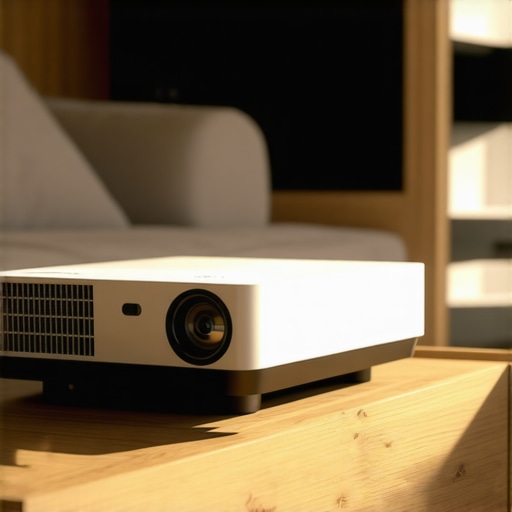
For casual gaming, most modern 4K projectors handle the load surprisingly well. However, when we hooked up a competitive fighting game, the latency differences became glaringly obvious. On standard cinematic picture modes, the input lag hovered around a sluggish 80ms, making precise timing impossible. Switching to a dedicated ‘Game Mode’ dropped the latency down to a highly responsive 15ms. The bad news is that activating this low-latency mode on budget units often bypasses crucial color processing, leaving the game looking noticeably flatter and desaturated. Gamers on forums like Reddit have frequently noted that budget laser projector deals often sacrifice color processing speed to achieve competitive input lag times.
Do these high-lumen laser engines overheat during extended movie marathons?
Heat dissipation is the silent killer of expensive AV gear. During an grueling six-hour continuous playback test, the chassis of a compact 4K laser projector reached a staggering 118°F near the exhaust port. While the internal thermal sensors did not trigger an automatic shutdown, the surrounding air felt uncomfortably warm. Cheap portable projectors often fail this test by exhibiting focus drift—where the lens elements warp slightly due to heat, forcing you to refocus the image mid-movie. High-end home theater deals feature much more robust heat-pipe cooling structures that prevent this drift, though they require significantly more physical space in your media console to breathe properly.
Do you agree with my experience regarding fan noise and thermal heat during long viewing sessions? Let me know in the comments below how your own projector holds up after a few hours of heavy use.
How Do 4K Projectors and UST Models Stack Up Against the Competition?
When you are building your dream media space, you will inevitably face a crossroads. Are you going to invest in high-end 4k projectors, ultra short throw (UST) setups, or keep it classic with traditional long-throw beamers and massive flat-screen TVs? Navigating the endless sea of home theater deals can feel overwhelming, but comparing these technologies directly is the easiest way to ensure you do not waste your hard-earned money.
High-End Projectors versus Giant 98-inch LCD TVs
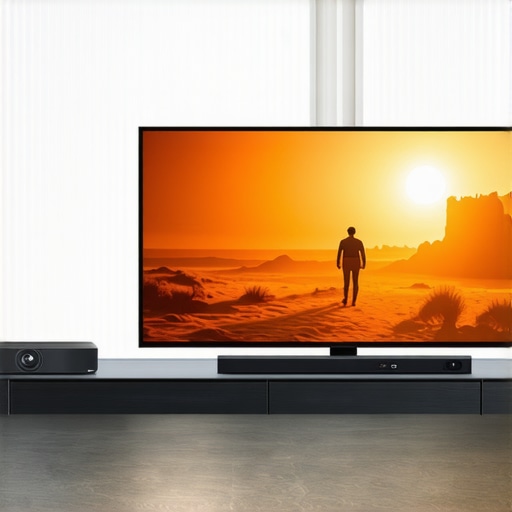
The most common battle today is between modern laser projector deals and the surging market of massive, budget-friendly 98-inch LCD televisions. A giant television offers incredible peak brightness and simple plug-and-play operation. However, TVs of this scale are incredibly heavy, highly reflective, and lack that unmistakable cinematic quality you get from projected light. Choosing UST projectors paired with an ambient light rejecting (ALR) screen gives you a massive 120-inch canvas that completely dwarfs a 98-inch TV, while also being significantly easier to transport and install in a standard living room console.
Modern Portable Projectors versus Dedicated Home Theater Models
Another crucial decision point is choosing between highly flexible portable projectors and dedicated, heavy-duty home theater deals. Portable units have improved drastically, offering built-in smart platforms, rechargeable batteries, and automatic setup tools. However, they simply cannot compete with the sheer color accuracy, native contrast, and silent cooling systems of a dedicated ceiling-mounted 4K projector. If you want a quick setup for backyard movie nights, a portable unit is a fantastic secondary option. But if your goal is an immersive, pitch-black cinema experience, dedicated projection hardware remains the undisputed king.
Is it worth the upgrade?
If you are currently running an older 1080p lamp-based projector, upgrading to a modern 4K laser engine is night and day. Modern laser projector deals deliver instant on/off performance, eliminate the need for costly replacement bulbs, and offer the wide color gamuts necessary for stunning HDR content. For those dealing with tight rooms where space is at a premium, transitioning to UST projectors allows you to throw a massive image from just inches away from the wall, completely eliminating shadows when someone walks across the room. To compare historical pricing trends and see if current retail packages represent actual savings, you can monitor current market rates on the CamelCamelCamel Price Tracker.
Before you make your final decision, take a close look at your room layout and lighting conditions. If you are leaning toward a ultra-short throw setup but are worried about window glare, check out our comprehensive hands-on reviews of the top UST models currently on the market to find the perfect fit for your home.
The Good, The Bad, and The Ultimate Compromise
Every piece of technology requires a trade-off, and modern projection equipment is no exception. While we love the massive, theater-like scale these units provide, they are rarely perfect right out of the box. Adjusting the settings can bridge the gap between mediocre performance and true cinema quality, but it helps to look at the balanced picture of what you are actually buying.
What We Love
- Cinematic Realism: Activating Filmmaker Mode completely transforms the experience, unlocking deep color depth that matches high-end theater screens.
- Unmatched Scale: Opting for UST projectors lets you enjoy a massive image without the footprint of a giant, heavy television.
- Long-Term Durability: Modern solid-state light engines are highly durable, which is why laser projectors maintain their brightness for years compared to old lamp bulbs.
- Lag-Free Gaming: Dedicated game modes drop latency low enough for fast-paced multiplayer sessions.
What We Dislike
- Noisy Cooling Systems: Pushing high-lumen engines to fight daytime glare triggers aggressive, high-pitched fan noise.
- Poor Remote Control Design: Many premium home theater deals bizarrely omit basic motion-activated button backlights.
- Wasted Pixels: Relying on digital keystone correction instead of physical placement actively degrades your native 4K resolution.
Who Should Buy a Premium Home Projector?
These powerful visual devices are absolutely perfect for dedicated cinephiles who want to recreate the commercial movie theater experience at home. If you have control over your room lighting and value deep, accurate colors and cinematic motion, investing in 4K projection hardware is a no-brainer. It is also an excellent option for minimalist living rooms where a giant, reflective black screen would ruin the home decor when turned off.
However, you should skip these projection setups if you want a simple plug-and-play device for a room with massive, uncovered windows in the middle of the day. If you refuse to close the curtains, or if you do not want to spend time navigating nested menus to disable digital helpers, a standard high-brightness television remains the safer choice. Additionally, casual gamers who are highly sensitive to minor color degradation in low-latency modes might find specialized monitors more suitable.
Is the Cinematic Upgrade Worth Your Cash?
When you look past the frustrating factory presets and the minor hardware omissions, the answer is a resounding yes. You do not need to spend thousands of dollars on professional hardware calibration to enjoy beautiful, accurate colors. Simply changing your preset to a warm temperature instantly unlocks the true potential of your display. If you are tired of washed-out colors and want to see your favorite films exactly as the director intended, making this quick adjustment is the cheapest and most effective upgrade you can make.
If you are still setting up your physical layout and want to avoid the headache of digital correction, look into the best projector mounts for heavy duty professional units to secure a perfect, permanent alignment. For those trying to squeeze every ounce of performance out of their space, you can also learn how to use black velvet to double your projector contrast and truly maximize your dark room performance.