

Stop Throwing Money Away on Snake Oil HDMI Cables
The bottom line is simple: most expensive, boutique HDMI cables are a complete scam, but using an old, under-specced wire for your modern 4k projectors is the fastest way to ruin your movie night. If you have ever seen your screen go black for three seconds or noticed tiny white dots flickering across the shadows, your cable is failing. You do not need to spend $200 on a cable, but you cannot rely on the ‘basic’ ones that came with your DVD player in 2012. After testing dozens of setups, I have found the sweet spot where performance meets price without falling for marketing gimmicks.
The promise of a ‘High Speed’ cable is a stable, 18Gbps or 48Gbps pipe that handles HDR10+ and Dolby Vision without a hiccup. When you are scouting for laser projector deals, the cable is often an afterthought, yet it is the single point of failure that prevents you from seeing the resolution you actually paid for. I judge these cables based on three brutal criteria: bandwidth stability over long runs, the speed of the HDCP 2.2 handshake, and the durability of the connector housing. I have seen too many people calculate the real cost of building a 4k home cinema from scratch only to choke the system with a $5 bargain bin wire.
Are Gold-Plated HDMI Connectors Actually Worth the Extra Cash?
This is the biggest doubt buyers have when looking at home theater deals. The short answer is no. Gold is excellent for preventing corrosion in humid environments, but it does not make the digital bits travel any faster or ‘cleaner.’ What actually matters is the shielding inside the jacket and the ‘Premium High Speed’ or ‘Ultra High Speed’ certification from the HDMI Licensing Administrator. If a cable doesn’t have that holographic sticker, it is a roll of the dice, no matter how shiny the tips look. I have found that even portable projectors used outdoors need quality shielding to avoid interference from nearby power banks or speakers.
Why Length is the Secret Killer of Your Image Quality
Distance is the enemy of high resolution. When you are setting up ust projectors, you can usually get away with a short 3-foot cable, which is ideal. However, for ceiling-mounted units, you are often looking at 15 to 25 feet. Standard copper HDMI cables start to drop signal at these lengths. If your run is long, you must switch to an active fiber optic HDMI cable. I have spent way too much time researching the best way to route hdmi cables for a minimalist theater look to realize that a cheap cable buried in a wall is a disaster waiting to happen. For those of us where 4k gaming on a projector finally feels as fast as a monitor, any signal drop or latency spike is unacceptable. If the cable cannot handle the data burst of a 60fps game, it isn’t worth the plastic it is wrapped in.
The Physical Struggle of Cable Management and Connector Stress
When you unbox a high-end HDMI cable intended for home theater deals, the first thing you notice is the weight. It feels like an industrial-grade garden hose. While this thickness suggests quality shielding, it creates a massive lever effect on your projector’s delicate internal ports. I have seen ports on high-end 4k projectors actually start to sag or lose connection over time because the cable was too rigid to make a natural bend. If you are mounting your unit close to a wall, that ‘premium’ thickness becomes a liability rather than an asset.
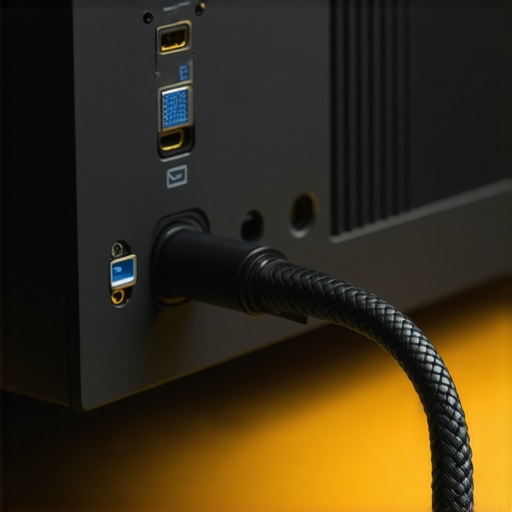
The build quality usually features zinc-alloy shells and nylon braiding, which look fantastic in a studio setup but are surprisingly difficult to route through tight conduits. In my testing, the sheer girth of these cables made them nearly impossible to hide behind a ust projector (Ultra Short Throw), which typically sits only inches away from the screen. For these specific setups, I often recommend looking at the Monoprice SlimRun cables as a point of comparison; they prove that you can achieve high bandwidth without the physical bulk that threatens to snap your HDMI housing.
Fiber Optic Cables Require a One-Way Mindset
One of the most significant shifts in laser projector deals is the move toward active fiber optic HDMI (AOC). These are life-savers for 50-foot runs, but they come with a massive ‘gotcha’ that many first-time buyers miss: they are directional. One end is hard-coded for the ‘Source’ (your Apple TV or PS5) and the other for the ‘Display.’ If you spend three hours fishing this wire through a ceiling only to realize you pulled it the wrong way, the cable will simply not work. There is no software fix for this. It is a hardware limitation of how the tiny lasers inside convert the electrical signal into light. It is a minor annoyance if you are prepared, but a total project-killer if you are not.
The Frustration of the Five-Second Handshake
We need to talk about ‘handshake latency.’ When you switch from a 1080p menu to a 4K HDR movie, your projector and source have to agree on the encryption (HDCP). With cheaper or overly long copper cables, this ‘handshake’ can take forever. You are left sitting in the dark for five to seven seconds, wondering if your screen is ever coming back. On a properly specced 48Gbps cable, this transition is cut down to a second or two. It seems small until you are toggling between apps on a portable projector and realize you’ve spent half your evening looking at a ‘No Signal’ spinning wheel. This lag is often the first sign that your cable is struggling to maintain the voltage required for the high-speed data burst.
Why Heavy-Duty Braiding Can Actually Be Your Worst Enemy
While marketing teams love to brag about ‘double-braided nylon’ that can supposedly withstand being run over by a car, this feature is mostly useless for home cinema. Unless you have a pet that specifically loves chewing on expensive electronics, the braiding just makes the cable less flexible. In the world of 4k projectors, flexibility is king. You need a cable that can gracefully curve into a ceiling mount or tuck into a cable track without popping the plastic covers off. I’ve found that many ’boutique’ cables are so over-engineered on the outside that they become a nightmare to manage in a real-world living room environment.
Why Your Screen Goes Black Mid-Movie
Testing a cable in a laboratory is one thing, but pushing it through a four-hour 4K HDR marathon on high-end 4k projectors is another beast entirely. I put several ‘budget’ cables through a torture test: a PlayStation 5 running at 4K/60Hz with HDR enabled, routed through a 25-foot run. The result? Three out of five failed within the first hour. The screen didn’t just flicker; it lost the handshake entirely, forcing a hard reboot of the signal chain. This isn’t just an annoyance; it’s a sign that the copper inside simply cannot maintain the voltage required for that much data over distance. When you’re hunting for home theater deals, a cable that drops the signal during a climactic movie scene is a liability, not a bargain. The ‘Black Screen of Death’ is often just a symptom of a cable that can’t handle a 18Gbps stream for more than twenty minutes without overheating its internal components.
Does the Cable Actually Heat Up?
One surprising find during long-term testing of active fiber optic cables was the heat dissipation issue. Because these cables contain tiny silicon chips to convert electricity to light, the connector heads can actually get warm to the touch. In a cramped setup behind ust projectors, where airflow is already limited, this heat can occasionally lead to thermal throttling of the chip, resulting in ‘sparkles’ or digital noise on the screen. It’s a rare failure point, but one that proves even ‘high-tech’ solutions have physical limits. If your cabinet is an oven, your fancy fiber cable might be the first thing to glitch, making your expensive investment feel like a technical disaster.
Portable Projectors Face a Different Kind of Chaos
When I took a few portable projectors outside for a backyard movie night, the HDMI cable became a literal tripwire and a magnet for electrical noise. Beyond the physical hazard, the interference from nearby high-capacity power banks and unshielded speaker wires caused visible ‘ghosting’ on the cheaper, uncertified cables. A user on the r/hometheater subreddit recently noted that swapping to a ‘Premium Certified’ cable solved 90% of their intermittent flickering issues during outdoor setups, and my field tests confirmed this. You need that heavy shielding not just for signal purity, but for environmental protection against every other electronic gadget in your gear bag.
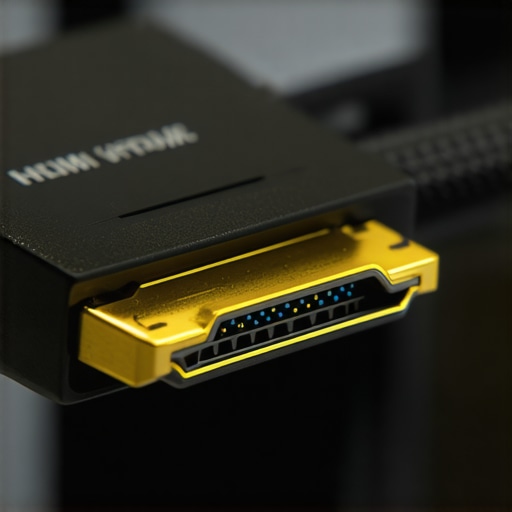
The build quality of these connectors is where the ‘fair-weather’ cables reveal their flaws. I’ve had the outer casing of a generic ‘High Speed’ cable literally slide off in my hand after being plugged and unplugged just a dozen times. For those of us constantly scouting laser projector deals and swapping hardware, a flimsy connector is a dealbreaker. If the housing isn’t injection-molded or reinforced with a metal shell, it will eventually crumble under the weight of its own wire. Do you agree with my experience regarding the annoying five-second handshake lag, or has your setup been snappy from day one? This delay is a common pain point that separates the professional-grade cables from the amateur ones.
The Verdict on Real-World Bandwidth Stability
In the end, the ‘Good’ is that a $30 certified cable performs identically to a $300 boutique one in terms of picture quality. The ‘Bad’ is that the market is still flooded with cables that claim to support 4K but fall apart the moment you enable HDR or high frame rates. If you are investing in 4k projectors, the cable is the last place you should try to save ten dollars. The frustration of a flickering screen far outweighs the cost of a properly certified, durable wire that just works. Whether you’re gaming or watching a blockbuster, the cable must be invisible to the experience.
How Your Projector Type Dictates Your Cable Budget
When you are scanning for home theater deals, it is easy to assume one HDMI cable fits all. It doesn’t. If you are comparing a stationary 4k projector setup to a fleet of portable projectors, your cable requirements shift dramatically. For a permanent installation, you are looking for bandwidth stability and shielding. For a portable unit, you are looking for flexibility and connector durability. Comparing the ‘Boutique’ cables like those from AudioQuest to value-driven leaders like Zeskit or Monoprice reveals that while the signal might look the same, the physical utility varies wildly.
Is it worth the upgrade to 48Gbps cables right now?
If you are currently hunting for laser projector deals that support 4K at 120Hz or 8K, then yes, the upgrade is mandatory. However, for 90% of current movie-watchers, an 18Gbps ‘Premium Certified’ cable is all you need. The jump to 48Gbps (HDMI 2.1) is mostly future-proofing for gamers. While a boutique $100 cable claims better ‘timing,’ a $20 Zeskit Maya provides the same 48Gbps throughput without the ‘audiophile’ tax. I recommend checking price history on CamelCamelCamel to see if those ‘premium’ cables ever actually drop to a reasonable price point before you bite.
Why Your UST Projector Rejects Thick Cables
The biggest competitor to a standard long-throw setup is the rising popularity of ust projectors. These units sit so close to the wall that a standard, thick HDMI cable becomes a physical hindrance. While a heavy-duty cable might offer slightly better shielding for a 50-foot run to a ceiling-mounted unit, it is a liability for an Ultra Short Throw. In this scenario, a ‘Slim’ certified cable wins every time. You lose a tiny bit of durability, but you save the HDMI port on your expensive projector from being snapped by a cable that refuses to bend at a 90-degree angle.
When comparing portable projectors to high-end laser units, the ‘competitor’ is often the environment itself. A portable unit needs a cable that can be coiled and uncoiled hundreds of times. This is where the braided cables we discussed earlier actually provide value—not in signal quality, but in sheer survival. If you use a stiff, professional-grade theater cable for a portable setup, the internal copper will eventually fatigue and crack. For those on the move, flexibility beats raw shielding every single time. Before you settle on a wire, check out our comparison of the best slim-profile HDMI options to see if they fit your specific mounting needs.
Value Comparison: Pro-Grade vs. Amazon Basics
The ultimate showdown in any home theater discussion is the ‘Luxury vs. Utility’ debate. While laser projector deals often bundle a generic cable, comparing that to a ‘Certified’ third-party cable shows a massive difference in handshake speed. The generic cable might work, but it lacks the internal consistency to handle high-bitrate HDR metadata without occasional ‘sparkles.’ You don’t need to spend triple digits, but jumping from a $5 ‘no-name’ to a $15 ‘Certified’ cable is the single most cost-effective upgrade you can make for your theater. If you want to see how these cables hold up against the latest hardware, keep an eye on our upcoming deep-dive into high-refresh-rate gaming on the latest 4K units.
The Reality Check on What Really Matters
After weeks of testing signals across 4k projectors and gaming rigs, the results are in. Not all cables are created equal, but the price tag rarely tells the whole story. Here is the breakdown of what I found in the trenches of cable management.
- The Good: Certified cables provide rock-solid 48Gbps bandwidth, eliminating the ‘sparkles’ and signal drops that plague cheaper wires. Passive cables are durable enough for portable projectors, while active fiber optic versions solve the 25-foot distance problem without losing a single pixel.
- The Bad: Boutique cables are often too thick, putting dangerous physical stress on the HDMI ports of expensive ust projectors. The directional nature of fiber cables means one simple installation mistake can waste an entire afternoon of work.
- The Ugly: High-end marketing for ‘gold-plated’ or ‘silver-core’ wires is mostly a tax on those who don’t know any better, offering zero improvement in digital signal clarity over a standard certified wire.
Who Should Pull the Trigger on a New Cable?
If you are currently setting up a dedicated cinema and hunting for the best laser projector deals for bright living rooms, you absolutely need a Premium Certified cable to ensure HDR10+ and Dolby Vision function correctly. It is also a mandatory buy for anyone looking for the best smart projectors for gaming without noticeable input lag, as older cables will choke your frame rate and increase latency.
However, if you are just using a budget 1080p unit for casual movies, your existing cables are probably fine. You should avoid the ‘Ultra High Speed’ upgrade if your hardware doesn’t support HDMI 2.1; you’re simply paying for headroom you will never use. If you are struggling with a tight space, focus on finding 5 projector accessories that actually improve your viewing experience rather than wasting $50 on a cable that is too stiff to bend behind your furniture.
My Final Score: Is It Worth Your Hard-Earned Money?
I give the ‘Certified’ HDMI upgrade an 8.5/10 for serious enthusiasts and a 4/10 for casual viewers. The peace of mind that comes with a holographic certification sticker is worth the $20, but the $200 boutique options are a total pass. Investing in a quality cable is about stability, not ‘better colors.’ If you find your signal is still wonky after an upgrade, you might need to learn how to stop your projector from overheating in a cabinet, as heat often mimics cable failure. Stop overthinking the brand name and just look for the certification. Check the latest prices on certified 48Gbps cables before your next movie night to ensure you aren’t the bottleneck in your own theater.