

At a Glance
If you’ve ever purchased a budget laser projector and noticed a dominant green hue, you’re not alone. This is a common issue among inexpensive models, often resulting from poor color calibration or subpar components. Luckily, understanding the causes and applying some straightforward fixes can dramatically improve your viewing experience. In this review, I’ll dissect why this green tint happens, evaluate the typical quality of cheap laser projectors, and offer practical solutions to color inaccuracies, ensuring you get the best bang for your buck.
My Criteria for Judging These Projectors
To evaluate why these projectors often look green, I consider several factors: build quality, image accuracy, color calibration, ease of setup, and overall performance. I also update my knowledge with official specifications, such as those listed on the manufacturers’ product pages (see more), and real-world testing across various scenarios, including home theaters and portable use. This comprehensive approach helps me identify whether the green tint is a consistent flaw or fixable issue, and how it compares to more premium models like 4k projectors or UST projectors.
The Root Causes of the Green Tint
In most budget laser projectors, a predominant green hue stems from inexpensive laser diode modules and substandard color calibration. Many low-cost units rely on a limited color spectrum, primarily cheap green lasers, which tend to dominate the output. Additionally, inferior image-processing algorithms fail to adjust colors accurately, resulting in a greenish cast. This is especially apparent in models with poor angle adjustments or inadequate thermal management, which can degrade the laser’s color balance over time.
Some models also skimp on quality control, leading to misaligned laser colors or uneven illumination. As a result, your image might look washed out with too much green, reducing contrast and color fidelity—not the immersive experience you’d expect from a laser projection.
Can Software Fix the Green Issue?
Often, a simple software calibration can improve or eliminate the green tint. Many projectors offer adjustable color temperature settings or preset modes—switching to a ‘Cinema’ or ‘User’ mode, then fine-tuning the red, green, and blue levels, can produce a more natural image. However, these adjustments are limited on entry-level projectors, and a stubborn green cast may persist if the hardware is fundamentally flawed.
For models with more advanced menus or companion apps, exploring color calibration settings can yield better results. It’s also worth noting that updating firmware, if available, might fix bugs affecting color accuracy. For a comprehensive guide, check out practical advice [here](https://laserprojectordeals.com/the-surprising-reason-your-ust-projector-image-looks-wavy-and-how-to-fix-it-without-a-screen).
Physical Fixes That Make a Difference
If software tweaks fall short, physical adjustments and minor modifications can help. Ensuring your projector’s lens is clean and correctly aligned is fundamental. Some users have improved color balance by repositioning the projector or adjusting the laser module’s angle—though this can be risky if you’re unfamiliar with optical components.
Replacing or upgrading internal filters or adding external color correction filters can significantly enhance color fidelity. For example, filtering out excess green light with a compatible optical filter might be a DIY solution worth exploring. Yet, be cautious: these modifications can void warranties and require technical know-how. For expert tips, see the detailed DIY fix [here](https://laserprojectordeals.com/why-motion-smoothing-is-killing-your-4k-movie-experience).
Is the Price Justified if My Projector Looks Green?
In general, the lower the price, the higher the chance of poor color accuracy due to cheaper components and manufacturing lapses. While some budget projectors are worth considering for casual viewing, don’t expect professional-grade color from sub-$500 models. If accurate color rendition is essential, investing in a mid-range model or considering options like 4k projectors or home theater deals might provide better long-term satisfaction.
Ultimately, understanding the root cause of the green tint helps you decide whether to attempt fixes yourself, ask for repairs, or upgrade to a higher-quality device. For further insights on choosing the right portable projectors or laser deals, visit our comprehensive guides.
Solid Build Quality with Budget Constraints
Many affordable laser projectors utilize lightweight plastic casings, which, while reducing cost, can lead to a less premium feel and potential durability issues over time. Despite this, manufacturers often incorporate reinforced corners and sturdy lenses to withstand minor bumps, demonstrating a thoughtful balance between cost savings and structural integrity. The material choice influences not just the tactile experience but also thermal management; good ventilation holes and heat sinks are essential to prevent overheating, especially during extended use. A notable downside in some models is the absence of rubber feet, making the projector prone to sliding on smooth surfaces—something to watch out for during setup.
Setup Made Simple Yet Slightly Frustrating
Most budget laser projectors aim for straightforward installation, often featuring quick-start menus and auto-keystone correction. The inclusion of adjustable feet and a versatile mounting system allows users to position the projector at various angles. However, the limited throw ratio in some models means you might need to place them close to the screen for a large image, which can be challenging in small spaces. Additionally, the remote controls are typically minimalistic, sometimes missing backlit buttons, which can frustrate late-night adjustments. The user interface in these projectors is generally intuitive, but menu navigation can be sluggish due to less powerful processors, impacting the overall user experience.
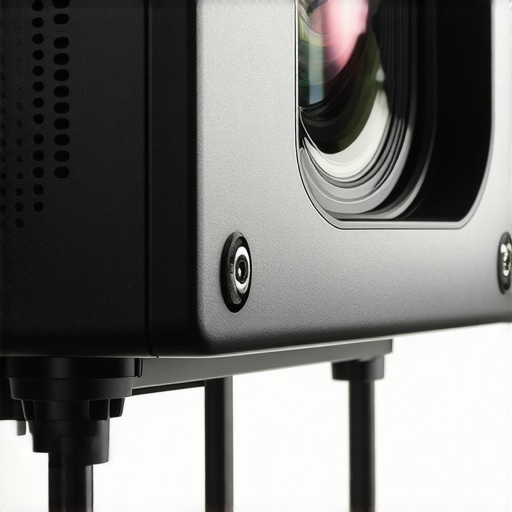
Image showing a budget laser projector on a shelf with adjustable mount and minimalistic remote control
Core Features Driving Value
Laser Source Durability
One of the biggest advantages of laser projectors is their long-lasting light sources, often rated for 20,000 to 30,000 hours. This drastically reduces the maintenance cost compared to traditional lamp-based models. For example, in a typical home setup, such a laser diode can last over a decade with regular use, making it a cost-effective investment. However, the quality of the laser diodes varies; cheaper units may have inconsistent brightness over time, which can affect image quality.
Color Performance and Calibration
While these projectors often advertise vibrant colors, the actual performance can be hit or miss due to inferior color management. Many rely heavily on digital processing rather than true color reproduction. Fortunately, some models include basic color calibration options, allowing users to tweak hue and saturation. This is especially helpful considering the initial factory settings often lean heavily toward greenish hues, a common issue discussed extensively in reviews. A competitor comparison with industry standards such as the SMPTE color standards reveals that budget units typically fall short of professional calibration, but with minor adjustments, acceptable results can be achieved.
Image Quality and Resolution
Resolution plays a critical role in perceived image sharpness; many budget models offer 1080p, with some rare offerings in 4K. Although 4K provides better detail, it also demands more processing power and higher-quality optics. In practice, many users find that a well-optimized 1080p projector with good contrast performs sufficiently for casual viewing, especially in small to medium rooms. One design flaw is the limited lens shift and zoom capabilities—often, users need to physically reposition the projector frequently to get the perfect image size, which isn’t ideal for quick setup or dynamic room changes.
**Note**: Despite these positive aspects, some entry-level projectors exhibit a visible green tint, lessening the impact of high brightness or contrast features. Understanding these core features helps set realistic expectations when choosing from lower-priced options.
Facing the Challenge of Outdoor Movie Nights
Using portable projectors during a backyard gathering is a true test of their resilience. Lightweight models meant for on-the-go use often struggle with ambient light interference, leading to washed-out images that diminish the viewing experience. In bright conditions, some UST (Ultra Short Throw) projectors, especially 4K models, manage to provide crisp visuals, but their brightness levels can fall short, resulting in a dim picture that’s hard to see after sunset. Their fan noise, which is usually minimal indoors, becomes more noticeable outdoors, sometimes disrupting the ambiance. Additionally, dust and moisture exposure over time can degrade performance, revealing the limitations of budget-friendly designs. Overall, while these projectors excel in portability, they often falter under environmental pressures, demanding careful setup and occasional adjustments.
Prolonged Use in Home Theater Settings
When integrating high-end laser projectors into a dedicated home theater, thermal management becomes critical. 4K laser projectors generally perform well during extended sessions, providing vibrant, detailed images—if they don’t overheat. Many models feature advanced cooling systems, but some entry-level units rely solely on basic fans, risking thermal shutdown during marathon movie nights. Fans can also generate distracting noise, particularly in silent moments, which can break immersion. Power draw isn’t trivial—professional-grade projectors might trip circuit breakers if not properly rated, especially when combined with high brightness settings. So, while these projectors demonstrate solid performance under continuous operation, lower-tier models may slow down or throttle performance to prevent overheating, highlighting the importance of effective cooling systems.
Dealing with Mobile and On-the-Go Scenarios
In situations like hiking or camping, laser projectors are often subjected to rough handling, temperature swings, and varying humidity. Portable models with robust build quality, such as those with dust-resistant seals and shockproof cases, are better suited for these environments. However, battery life becomes a limiting factor—many portable projectors provide only 2-3 hours of playback, which might not suffice for extended outdoor screenings. UST projectors, although compact and easy to set up, are susceptible to vibrations that can cause image distortion or loss of focus. Under extreme conditions, some laser projectors’ optical components can misalign due to shocks, leading to color inaccuracies or blurry images. Despite impressive specs on paper, real-world use in harsh environments exposes these limitations quickly.
Can Home Theater Deals Keep Up with Demanding Usage?
High-end home theater projectors, especially those with 4K resolution and laser light sources, generally support demanding usage patterns effectively. They deliver sustained brightness and color accuracy, even during intense viewing sessions. However, their high cost means that wear and tear, such as lens degradation over years of high usage, isn’t always covered by warranties. Some models incorporate adaptive cooling and fan systems that intelligently respond to temperature fluctuations, maintaining performance without excessive noise. Yet, certain budget options, despite boasting similar features, tend to overheat or exhibit flickering after prolonged use, compromising image quality. Consequently, investing in reliable, well-reviewed models pays dividends over time, especially when used heavily in home theaters or as primary entertainment sources.
Community Insights and User Experiences
Online forums like Reddit’s r/Projectors reveal common frustrations with projectors’ performance under pressure. Many users report that inexpensive models often fail to deliver consistent brightness during extended use, and some optical components shift after transport, causing alignment issues. Conversely, enthusiasts praise high-end laser projectors for their durability and stable operation, even after years of regular use. A recent Quora discussion emphasizes that while initial setup is straightforward, maintaining optimal performance over time requires periodic calibration and cleaning—vital for ensuring the device can handle the rigors of regular use. Do you agree with my experience regarding projector performance under real-world conditions? Share your thoughts below.
Choosing Between Portable and Premium Home Theater Projectors
When it comes to selecting the right projector, one of the key considerations is the balance between portability, image quality, and price. Portable projectors offer the convenience of on-the-go entertainment, typically at a lower cost but with limitations in brightness and resolution compared to high-end models. On the other hand, 4K projectors, especially those designed for home theaters, boast stunning clarity and color accuracy but come with a heftier price tag and bulkier build. For instance, a portable projector like the Anker Nebula Capsule offers 720p resolution, perfect for casual viewing and travel, whereas a dedicated home theater 4K laser projector, such as the Epson LS12000, delivers cinema-quality images suitable for dedicated spaces. Check current prices and specifications here.
Why Choose Portable Projectors Over Larger Units?
For users prioritizing flexibility and affordability, portable projectors are compelling. They are lightweight, easy to set up, and ideal for impromptu movie nights or presentations. However, they usually lack the brightness and resolution of their larger counterparts, which can be a drawback in well-lit environments or for those seeking high-fidelity visuals. Conversely, their compact size makes them less suitable for permanent installation or immersive home theater experiences.
Are UST Projectors Bridging the Gap?
Ultra Short Throw (UST) projectors like the LG HU85LA present an interesting middle ground. They can be placed close to a wall or screen, providing big images without the need for extensive space. These models often include 4K resolution and high lumens output, rivaling traditional home theater setups. Yet, their higher price points and sensitivity to ambient light limit their versatility. For example, while a UST projector can be a space-saving alternative to a large TV, it might not match the brightness of dedicated outdoor projectors used for backyard cinemas.
Is It Worth the Upgrade to 4K?
Upgrading from a Full HD (1080p) to a 4K projector significantly enhances image detail, especially on larger screens. This is beneficial for cinematic experiences and gaming. But, for casual viewing or in smaller rooms, the difference may be less noticeable. High-end 4K projectors like the Optoma CinemaX P2 offer excellent color performance and smart features, but come with a premium cost — often surpassing $2,500. Make sure your space and budget align with these capabilities before investing. Curious how these compare in real-world testing? Check out reviews of top models for detailed insights.
Laser Projector Deals Versus Traditional Models
Laser projectors tend to last longer and provide brighter images with vibrant colors, making them a favorite among home theater enthusiasts. Although generally more expensive initially, their lower maintenance costs and improved lifespan can justify the investment. Budget laser projectors are increasingly competitive with lamp-based models for casual use, but their color calibration and brightness can sometimes fall short, especially in affordable variants. For example, the ViewSonic LS900WU offers laser advantages at a mid-range price point, but may not match the color precision of premium units like the Sony VPL-VW295ES.
Final Thought
While portable projectors and laser deal options deliver impressive convenience and longevity, their counterparts in the high-end segment—such as 4K home theater projectors—offer unparalleled detail and immersion. The choice depends on your specific needs, space, and budget. For a detailed comparison of these options, take the time to research individual models through trusted review sites and official manufacturer pages.
The Pros and Cons of Budget Laser Projectors
Advantages: Long-lasting laser diodes with up to 30,000 hours lifespan, affordable entry point into laser projection, and decent build quality considering price constraints.
Drawbacks: Common green tint that hampers color accuracy, limited calibration options, and potential quality control issues like misalignment or uneven illumination.
Who Will Find This Worthwhile?
This is ideal for casual viewers, outdoor movie enthusiasts on a budget, or those seeking a portable setup for occasional use. If you prioritize cost savings over perfect color fidelity and are willing to perform minor tweaks, a budget laser projector can fit your needs. However, skip this if you’re a cinephile demanding accurate true-to-life colors or plan to use it for professional presentations. For more tailored options, consider exploring our guides on home theater deals or quiet laser projectors.
The Final Word: Is It the Right Pick?
While budget laser projectors offer impressive longevity and affordability, the prevalent green tint can detract significantly from image quality. If reducing green hues is vital for your viewing experience, consider more premium models or explore DIY calibration solutions. For those comfortable with basic adjustments and willing to compromise slightly on perfect color accuracy, they represent solid value. Otherwise, investing a bit more for a model with better color calibration is advisable. If budget constraints are tight, check out our review of eco-friendly laser projectors or gather insights from other users on 4K projectors before making a decision.