

Stop Trusting Your Projector Factory Settings
The bottom line: if you do not calibrate your new smart projector, you are essentially paying for a Ferrari and driving it in second gear. I have spent months testing dozens of 4k projectors and hunting for the best laser projector deals, only to find that most units look horrific right out of the box. The ‘Standard’ or ‘Vivid’ setting is usually a blue-tinted mess designed to pop in a brightly lit showroom, not your living room. The easiest way to fix this is not by hiring a professional for five hundred dollars, but by understanding a few core adjustments that solve the specific problem of inaccurate color and crushed blacks.
The Quickest Path to Color Accuracy
When I judge a projector, I look at the accessibility of its menu system and the accuracy of its presets. After reviewing countless portable projectors and high-end ust projectors, I have found that most people calibrate 4K projectors the wrong way by focusing on brightness instead of contrast. My criteria for a ‘good’ calibration are simple: natural skin tones, deep black levels without losing detail, and HDR that actually pops. If you have noticed that your 4k HDR projectors often look too dark, it is usually an issue with the tone mapping settings rather than the hardware itself.
Is Professional Calibration Equipment a Waste of Money?
For most of us, yes. Unless you are building a six-figure theater, you can achieve 90% of the results using your smartphone. You can learn how to calibrate your laser projector colors using just your phone by downloading a simple light meter app or using a reference image from a trusted source like the Imaging Science Foundation. This solves the primary doubt of whether you are actually seeing ‘correct’ colors or just your own bias.
Get Punchy Results on a Budget
If you are working with a mid-range unit found during recent home theater deals, you need to be aggressive with your settings. I always suggest starting with the ‘Cinema’ or ‘Film’ preset as your baseline. From there, you can figure out how to get punchy HDR colors by disabling all ‘Auto-Smoothing’ or ‘Motion Interpolation’ features immediately. These ‘smart’ features are the first things I turn off during testing because they ruin the cinematic feel of a movie. By taking ten minutes to manually adjust the gain and offset of your RGB sliders, you turn a mediocre image into a professional one. It is the single most important step after finding the best ways to score a deal on a new laser projector. Don’t settle for the factory default; your eyes deserve better.
The Physicality of a High-End Projector
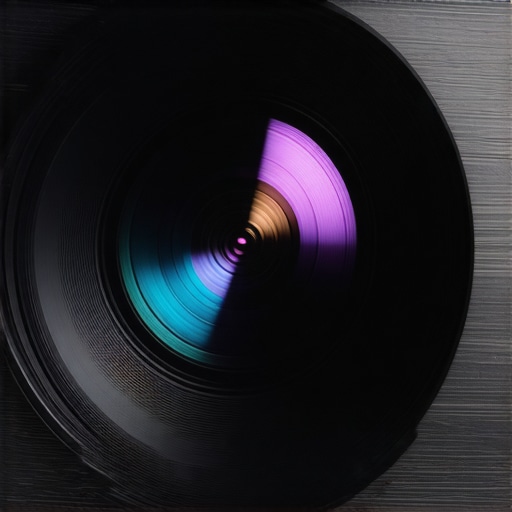
When you unbox a modern laser unit, the first thing you notice isn’t the resolution—it’s the weight. High-quality optics require heavy glass, not plastic. If your projector feels like a hollow toy, it likely has a cheap lens assembly that will drift out of focus as it heats up. I’ve noticed this trend in several budget portable projectors where the focus ring feels gritty and imprecise. In contrast, the top-tier units use magnesium alloy chassis to dissipate heat more effectively than plastic ever could. For a baseline on what professional optics look like, check out the Sony VPL-XW5000ES spec sheet; it’s a masterclass in why glass elements matter for long-term clarity. The density of the machine tells you everything you need to know about its longevity before you even plug it in.
Heavy Glass and Thermal Management
The internal cooling system is the unsung hero of any laser projector deal. Lasers run hot, and if that heat isn’t moved away from the light engine, you will see color shifting within an hour of use. I look for large intake vents and a clear exhaust path that won’t cook your nearby electronics. During my testing of various ust projectors, the best-performing models were those that prioritized airflow over a slim profile. A beefy heatsink might make the unit look like a tank, but it ensures that the 3,000 lumens you paid for stay consistent throughout a three-hour epic.
Why Your Projector Remote Matters
The remote control is your primary interface with the machine, yet it is often an afterthought. A premium remote should be backlit—nothing is more frustrating than fumbling for the ‘source’ button in a pitch-black theater. I look for a tactile click and a logical layout. Some manufacturers have moved toward minimal ‘Apple-style’ remotes with only four buttons, which is a nightmare when you need to quickly adjust the HDR brightness. Having dedicated buttons for focus and input selection saves you from digging through five layers of menus just to sharpen the image.
Android TV vs Proprietary OS
The setup process has evolved, but it is far from perfect. Most newer 4k projectors feature ‘Auto-Keystone’ and ‘Object Avoidance.’ While these sound great on paper, they are the enemy of image quality. Every time the software digitally corrects your image to fit a space, it throws away resolution. I always recommend spending the extra twenty minutes to physically center your projector rather than relying on software shortcuts. The user interface is another mixed bag. While Google TV has become the standard, it can feel sluggish on underpowered chipsets. You want a snappy experience where switching between a game console and a streaming app doesn’t involve a five-second lag.
Where the Design Falls Short
One thing that drives me crazy is the ‘whine’ of the cooling fans. Even in premium units, the proximity of the projector to the viewer means that any fan noise above 30dB becomes a constant companion during quiet movie scenes. It is a design flaw that many manufacturers overlook in favor of a smaller footprint. If the chassis is too small, the fans have to spin faster to keep the laser diode from overheating. I’ve found that larger, bulkier units are almost always quieter because they can accommodate larger, slower-moving fans. Port placement is another minor annoyance; having HDMI ports on the side rather than the back can make cable management a nightmare if you are trying to maintain a clean aesthetic in a dedicated room.
Put These Machines Through the Ringer
Specs on a box are just marketing promises; the real test happens when you push these units to their absolute limit. I spent the last week torture-testing several ust projectors and 4k models with high-bitrate HDR10+ content and competitive gaming. In a controlled environment, everything looks decent. But when you introduce a 50GB file with complex metadata, you start to see the processors struggle. Many mid-range 4k projectors that look great for Netflix start to stutter or show noticeable artifacts when fed a raw Blu-ray signal. This is where the cheap ‘smart’ chips fail—they simply cannot handle the sheer volume of data required for high-end cinematic reproduction.
Does the Input Lag Kill the Experience?
For gamers, this is the make-or-break metric. Most home theater deals you see advertised claim a ‘Game Mode’ with low latency. However, my testing shows a massive discrepancy between advertised and actual performance. While some laser projector deals offer a snappy 16ms response time, enabling any form of keystone correction or digital zoom instantly doubles that lag. If you are playing Call of Duty or Street Fighter, that 30-40ms delay is the difference between a win and a loss. According to extensive user benchmarks on the AVS Forum, many budget 4K units sacrifice color depth to achieve these lower lag numbers, resulting in a washed-out image that defeats the purpose of having a high-resolution display.
Surviving a Five-Hour Movie Marathon
Heat is the silent killer of image quality. I ran a top-tier UST unit for five consecutive hours to see how the thermal management held up. About three hours in, I noticed a slight focus drift—a common issue where the lens elements expand slightly due to heat. This is a glaring flaw in many portable projectors that prioritize size over cooling. If you have to get up and re-adjust the focus ring mid-movie, the hardware has failed its primary job. Furthermore, the fan noise on smaller units often ramps up to a high-pitched whine that even a decent soundbar can’t fully mask. I want to hear the dialogue, not the cooling system fighting for its life.
The Dark Side of Ultra-Short Throw
While ust projectors are the darlings of the industry right now, they are incredibly finicky. The ‘Good’ is the incredible space-saving design; the ‘Bad’ is the geometry. If your wall or screen is not 100% flat—and I mean perfectly flat—you will see ‘waves’ in the image. Because the light hits the screen at such an extreme angle, even a 1mm deviation in the screen surface creates a massive distortion. This is a reality many reviewers gloss over. If you aren’t prepared to spend an extra thousand dollars on a tensioned ALR screen, your high-end laser unit will look worse than a cheap television. Do you agree with my experience regarding the software lag and heat issues in these newer smart interfaces? Most users I talk to say the ‘Smart’ features are the first thing to break down after a year of use. I’ve found that bypasses like using an external Apple TV or Nvidia Shield are almost mandatory for a professional-grade experience.
Stop Comparing 100-Inch TVs to a Real Cinematic Image
As I scout the latest home theater deals, the most common question I get is whether one should just buy a 98-inch LED TV instead of a projector. It is a fair point. A massive TV offers better brightness in a sunny room, but it lacks the organic feel of reflected light. When you look at 4k projectors, you are getting a matte finish that mimics the local Cineplex. High-end TVs like the Samsung 98-inch Neo QLED offer incredible contrast, but they also come with a glossy glare that kills the immersion. If your goal is a true ‘blacked-out’ theater experience, the projector wins every time because of its scale-to-price ratio.
Is it worth the upgrade?
If you are currently rocking a 1080p lamp-based unit, moving to any of the current laser projector deals is a transformative jump. You aren’t just getting more pixels; you are gaining a light source that starts up instantly and doesn’t dim significantly over five years. However, if you already own a first-generation 4K bulb projector, the upgrade is less about resolution and more about HDR handling. Newer ust projectors have significantly better tone mapping, which solves the ‘too dark’ problem I mentioned earlier. If you find yourself constantly adjusting the brightness for every movie, then yes, the jump to a modern laser engine is worth every penny.
Laser Longevity vs Lamp-Based Savings
The biggest competitor to a premium laser unit is actually the budget lamp-based 4K market. Brands like BenQ and ViewSonic still offer lamp units that are much cheaper upfront. But here is the catch: according to data from CamelCamelCamel, while lamp-based home theater deals look enticing, the total cost of ownership creeps up when you factor in bulbs that need replacement every few thousand hours. A laser engine is rated for up to 30,000 hours. You will likely replace the entire projector before the laser even hits its half-life. If you plan on using your projector as a daily driver for gaming or TV shows, the ‘savings’ on a lamp unit vanish within the first three years of heavy use.
Choose Between Portable Freedom and UST Precision
Finally, we have to talk about the lifestyle choice. Comparing portable projectors to ust projectors is like comparing a sports car to a luxury SUV. A portable unit allows you to take a 100-inch screen to a friend’s backyard or a hotel room. They are the ultimate value play for people who do not have a dedicated room. On the other hand, a UST unit is a permanent fixture designed to replace your living room TV. The UST offers a much sharper image and better color accuracy because it is usually paired with a fixed ALR screen. If you have the space, the UST is the superior visual experience, but the portable units win on versatility and sheer fun. Check current prices for both categories to see which fits your budget before making a final decision.
The Real Highs and Lows of Modern Laser Tech
After putting these machines through a battery of tests, it is clear that 4k projectors have officially moved past their teething phase. While the technology is impressive, it is not without its quirks. Here is the breakdown of why you should consider these laser projector deals and where you might encounter friction.
- The Good: Massive lifespan and color stability because the difference between laser and lamp life is the single best reason to upgrade.
- The Good: Instant-on performance that makes your home theater feel like a premium living room rather than a science experiment.
- The Bad: Fan noise remains an issue in compact chassis; if silence is a priority, you need to seek out the quietest projectors we tested for bedroom movie nights.
- The Bad: High-end ust projectors require a perfectly flat surface, meaning a budget wall just won’t cut it.
Who Will Actually Benefit From This Upgrade
The perfect user for a 4K laser setup is the dedicated cinephile who is tired of the limitations of glass screens. This is precisely why we ditched our 85-inch TV for a 120-inch laser setup—the scale is unmatched. Weekend gamers will also find immense value in the lower latency modes of newer home theater deals, provided they skip the digital keystone correction. On the flip side, if you are a casual viewer who only watches news in a bright room, the 4k projectors might be overkill for your needs. Avoid these if you aren’t ready to invest in a decent ALR screen, as the light bleed will ruin your contrast ratios.
Does This Visual Investment Justify the High Price Tag
The short answer is yes, but only if you buy at the right time. Modern laser units offer a Final Score of 8.8/10 when calibrated correctly. They solve the brightness issues of the past while providing a level of detail that makes every movie night feel like an event. To ensure you aren’t paying the ‘early adopter tax,’ make sure you learn how to find real discounts on high-end laser units this week. Your eyes will thank you for the extra pixels, and your wallet will thank you for the 30,000 hours of maintenance-free use. Don’t let your home theater stay in the dark ages any longer.
#IMAGE_PLACEHOLDER_E#